Tabsera

When virtual schools feel like physical ones
Laptop screen showing a virtual whiteboard with geometric shapes and formulas alongside a video call with six participants.

Give lectures as a teacher, manage a school as a principal, or attend classes as a student

We developed Tabsera for an entrepreneur from Somaliland, an African country. The biggest Somaliland mobile operator, Telesom, has helped launch the latest version. As of mid-2020, 1 physical school uses the platform. National TV channel Eryal TV made an overview of Tabsera.

Join an online school from anywhere in the world

Enter a school as long as the school is open, or join a private school if a principal invites you to one. Attend classes taught by in-school or invited teachers in English, French, Arabic, and Turkish.
E-learning interface with the list of schools

Access the platform from a computer or a cellphone

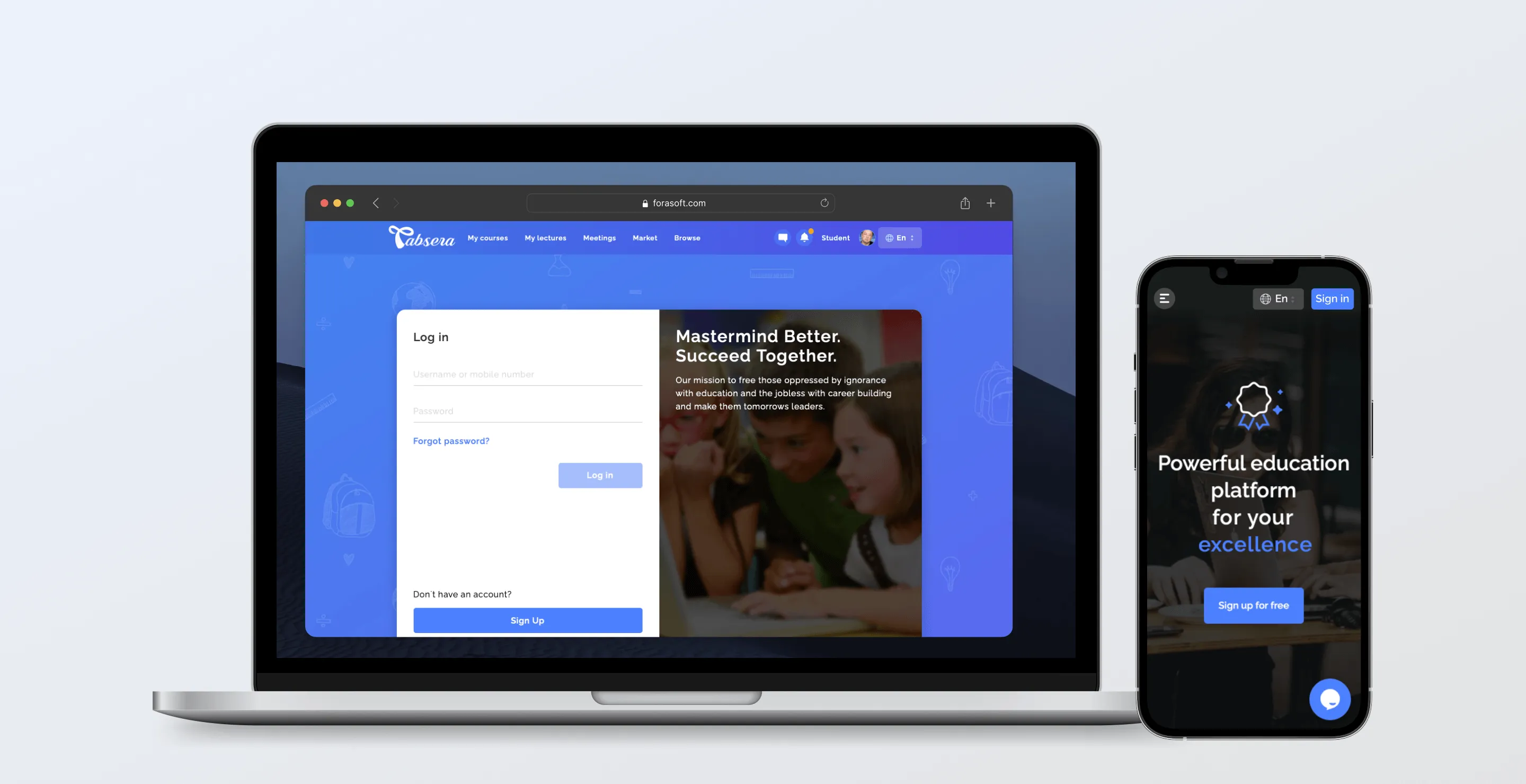
Join lessons on the go using your phone! The web version design is adapted for a small screen.
Laptop and smartphone displaying an education platform login and signup screens with blue-themed user interfaces.

Video and text chat

6 lesson attendants (2 on the phone) see each other in a video chat, while others communicate via a text or voice chat. The guy who hasn’t completed his homework will not get away with murder :)
User chat interface showing a conversation with Lottie Harrison asking about enrolling in Math Morning Classes and a sidebar listing group chats and conversations.Whiteboard interface with a list of Attendees

Up to 300 class attendants

A normal lecture with video hosts up to 32 people and six of them have a video available. For broadcast, where only the teacher has the video, and the rest only use audio chat, the number of participants goes up to 300.
Lecture stream with a list of attendees

Teacher

Upload your certificates and competencies

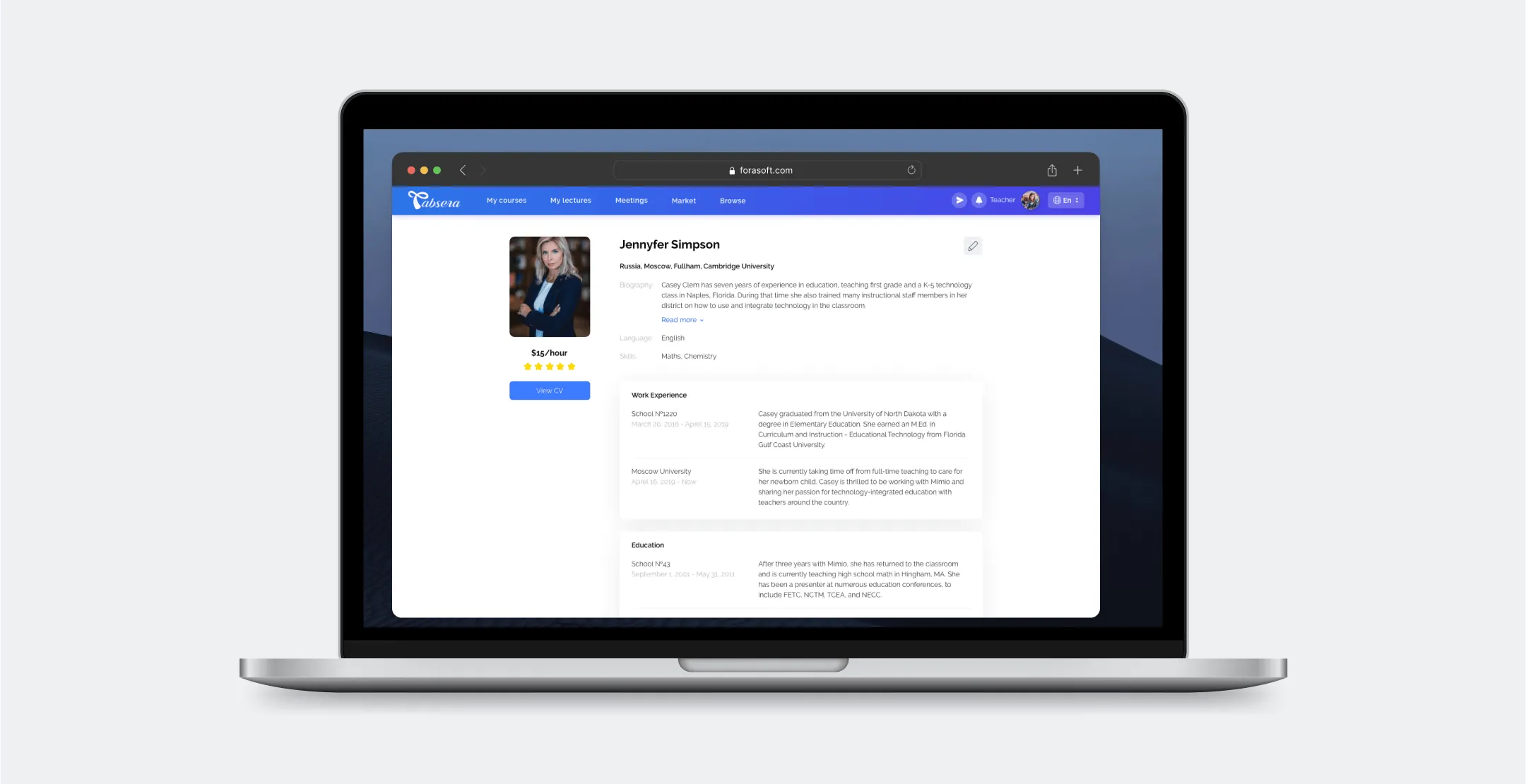
Upload CVs, achievements, and certificates to your profile. Spice it up with your bio and skills, and don’t forget to mention how much money you’re charging for an hour!
Open laptop displaying an online teacher profile for Jennyfer Simpson with photo, bio, skills, work experience, and education details.

Create quizzes

Before the lesson, prepare quizzes. You will see the list of tests when the lesson is over. Give one to your students to see how attentively they have been listening to you!
Online quiz interface showing a multiple-answer question about wild animals in Africa with correct and incorrect selections.

Use a whiteboard to write, draw, move objects, attach extra materials

Use the virtual whiteboard as if it were a physical one. However, unlike a physical classroom, on Tabsera it’s possible to attach videos, audios, quizzes, and even games to the whiteboard.

The games are integrated into the platform from the Tabsera’s partner game developer. Obtain them from the built-in marketplace and add some fun to your lessons!
Screenshot of a collaborative online whiteboard platform with multiple windows showing a file folder with educational materials, a video call panel with attendees, and a digital drawing board displaying a mathematical spiral and formula.

Withdraw your money

Any work should be rewarded! Withdraw money from your wallet if you have $5 or more. Tabsera works with PayPal and Waafi.
Wallet page showing balance of $2,847.13 in USD, earnings of $580.81, payout settings with PayPal selected, and buttons to top up balance or request a payout.

Student

Attend classes as a school student

If your physical school has enabled Tabsera, you are eligible to join it from home. Join another school if it is open or if the principal has invited you.
Mobile screen showing South Fork Charter School profile with rating, location, contact email, and student list on Tabsera app.Webpage showing South Fork Charter School course listings including Microsoft Basic Program, English basic, and others with details and enrollment options.

Study as a private student

Whether you have joined a school or not, you can still attend private classes or lectures with out-of-school teachers.
User interface screen showing details of a Microsoft Basic Course including enrollment, course info, teacher profile, attachments, and lecture schedule.

School principal

Create and edit schools

The main feature that a principal account has is creating a school. Write its description, upload a business license. You can edit the data later.
Website page for South Fork Charter School showing school description, contact email, courses offered, and buttons for sending an application and enrollment.

Create programs and courses

Principals create courses and programs — sets of courses. Then they assign teachers, enroll students, set a price and write a description.
Dashboard interface displaying a Programs section with a Microsoft Basic Program listing and details of courses like Gambling Problem and English basic.

Create school accounts for students and teachers

You have complete control over teachers and students. As a principal, you can manually create and delete their accounts. Invite a guest teacher and set up a contract expiration date. You can also prolong a contract.
Mobile screen showing South Fork Charter School profile with ratings, about section, contact email, and student list.Online education platform webpage showing South Fork Charter School courses with options to enroll and view schedules.

Parent

Manage your children’s accounts

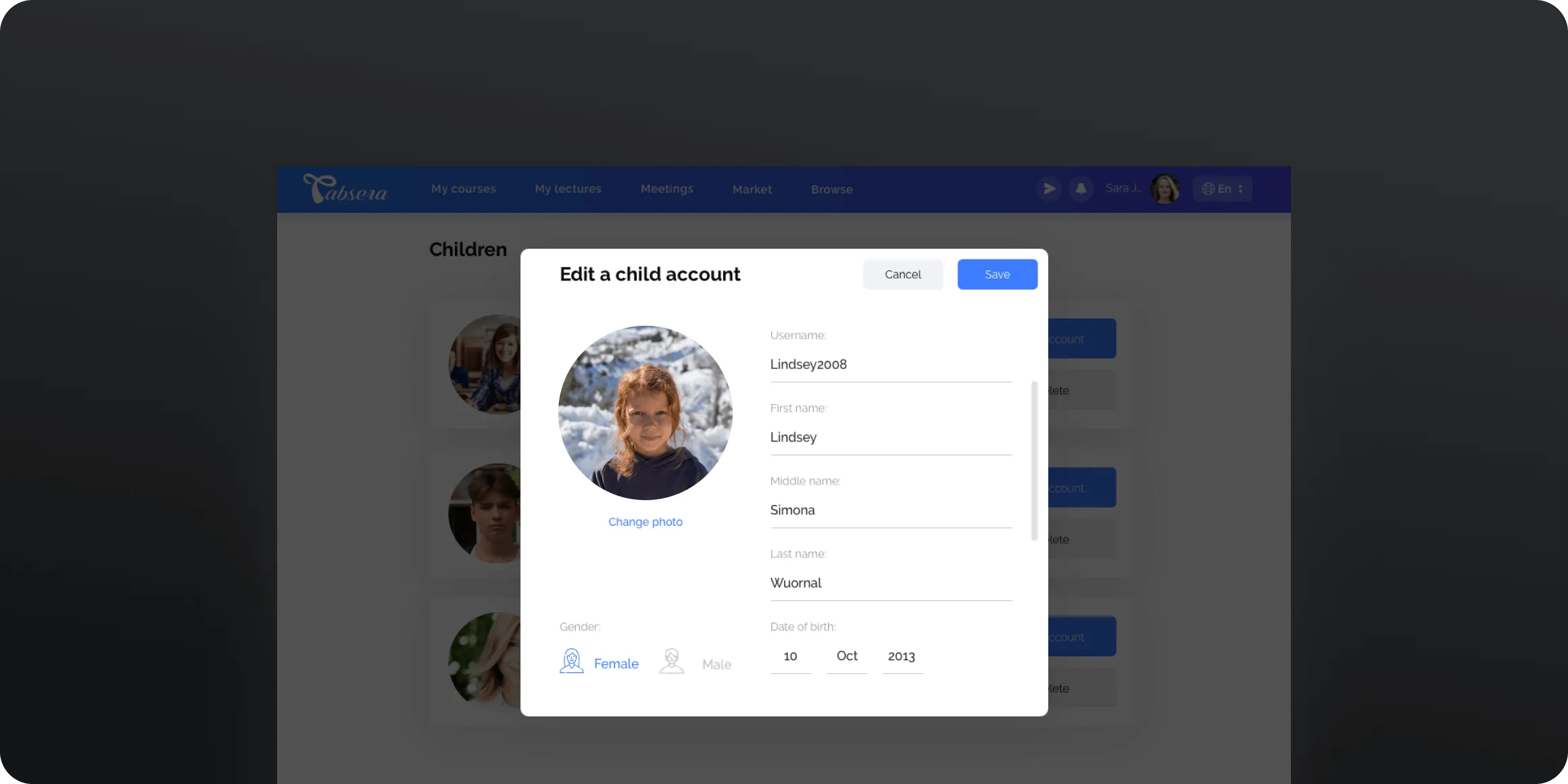
Create or edit your kids’ profiles. You can change every piece of data, even their passwords.
User interface screen for editing a child account showing a photo of a girl with red hair and fields for username, first name, middle name, last name, gender, and date of birth.

Enroll your kids in lessons

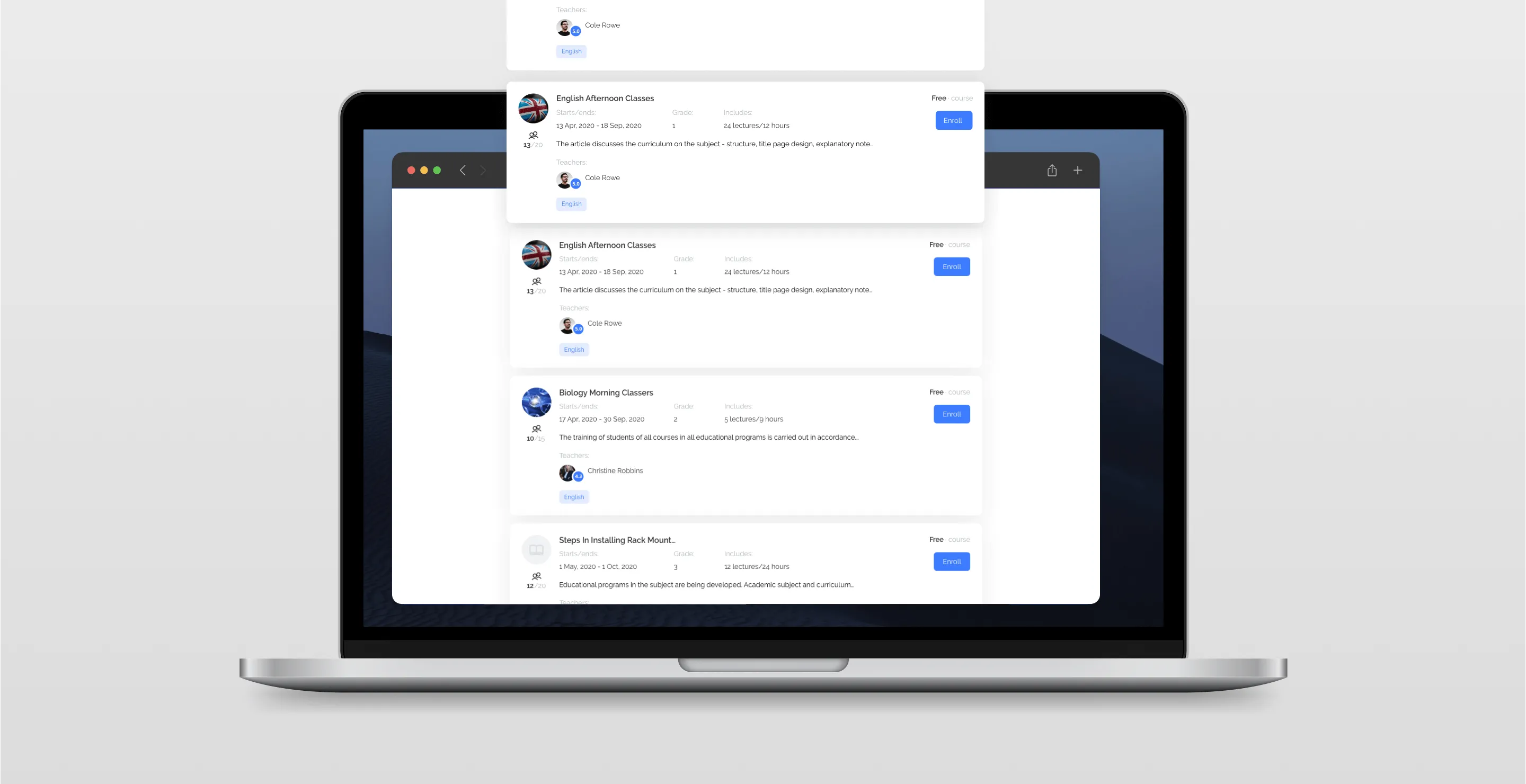
Choose what lessons your children will be attending. Navigate through the list or get a direct link. Parents also pay for the lessons or the materials from the marketplace.
Open laptop displaying an online education platform with multiple course listings including English Afternoon Classes and Biology Morning Classes, each showing details like start/end dates, grade, lectures, teacher, and an Enroll button.

Publisher

Publish extra materials for classes to Tabsera

Remember those books, quizzes, games, videos, and audios that a teacher can integrate into the lesson? Publishers add them to the platform. Set up a price, a commission, sell single items or in bundles.
Two stacked cards showing book details; front card titled 'Atom Physics Book' with a glowing atom image, subscriber counts, publish date, total income, and a Video button.Screen displaying a filtered list of educational items with categories like quiz game and video

Review from client

"ForaSoft Team are a very professional outsourcing company. They have a talented business analysis team which build your product with you. A very professional company and really supportive at the time of need."
Portrait of a man with a beard wearing a traditional embroidered cap and white clothing, against a light background.
Ahmed Ali · CEO & Founder at Tabsera
Describe your project and we will get in touch
Enter your message
Enter your email
Enter your name

By submitting data in this form, you agree with the Personal Data Processing Policy.

Thumb up emoji
Your message has been sent successfully
We will contact you soon
Message not sent. Please try again.