Custom Video Conferencing & Chat App Development with WebRTC

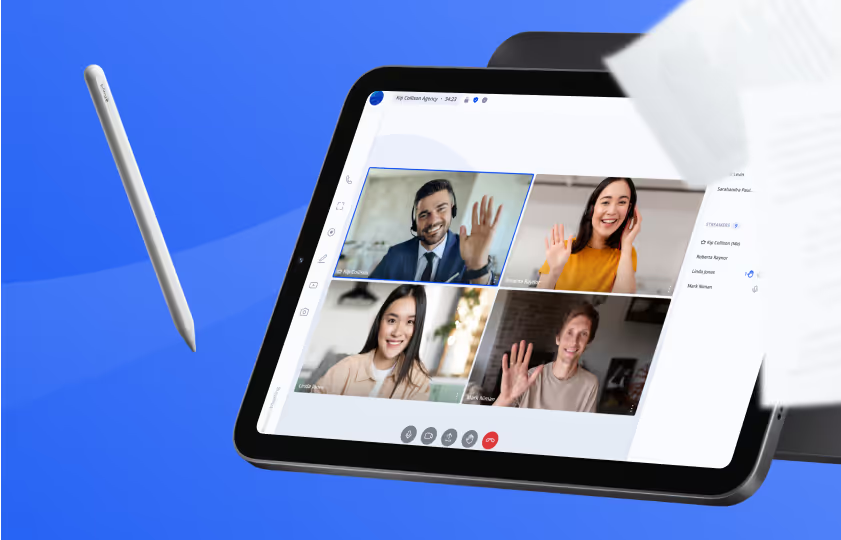
Tablet displaying a video conference with four participants waving, accompanied by a floating stylus and blurred papers on a blue background.
Video Conferencing Project Example

ProVideoMeeting

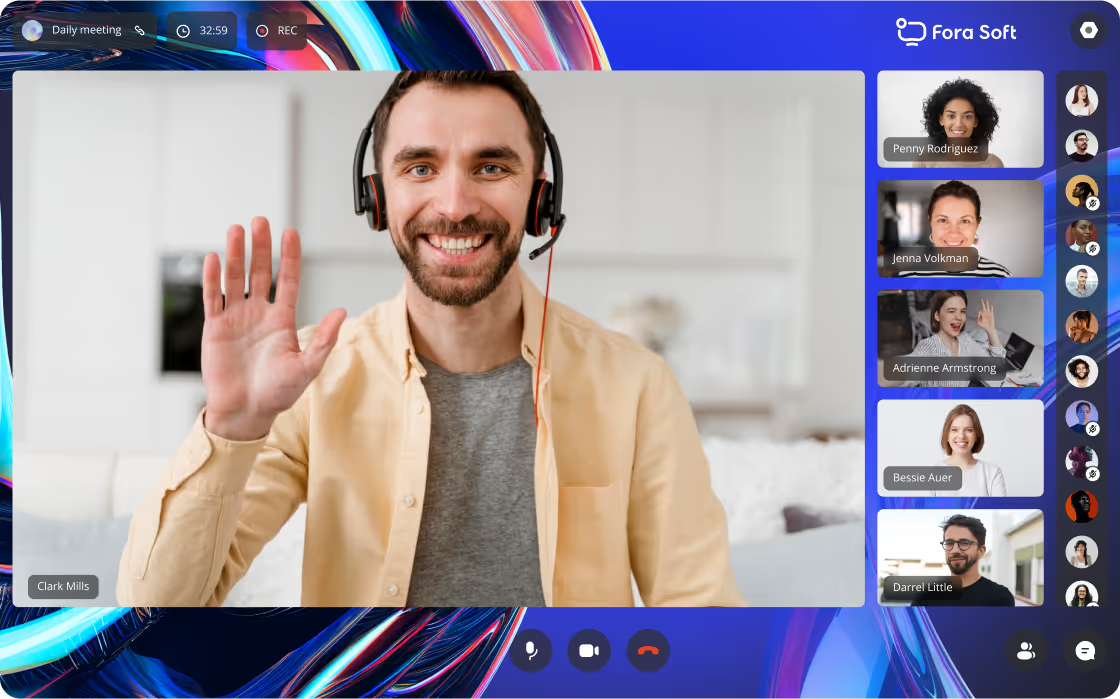
A full-featured video conferencing platform we built for a client: legitimate online document signing, phone dial-in, customizable branding, and Google/Outlook calendar sync. Everything needed for productive remote meetings.

Video Conferencing Features We Develop

Split-screen image of a woman wearing cat-ear headphones playing video games, showing a pixelated low-quality stream on the left and a clear high-quality stream on the right with text saying 'Streaming quality improved'.

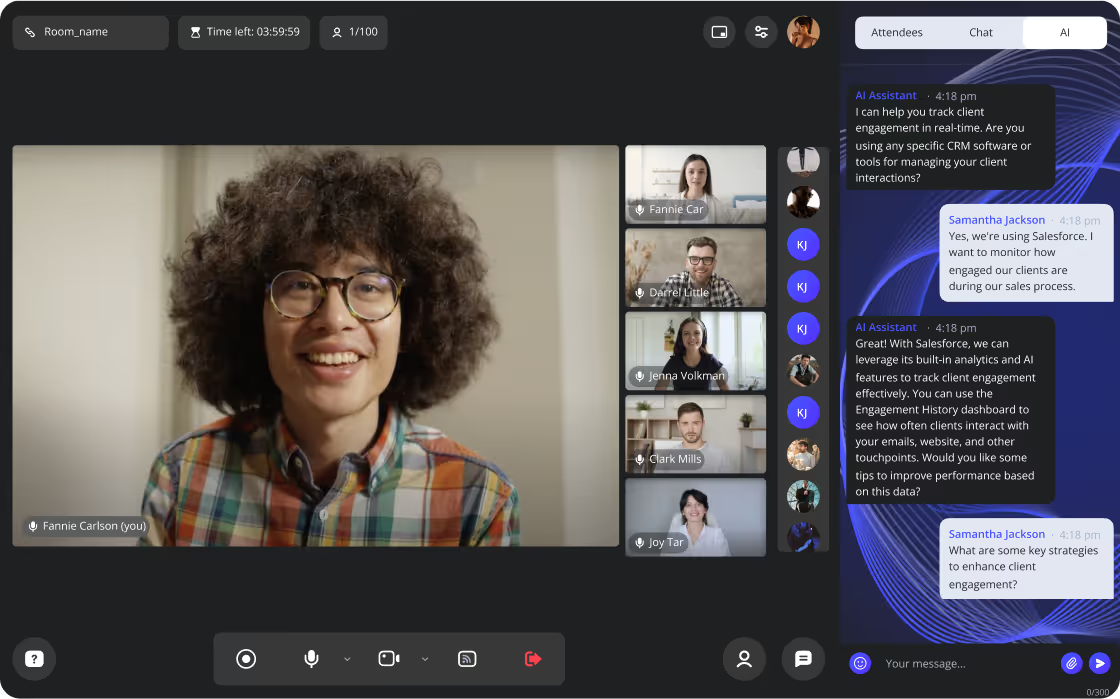
AI Meeting Assistant — Notes, Summaries & Real-Time Coaching 📅

We can develop an AI-powered Virtual Assistant where users can chat and ask for information. It can make meeting notes, summaries, transcriptions, and key highlights. For example, it can help sales managers track client engagement in real-time, give tips to improve performance, and create post-meeting reports. We built AI meeting analytics for Meetric (automated meeting scoring and insights) and ALDA (AI assistant for college students with real-time note-taking).
AI-Powered Virtual Backgrounds & Branding 🎨
Enhance the visual appeal of your video conference with AI-generated virtual backgrounds. Change color schemes and use your logo. We implemented custom branding and virtual backgrounds for BrainCert (award-winning virtual classroom platform) and ProVideoMeeting (enterprise conferencing with full white-label support).
Personalized TV show recommendations including Gilmore Girls, Gossip Girl, Westworld, Doctor Who, and Black Mirror.
ForaSoft logo with a stylized blue and purple heart shape replacing the letter O in Soft on a dark blue gradient background.

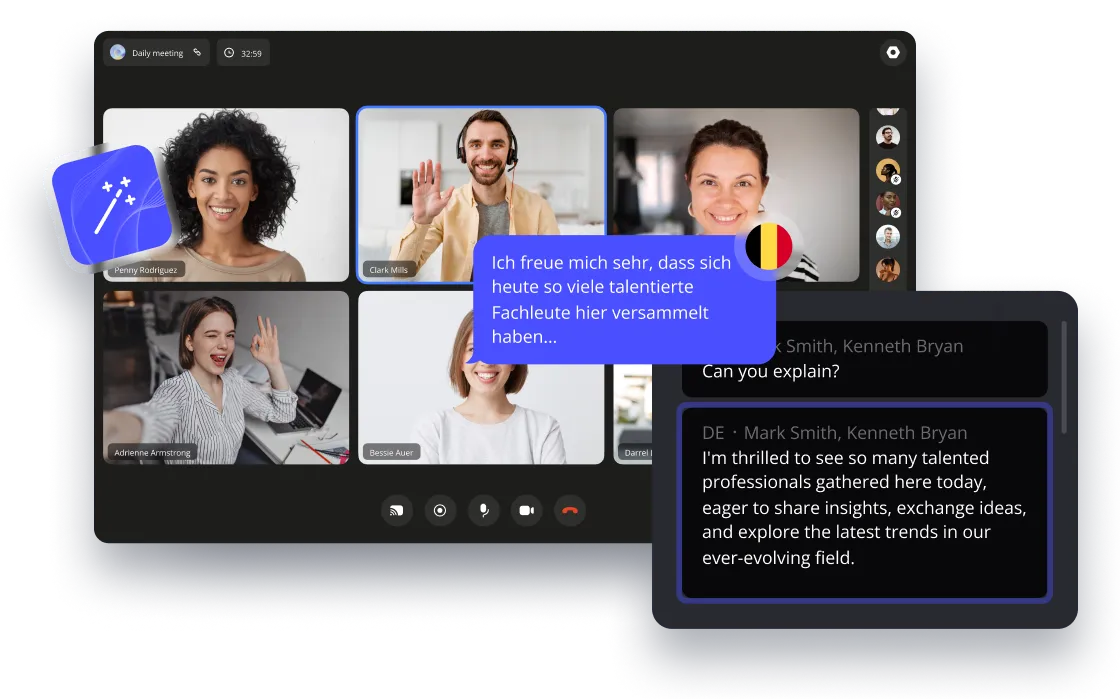
Real-Time AI Translation for Video Calls 🌐

Users' speech can be translated into another language using AI. They will hear the translation in their preferred language, which sounds natural, like a real person, with correct intonation and pauses. We built real-time AI translation for TransLinguist (multi-language interpretation platform used by hospitals and courts) and VOLO (AI-powered voice translation app).

WebRTC Video Conferencing — Up to 50+ Live Streams 🎥

We develop for any number of participants:
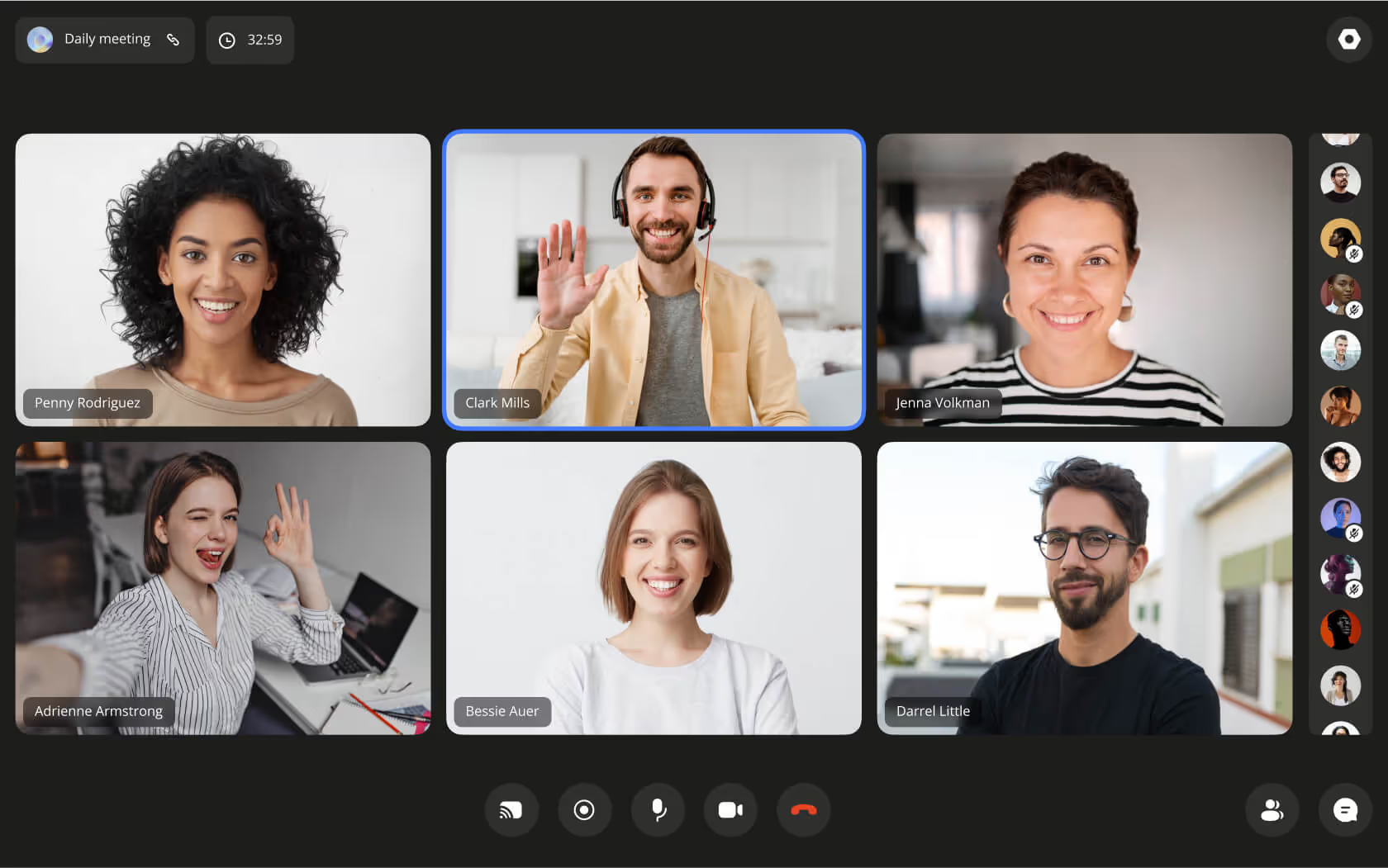
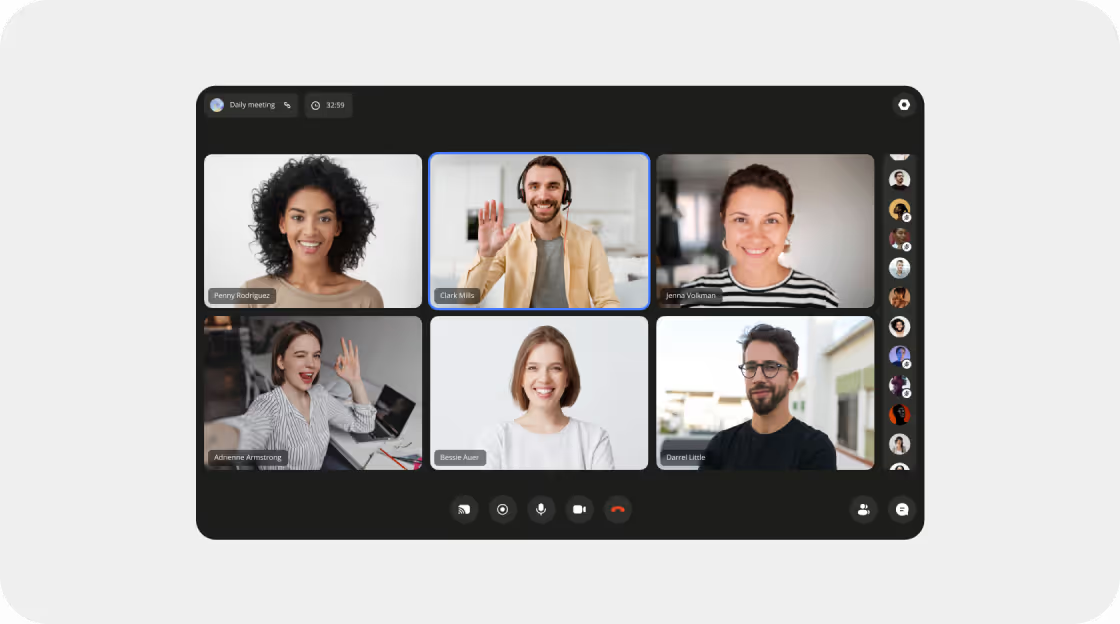
50 live videos on one screen at the same time was the maximum we've done. For example, Zoom shows 25 live videos per screen. We built this for our client's enterprise conferencing platform ProVideoMeeting. For example, Zoom has 100 live video participants, though it shows 25 live videos on one screen. To see the others, you switch between screens.
Some other functions: Custom backgrounds, enlarging videos of particular participants, picking a camera and microphone from the list, muting a camera and microphone, and a video preview of how you look.
Video call screen showing six diverse participants smiling, with one person waving and another making an okay gesture.
User interface screen showing a recordings list with names, dates, times, sizes, and days left, and a sidebar menu with Rooms, Chat with 13 notifications, Users, Recordings highlighted, Calendar, and Settings.

Cloud Conference Recording & Storage 🎬

Record the whole screen of the conference. Set the time to store recordings on the server. For example, on our client's platform iMind.com we keep videos for 30 days on a free plan and forever on the most advanced one.
Do not interrupt the recording if the recorder dropped off. In Zoom, if the recorder leaves, the recording stops. On our client's platform iMind.com it continues.
Multi-Screen Sharing for Video Conferences 💻
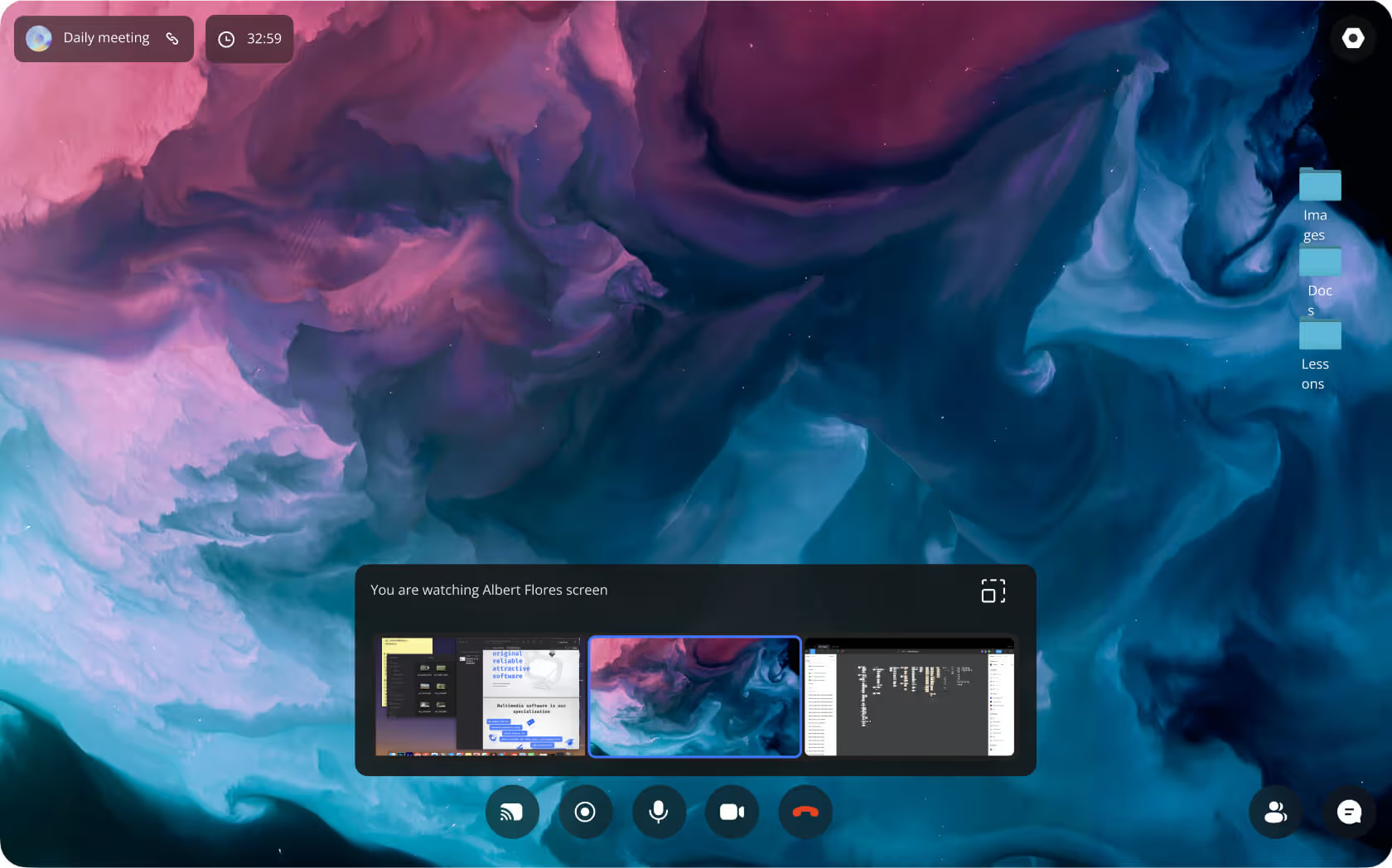
Show your screen instead of a video. Choose to show everything or just 1 application – to not show private data accidentally.Make all video participants share screens at the same time. Users don't have to stop one sharing and start another one. We built multi-screen sharing for ProVideoMeeting and BrainCert (virtual classroom with simultaneous whiteboard and screen sharing).
Computer screen showing a video conference interface with screen sharing options and a colorful abstract desktop background.
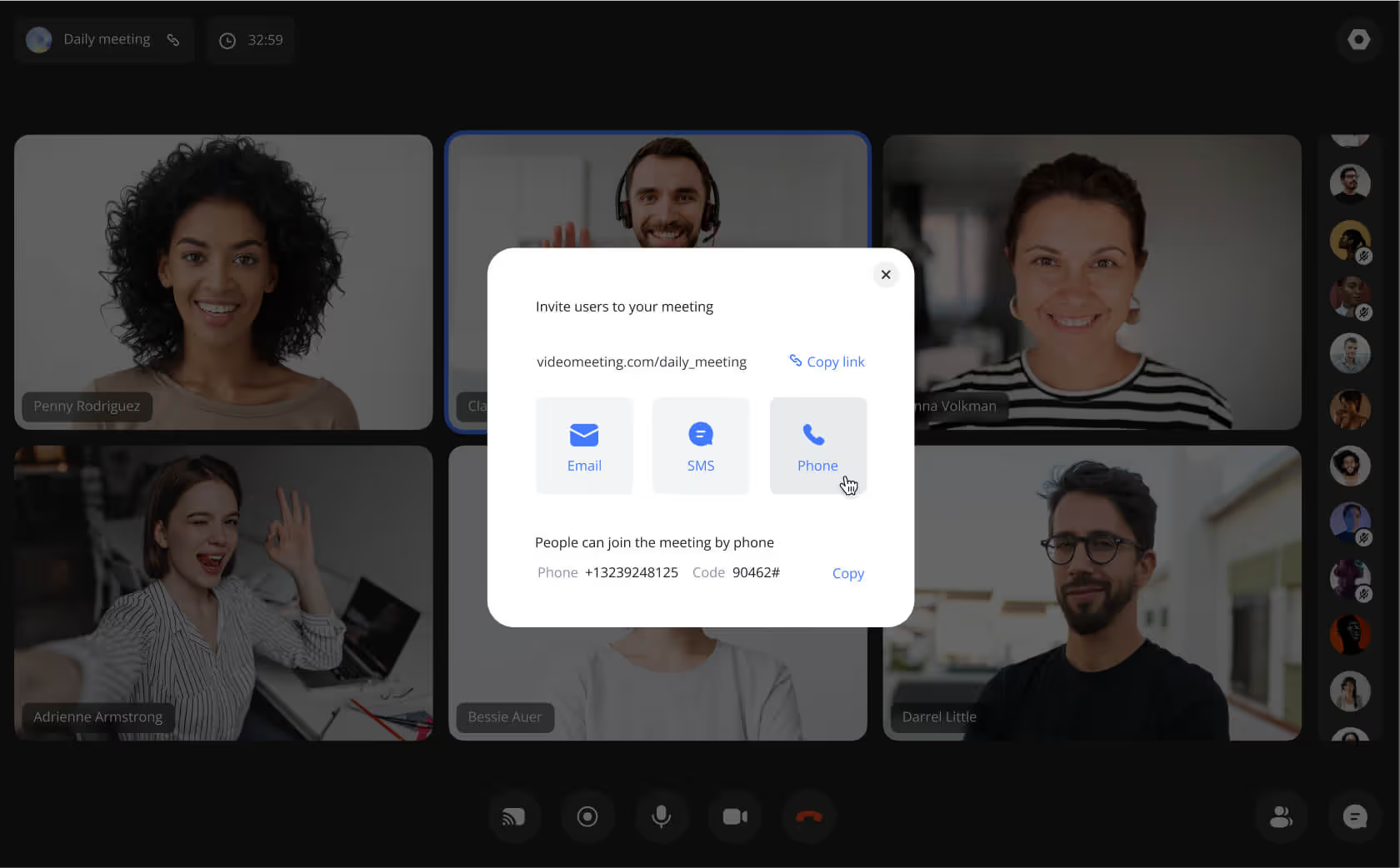
Video conference screen with six participants and a popup window displaying options to invite users via email, SMS, or phone with a meeting link and phone number.

Phone Dial-In for Video Conferences (SIP/PSTN) ☎️

For those without a stable Internet connection. Dial a phone number on a landline or mobile and join the conference with audio only. SIP technology with Asterisk and FreeSWITCH servers powers this function. We implemented phone dial-in for ProVideoMeeting and Video Interpretations (used by hospitals and police departments).
In-Call Text Chat & File Sharing 💬
Send text messages and emoticons. React with emojis. Send pictures and documents. Go to a private chat with one participant. See a list of participants. We built in-call chat for Nucleus (on-premise Slack alternative), TransLinguist, and dozens of other conferencing platforms.
Two smartphone screens showing a video call interface with options like chat, attendees, and recording on the left and a chat conversation discussing a project call on the right, surrounded by emojis.
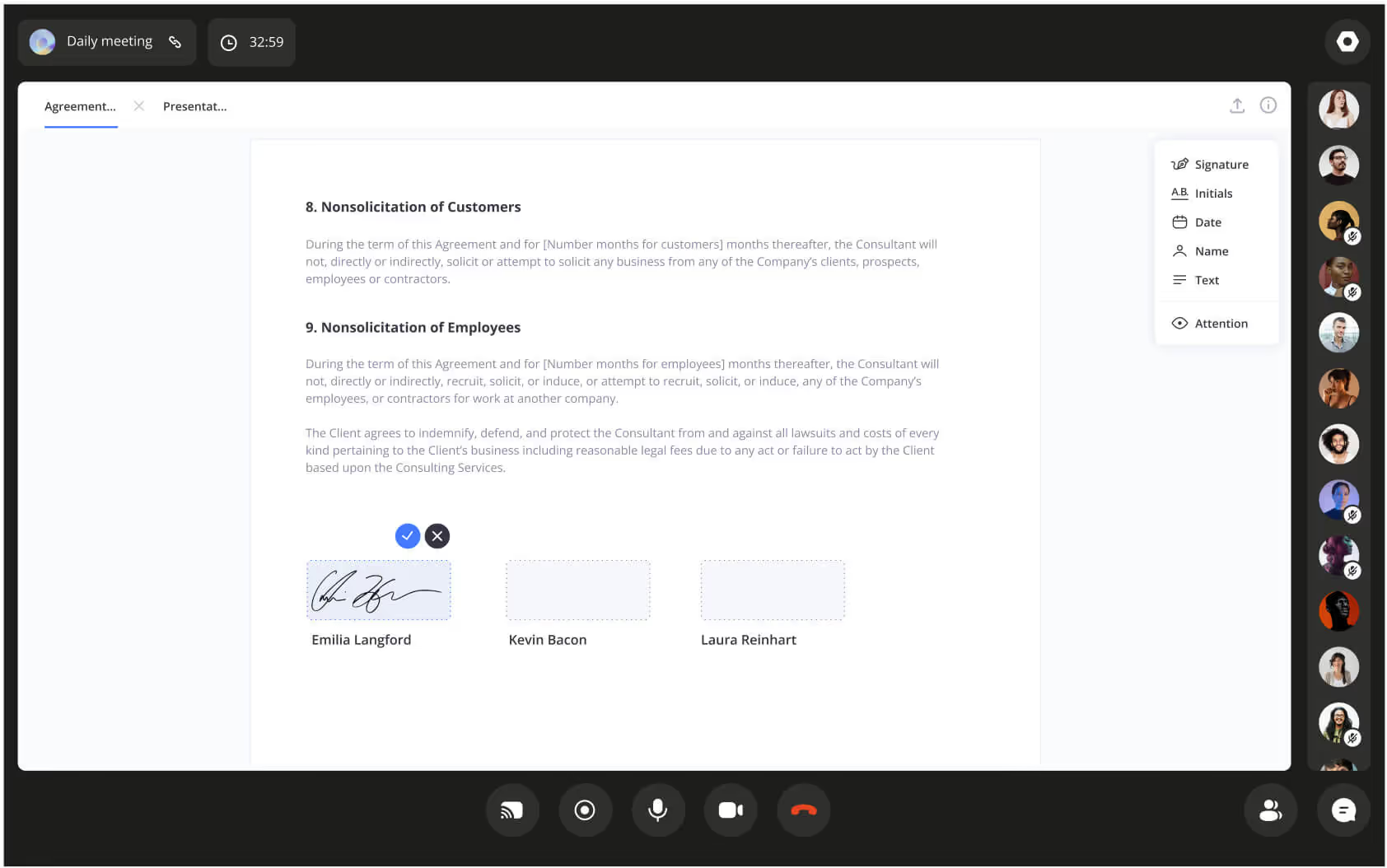
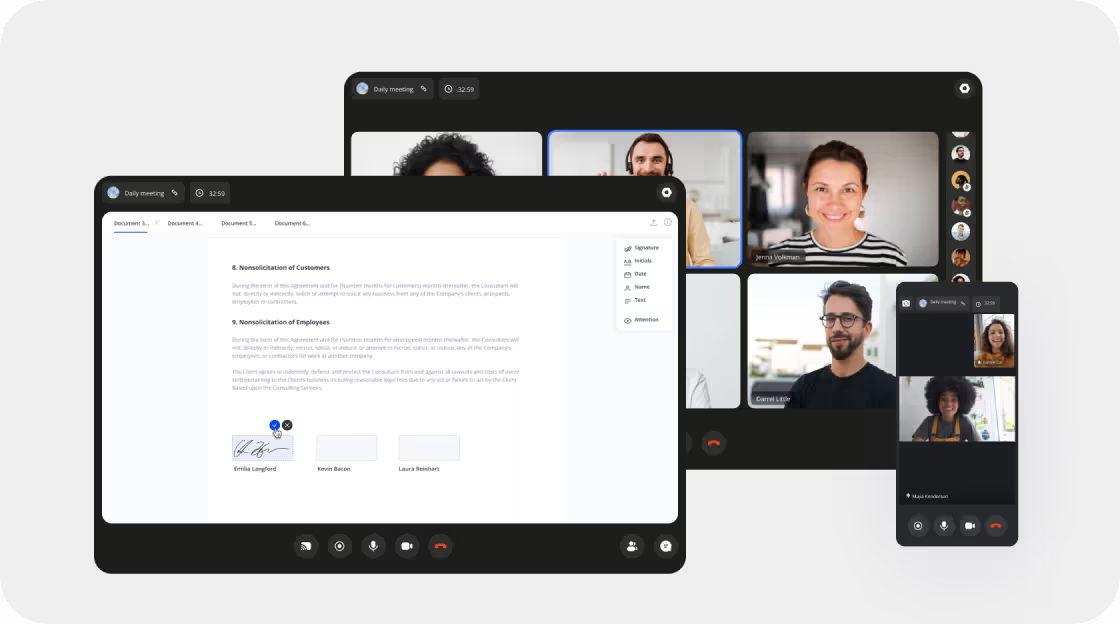
Virtual meeting screen showing a contract titled 'Nonsolicitation of Customers and Employees' with a signed signature from Emilia Langford and options to sign from Kevin Bacon and Laura Reinhart.

Collaborative Document Editing & Digital Signing 🖊

Share a document on the conference screen. Scroll through it together, make changes. Sign: upload your signature image or draw it manually. We built legally binding digital signatures for ProVideoMeeting, enabling fully remote contract signing for distributed teams.
In-Conference Polls & Voting 📋
Create polls with open and closed questions. View statistics. Make the collective decision-making process faster! We implemented interactive polling for BrainCert (live quizzes during virtual classes) and ProVideoMeeting (real-time audience feedback during enterprise meetings).
Video conference waiting room showing eight participants with options to accept or reject, alongside a message that the meeting is locked by the host with a 'Go home' button.
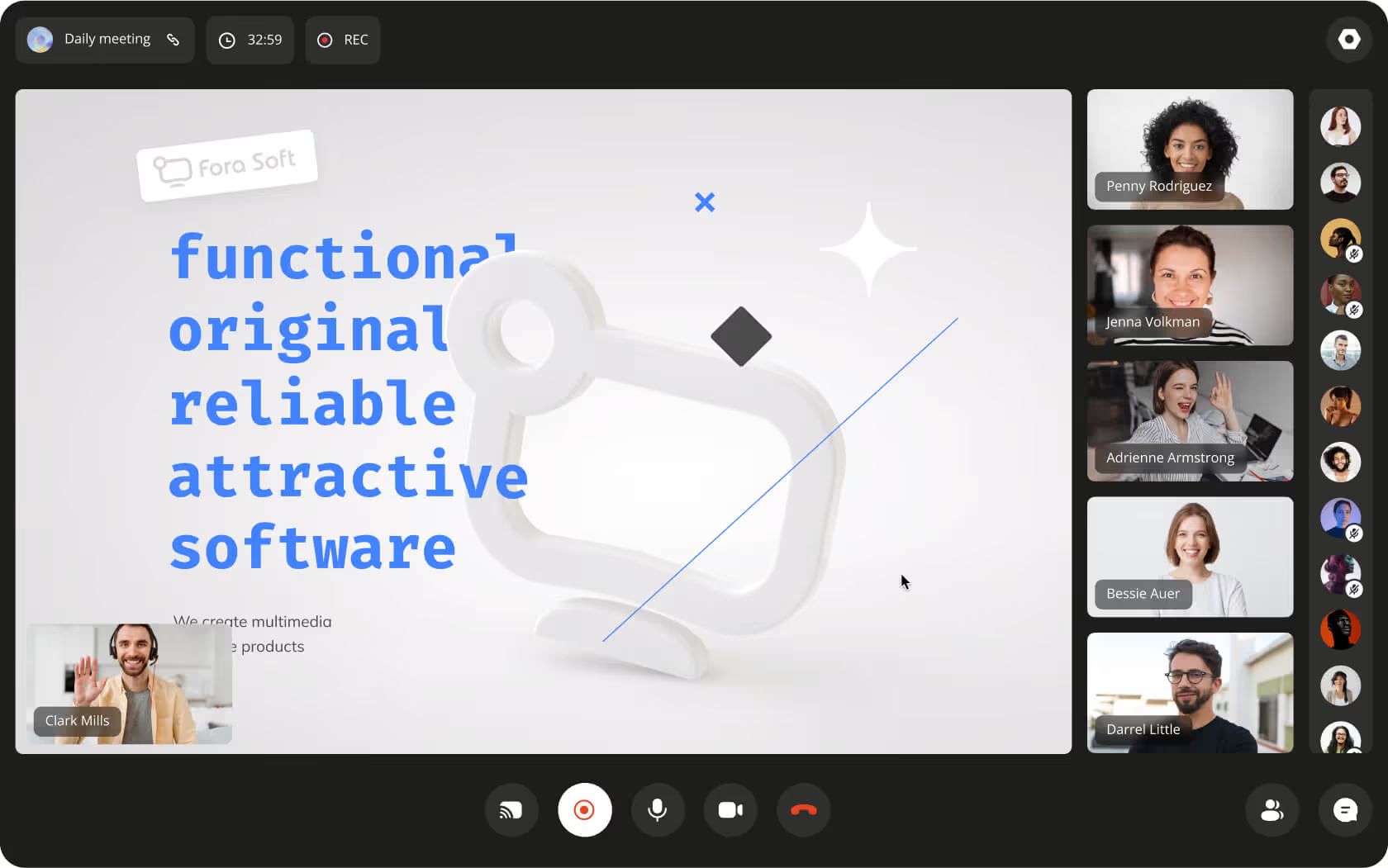
Video conference screen showing participants and a slide with text describing functional, original, reliable, attractive software by Fora Soft.

Webinar Mode with Recording & Presentation 🎙

In the broadcast mode, display a presentation full-screen to the audience, plus the presenter's video. Add guest speakers' videos. Record the whole session to share with participants afterward. We built this for Worldcast Live (10,000+ concurrent viewers with sub-second latency) and Sprii (live video shopping events).
Persistent Meeting Rooms with Custom URLs ⏲️
Create a room and set a custom link to it like videoconference.com/dailymeeting. It's convenient for regular meetings. Ask participants to add the link to bookmarks and enter at the agreed time each time. We built persistent rooms with custom URLs for iMind.com and ProVideoMeeting, enabling teams to set up recurring meeting links with one click.
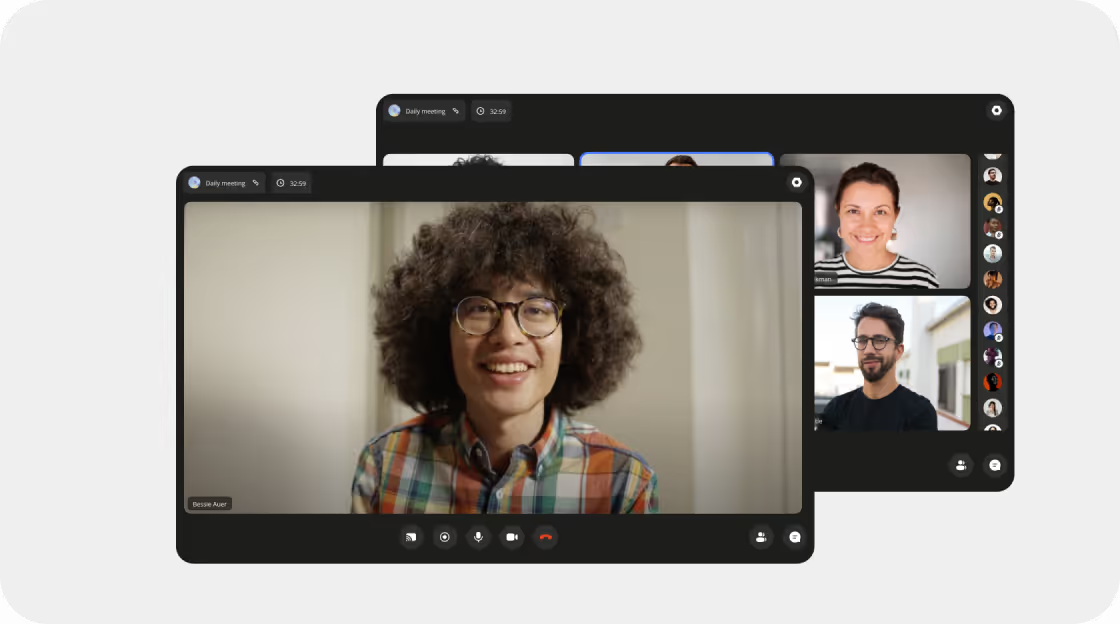
Video call interface showing a woman with curly hair smiling, with meeting details and settings pop-up for sharing and blocking the room.
User management dashboard showing a list of users with names, emails, tags like Finance and Student, and roles including Owner, Admin, and Member; two users are selected for tagging.

User Management & Admin Roles 👥

Assign administrators and delegate them the creation of rooms, addition, and deletion of users. We built advanced user management with role-based access for Nucleus (on-premise Slack alternative with admin hierarchies), BrainCert (instructor/student role management), and iMind.com (team workspaces with owner/admin/member roles).
Enterprise-Grade Security & AES-256 Encryption 🔐
  • One-time codes instead of passwords
  • Host approves guests before they enter the conference
  • See a picture of the guest before approving him
  • We have extensive experience building HIPAA-compliant platforms: CirrusMED, Cloud Doctors, and MyOnCallDoc — all with end-to-end AES-256 encryption and secure data storage for healthcare.
Mobile interface showing a video call app with chat, attendees, settings, and various emoji reactions alongside a message conversation about a project call.
User management interface showing a list of users with their names, emails, roles, and tags such as Finance and Student; two users are selected and tagged as Finance.

White-Label Branding for Video Platforms 🎨

Change color schemes, use your logo, change backgrounds to corporate images. We built white-label branding for BrainCert (award-winning virtual classroom), ProVideoMeeting, and Nucleus (on-premise Slack alternative for high-security teams).
Live Speech-to-Text & Subtitles 🗣
User speech is recognized and shown on the screen. It can be in another language for translation. We integrated speech-to-text for TransLinguist (real-time transcription during legal and medical interpretations) and Meetric (automated meeting transcription with AI-powered keyword extraction).
Video conference screen with six smiling participants in a grid, chat messages overlayed, and call controls at the bottom.
Split image of a woman wearing pink cat ear headphones holding a game controller, with left side pixelated and right side clear, captioned 'Streaming quality improved.'

Watch Party — Synchronized Video Viewing 📺

Watch a movie or a sports game together with friends. Show an employee onboarding video to the new staff members. Chat by video, voice, and text. We built synchronized watch experiences for TradeCaster (46k+ users watching live trading streams together) and Bellicon Home (530+ workout videos with synchronized group classes).
Subscription & Monetization Features 📝
Free plans with basic functionality, advanced ones for pro and business users. We implemented subscription-based monetization for iMind.com, TradeCaster, and Perspire (Twitch-style platform for fitness).
User subscription plan options with Basic free plan, Pro $29/month, and Business $50/month, each listing features and upgrade buttons.

Industries We Build Video Conferencing For

💼 ️Businesses – corporate communication tools
🔬 ️Telemedicine – HIPAA-compliant, with EMR, visit scheduling, and payments
🏫 ️E-learning – with whiteboards, LMS, teacher reviews, lesson booking, and payments
🕹 ️Entertainment – online cinemas, messengers
💪 ️Fitness and training
🛍️ Ecommerce and marketplaces – text chats, demonstrations of goods and services by live video calls

Devices

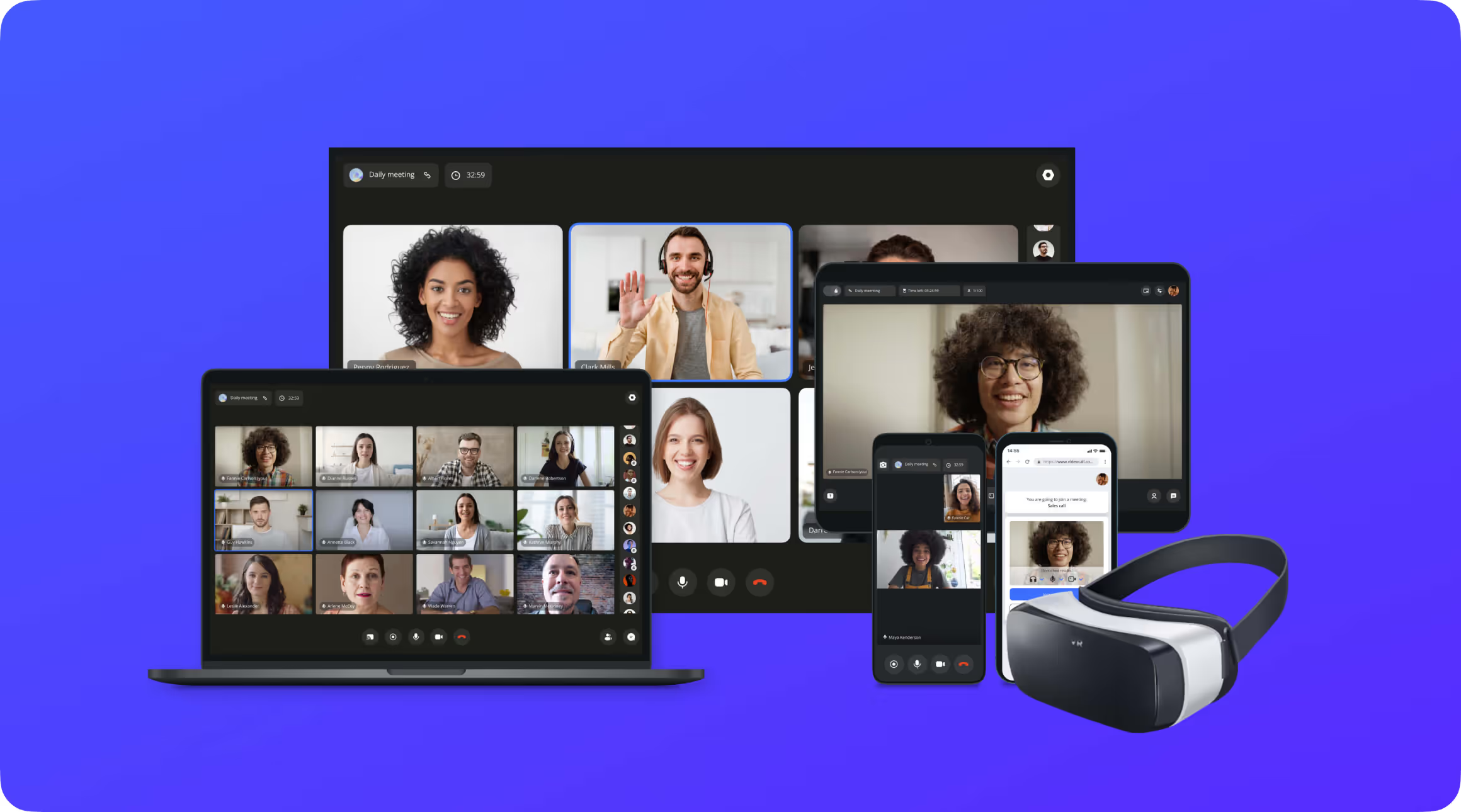
We are developing video chat software for web as well as apps for PCs, tablets, mobile phones, and VR headsets.
Multiple devices including a laptop, tablet, and smartphones displaying video conferencing screens with diverse participants, alongside a VR headset, on a blue background.

Video Conferencing Technologies & Architecture

RTMP
for streaming to third-party products like YouTube and Facebook
RTSP&RPT
for connecting IP cameras
HLS
for broadcasting to a big audience
SIP
for calling to phone numbers
Basic technology
Different technologies work best for different video conferencing use cases.
A freelancer or agency that does not specialize in video software may pick the technology they are most familiar with — which may not be optimal for your use case. In the worst case, you’ll need to discard the work and start over. With 20+ years of video development experience, we know all major real-time communication technologies and choose what’s best for your goals. If your project requires multiple capabilities, we combine the right mix of technologies.
WebRTC is the main technology almost always used for video conferences though.
This is the technology for media streaming in real-time that works across all browsers and mobile devices people now use. Google, Apple, and Microsoft support and develop it.

WebRTC supports VP8, VP9 and H264 Constrained Baseline profile for video and OPUS, G.711 (PCMA and PCMU) for audio. It allows sending video up to 8,192 x 4,320 pixels – more than 4K. So the limitations to video stream quality on WebRTC are the internet speed and device power of the end-user.

WebRTC video quality is better than in SIP-based video chats, as a study of an Indonesian university shows. See Figure 6 on page 9: Video test results and read the reasoning below it.
P2P
for video chats with 2-6 participants
Kurento logo featuring a colorful abstract circular design to the left of the word 'KURENTO' in black letters.
for video conferences with 7 and more people
Third-party solutions
for “quick and dirty” prototypes
Is a media server needed for video conferencing software development?
For video chats with 2-6 participants, we develop p2p solutions. You don’t pay for the heavy video traffic on your servers. For video conferences with 7 and more people, we use media servers and bridges – Kurento is the 1st choice. For “quick and dirty” prototypes we can integrate third-party solutions – ready implementations of video chats with media servers that allow slight customization.
Video meeting screen showing four participants: a smiling woman with curly hair, a man waving with a headset, a woman winking and making an OK sign, and a man with glasses smiling outdoors.
P2p video chats
P2p means video and audio go directly from sender to receivers. Streams do not have to go to a powerful server first. Computers, smartphones, and tablets people use nowadays are powerful enough to handle 2-6 streams without delays.

Many businesses do not need more people in a video conference. Telemedicine usually means just 2 participants: a doctor and a patient. The development of a video chat with a media server is a mistake here. Businesses would have to pay for the traffic going through the server not receiving any benefit.
Grid of twelve people in a video conference call labeled Daily meeting, showing diverse participants smiling in home or office backgrounds.
Video conferences with a media server
Users cannot handle sending more than 5 outgoing video streams without lags now. People’s computers, smartphones, and tablets are not powerful enough. While sending their own video, they accept incoming streams. So for more than 6 people in video chat – each sends just 1 outgoing stream to a media server. The media server is powerful enough to send this stream to each participant.
Kurento is our first choice of media servers now for 3 reasons:
It is reliable.
It was one of the first media servers to appear. So it gained the biggest community of developers. The more developers use technology the faster they solve issues, the quicker you find the answers to questions. This makes development quicker and easier, so you pay less for it.
Twilio bought Kurento technology for $8.5 million. Now Twilio provides the most reliable paid third-party video chat solution, based on our experience.
Other media servers have smaller developer communities or are backed by smaller companies. They either are not as reliable as Kurento or do not support as many custom features, based on our experience across 625+ projects.
It allows adding the widest number of custom features.
From screen sharing to face recognition and more – we have not faced any feature that our client would want, not possible to develop with Kurento. To give developers this possibility, the Kurento contributors had to develop each one separately and polish it to a well-working solution. Other media servers did not have that much time and resources to offer the same.
It is free.
Kurento is open-source. It means you may use it in your products legally for free. You don’t have to pay royalties to the technology owner.
We work with other media servers and bridges—when not that many functions are needed, or it is an existing product already using another media server:
We compare media servers and bridges regularly as all of them develop. Knowing your needs, we recommend the optimal choice.
Grid view of twelve diverse participants in a video conference labeled 'Daily meeting' with call controls at the bottom.
Integration of third-party solutions
Third-party solutions are paid: you pay for minutes of usage. The development of a custom video chat is cheaper in the long run. Their features are also limited to what their developers developed. They are quicker to integrate and get a working prototype though. If you need to impress investors – we can integrate them. You get your app quicker and cheaper compared to the custom development. However, to replace it with a custom video chat later – you’ll have to throw away the existing implementation and develop a custom one. So, you’ll pay twice for the video component.
We use these 3-they are the most reliable ones based on our experience:

Video Conferencing Development Costs

We develop custom video conferencing applications tailored to your specific needs. Our process begins with a free consultation, a clickable prototype, and a detailed estimate. Here are approximate price ranges based on 625+ completed projects:
Video call screen showing six participants in a daily meeting, with one man waving and all smiling.

Video Chat Component — from $2,500

~ 1-2 weeks · from $2,500
The simplest video chat component takes us 1-2 weeks and costs from USD 2,500. It is not a fully functioning system with login, subscriptions, booking, etc. – just the video chat with a text chat and screen sharing. You’d integrate it into your website or app and it would receive user info from there.
Screenshot of a video conference with a smiling young man wearing glasses and a plaid shirt in the large central window, and three other participants in smaller windows on the right.

Complete Video Conferencing System — from $4,800

~ 3 weeks · $4,800
The simplest fully functional video chat system takes us about 3-4 weeks and from USD 4,800. It is built from the ground up for one platform – either web or iOS or Android for example. Users register, pick a plan, and use the system.
Three screens showing a virtual meeting with four participants on video calls and a document with signature areas.

Enterprise Video Conferencing Platform — from $28,000

~ 4 months · from $28,000
A full-scale video conferencing platform is an ongoing development effort. The first release takes from 4 months and USD 28,000. Includes AI features, recording, custom branding, admin panel, and analytics.

Get a free technical plan and tailored quote — reach out to our team today.

Have an idea
or need advice?

Contact us, and we'll discuss your project, offer ideas and provide advice. It’s free.
Describe your project and we will get in touch
Enter your message
Enter your email
Enter your name

By submitting data in this form, you agree with the Personal Data Processing Policy.

Your message has been sent successfully
We will contact you soon
Message not sent. Please try again.