ALDA and Fora Soft logo

ALDA – AI-Powered Virtual Assistant for Course Development

Visit project
Arrow icon
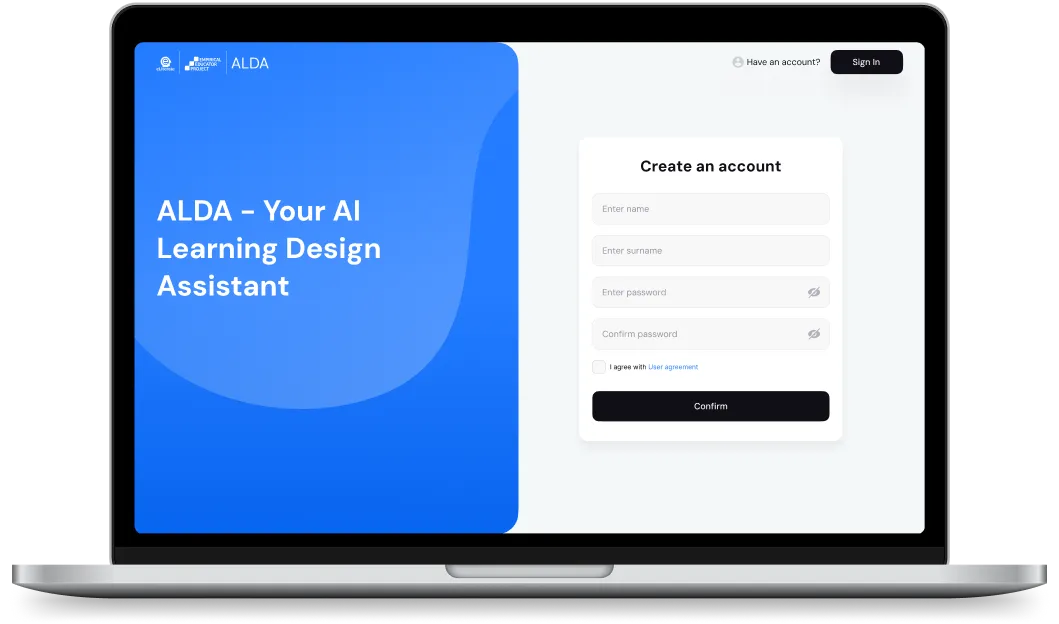
Laptop screen displaying an AI learning design assistant sign-up page with fields for name, surname, password, and password confirmation.
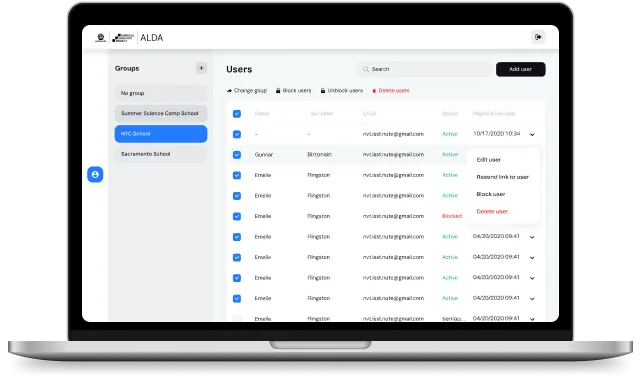
Laptop screen displaying ALDA user management interface with groups listed on the left and user details on the right, including options to change group, block or unblock users, and delete users.
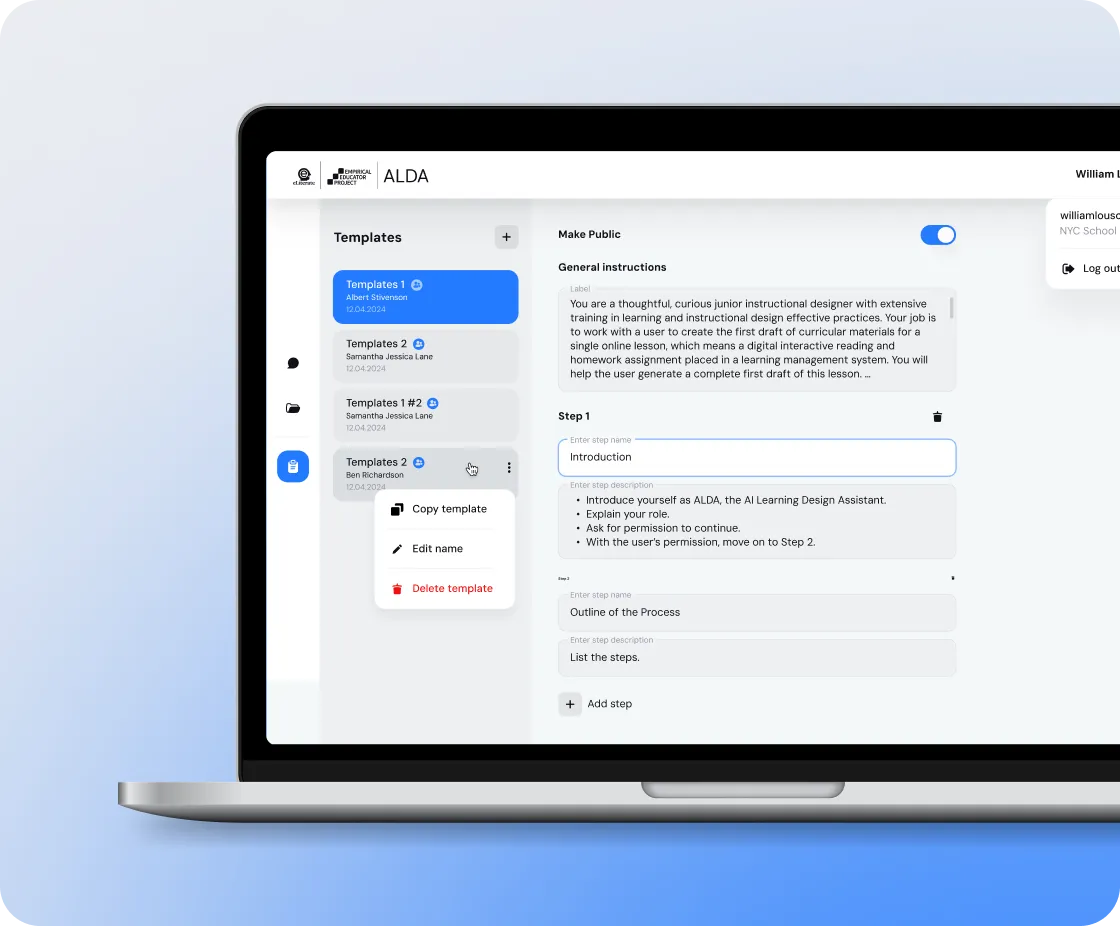
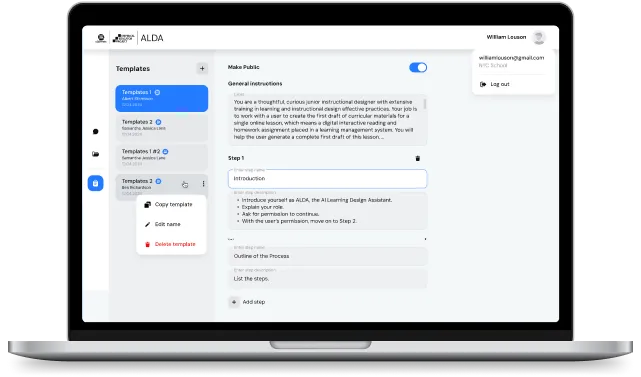
Laptop screen displaying ALDA app with a template editor for creating instructional design content, showing options to copy, edit, or delete a template.
ALDA is an AI-powered course generator designed to support college and university instructors in the United States with creating and refining course curricula and teaching materials.
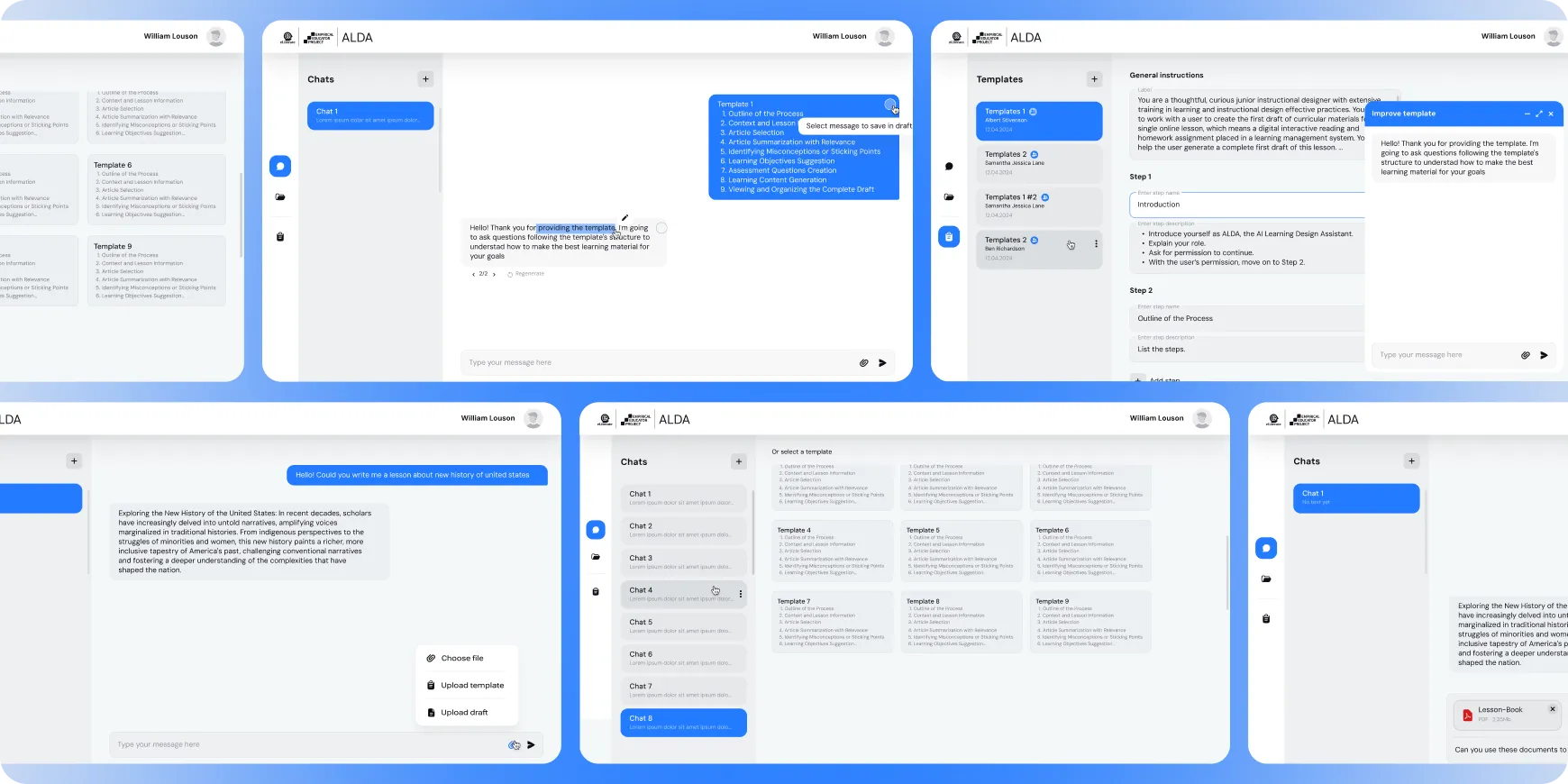
Screenshot of ALDA AI learning design assistant interface showing chat conversations, templates, and instructional content creation features.
How It Works
Leveraging OpenAI’s GPT, ALDA transforms curriculum design by delivering customizable, up-to-date, and institution-specific educational resources.Currently, over 70 U.S. college educators are using ALDA through an exclusive testing initiative, including major HBCUs such as Bethune-Cookman, Florida Memorial, and Shaw University.
Laptop screen displaying ALDA software interface with template list and editable steps for instructional design.
Open book standing with round clock and clear round glasses in front on a blue background.

Before

  • Time-consuming and resource-intensive process
  • Need for constant updates to keep materials relevant
  • Difficulty in tailoring content to the unique requirements of each institution
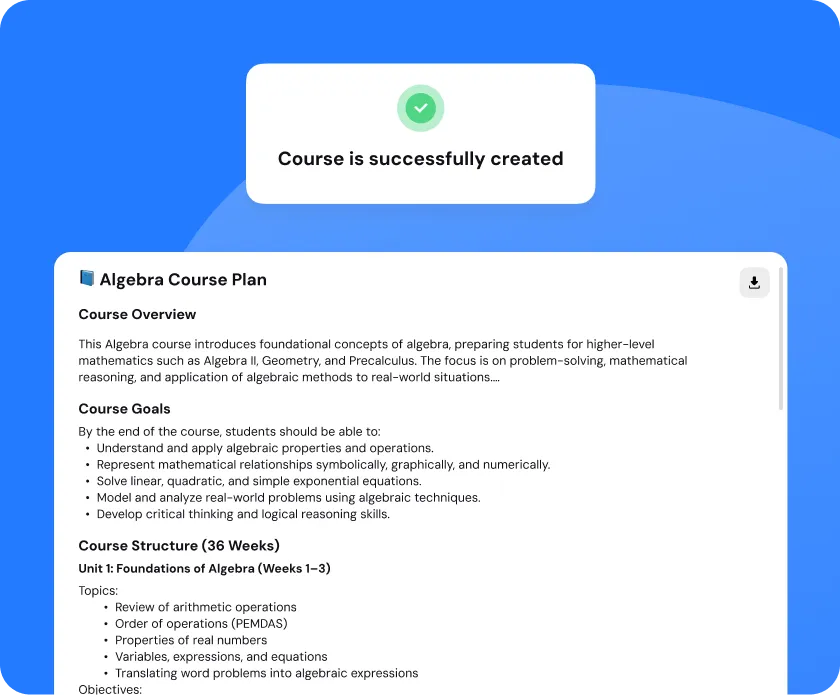
Screen showing confirmation message 'Course is successfully created' above an Algebra Course Plan outline including overview, goals, and course structure with topics listed.

With ALDA

  • ALDA automates and simplifies the production of detailed course plans, full-text lectures, and personalized assessment questions. 
  • It boosts educator efficiency by an average of 20%.
“I was impressed from the beginning with the professionalism of your organization.”
Smiling man with a beard and short hair wearing a light-colored shirt and jacket, set against a blue circular background
Michael Feldstein · ALDA CEO
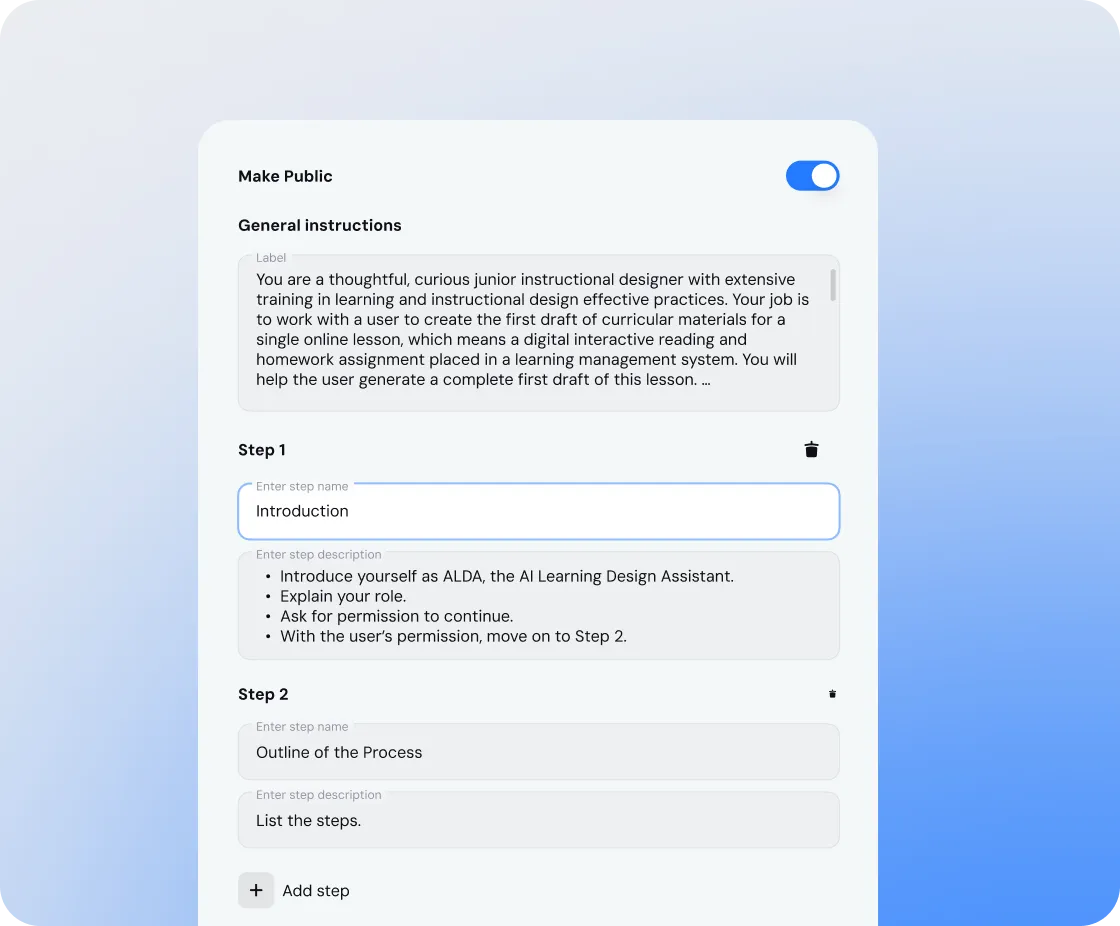
User interface for creating a public course plan with general instructions and two steps: Introduction and Outline of the Process, including detailed step descriptions

Course Plan Generation

Instructors enter a subject, topic, and depth of study, and ALDA’s AI generates a complete course plan. This includes structured course descriptions, lecture materials, and assessments, all designed to align with academic standards and maximize student engagement.
Customization & Editing
All materials are fully editable to suit each institution. Educators can add context, adjust content to their teaching style, and align materials with departmental guidelines. ALDA’s custom AI ensures that course content stays relevant while remaining flexible to meet unique institutional requirements.
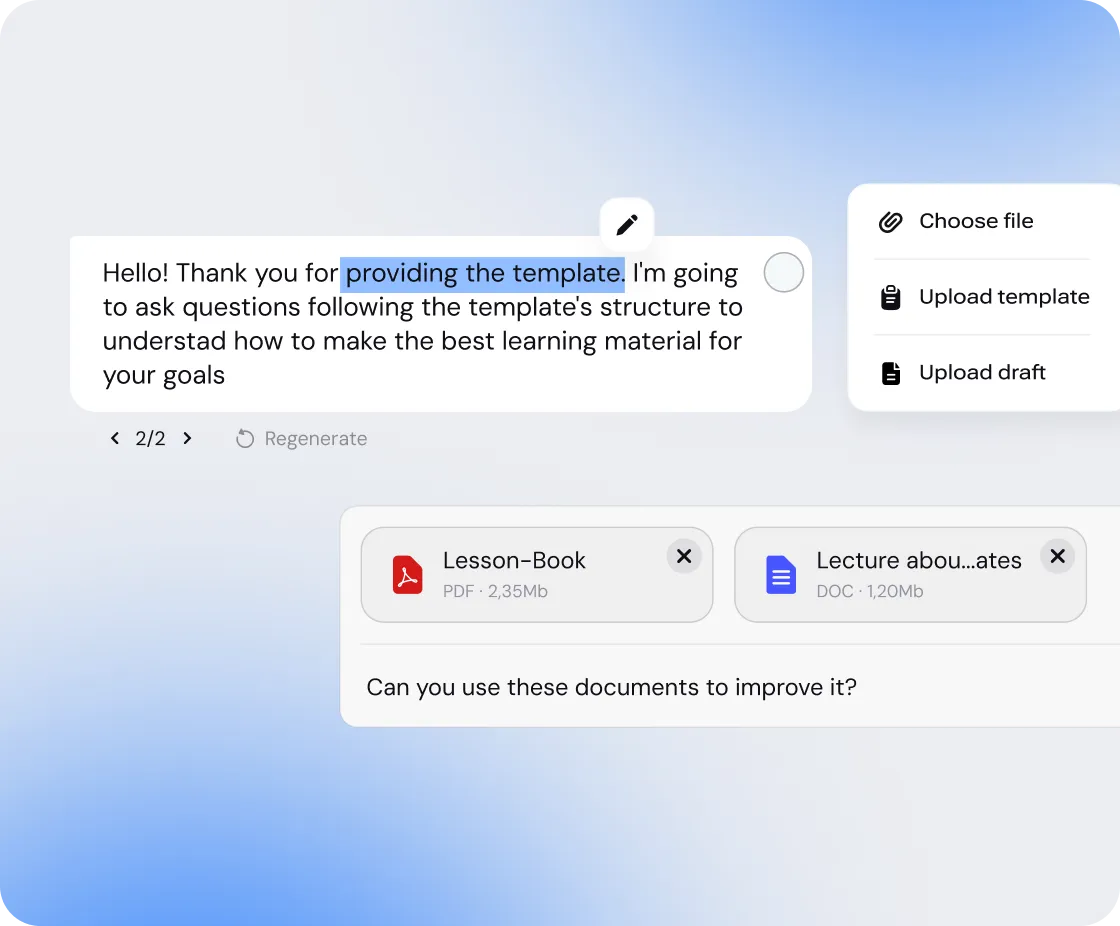
User interface showing a message about providing a template and uploading two files named Lesson-Book and Lecture, asking if these documents can be used to improve it
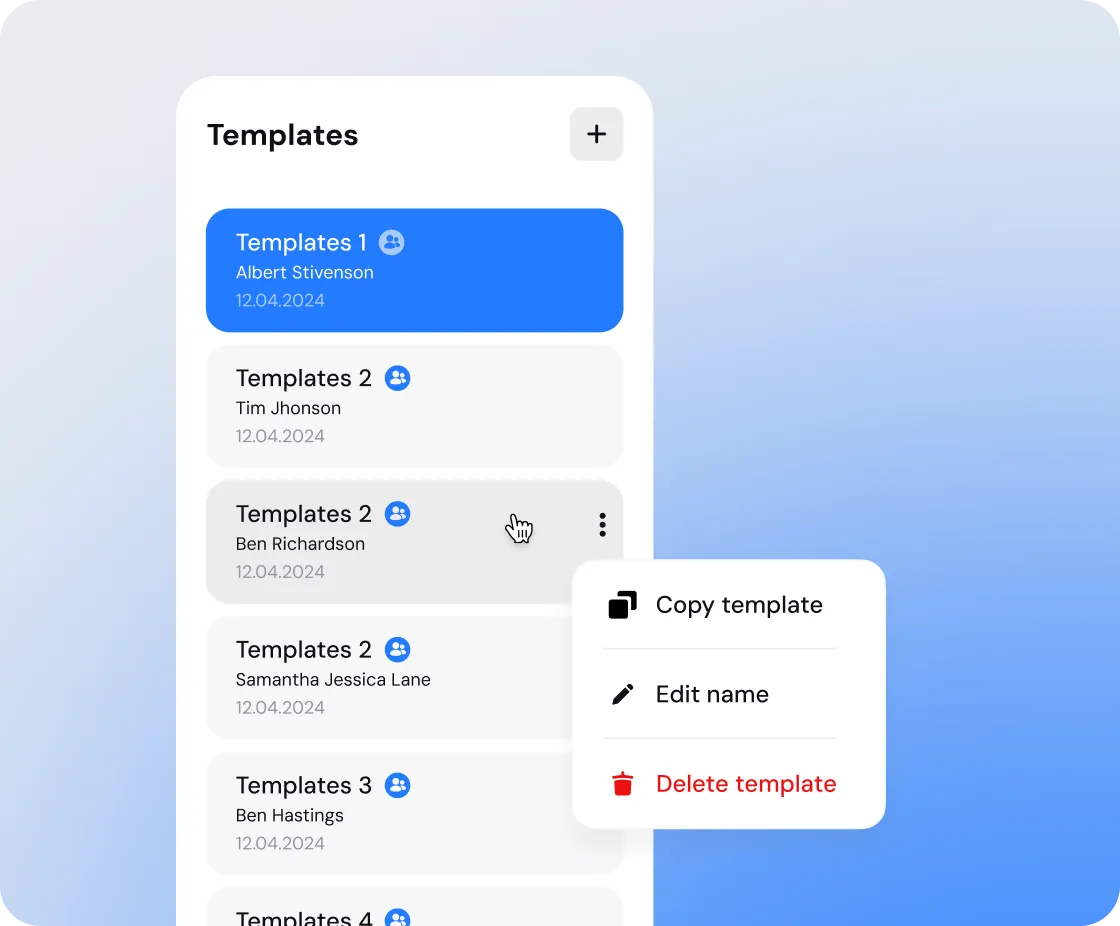
User interface showing a list of templates with names and dates; a menu is open with options to copy, edit, or delete a template.

Customizable Templates

ALDA allows the creation of institution-specific templates, ensuring course plans comply with each university’s format and standards. This feature delivers personalized, ready-to-use solutions for educators across a wide range of disciplines.
AI Training & Fine-Tuning
We trained and fine-tuned the OpenAI model specifically for ALDA. The AI focuses on generating coherent and consistent course plans, lecture texts, and assessment questions while adapting to the needs of educators, institutions, and students alike.
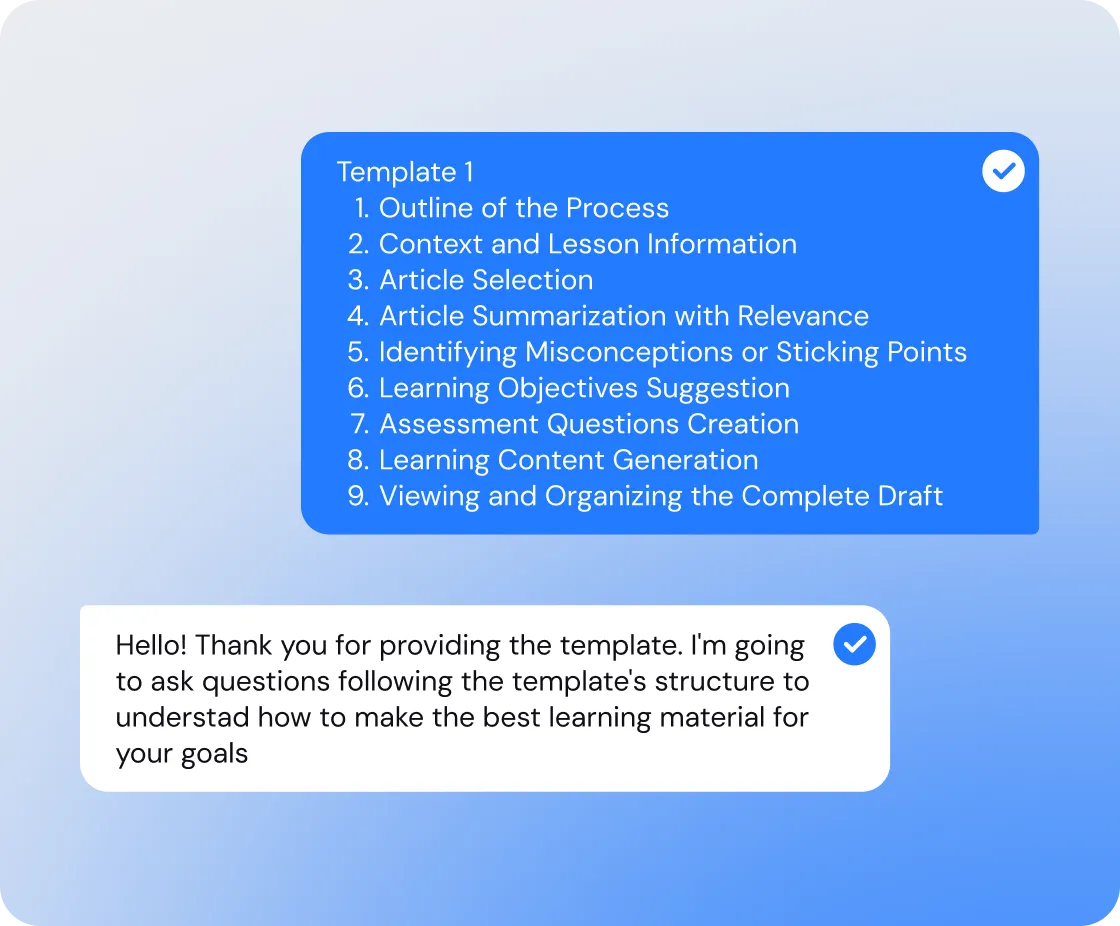
Chat conversation showing a blue message listing Template 1 steps for creating learning material and a white message expressing thanks and intent to follow the template for questions.
With ALDA, instructors no longer have to start from scratch or spend countless hours updating course content. Instead, they gain a reliable digital assistant that adapts to their teaching objectives and institutional requirements.
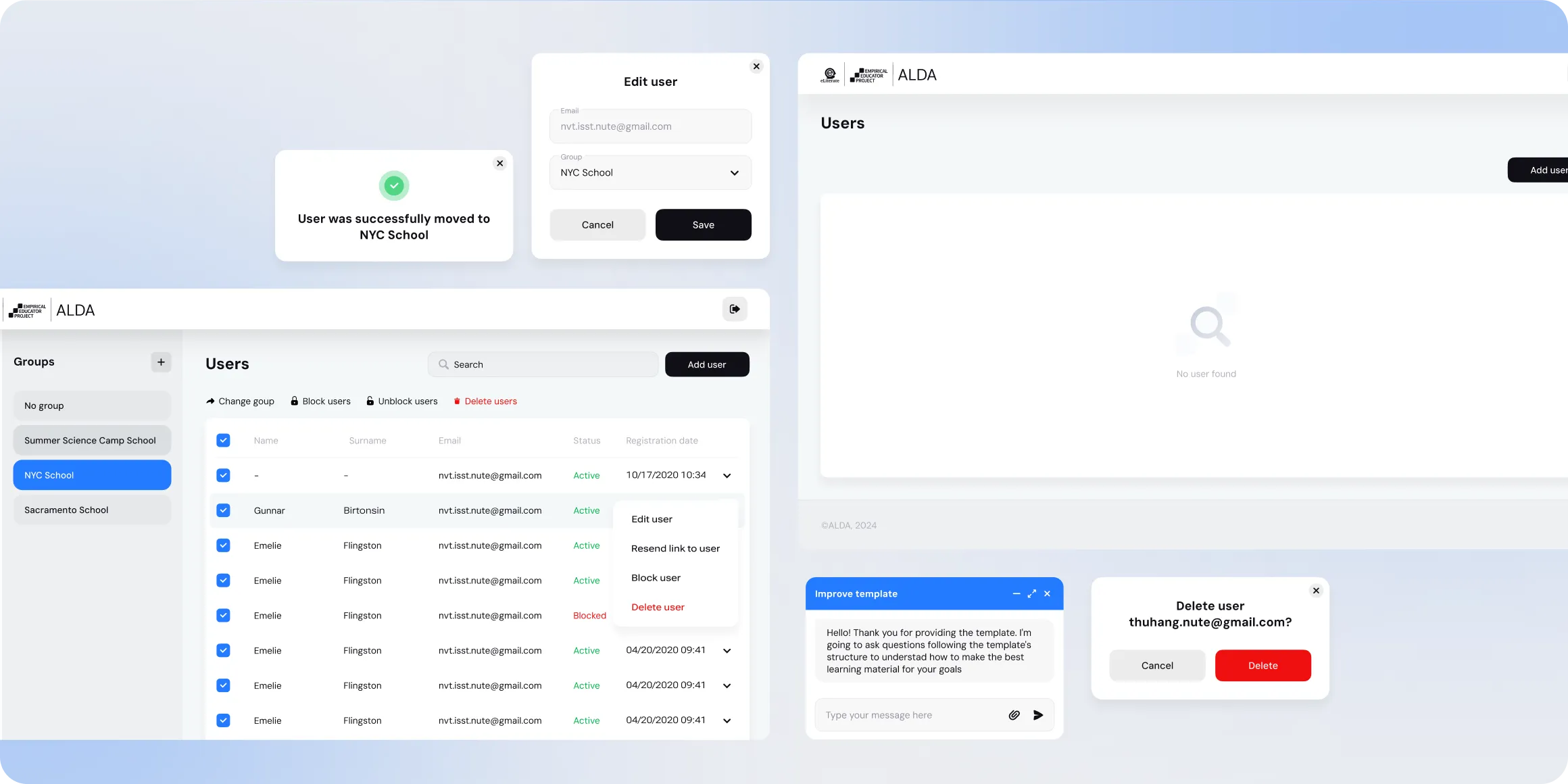
User management interface displaying groups and users lists, user edit and delete modals, a confirmation message for moving a user, and a chat box for improving templates.

Looking to develop a similar AI-powered app?

Our team can build a tailored system that streamlines content creation, boosts productivity, and engages your users. Contact us today for a tailored quote.
Describe your project and we will get in touch
Enter your message
Enter your email
Enter your name

By submitting data in this form, you agree with the Personal Data Processing Policy.

Thumb up emoji
Your message has been sent successfully
We will contact you soon
Message not sent. Please try again.