Colorful segmented circle with five differently colored sections and a white center, representing a logo.

The most innovative EdTech startup in Asia Pacific by AWS

15k+
active users
2k
participants in one class
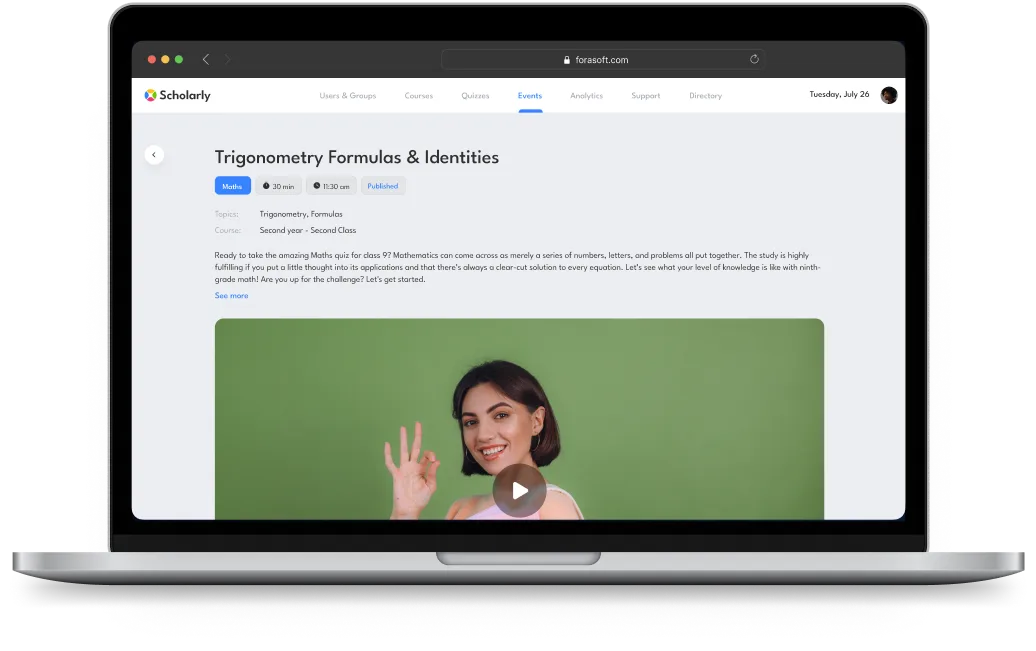
Laptop screen showing a Lesson page named Trigonometry Formulas & Identities
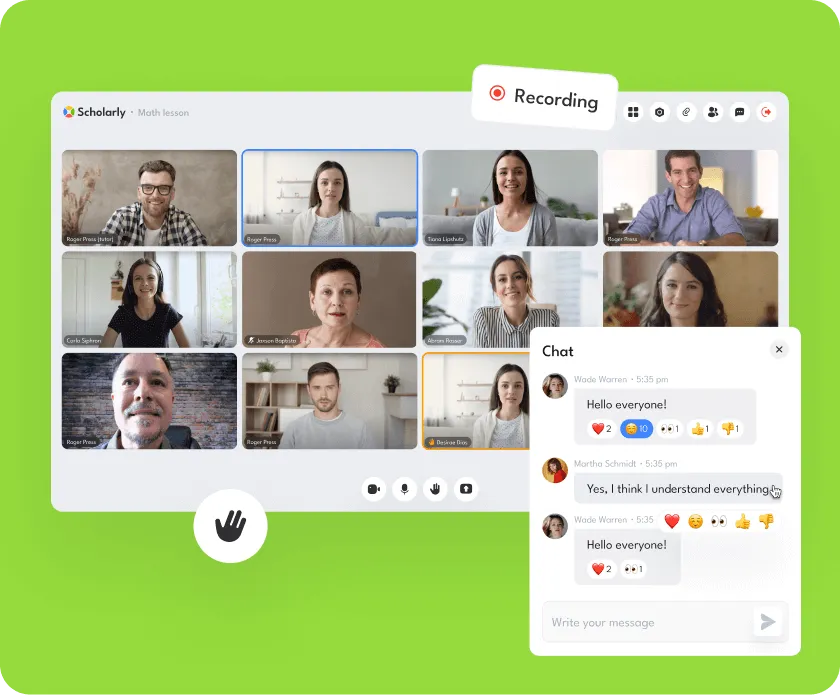
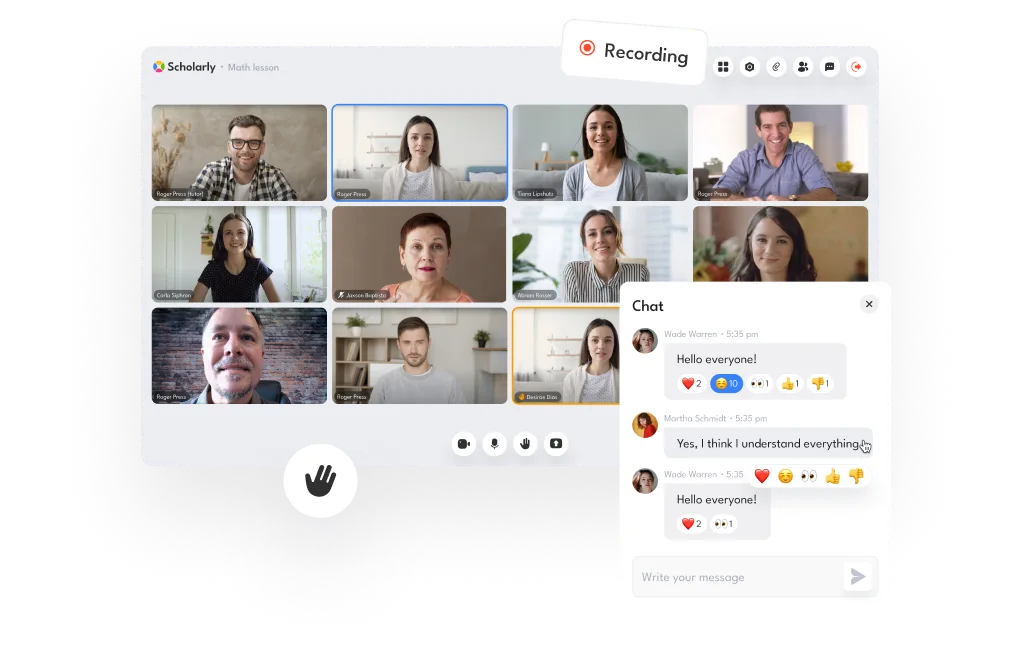
Online video conference screen with nine participants in a math lesson, chat window showing messages and reactions, and recording indicator.
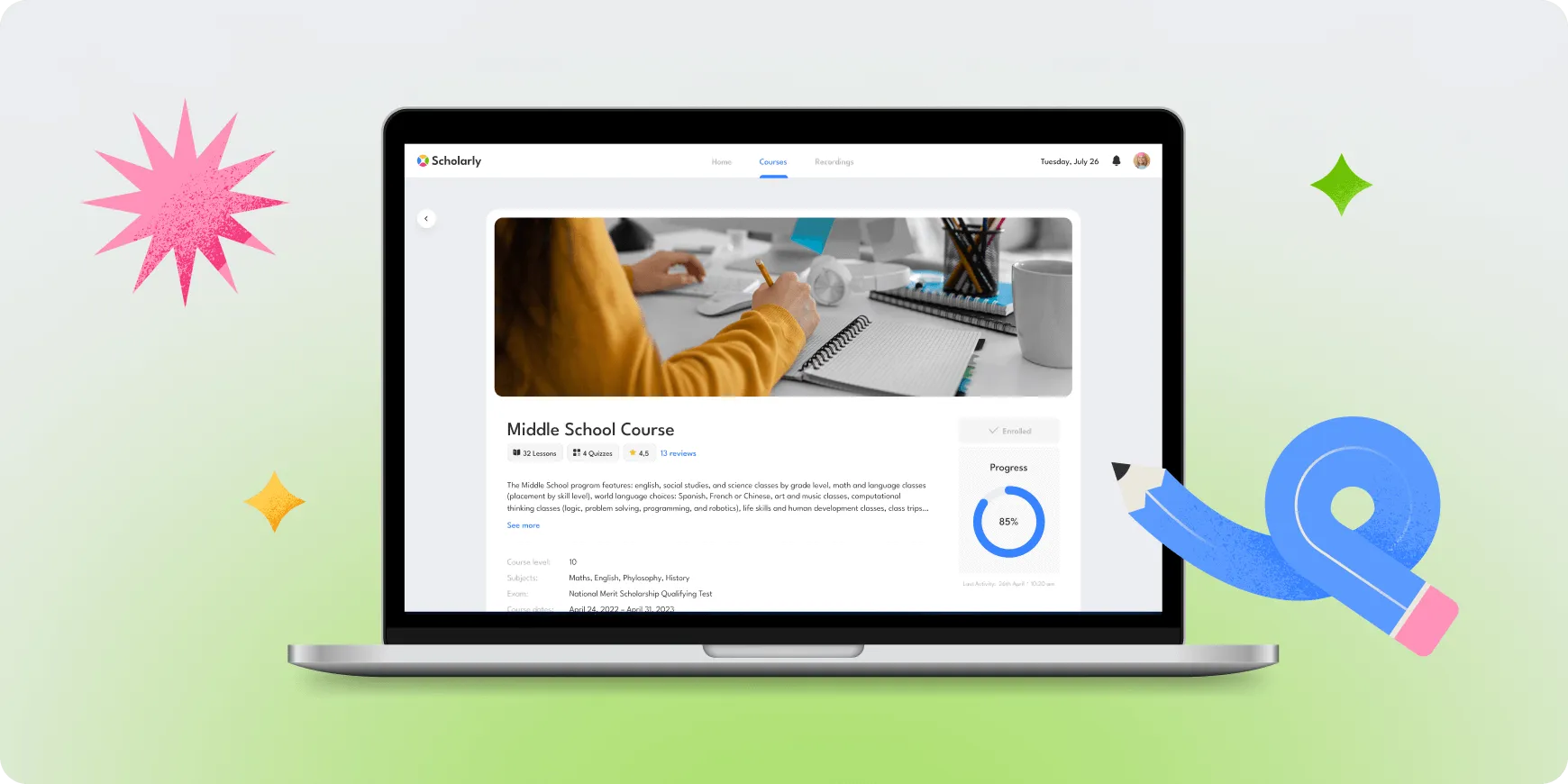
Laptop screen showing an online course page titled Middle School Course with course details, progress circle at 85%, and a photo of a person writing in a notebook.
An Australian educational business approached us with a challenge: they needed a unified e-learning system to streamline their operations. Juggling multiple apps like Zoom and Discord became increasingly difficult as their user base grew. We stepped in and developed an all-in-one online learning platform that now supports over 15,000 active users.
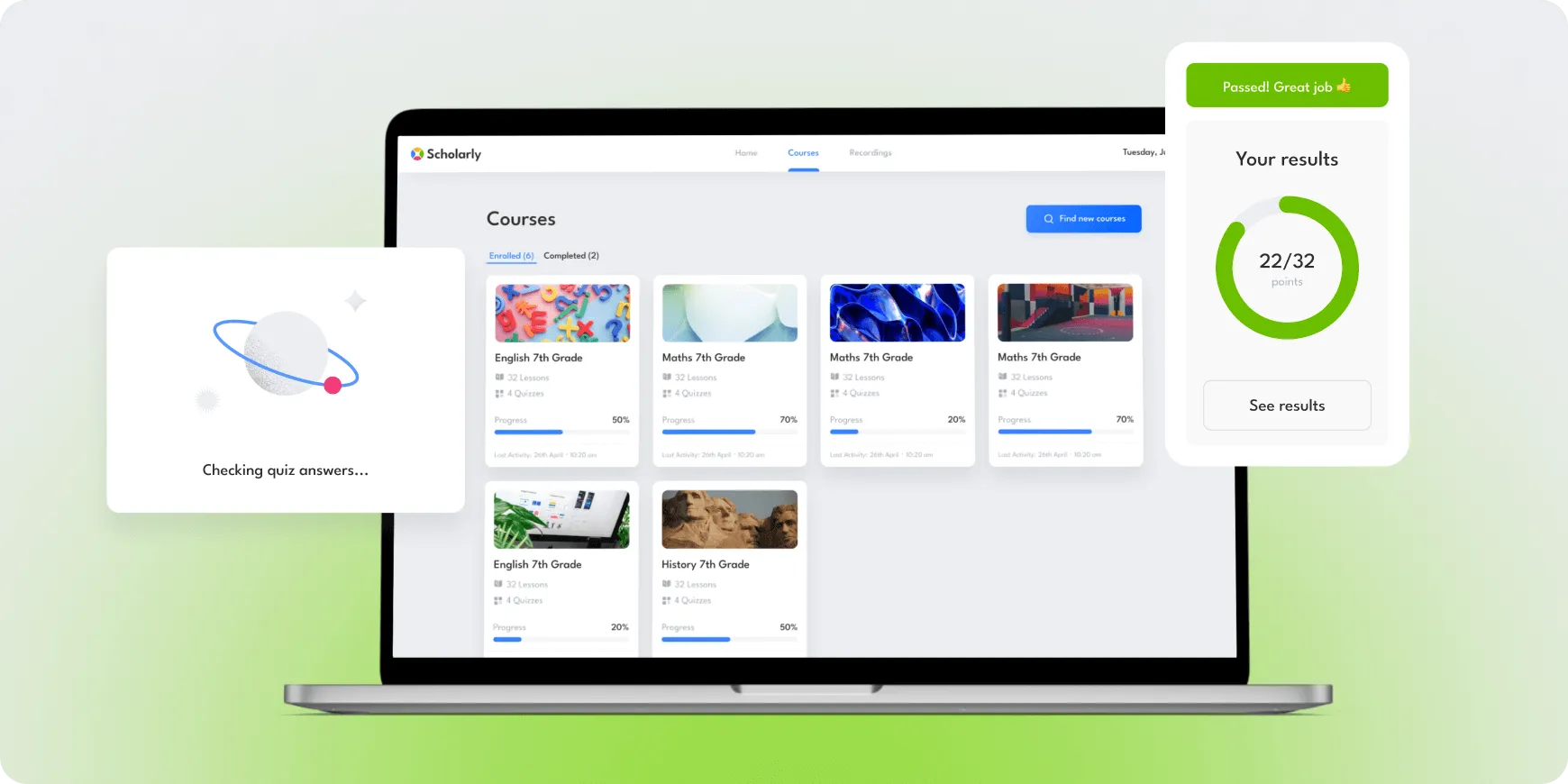
Laptop screen displaying Scholarly app with courses list, quiz checking animation, and quiz result showing 22 out of 32 points with a 'Passed! Great job' message.
Pixel art sequence of a character with gray hair and green outfit showing progressive transformation, ending with a glowing yellow star symbol above the final figure.

Involving design for little users and their parents

Understanding our audience included both kids and parents, we created a fun and engaging experience. For the little learners, we designed a colorful interface with cute characters and playful animations, along with cheerful messages to celebrate their achievements. For parents, we provided a clear and straightforward interface that puts all the essential info at their fingertips.
Useful features for learning
Teachers can host online lectures for up to 2,000 students, complete with screen sharing, a virtual whiteboard, and text chat for interactive learning. Each lecture is automatically recorded for easy review, and parents can track their child’s course schedule and progress.
Online video conference screen with 10 participants including a tutor, showing active chat messages discussing understanding of the lesson.
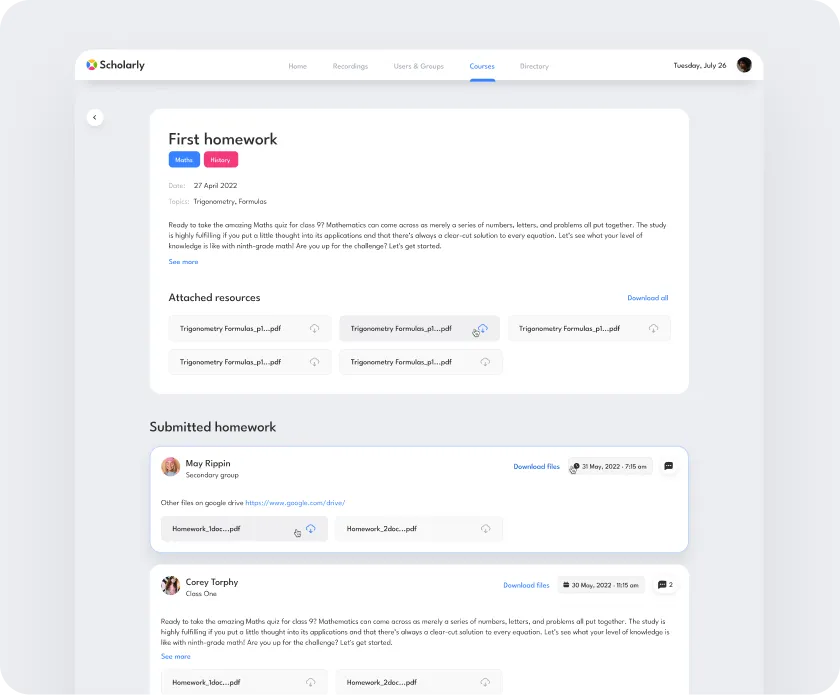
Educational platform interface showing a 'First homework' assignment with subjects Math and History, date 27 April 2022, attached trigonometry formula PDF resources, and submitted homework from students May Rippin and Corey Torphy with downloadable files and comments.

Easy to use admin panel

Our user-friendly admin panel allows easy management of users, courses, and live streams. By tailoring our solution to their needs, we transformed their educational experience into a cohesive and effective e-learning environment.
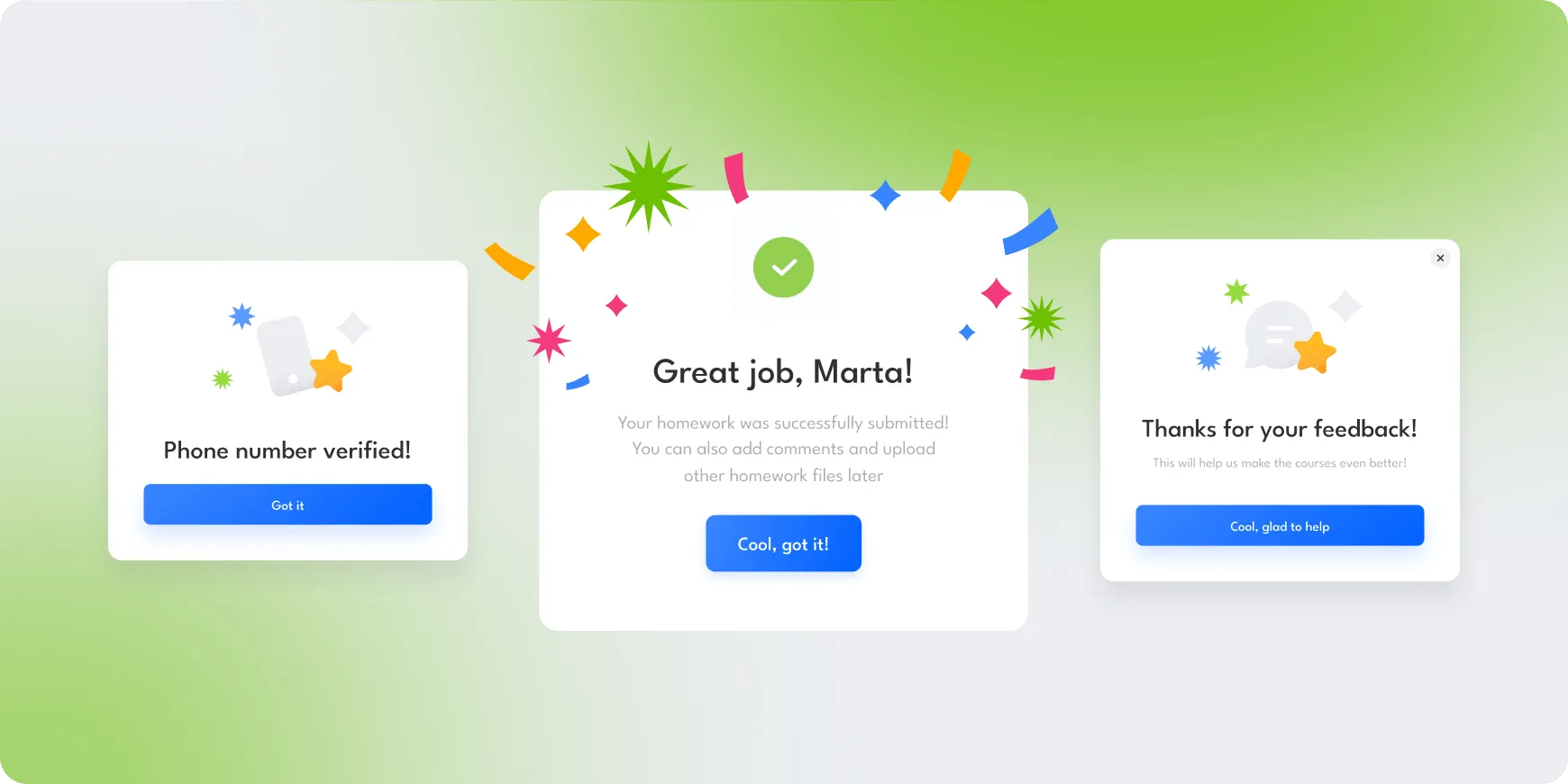
Three colorful confirmation pop-up boxes on a green and white gradient background: left says 'Phone number verified!' with a blue button 'Got it'; center says 'Great job, Marta!' with a checkmark and confetti, and a blue button 'Cool, got it!'; right says 'Thanks for your feedback!' with a blue button 'Cool, glad to help'.

Learning Platform

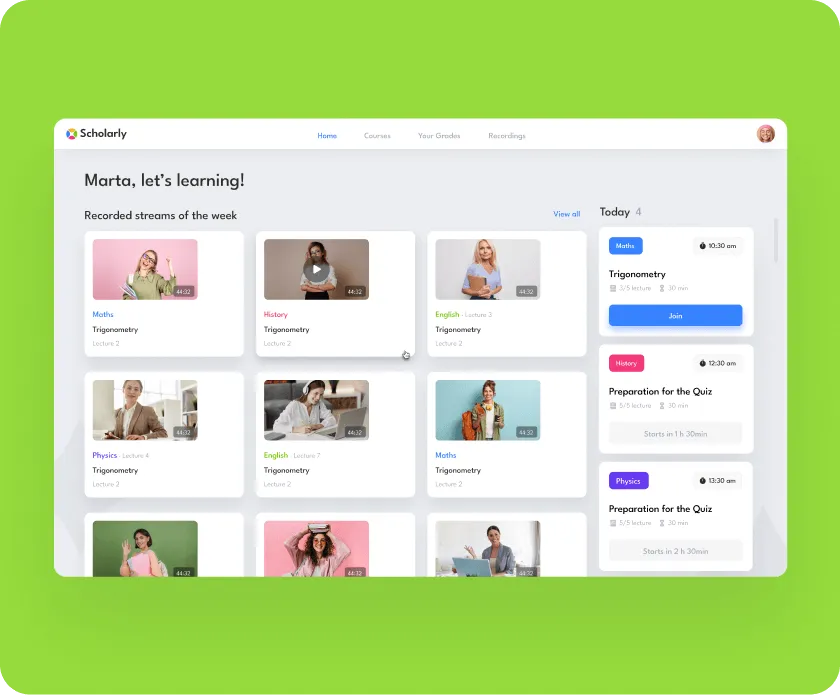
Online learning platform dashboard showing recorded streams of subjects like Maths, History, English, and Physics with lecture thumbnails and a schedule of upcoming sessions.

Interactive Learning Made Easy for Students

Students can now engage in courses through live streams, video recordings, and easy access to study materials. They can take tests, submit homework, and receive direct feedback from tutors, creating a well-rounded and interactive learning experience that keeps them motivated and on track.
Engagement Made Easy for Parents
Parents have complete visibility into their children's education. They can check course schedules, track progress, and access study materials, ensuring they stay actively involved in their child's learning journey.
User profile page on Scholarly platform showing Elle Cooper's contact details and password info, plus profiles of three children with options to change passwords.
Open laptop displaying a Middle School Course webpage with a progress circle showing 85% completion, surrounded by colorful star and pencil illustrations.

Tutoring Platform

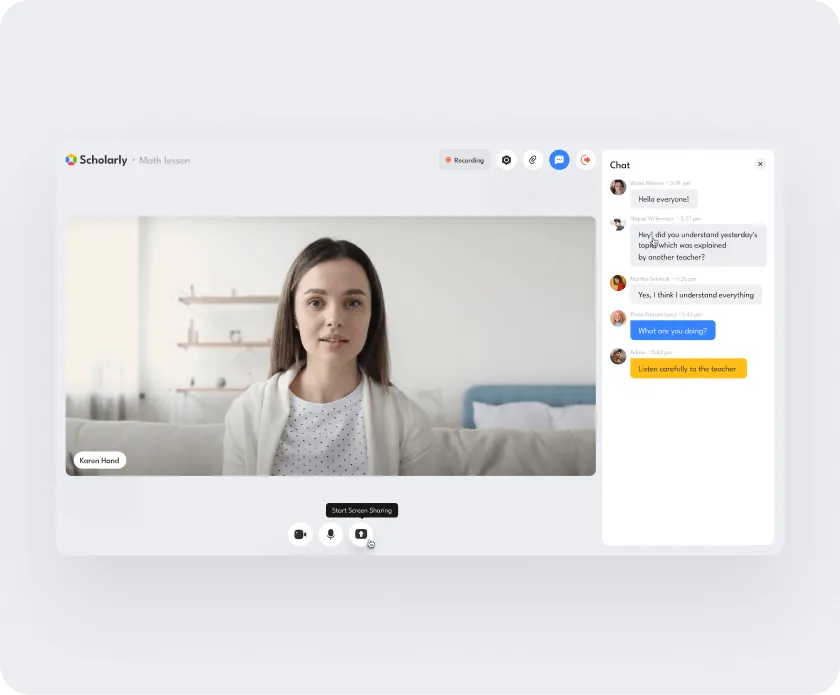
Virtual math lesson interface showing a female teacher on video with a chat sidebar containing student messages.

Online Lectures for 2,000 Students at Once

Tutors can now host live online lectures for up to 2,000 students simultaneously, breaking down barriers to education and expanding access to learning. With a colorful and engaging interface, we ensure that every student remains attentive throughout the lecture.
In-lecture Tools for Enhanced Collaboration
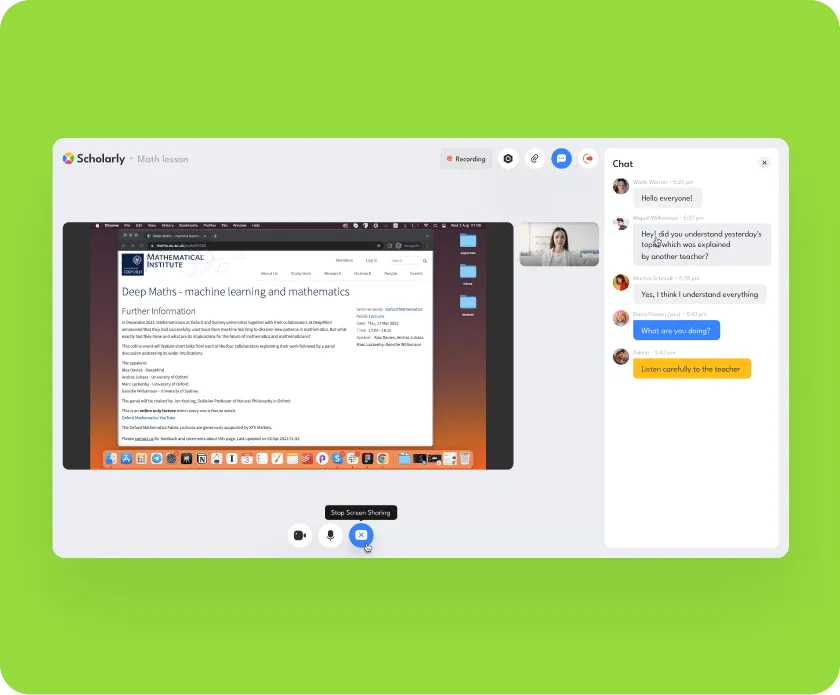
With features like screen sharing, virtual whiteboards, and text chat, tutors can create a dynamic and interactive learning environment that encourages collaboration. Fun animations and cheerful messages further motivate students, making the learning experience enjoyable and effective.
Screen showing a virtual math lesson on Scholarly platform with shared screen displaying a webpage about machine learning and mathematics, a video of a presenter, and a chat panel with participants' messages.
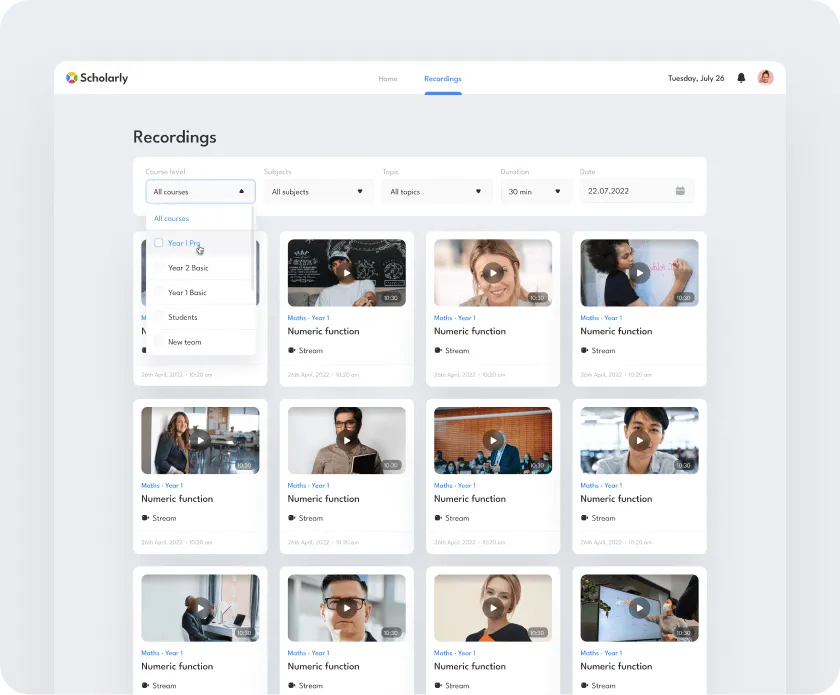
Online education portal page showing video recordings of 'Numeric function' lessons for Maths Year 1 with filter options for course level, subjects, topic, duration, and date.

Lecture Recording for Continuous Learning

Every lecture is automatically recorded and saved, allowing students to easily revisit the material whenever they need a refresher. This ensures they never miss out on important content and can learn at their own pace.
Efficient Course Management with Tutor Homepage
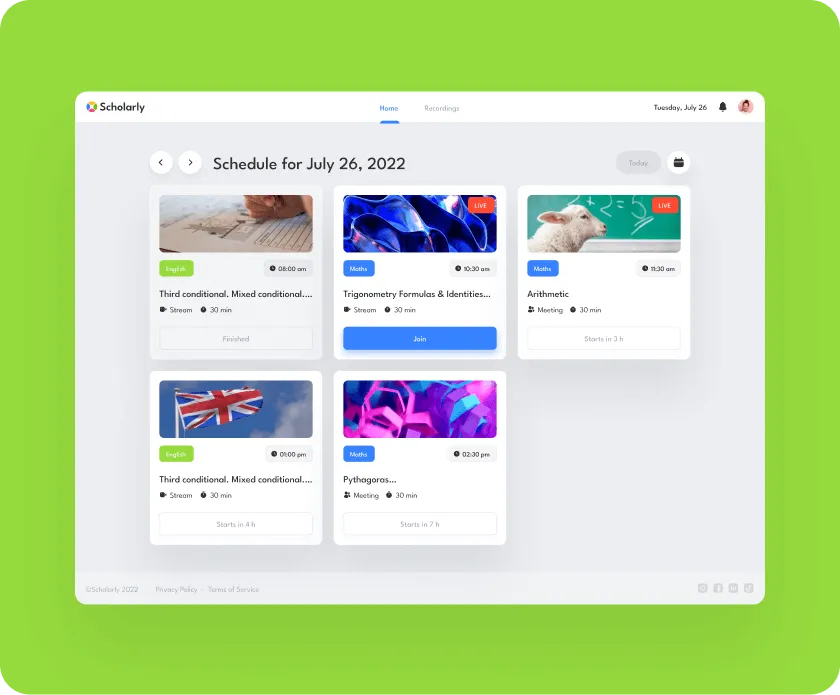
The tutor homepage provides a clear overview of their entire course schedule, helping tutors manage their time effectively and stay organized for a smoother teaching experience.
Academic schedule interface for July 26, 2022, showing English and Math lessons with times, durations, and live stream status on a green background.
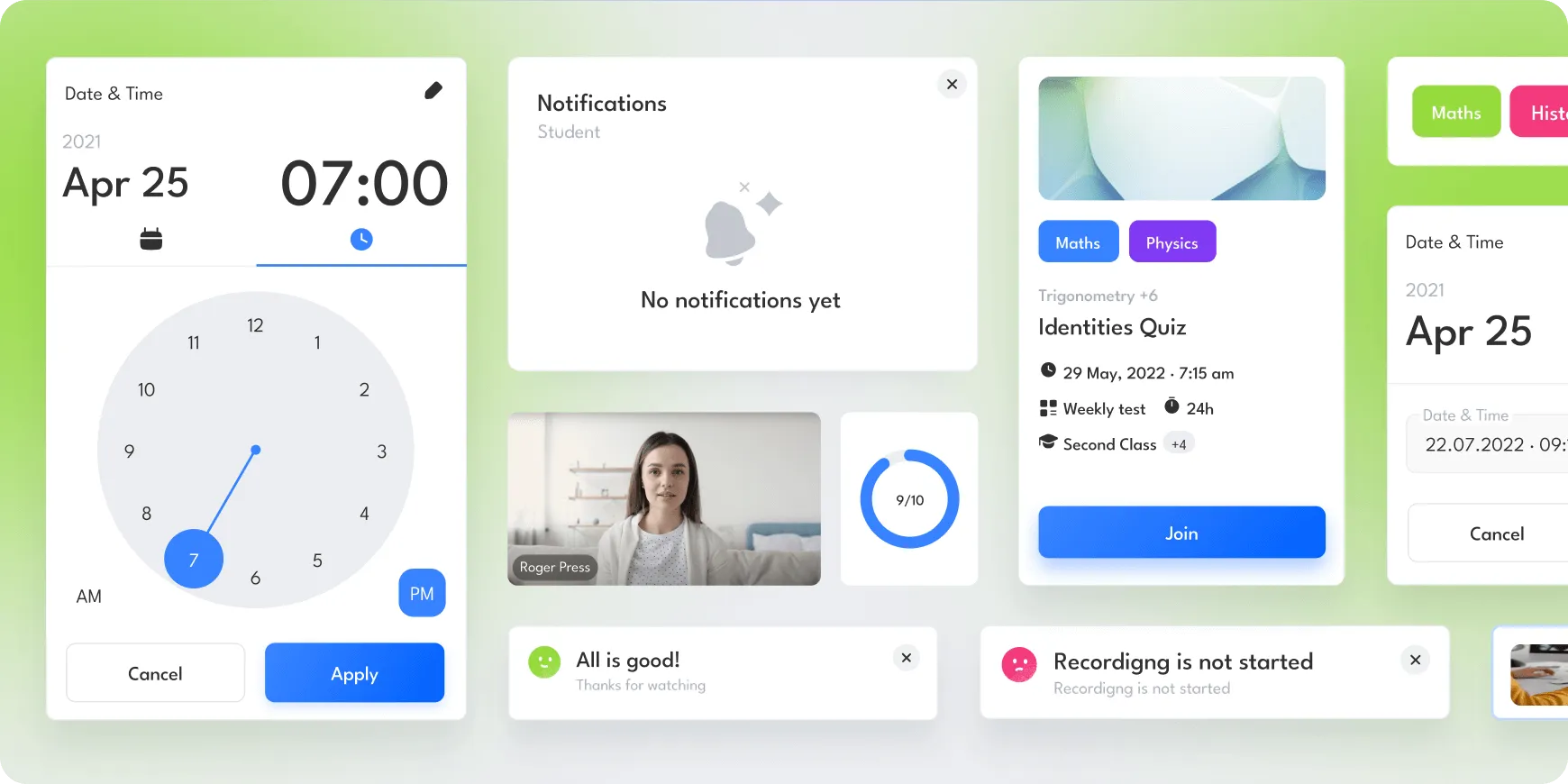
User interface showing date and time picker set to April 25, 7:00 AM, a notifications panel with no alerts, video thumbnail with score 9 out of 10, and an identities quiz card for Maths and Physics scheduled on May 29, 2022.
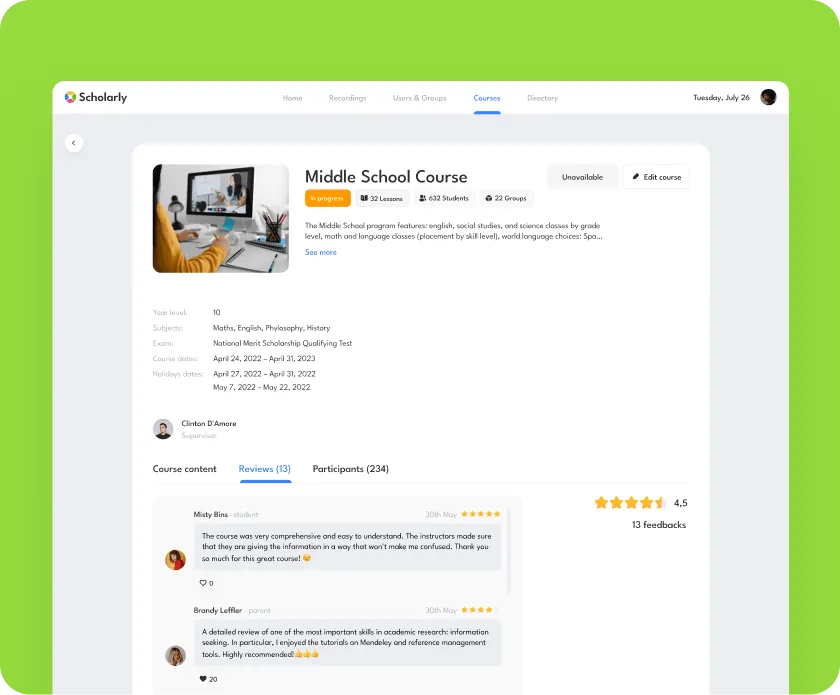
Scholarly admin panel displaying Middle School Course details including progress status, lessons, students, subjects, course dates, supervisor profile, and student reviews with a 4.5 star rating.

Streamlined Course Oversight for Admins

Admins can oversee courses and events with view-only access, ensuring effective monitoring and support of the educational process.
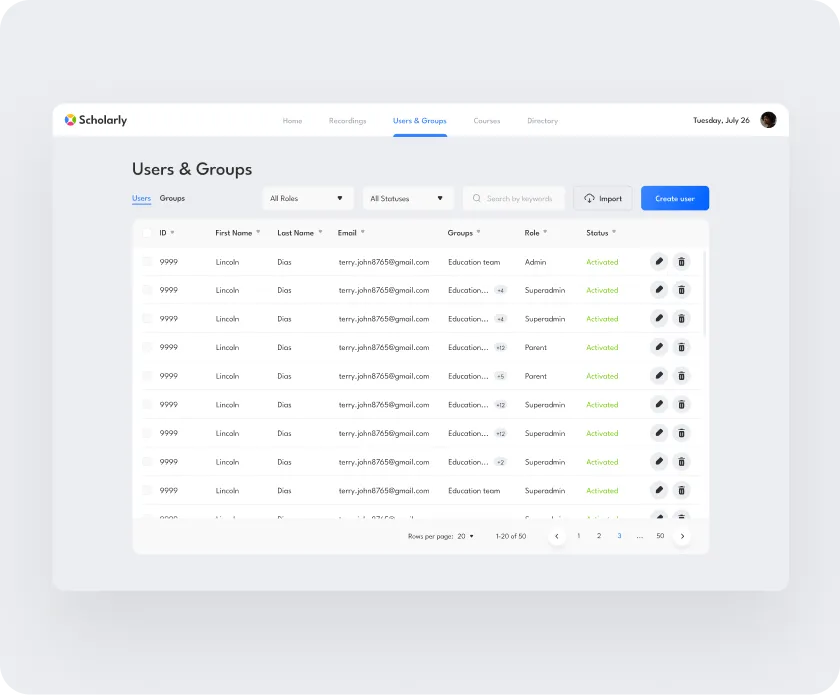
User interface of Scholarly superadmin panel showing a Users & Groups table with user details such as ID, name, email, groups, role, and status, along with search, filter, import, and create user options.

Complete Control of the Platform for Superadmin

Superadmins have full control over the platform, enabling them to create and edit courses, schedule live streams and meetings, upload study materials and homework, and manage users and course directories.
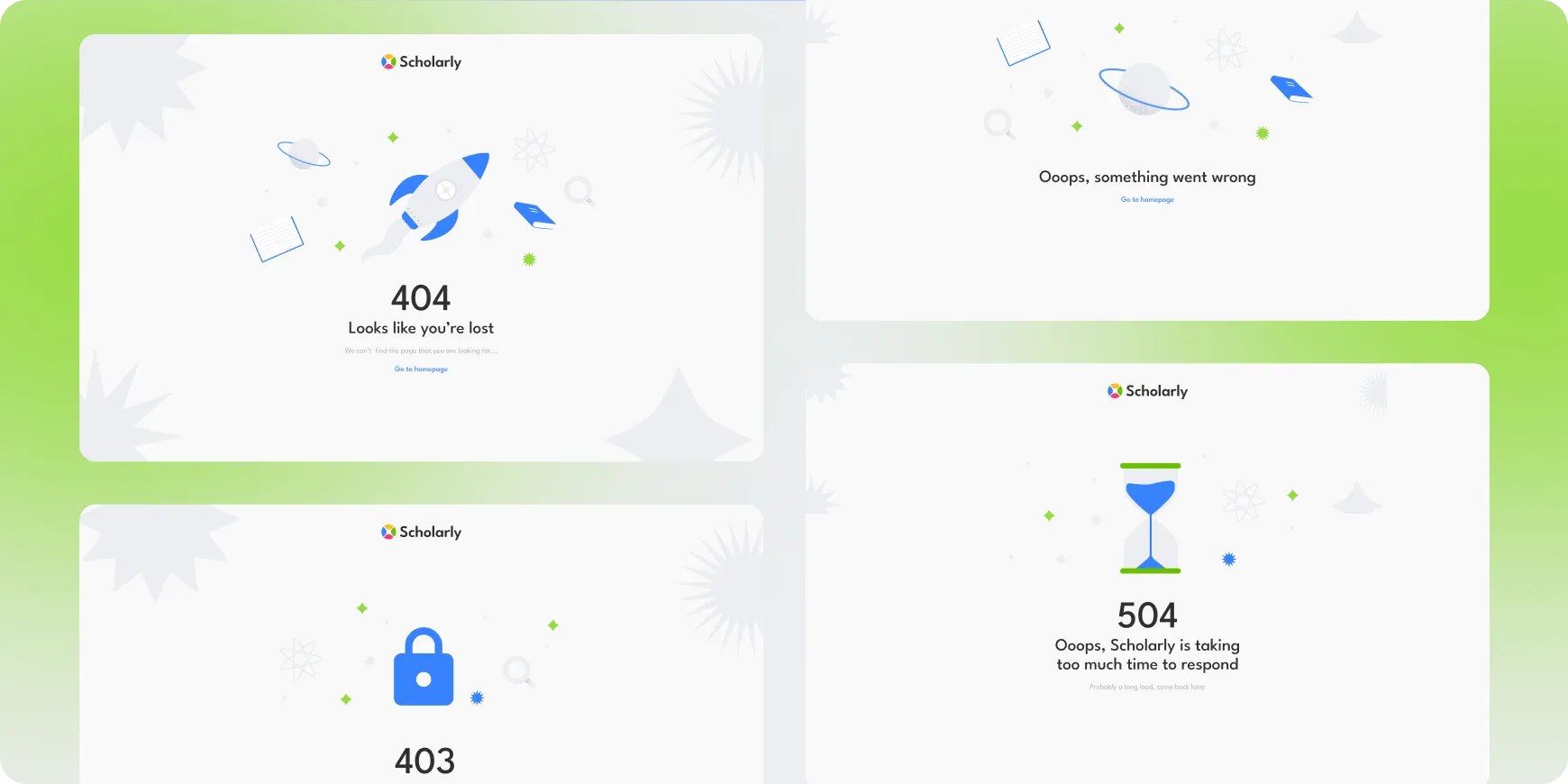
Four error message panels for 'Scholarly' showing 404 with a rocket, 403 with a lock, 504 with an hourglass, and a message saying something went wrong.
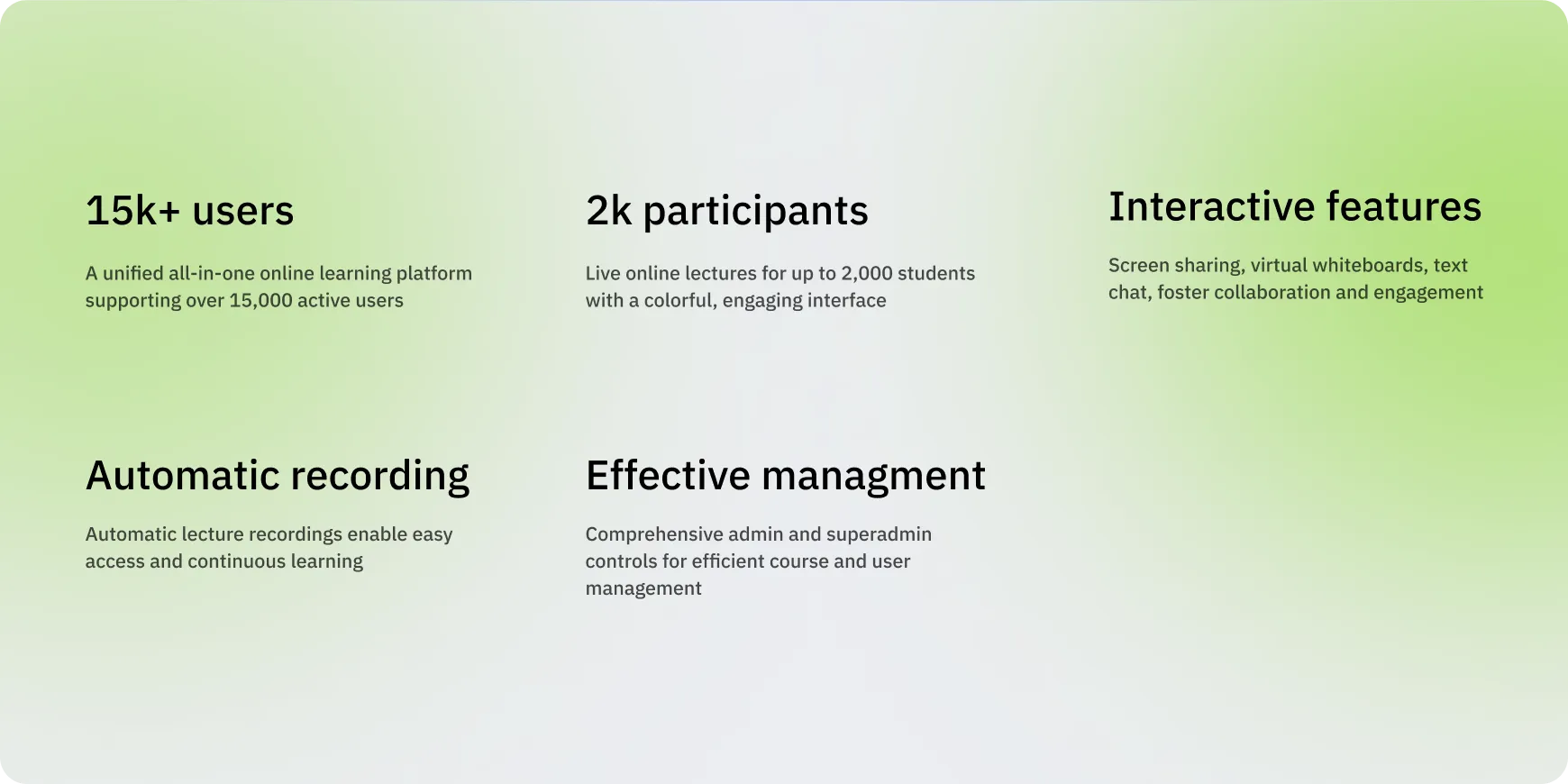
Text on a green gradient background highlighting features: 15k+ users, 2k participants, interactive features, automatic recording, and effective management for an online learning platform.
Describe your project and we will get in touch
Enter your message
Enter your email
Enter your name

By submitting data in this form, you agree with the Personal Data Processing Policy.

Thumb up emoji
Your message has been sent successfully
We will contact you soon
Message not sent. Please try again.