
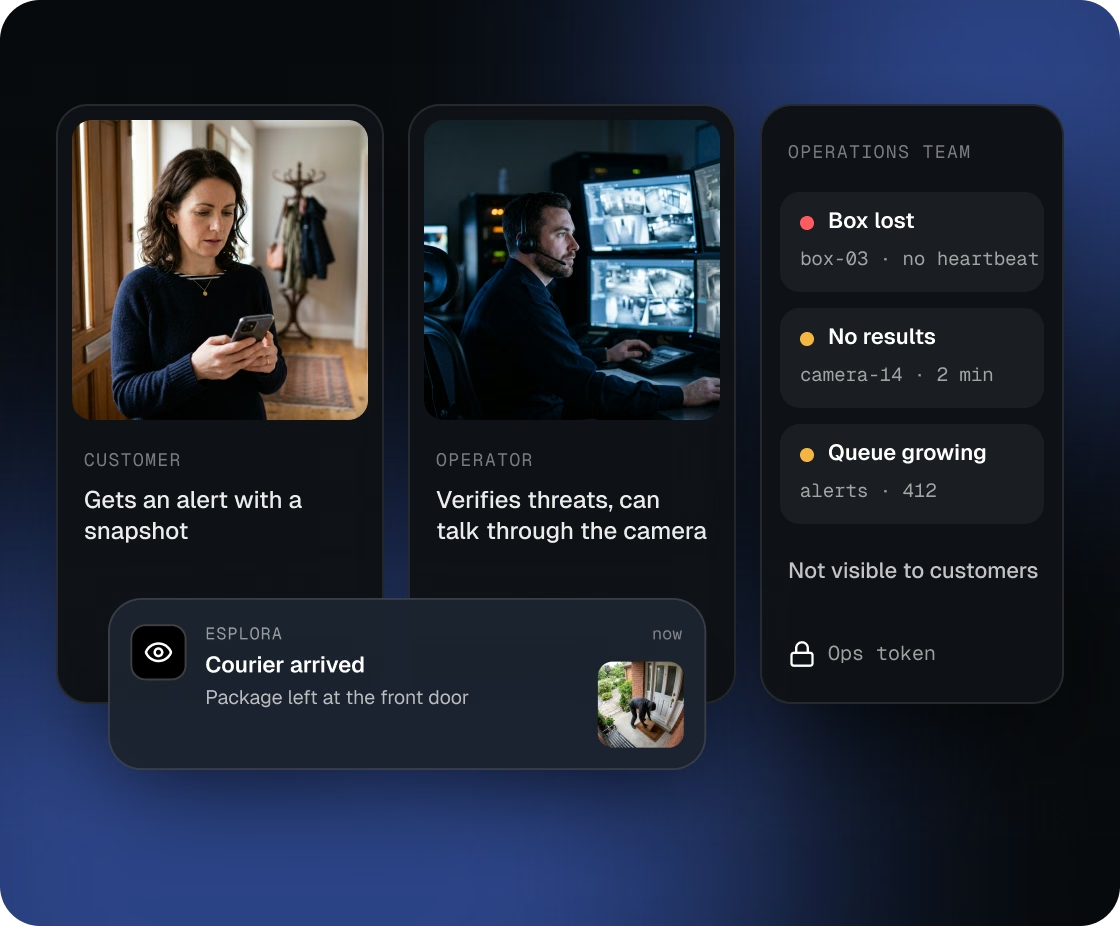
A GPU box, or box, is a GPU server that analyzes the video of the cameras assigned to it. A worker is the detection process that runs on a box. The gateway is the backend's API: the entry point for the app and for boxes for everything except the video itself.
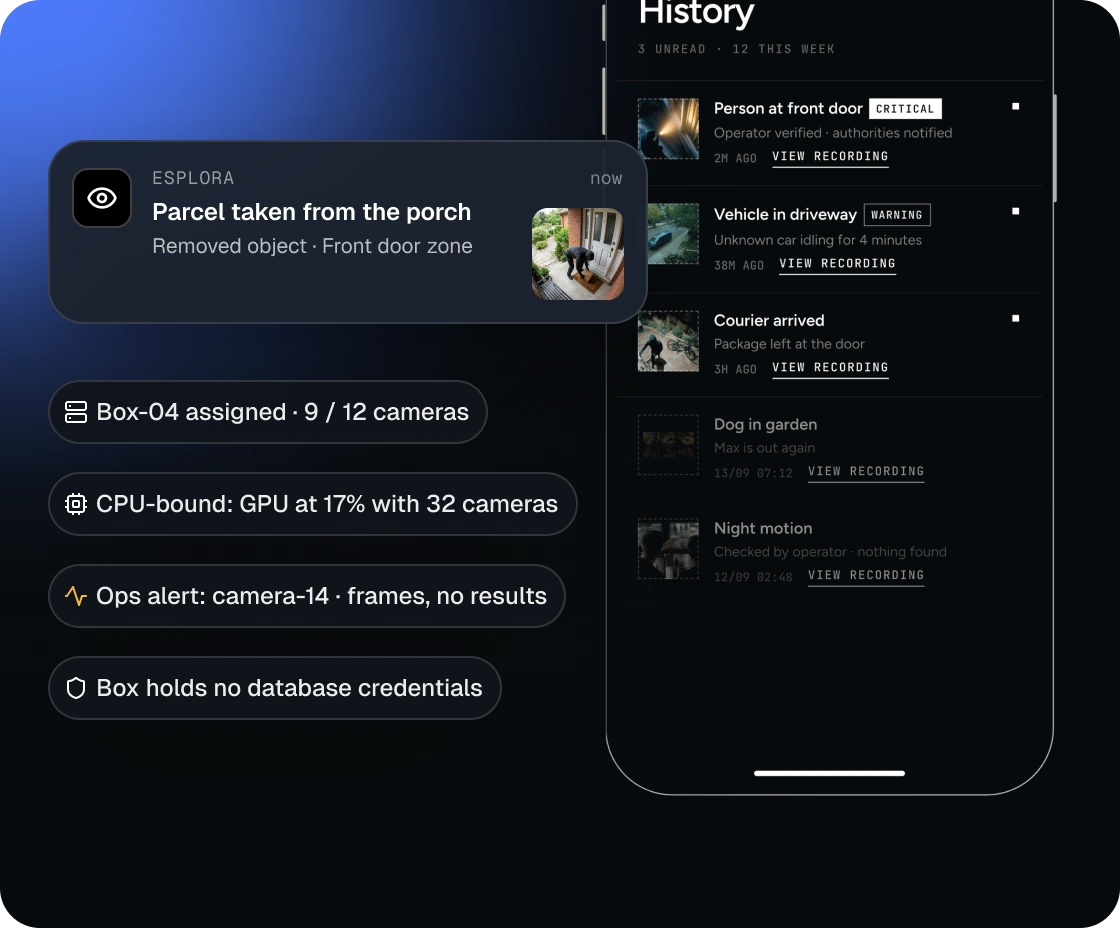
One GPU worker used to serve every camera, which capped the service at what a single machine could analyze. We built a resource manager that lets the service grow by adding boxes.
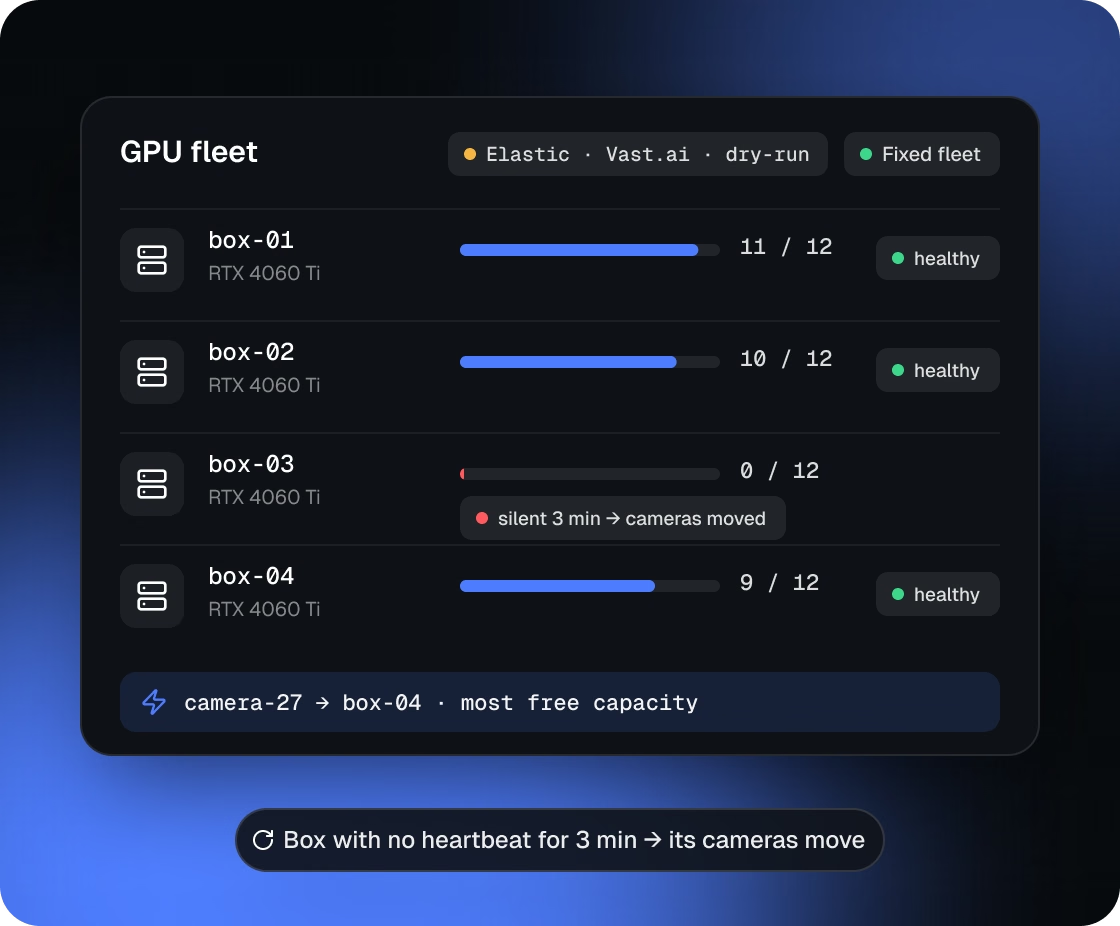
The manager assigns each camera to a GPU box and a media server and publishes the assignment, so each box serves only its own cameras. It knows how many cameras each box can carry and places a new camera on the box with the most free capacity. When a box sends no heartbeat, its regular "I'm alive" signal, for three minutes, its cameras are moved to healthy boxes. If the manager itself stops, boxes keep working on the last assignment and only placement pauses.
The manager runs in two modes:
In elastic mode our Vast.ai integration re-checks each offer against our requirements before renting, moves down the ranked offer list when the cheapest one disappears, and touches only instances labeled as its own. A limit caps the number of rented boxes, and a box that has not come up within 15 minutes is scrapped. Elastic mode is covered by tests against a simulated provider and has a dry-run mode that logs what it would rent.
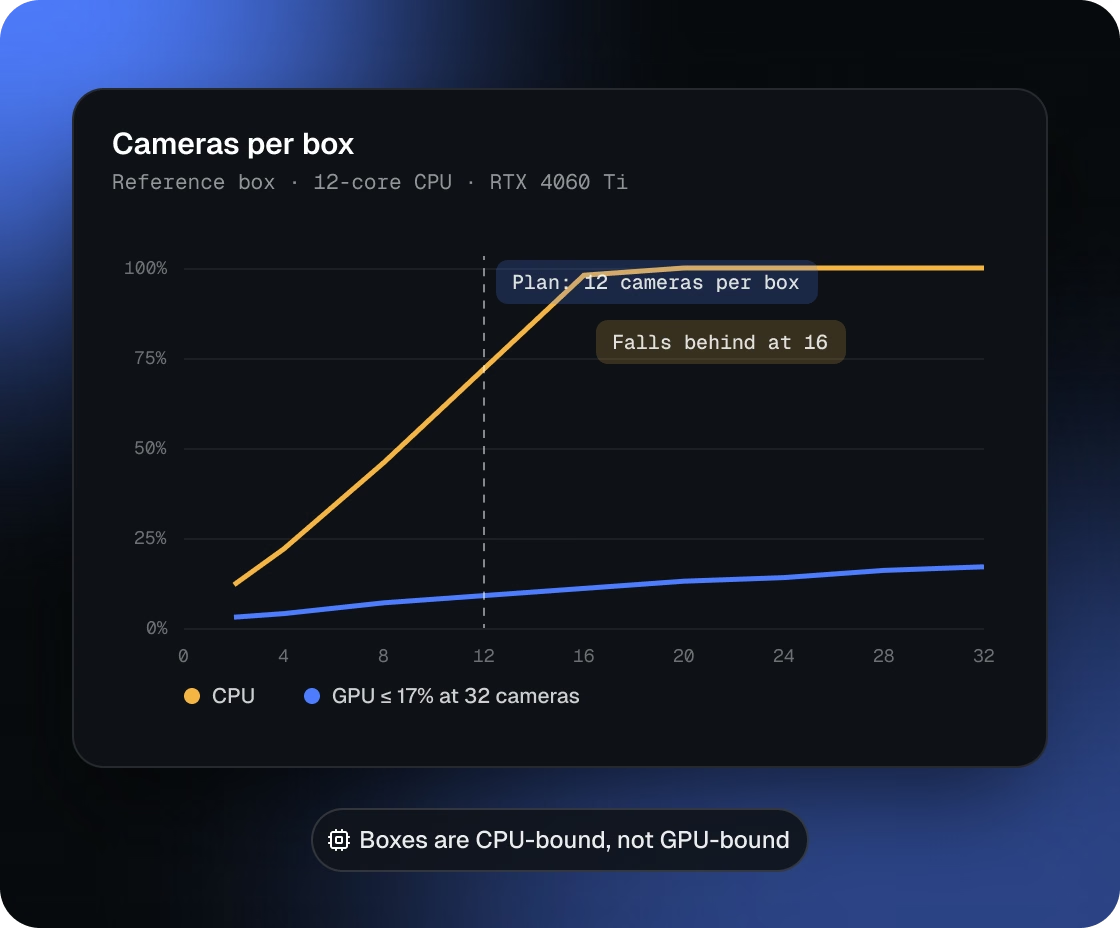
To plan costs, the client needed to know how many cameras one box can serve. We measured it by adding cameras step by step to a reference box with a 12-core CPU and an RTX 4060 Ti.
The result changed the planning. Boxes are CPU-bound: the GPU stayed at 17% or less even at 32 cameras, while the 12-core box started to fall behind at 16 cameras. That gives a planning figure of 12 cameras per box, roughly one camera per CPU core, with headroom. The production configuration template uses this figure. The reference box is a desktop-class machine, so the benchmark scripts stay in the repository to repeat the measurement on each class of rented box.
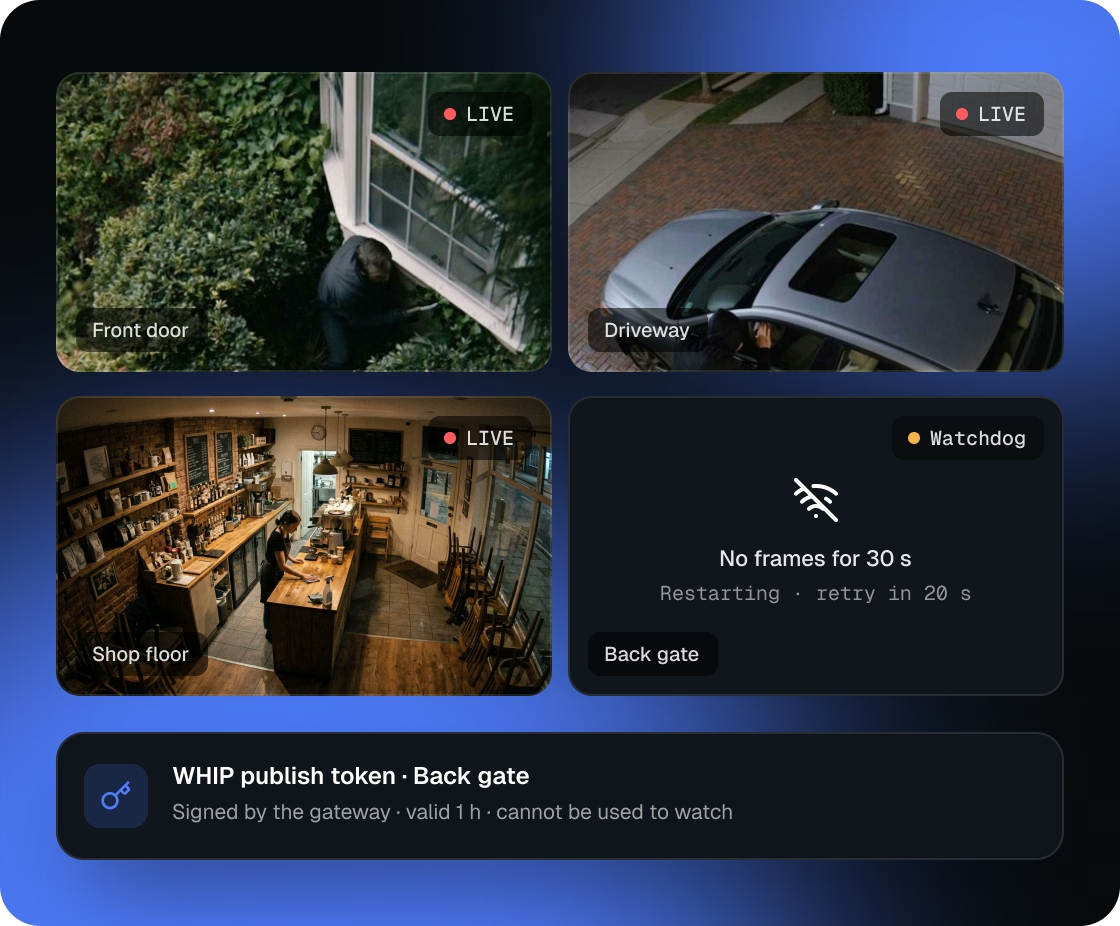
A camera that drops off the network or sends a broken stream should affect only itself. Each camera now has its own capture thread and its own watchdog: a stream that stops delivering frames for 30 seconds is restarted, and reconnect attempts back off from 5 seconds to a minute.
A camera or a browser can now publish video over WebRTC (the WHIP protocol) with a signed token that the gateway issues for that camera and that is valid for one hour. Publish and view tokens are separate: a leaked viewing link cannot be used to inject a fake feed, and a publish token cannot be used to watch.
Under load, a worker takes only the newest frame of each camera, so a slow moment drops stale frames instead of building a backlog. A separate check flags a camera whose frames keep coming while its results have stopped.
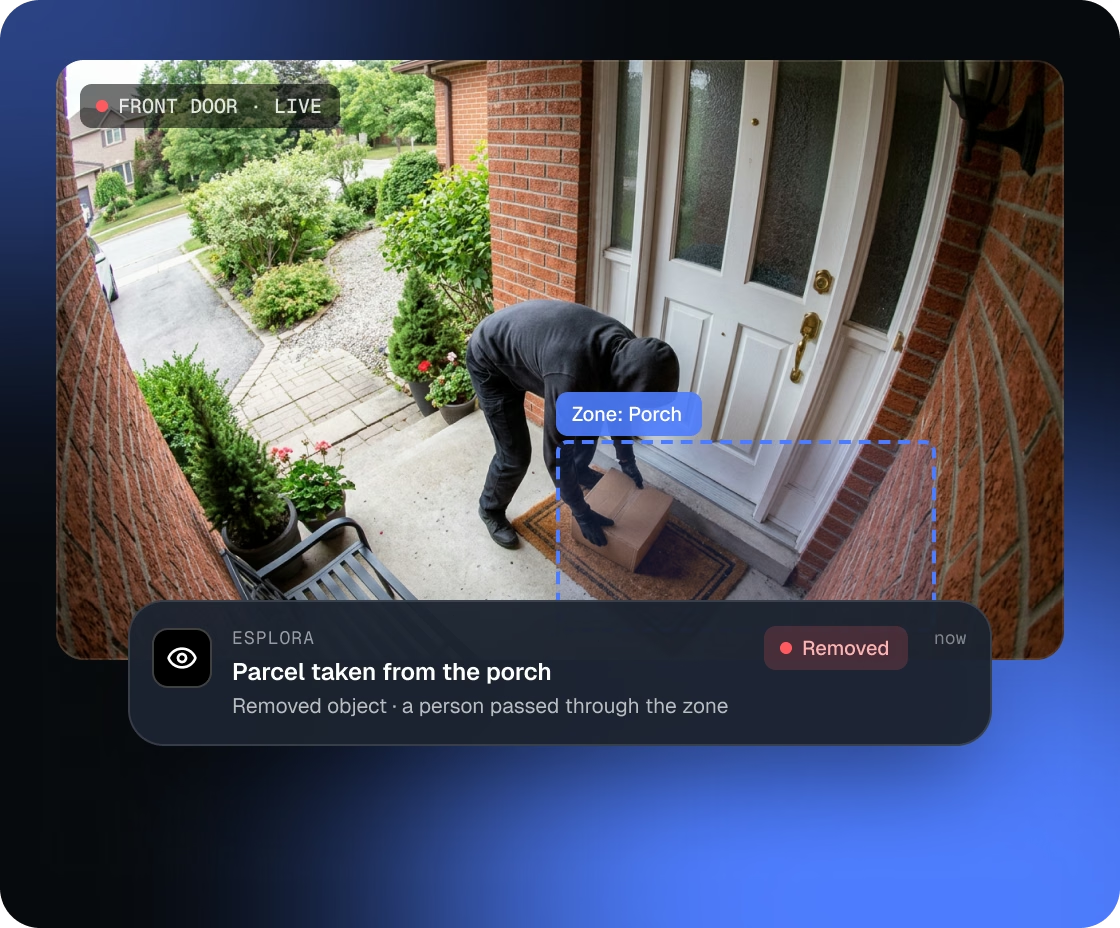
A customer can draw a zone, such as a porch or a shelf, and get an alert when something changes after a person passes through it. We extended the existing object-change monitor so it compares the zone before and after the person's visit:
A rule can ask for left objects, removed objects or both, and the push notification names the change, for example that a parcel was taken from the porch.
Presence and absence checks are now scoped per rule, so two rules on the same camera no longer interfere. We added settle times, so the monitor waits for the scene to calm down after the person leaves, and built an evaluation harness that reports precision and recall per scenario on labeled clips. Until real clips are labeled, it runs on generated left, removed and negative cases, so a threshold change is tried on repeatable examples before it reaches customers.
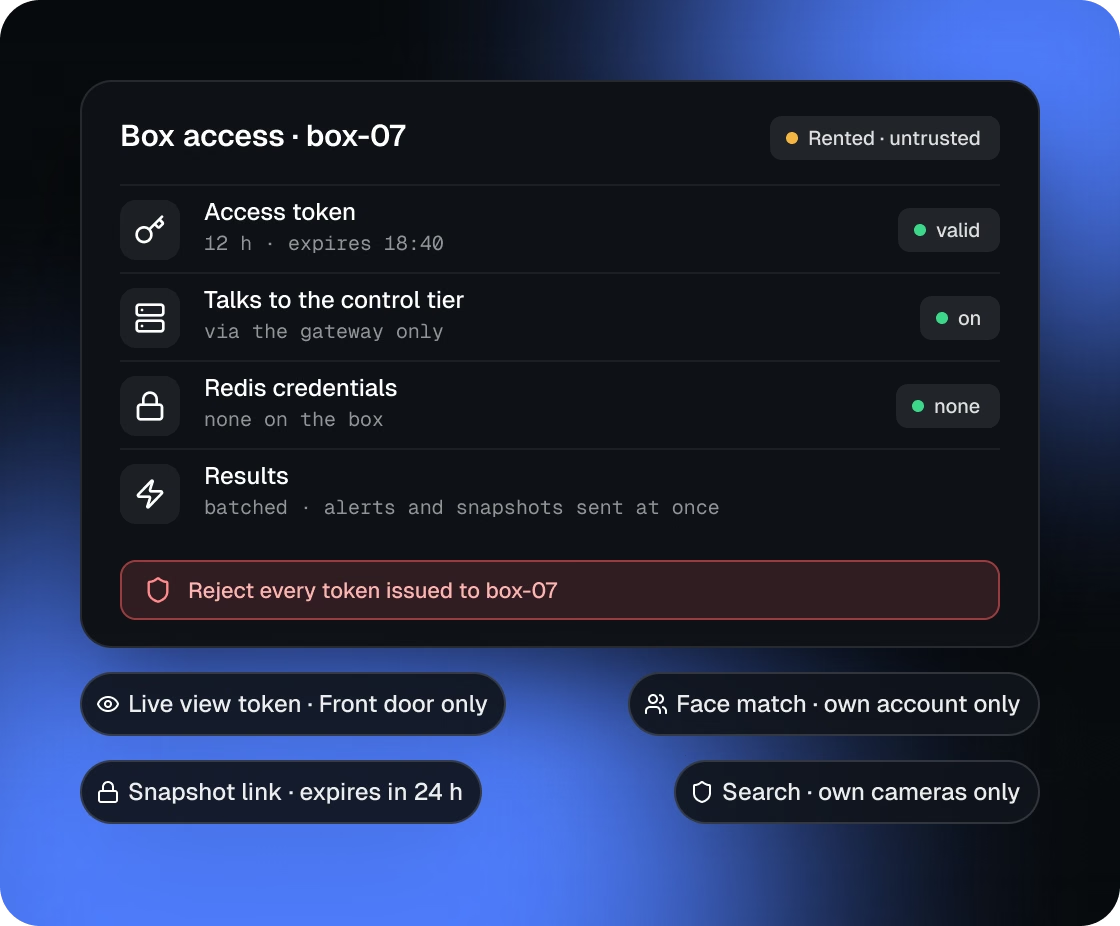
GPU boxes can be rented from a public marketplace, so we treated them as untrusted. We built a new control plane, the channel through which boxes get their work and report results. In the staging and production configurations a box talks to the control tier only through the gateway and holds a 12-hour access token of its own. If a box is compromised, one change on the gateway makes it reject data writes and token renewals from every access token issued to that box earlier. The box holds no credentials for the control tier's Redis database. It sends detection results in batches to avoid a network round trip per frame, and sends alerts and snapshots immediately so a crash does not lose them.
We also scoped every customer-facing path to the customer's own data and hardened the deployment:
Snapshot images in push notifications use signed links that expire after 24 hours, because a phone fetches the image before the customer opens the app.
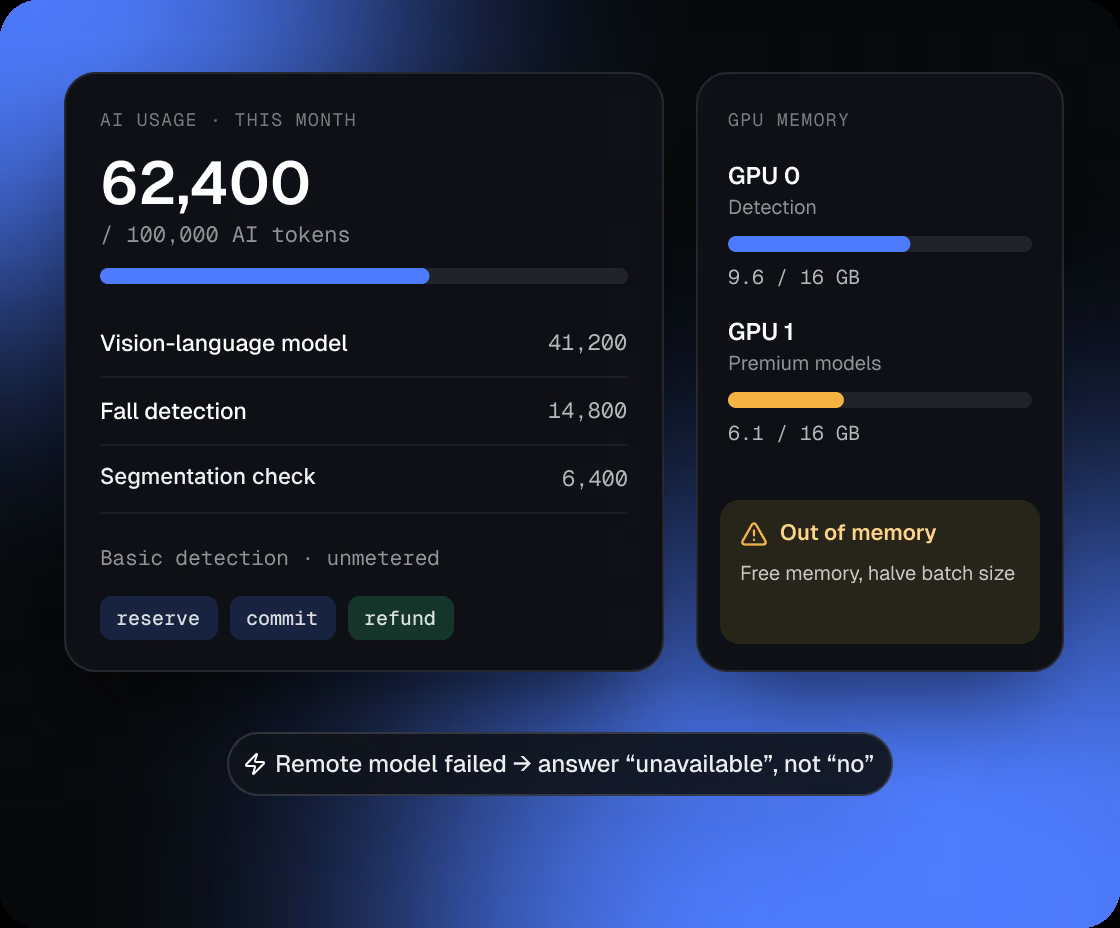
The platform runs two kinds of models. Basic detection (people, cars, fire, faces, license plates) is cheap and unmetered. Fall detection, the vision-language model and a segmentation model are the premium models: they are expensive and metered in AI tokens.
We pinned each model to one device, added memory telemetry per device, and made the worker free memory and halve its batch size when memory runs out, so a heavy request does not stop detection.
We also verified the client's usage meter, which counts AI tokens per customer in Redis with reserve, commit and refund, so a failed AI call does not use up a customer's tokens and usage is checked against the plan's monthly cap. We checked the cap and the usage endpoint, tested the meter against a live Redis, and reconciled the projected cost of each model with what the meter counted. The same reserve, commit and refund flow now covers the optional segmentation check of uncertain detections, which runs asynchronously.
Two optional configurations, both off by default, keep a heavy premium request from taking GPU memory away from detection:
A failed call to the remote model is not read as a "no". The alert engine marks the answer as unavailable: an ordinary rule does not fire, and a rule marked critical fires anyway with a note that the check was skipped.

Health checks can pass while a camera is silently not analyzed. We built a watchdog that reads the heartbeats and telemetry the services already publish and raises an ops alert when:
Ops alerts go to the log and, when a webhook is configured, to a Slack-compatible channel. An ops dashboard shows boxes, workers, per-camera frame rate, queue depth and result age in one place. It opens only with a separate operations token, which customers do not have.
We changed the data model so one account can own several cameras, each with its own alert rules, objects, zones, lines and paths. Existing single-camera versions of the app kept working unchanged: a request without a camera ID resolves to the account's first camera. One limit remains: rules created through the chat assistant go to the account's first camera.

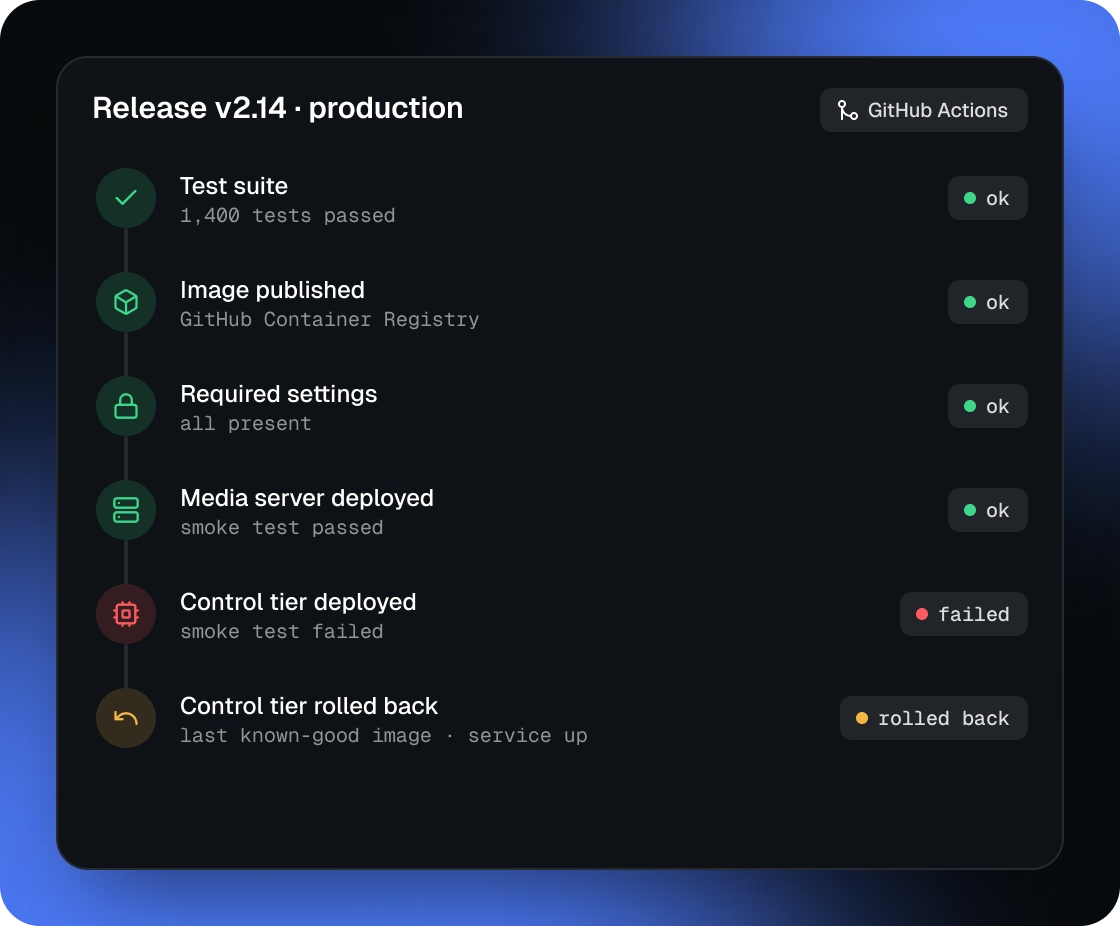
A failed release should not leave the service down. We moved deploys to images built in CI and published to GitHub Container Registry once the test suite of about 1,400 tests passes. The production workflow refuses to deploy when a required setting is missing, deploys the media server and the control tier separately, runs a smoke test, a short automatic check, on each, and rolls a tier back to its last known-good image if the test fails. We deployed the hardened build to the client's staging server and confirmed that the media server and the control tier were healthy. That server has no GPU box attached, so live video was not part of this check.
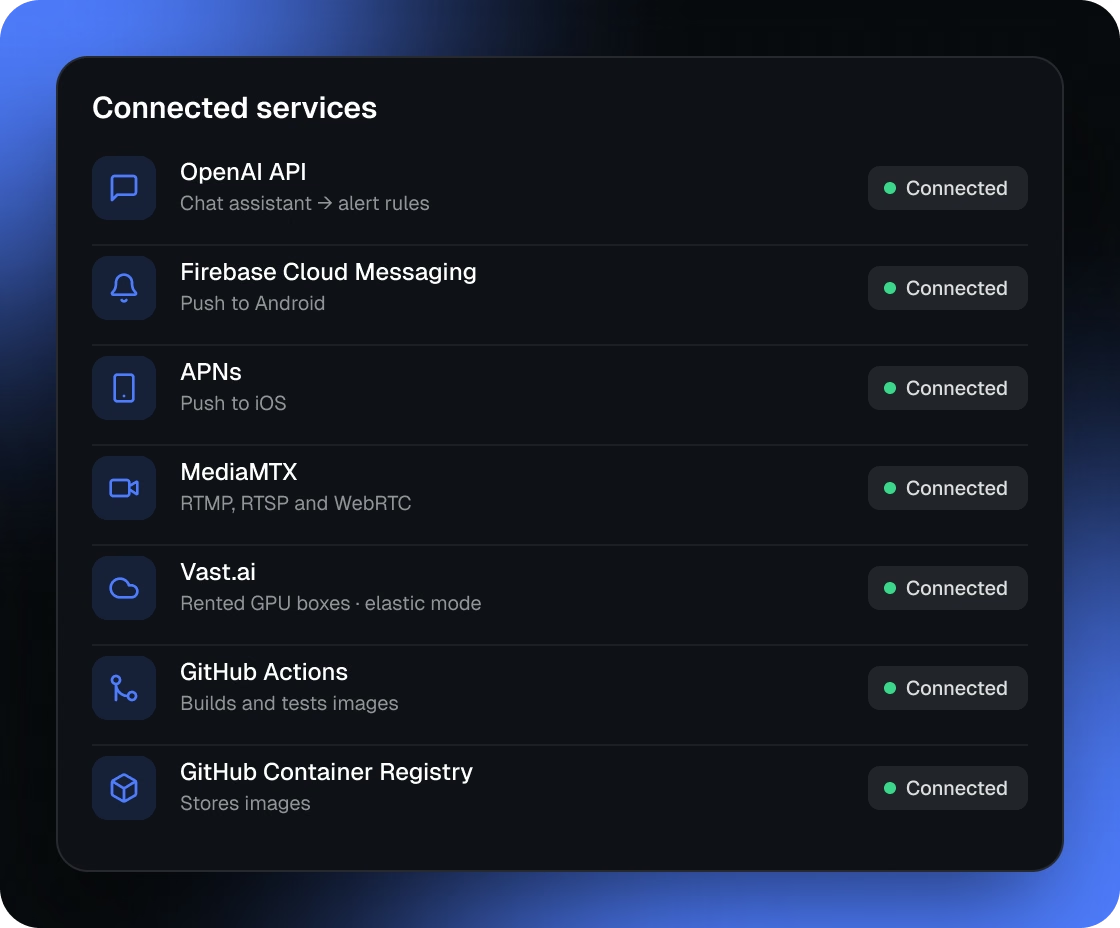
OpenAI's API powers the chat assistant that turns a customer's sentence into alert rules. Firebase Cloud Messaging delivers push notifications to Android and, through APNs, to iOS. MediaMTX is the media server for RTMP, RTSP and WebRTC. Vast.ai is the marketplace where elastic mode rents GPU boxes. GitHub Actions builds and tests the images, and GitHub Container Registry stores them.

You get a realistic estimate, technical recommendations and next steps. Free, no obligations.