
SkyCoach × Fora Soft

Recording module for a sideline instant replay camera kit

Published: Nov 24, 2026
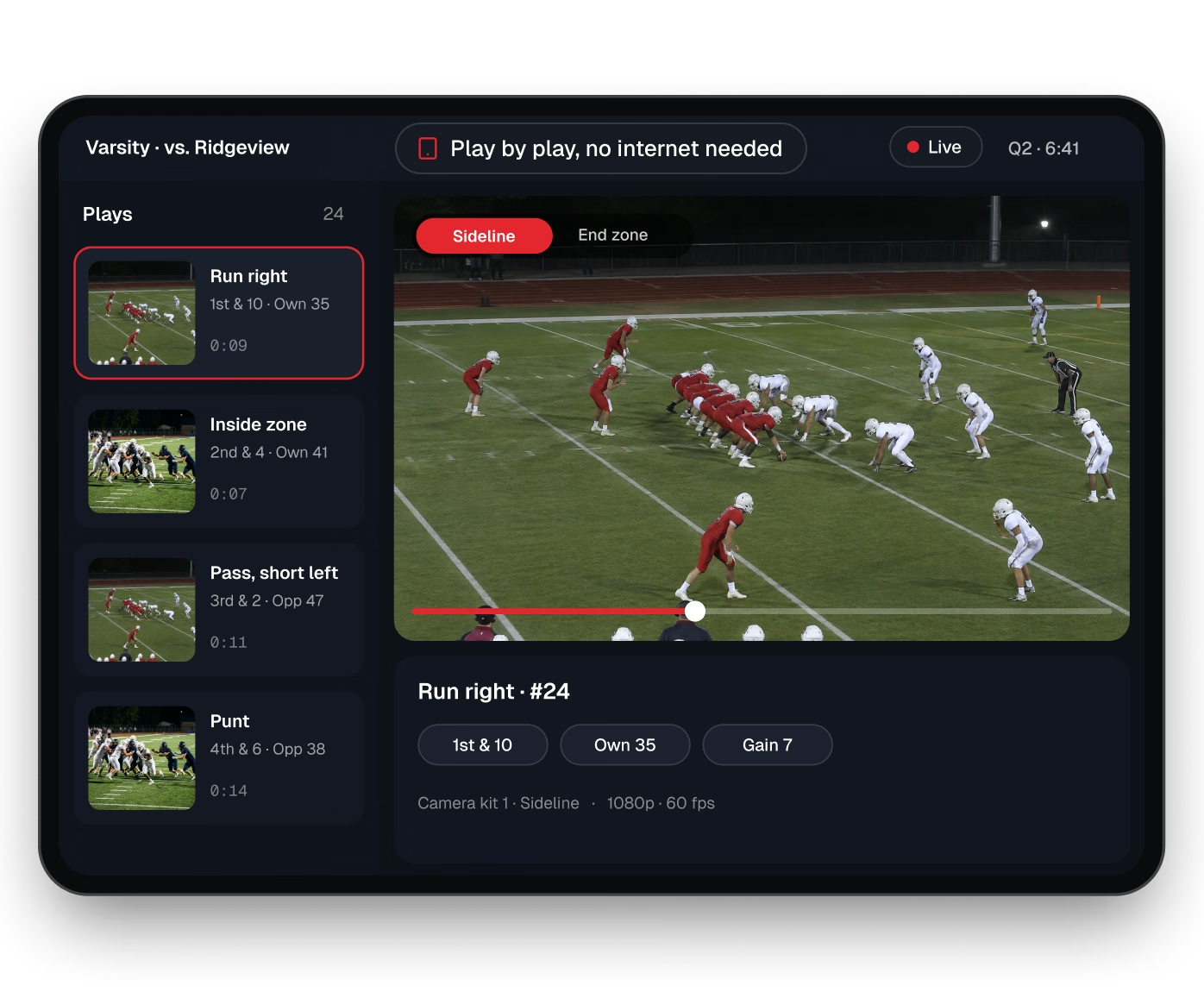
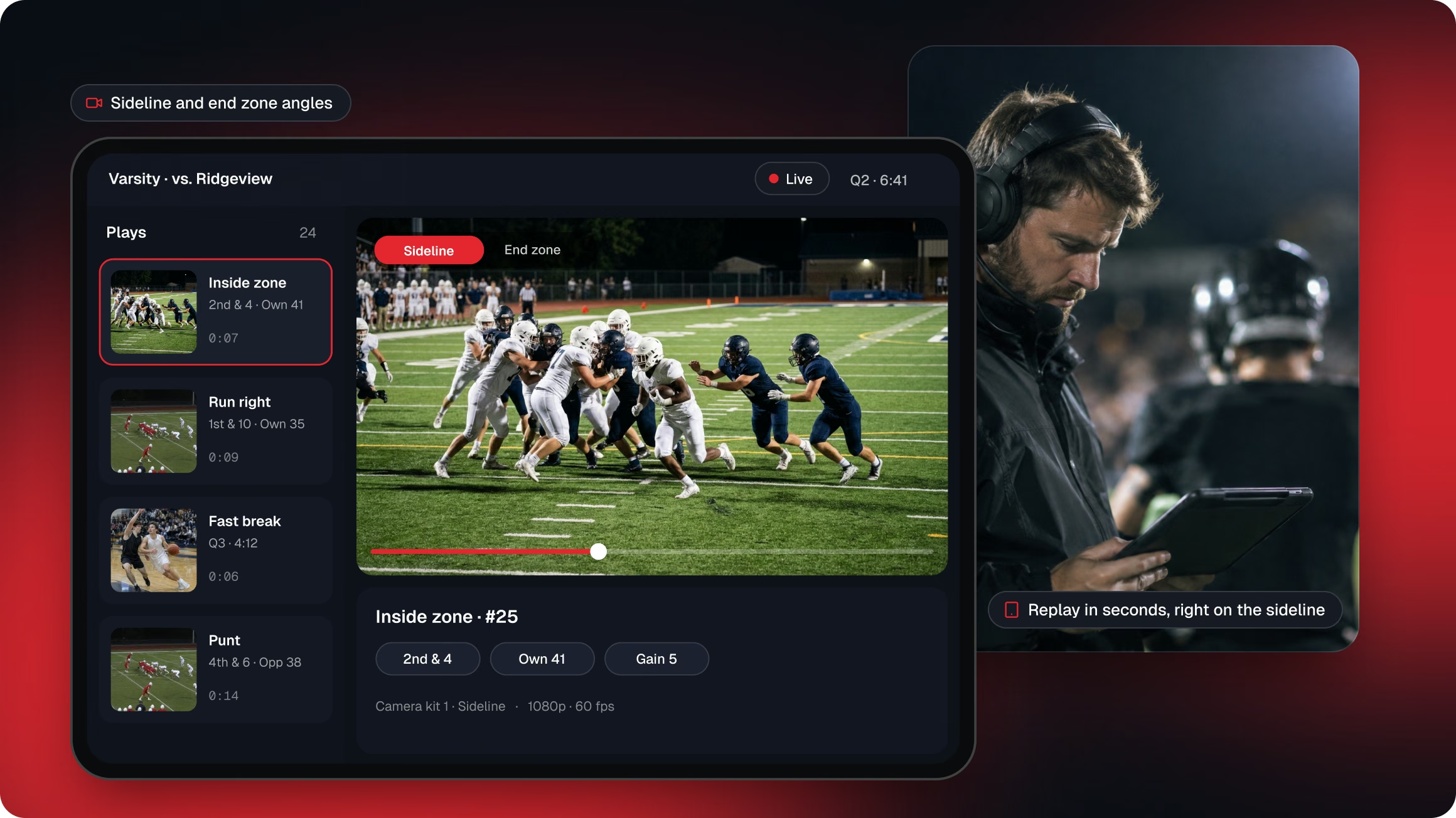
SkyCoach iPad app with a play list and the replay of a play on the sideline
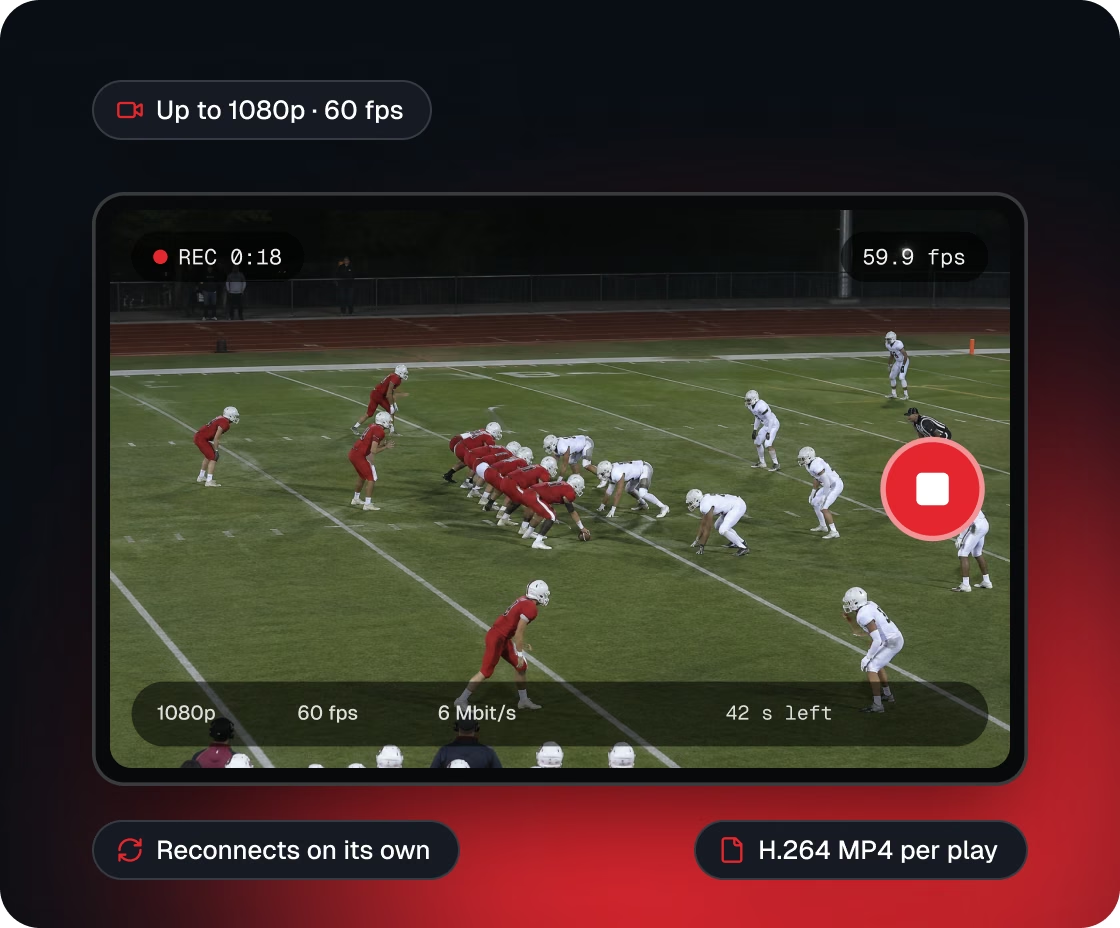
Camera kit record screen and recording settings
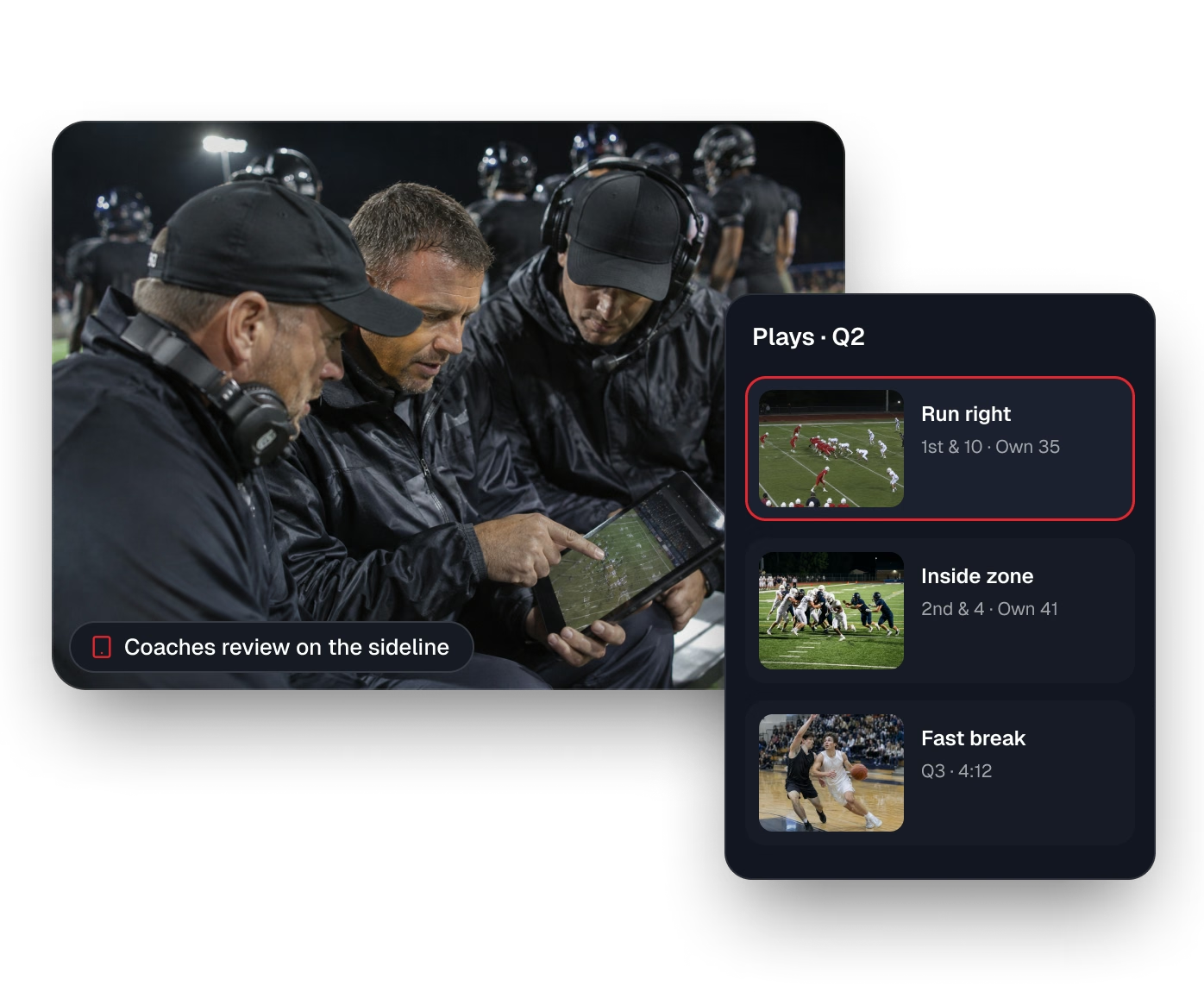
Coaches reviewing a replay on the sideline
SkyCoach is a sideline instant replay system that lets coaching staffs review plays on iPads while the game is still going. Each camera plugs into a Remote Camera Kit (camera kit), a small Android single-board computer that records every play and sends it on to the iPads. We built the video capture and recording module for the kit's next board, the Khadas VIM4. The iPad app, the host app and the rest of the kit's software belong to the client.
SkyCoach reports that the system is used by 1,350+ sports programs, including 1,000+ high schools and 350+ colleges across 47 US states and Canada. It supports football, basketball, soccer, volleyball, lacrosse and more. Notable users include Mater Dei and Marist University (Division I).
Instant replay on an iPad on the sideline during a game
The system works like this: a camera plugs into a camera kit over HDMI, the kit saves every play as a separate clip tagged with the game situation, sends it over the local sideline network to the host device, and coaches open it on their iPads. SkyCoach says it needs no internet connection and works with the HDMI cameras the staff already own, with no proprietary camera required.
Replay path: HDMI camera, camera kit, host and coaches' iPads
The hardest part of our module was a real sideline: cables get bumped and cameras switch off mid-game, and the kit has to survive that without anyone restarting it.
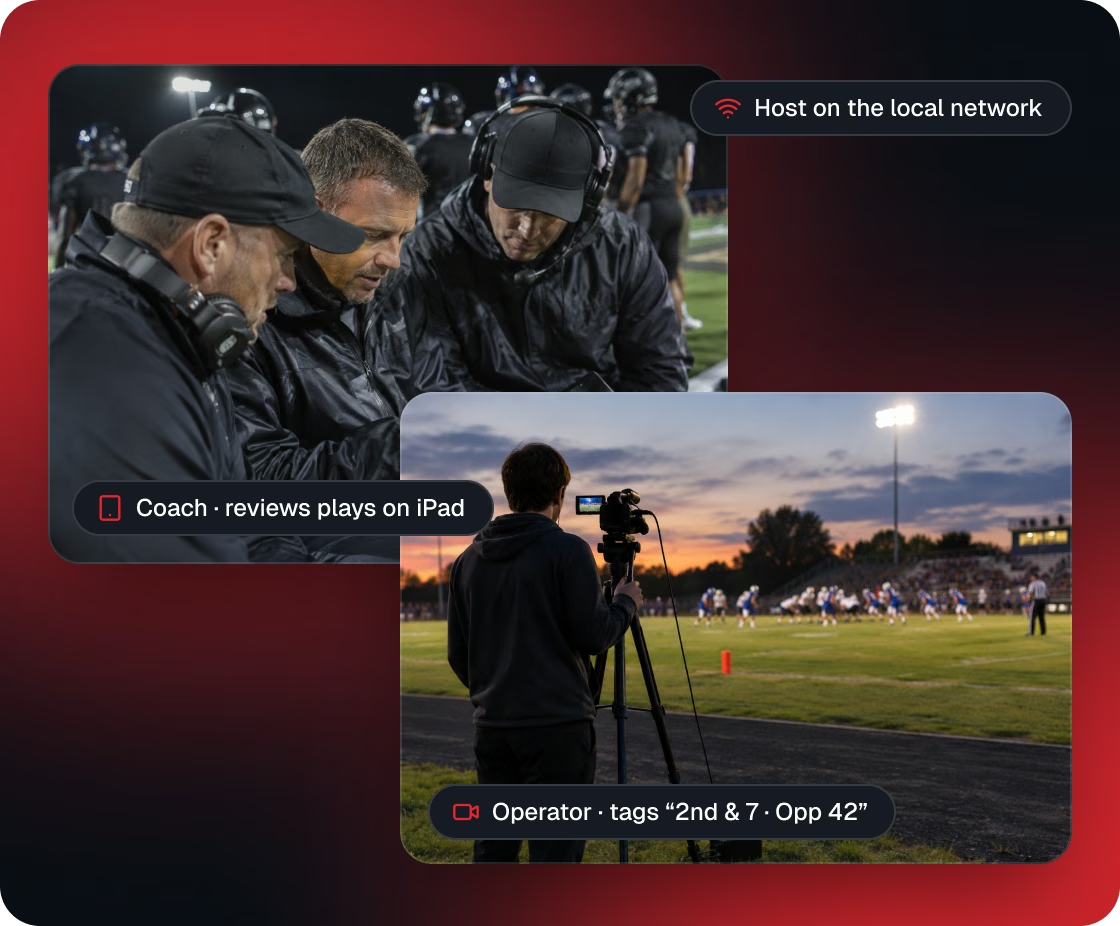
Coaches reviewing plays on an iPad and an operator tagging plays on the sideline

Who uses the platform

  • Coaches review plays on iPads during practices and games to analyze performance and adjust tactics on the field.
  • The operator starts and stops recording, either from an iPad or on the camera kit itself, and tags each play.

A program can run several camera kits to film several angles. The host, a SkyCoach device on the local network, stores the game's plays and relays recording commands between the iPads and the camera kits.

A play is one recorded clip together with its tags, such as down, distance and yard line.
Highlights

  • A new recording module for the Khadas VIM4 board, from HDMI input to an H.264 MP4 file per play, at up to 1080p and 60 fps.
  • Camera loss detected in under a second: the part of the play already recorded is kept, and the kit reconnects on its own within seconds of the signal returning.
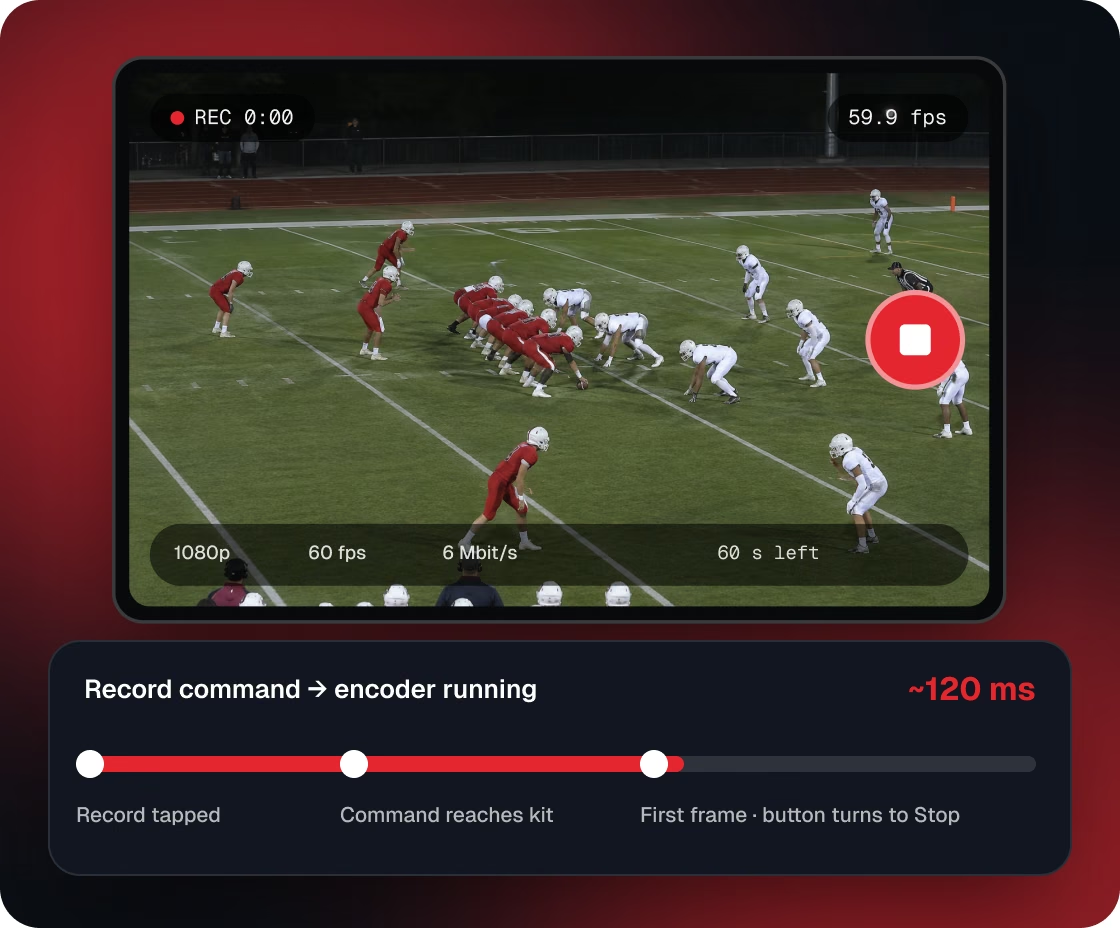
  • A quick start: in our tests the kit's encoder was running about 120 ms after the record command reached it.
  • A live frame rate readout and a per-play timer, so staff can catch a misconfigured camera before the game.
  • Kits already in the field keep working as before: FriendlyElec boards stay on the pipeline they had.
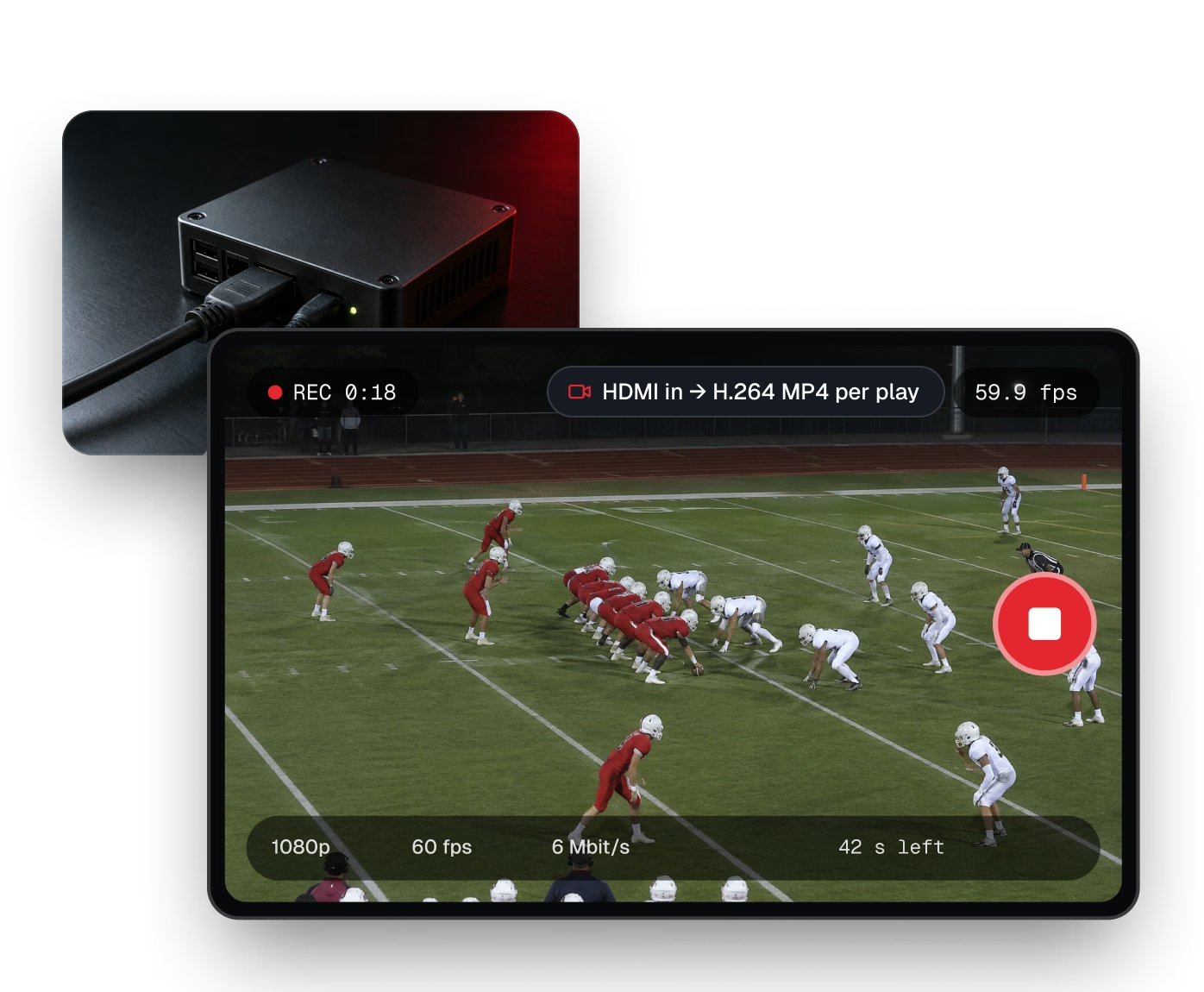
Camera kit record screen at 1080p and 60 fps with a per-play H.264 MP4 file
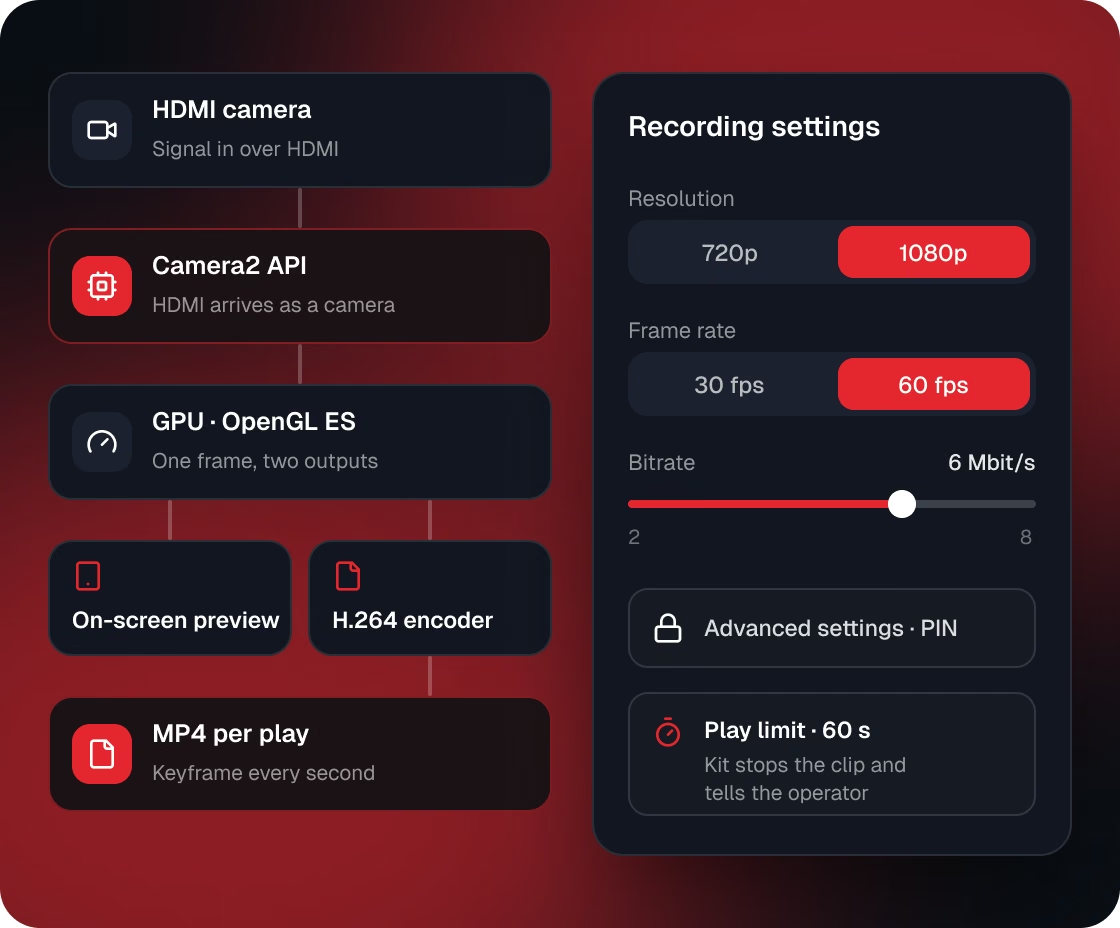
Camera2 recording pipeline: HDMI camera, GPU preview, H.264 encoder and MP4 per play

A new recording module for the Khadas VIM4

The client was moving the camera kit to a new board and wanted its recording code rebuilt on Android's Camera2 API as a separate, readable module.

We built the capture and recording module on Android's Camera2 API:

  • The HDMI signal arrives in Android as a camera. Each frame goes to the graphics chip, which draws it both to the on-screen preview and to the board's video encoder.
  • The encoder writes H.264 video into an MP4 file, one file per play, with a keyframe every second so a coach can jump through the clip without waiting.
  • The operator can choose 720p or 1080p, 30 or 60 fps and a bitrate from 2 to 8 Mbit/s. Frame rate and bitrate sit in advanced settings behind a PIN.
  • A play is capped at 60 seconds. When the limit is reached, the kit stops the clip and tells the operator.

Automatic recovery when the camera drops out

On a sideline the camera signal can disappear mid-play, and the kit has to notice that fast. The new module checks for fresh frames every half second. If no frame has arrived for more than 0.3 seconds, it treats the camera as disconnected, so a lost signal is caught in under a second.

What happens next:
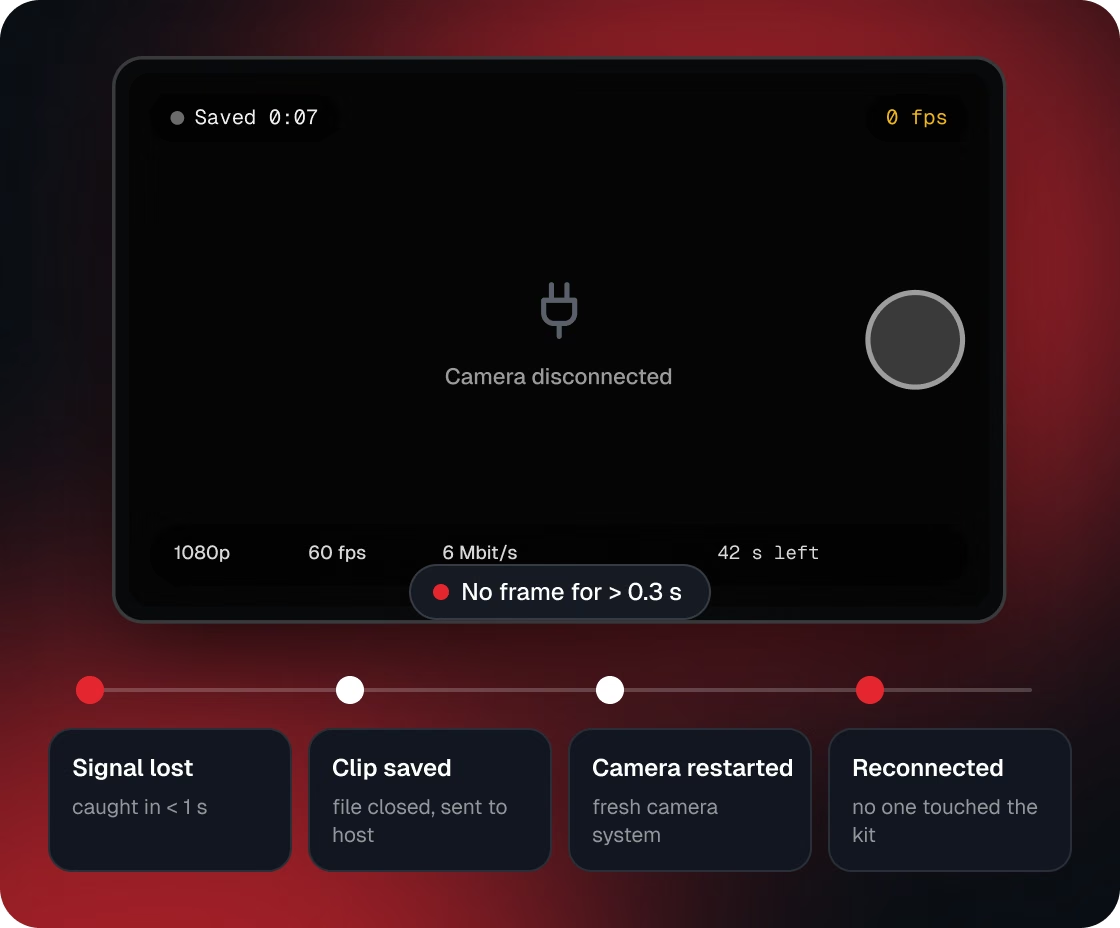
  • If a play is being recorded, the kit closes the file properly, so the part recorded before the drop is saved and sent to the host like any other play.
  • At the client's request, matching how their kits already recovered, the kit uses root access on the board to shut down Android's camera processes so the camera system starts fresh. Then it waits a few seconds and opens the camera again.
  • If opening fails, it tries again until the signal comes back, with no one needing to touch the kit.
Camera drop detected in under a second, clip saved and the kit reconnecting on its own
Record command to encoder running in about 120 ms

A fast recording start the operator can trust

A replay that misses the snap is useless, so start delay was one of the client's main requirements. We added a measurement of how long each recording takes to start, written to the app's logs, and tuned the start sequence against it. In our tests in May 2024 the module had the encoder running about 120 ms after the record command reached the kit, on average.

The Record button switches to Stop only after the encoder has produced its first frame. The operator sees that the clip has really started instead of guessing.

Live frame rate and recording timer on screen

The record screen shows the real frame rate coming from the camera, recalculated twice a second, and a timer with the seconds left in the current play. When a clip looks choppy, the cause can be on the camera side, such as its output settings or a loose HDMI cable, or in the recording. With the incoming frame rate on screen, staff can see which side the problem is on and fix a camera set to the wrong mode before the game.
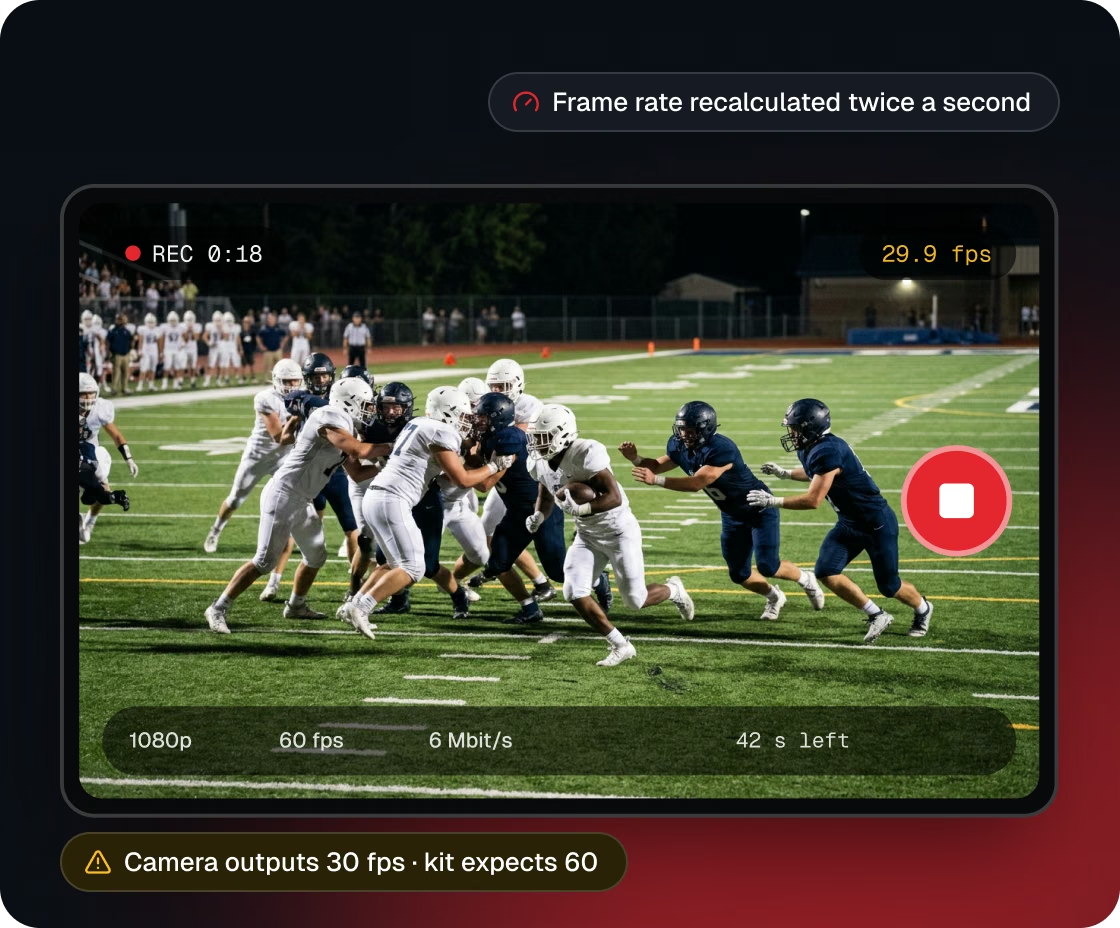
Live incoming frame rate and the seconds left in the current play on the record screen
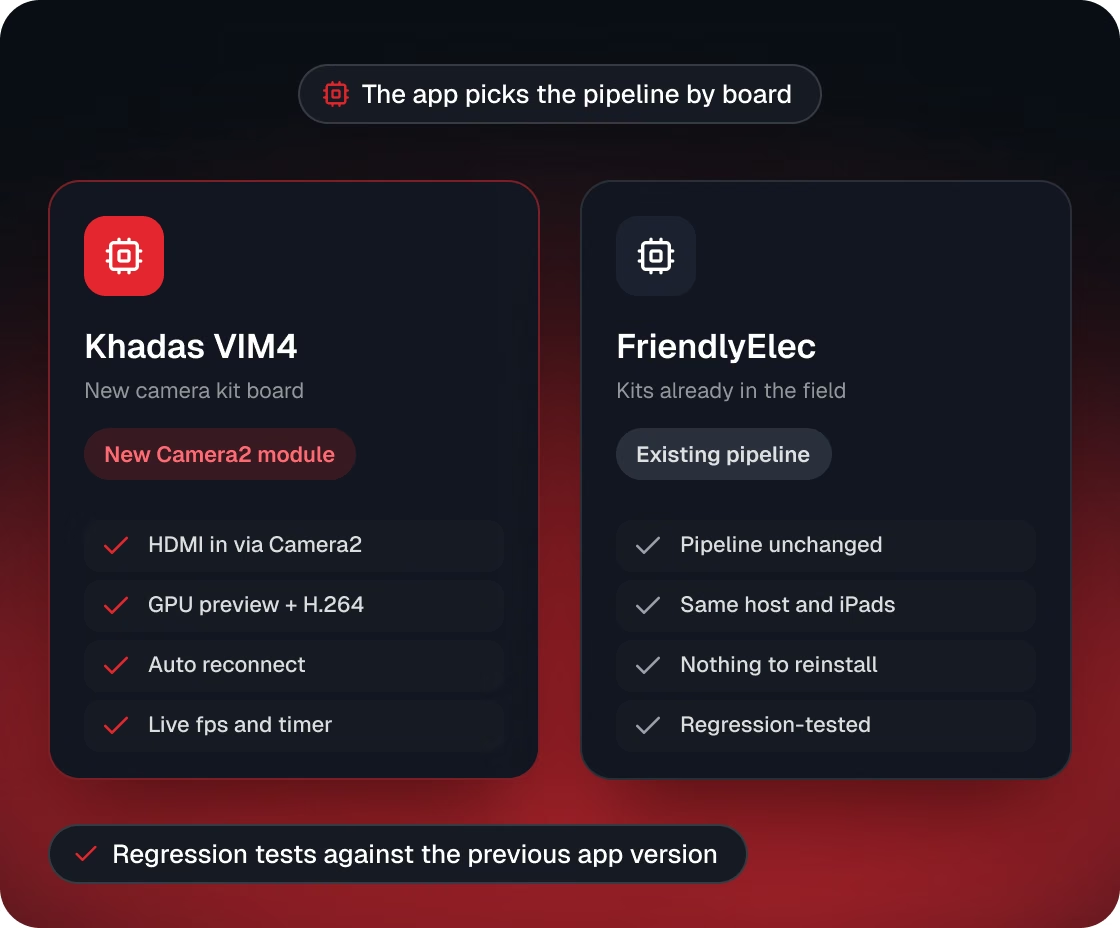
The app picks the pipeline by board: Khadas VIM4 with Camera2, FriendlyElec unchanged

Keeping the boards already in use on their existing pipeline

Programs already had kits on FriendlyElec boards in the field. We built the new module as a separate component, set up a test environment with the previous version of the app, integrated the module and ran regression tests against that version. The app now picks the pipeline by board: the Khadas VIM4 uses the new Camera2 module, and FriendlyElec boards keep the pipeline they had before.
Technical Implementation

🖥 Platforms
iOS (iPad), Android (single-board computer)
🔌 Hardware
SBC (single-board computer), HDMI
☕ Languages
Kotlin, Java
📷 Camera
Camera2 API
🎞 Encoding
MediaCodec (H.264)
🧩 Graphics and async
OpenGL ES, RxJava
SkyCoach: Camera2 recording, auto reconnect, Khadas VIM4