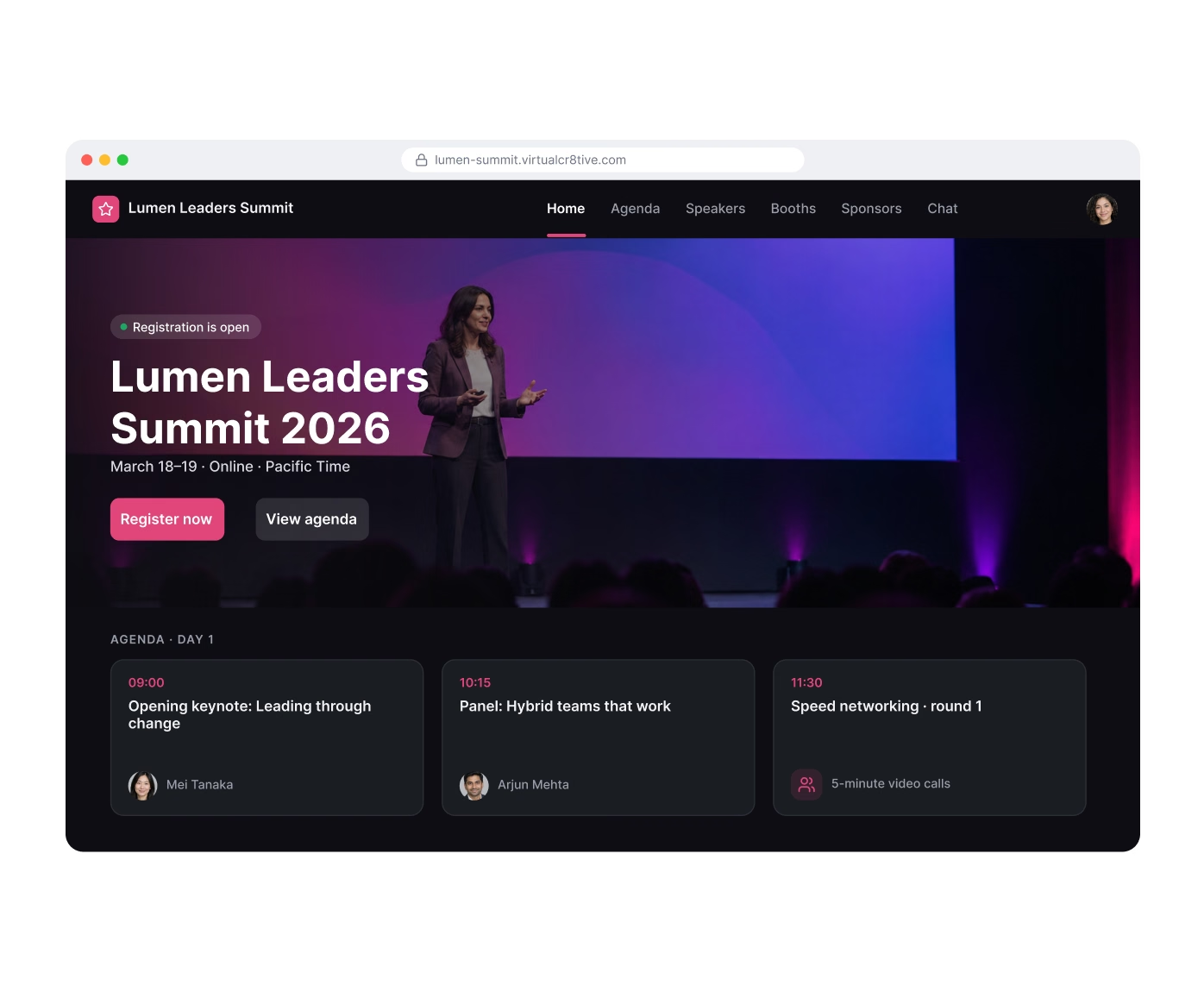
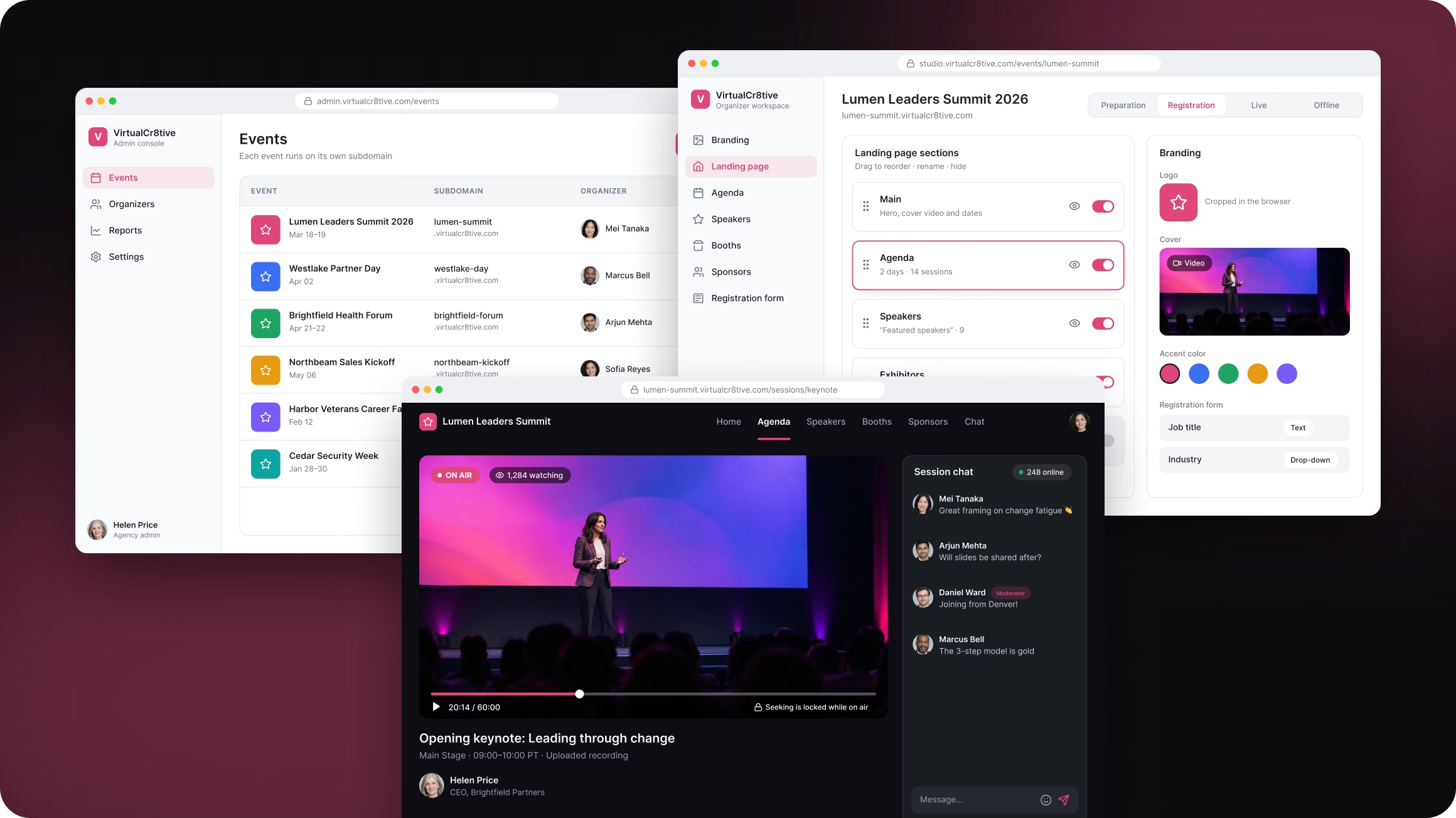

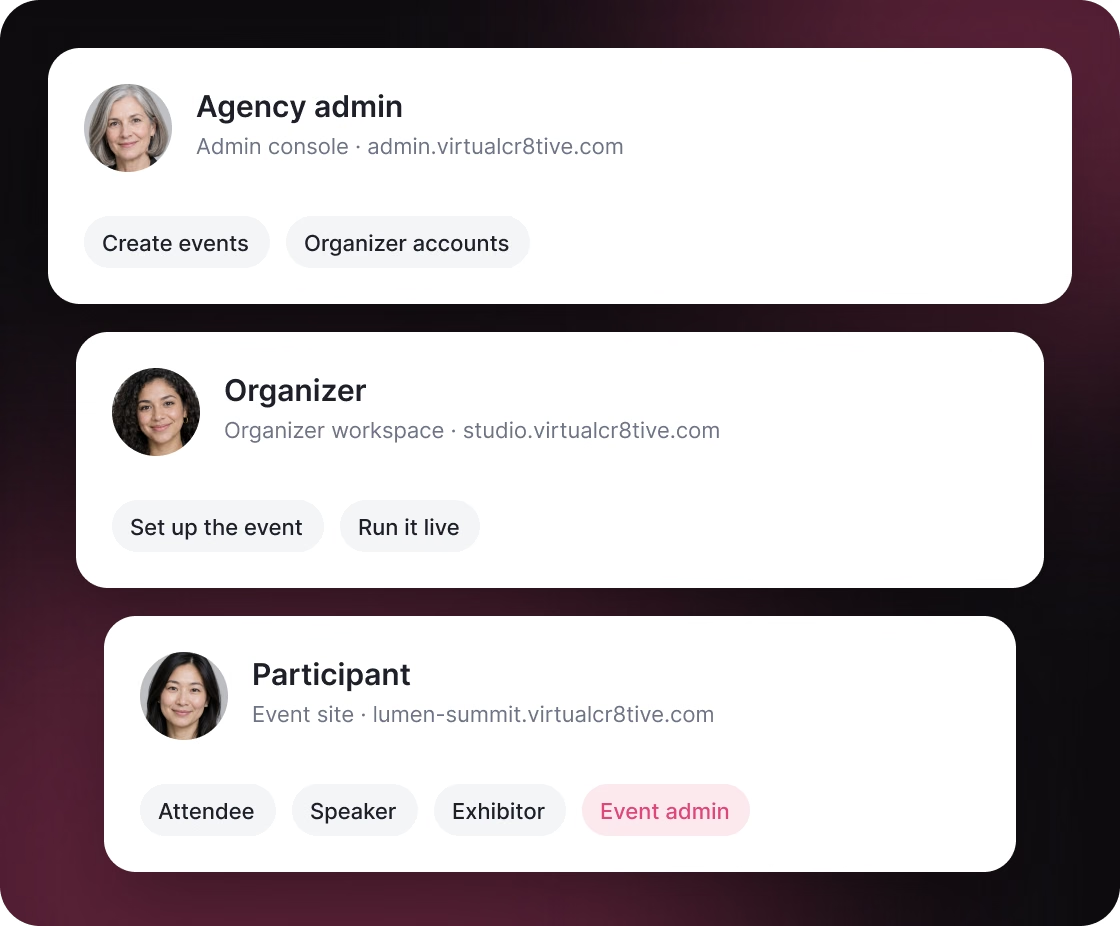
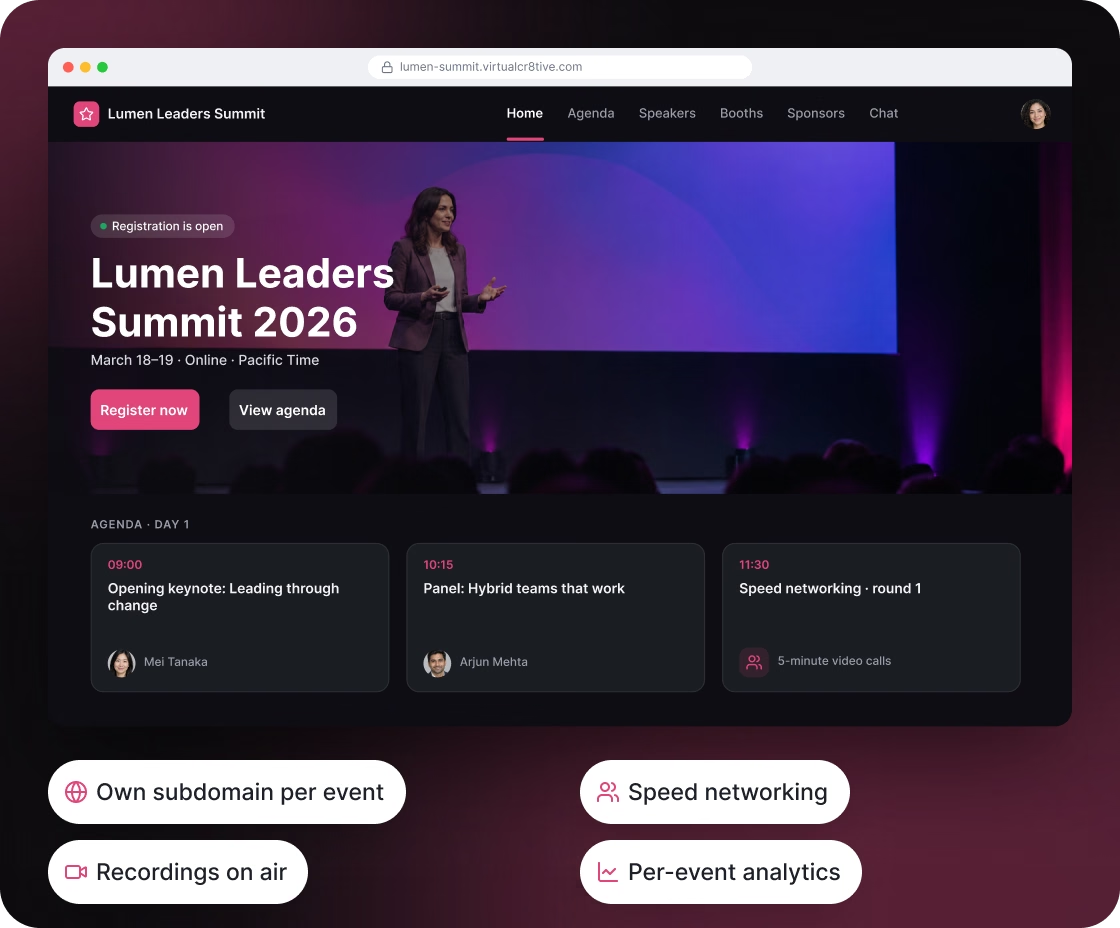
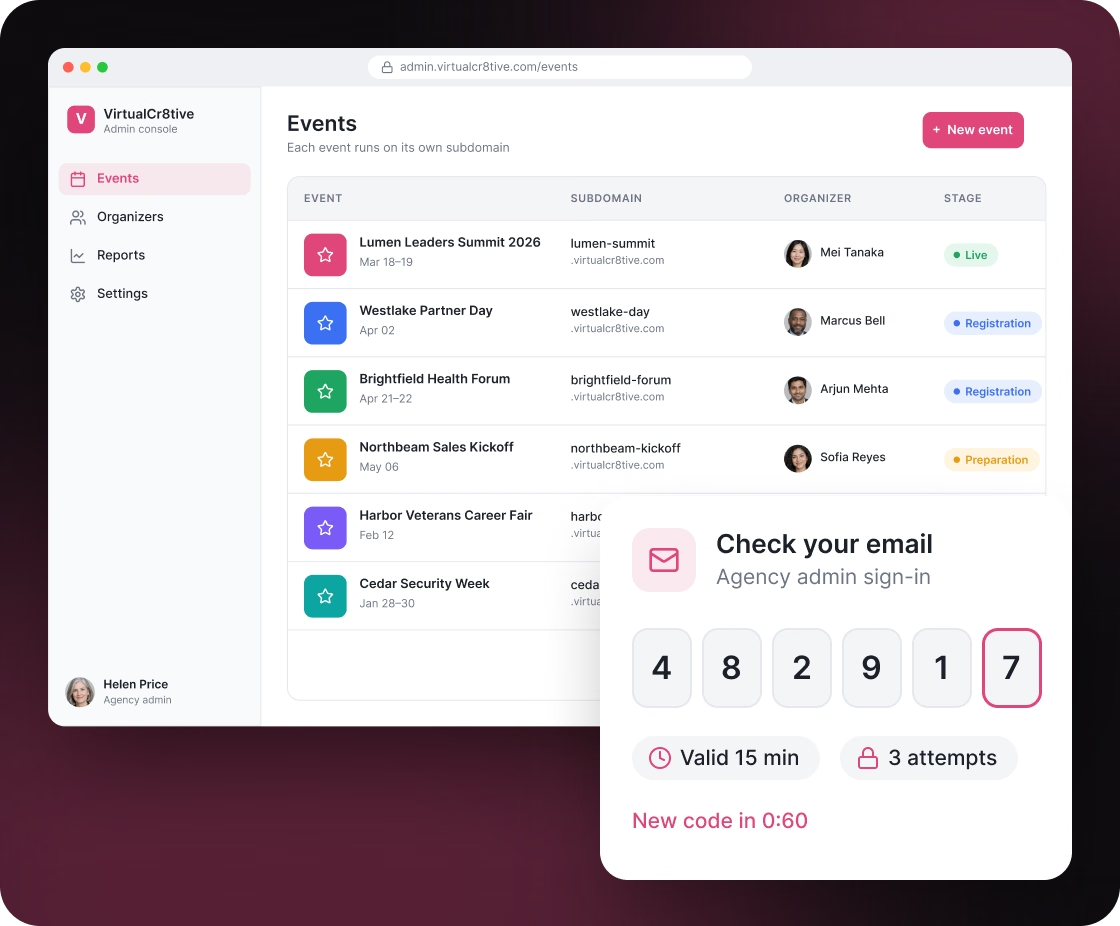
The agency can run client events side by side without setting up anything new for each one. An event gets its own subdomain, and the admin console and the organizer workspace live on their own addresses. Because a participant account belongs to one event, one person can register for different events with separate profiles.
Access to event data is checked in the database itself. Access rules for 20 kinds of records are written into the database, and they check the sender's role and their link to the event or chat. For example, a chat message can be read only by members of that chat, the event's organizer and the agency's admins, and an announcement can be sent only by the event's organizer or an agency admin. Agency admins and organizers have platform-wide roles, and participant roles apply inside one event.
Sign-in depends on the role:
After sign-in, the platform issues a 30-minute access token and a 30-day refresh token. Both are stored in cookies that page scripts cannot read and that the browser sends only to the same site. Passwords are stored hashed in a separate PostgreSQL database, apart from the event data.
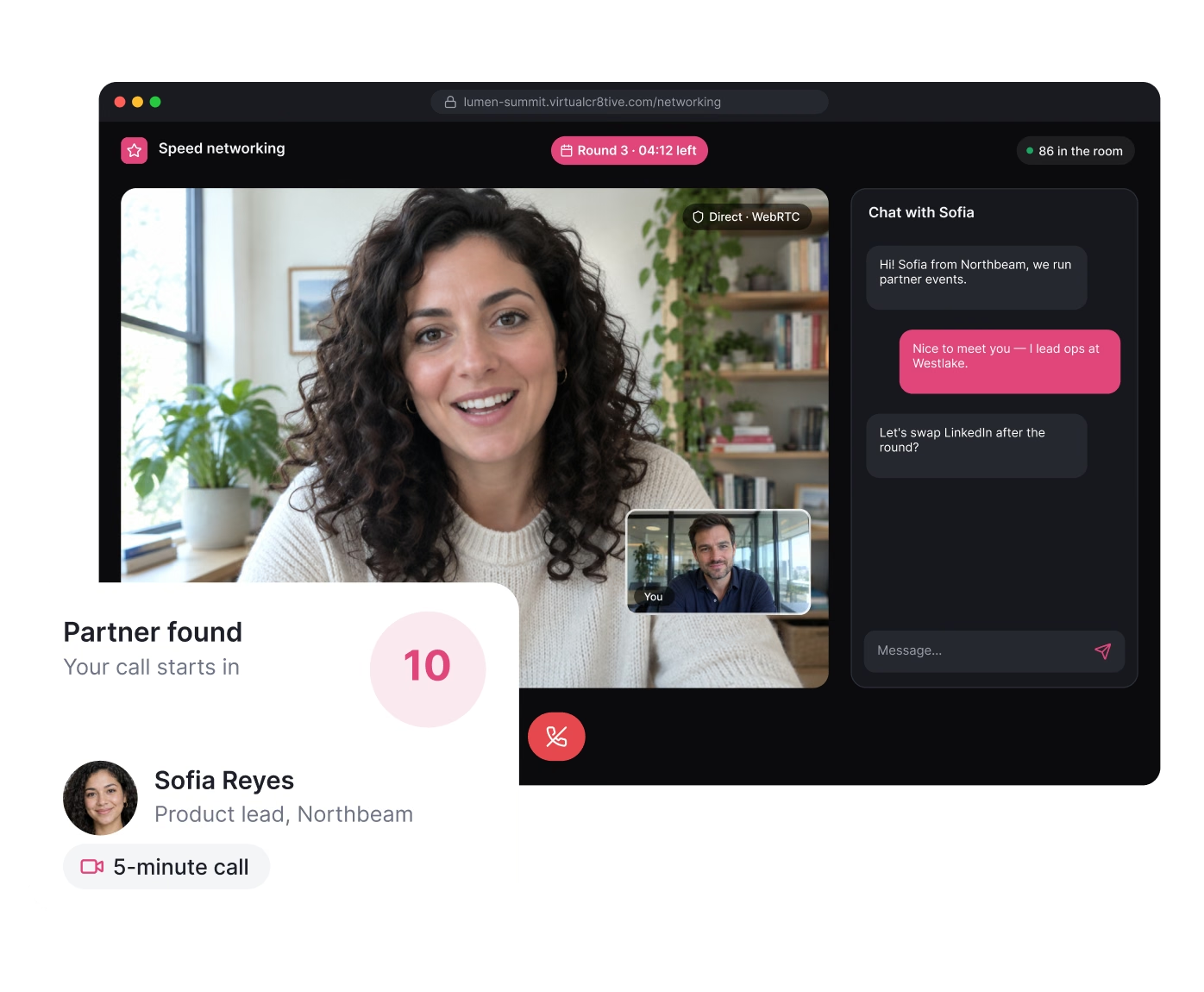
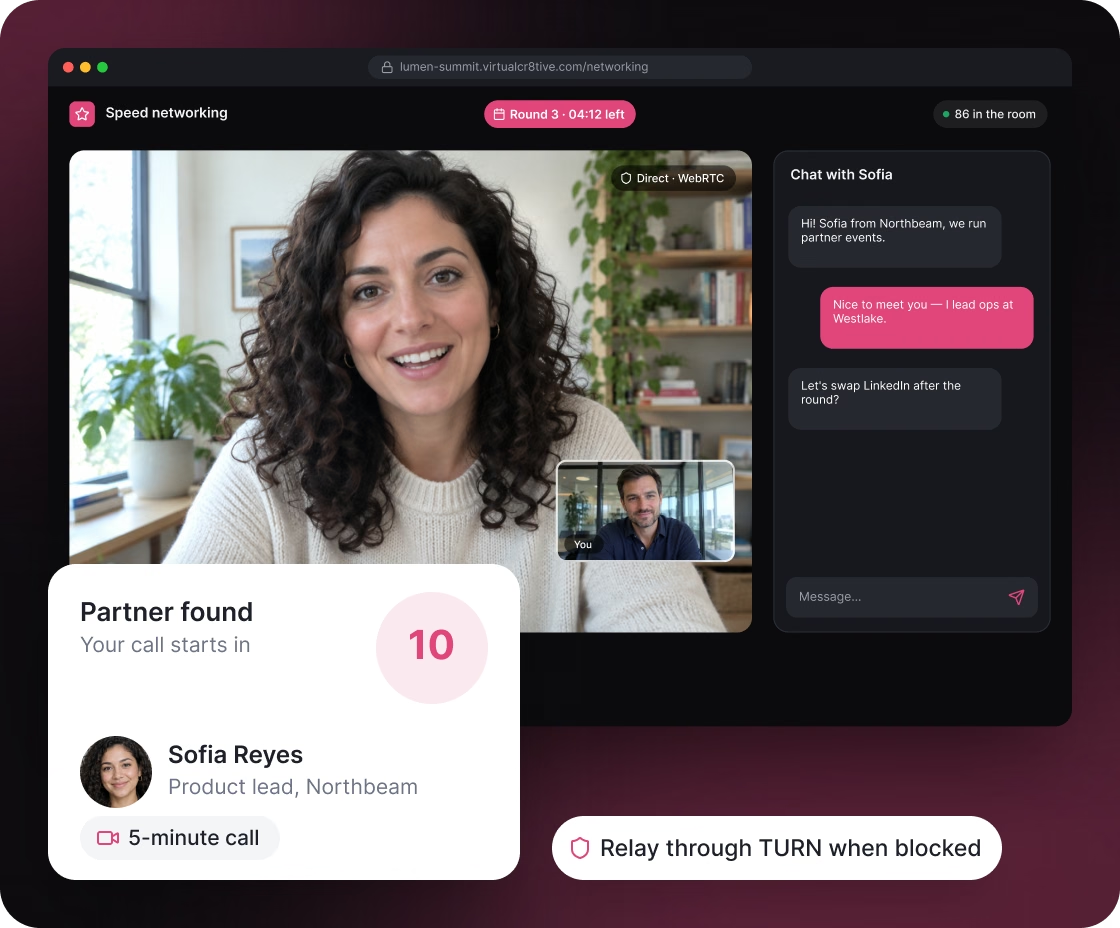
Participants meet new people at the event without installing anything. A participant enters the speed networking room, picks a camera and microphone with a live preview, and is paired with a partner for a 5-minute one-to-one video call.
Video and audio normally go directly between the two browsers over WebRTC, and the platform's server only sets up the connection. When a corporate firewall or a strict network blocks the direct route, the call is relayed through a relay (TURN) server that is part of the platform. During a call, participants can turn the camera and microphone on and off, change devices, and text their partner in the same window.
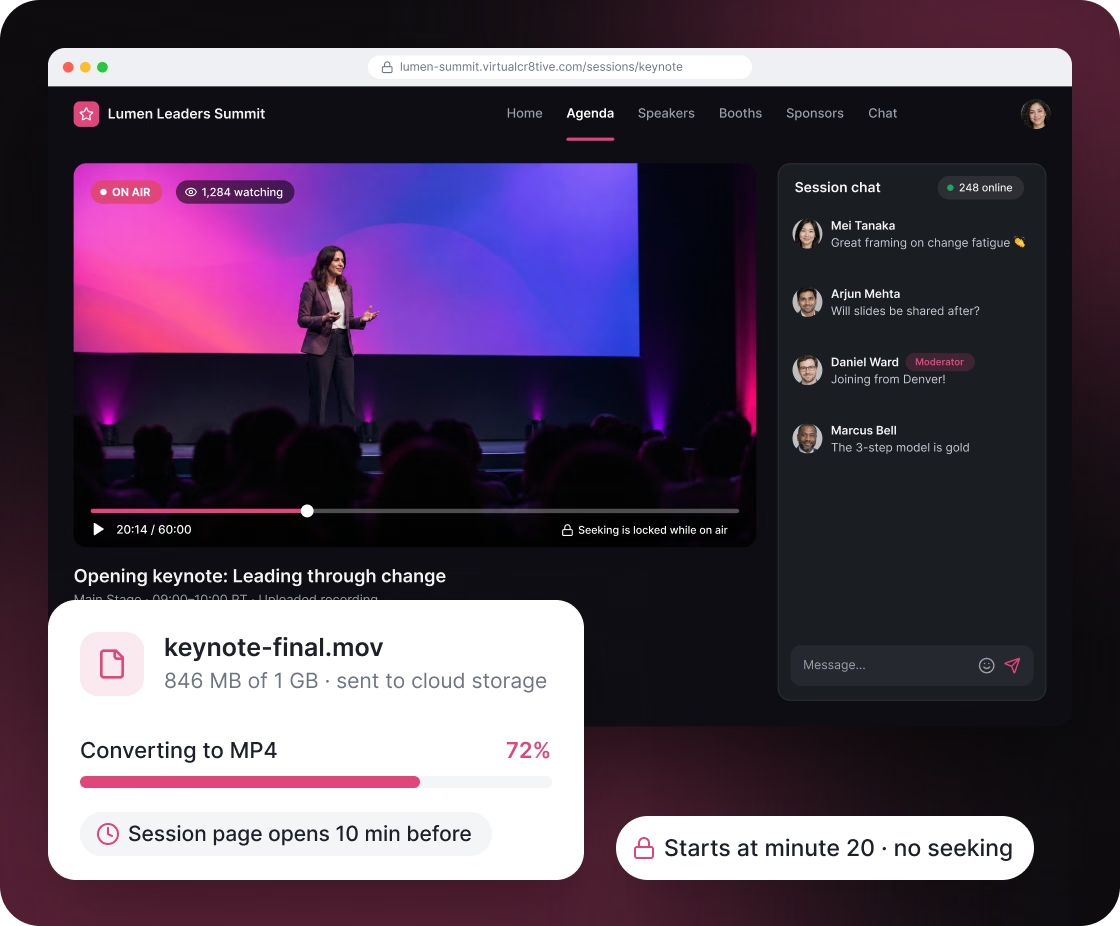
Organizers can run a polished recording as a scheduled show, without the risks of a live stream. A session can be one of three kinds: a YouTube or Vimeo video, an uploaded recording, or a link to an external live event such as a Zoom meeting.
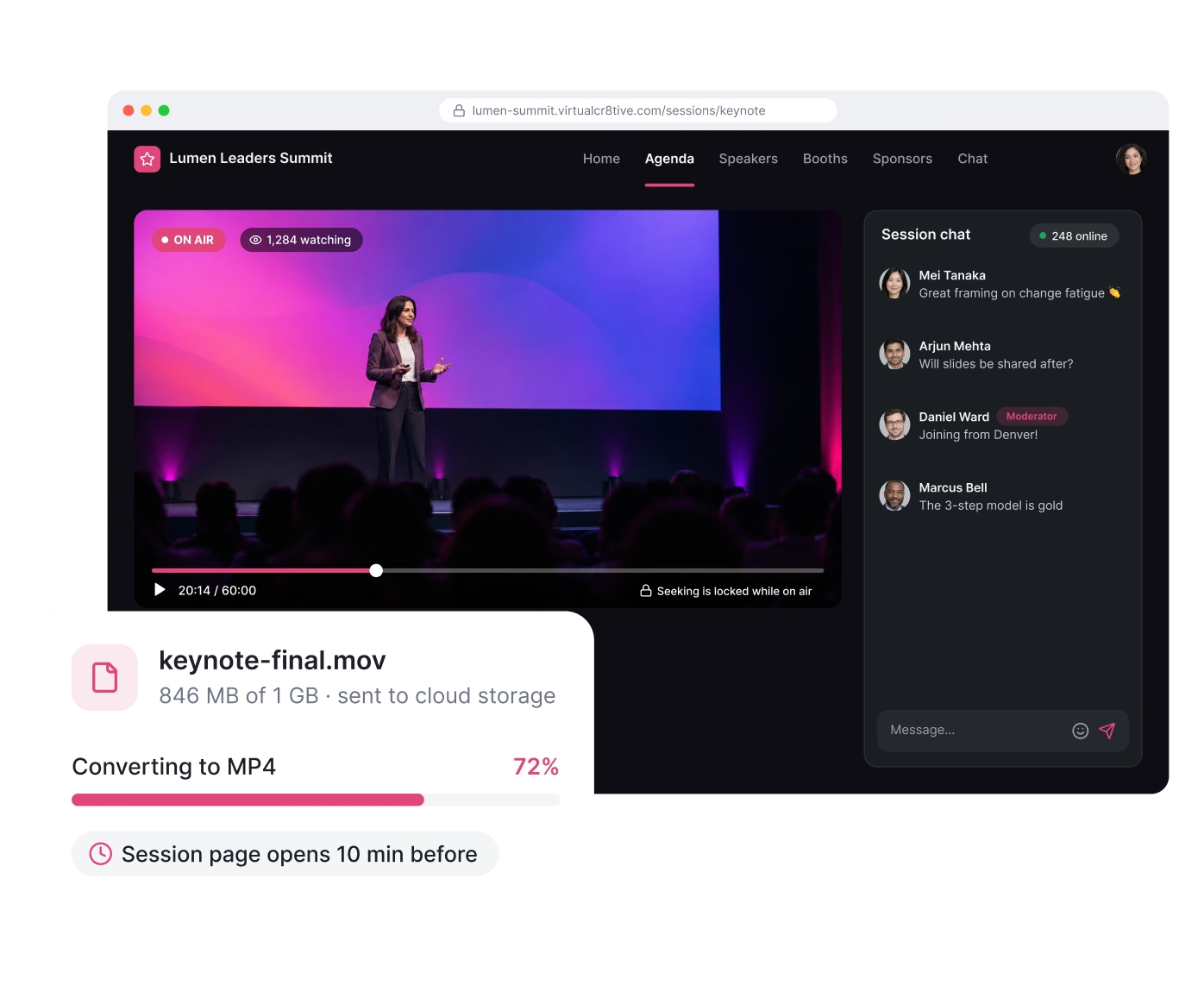
An uploaded recording goes through these steps:
While an uploaded recording is on air, our custom player starts each viewer at the point that matches the schedule and blocks seeking. If a 60-minute recording started 20 minutes ago, a participant who opens it now starts at minute 20. After the scheduled time is over, the recording can be replayed freely.
Sessions follow the event's time zone. The session page opens 10 minutes before the start, and until then the server does not send the video link to the browser. Each session has its own chat and a counter of participants who are online.
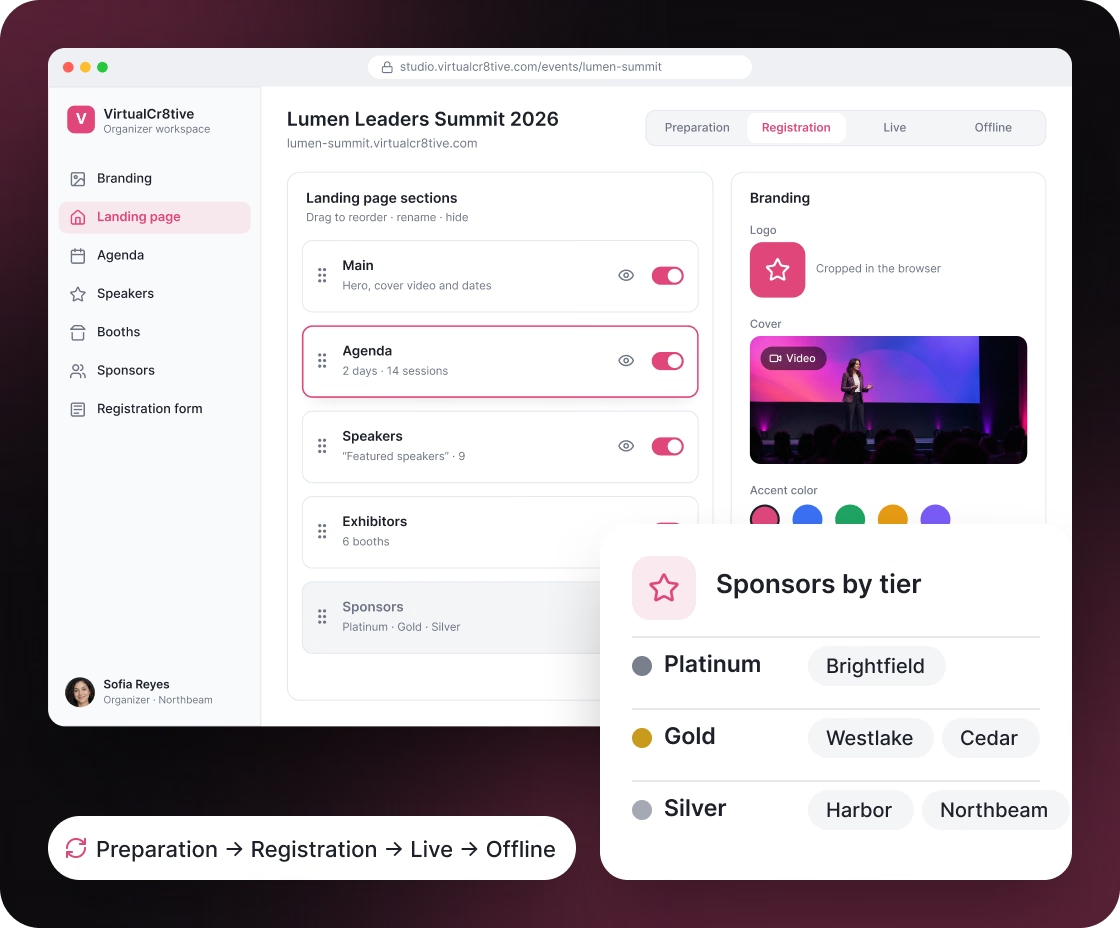
Organizers set up the whole event from one editor, without help from developers:
Images are cropped in the browser before upload. The event moves through four stages (preparation, registration, live, offline), and the organizer switches between them, for example to open or close registration.
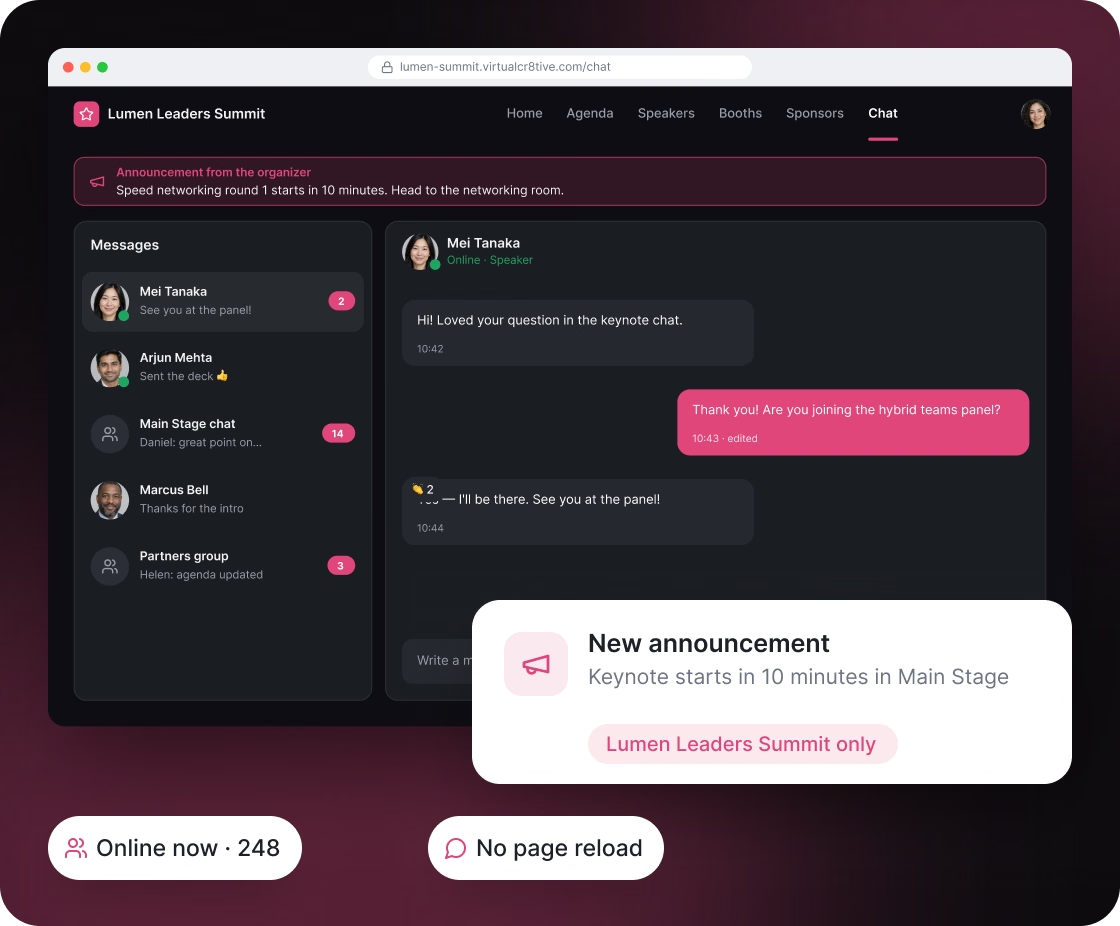
Participants message each other directly or talk in group and session chats, and an organizer can reach the participants of an event with an announcement. The chat shows who is online and how many messages are unread, and participants can edit and delete their own messages and add emoji. In session chats, event admins join as moderators.
Chats and announcements use live database subscriptions, so a new message or announcement appears on screen without a page reload.
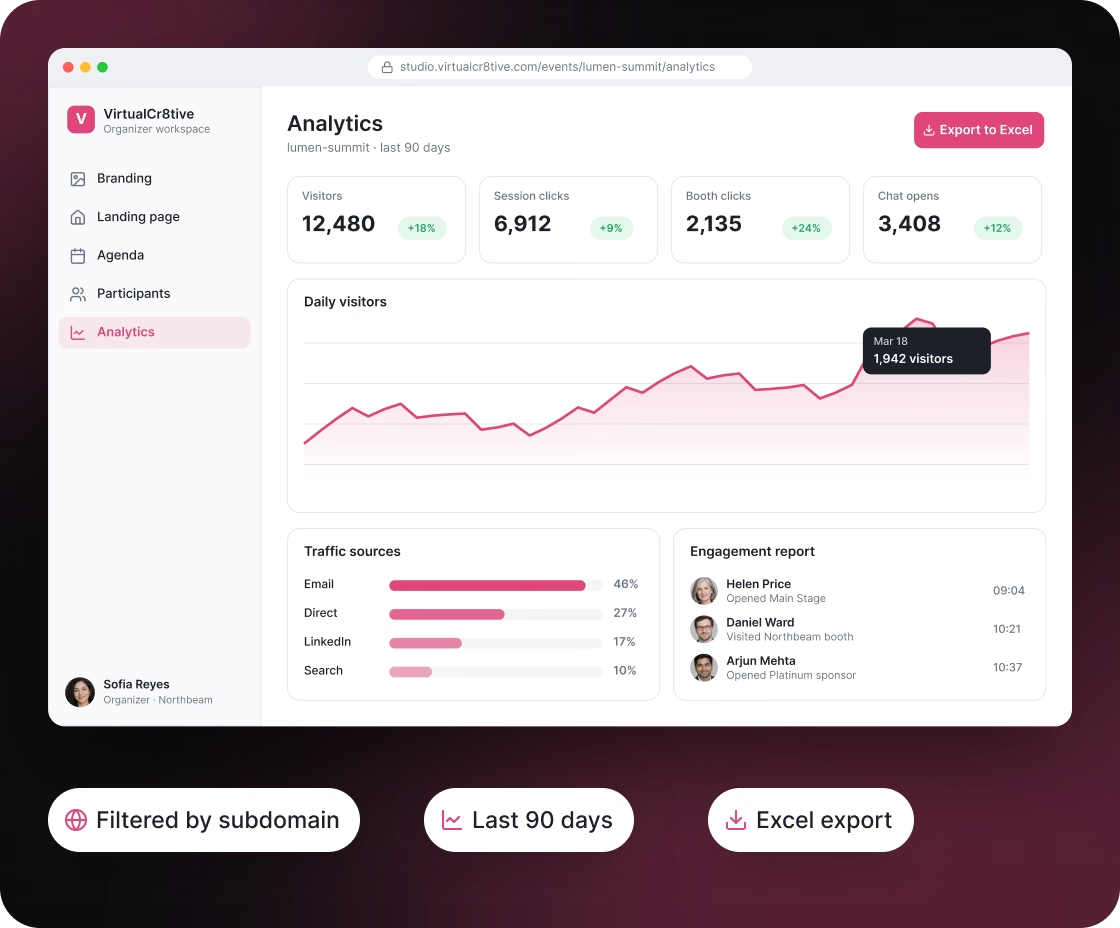
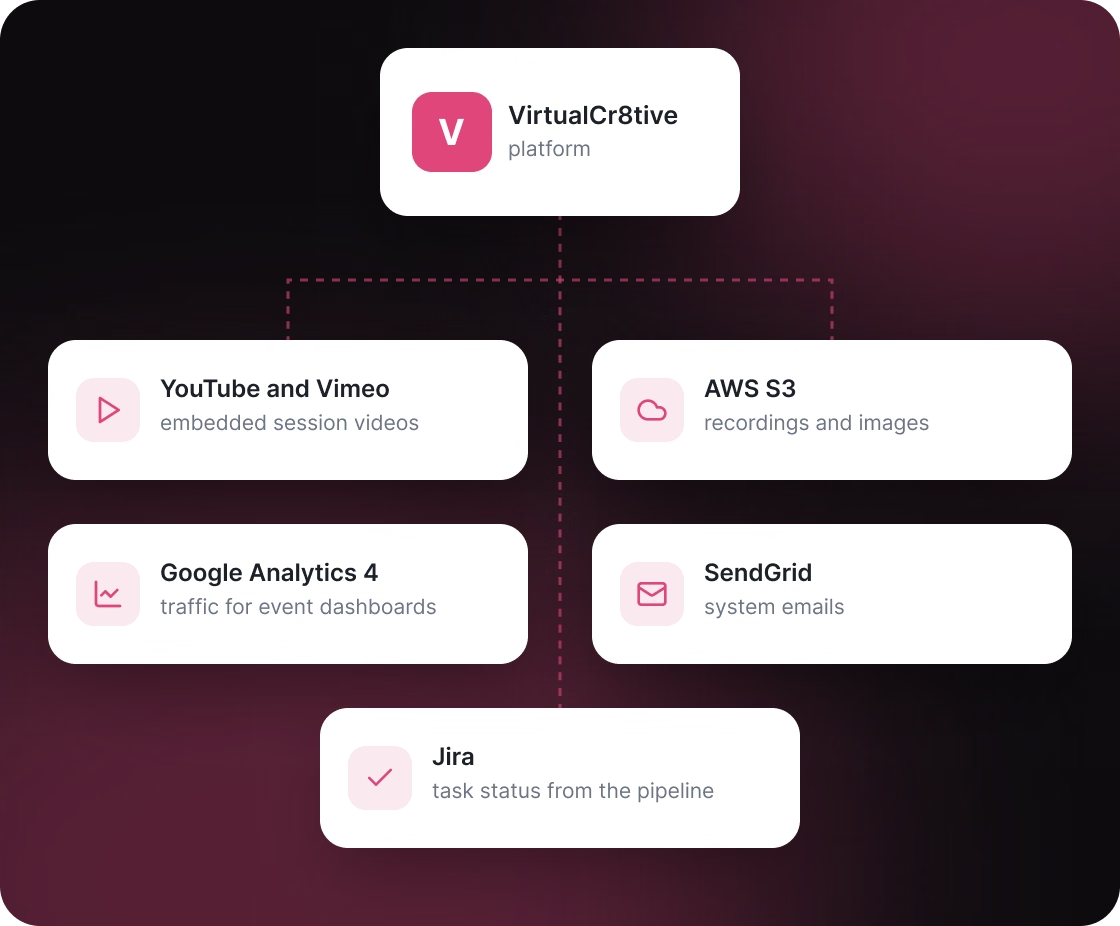
Organizers see how their event performs without access to the agency's Google Analytics account. The dashboard shows daily visitors, traffic sources, browsers, and clicks on sessions, booths, sponsors and chats over the last 90 days. The data comes from Google Analytics and is filtered by the event's subdomain, so the dashboard shows that event's traffic only. We drew the charts with D3.
The platform also keeps its own engagement statistics: which participants opened a session, a booth or a sponsor's page. Organizers export these reports to Excel.
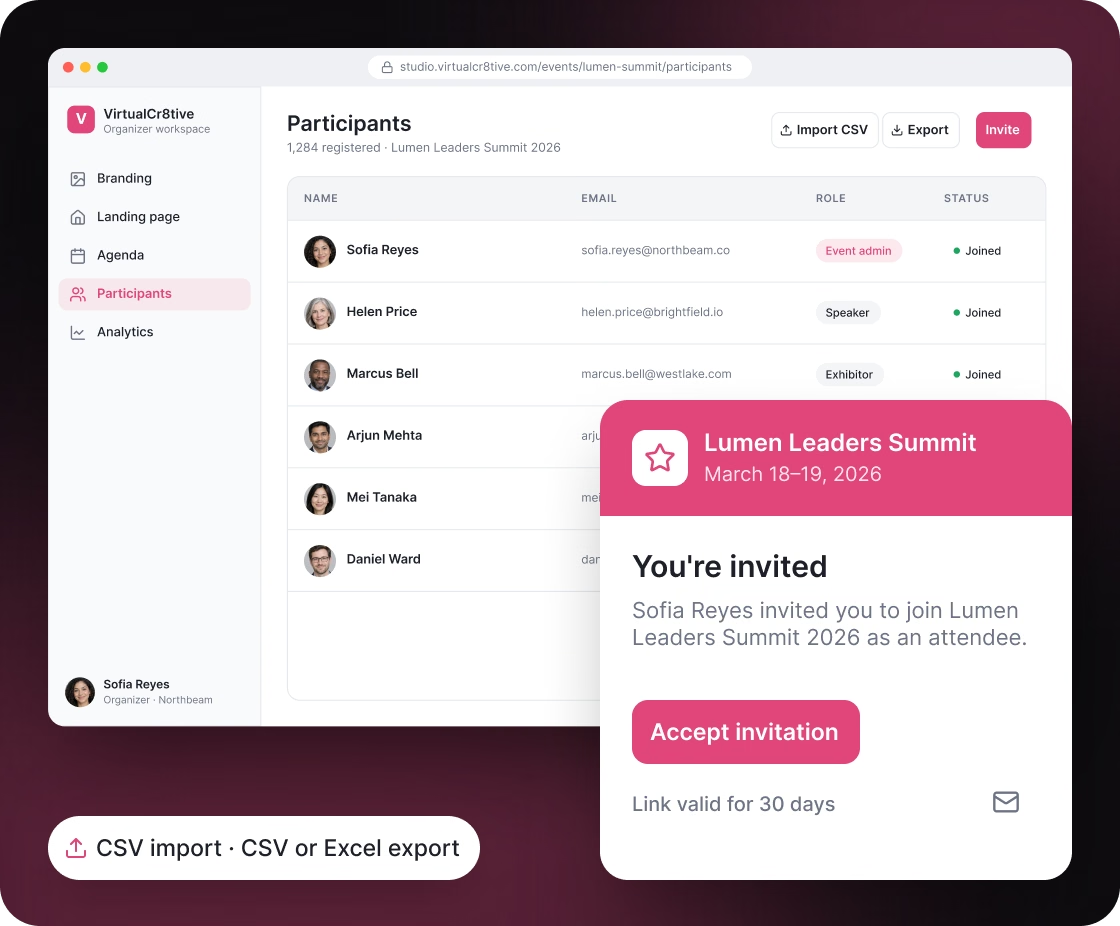
Organizers invite participants by email or import a list from CSV, and download the participant table as CSV or Excel for their own tools. An invitation link is valid for 30 days.
When an agency admin creates an event, the platform also creates a participant account for the organizer on the event site, with the event admin role, and emails the sign-in details automatically. System emails (registration, invitations, password reset, sign-in codes) are sent through a queue. The emails participants receive carry the event's logo, accent color, title and dates.
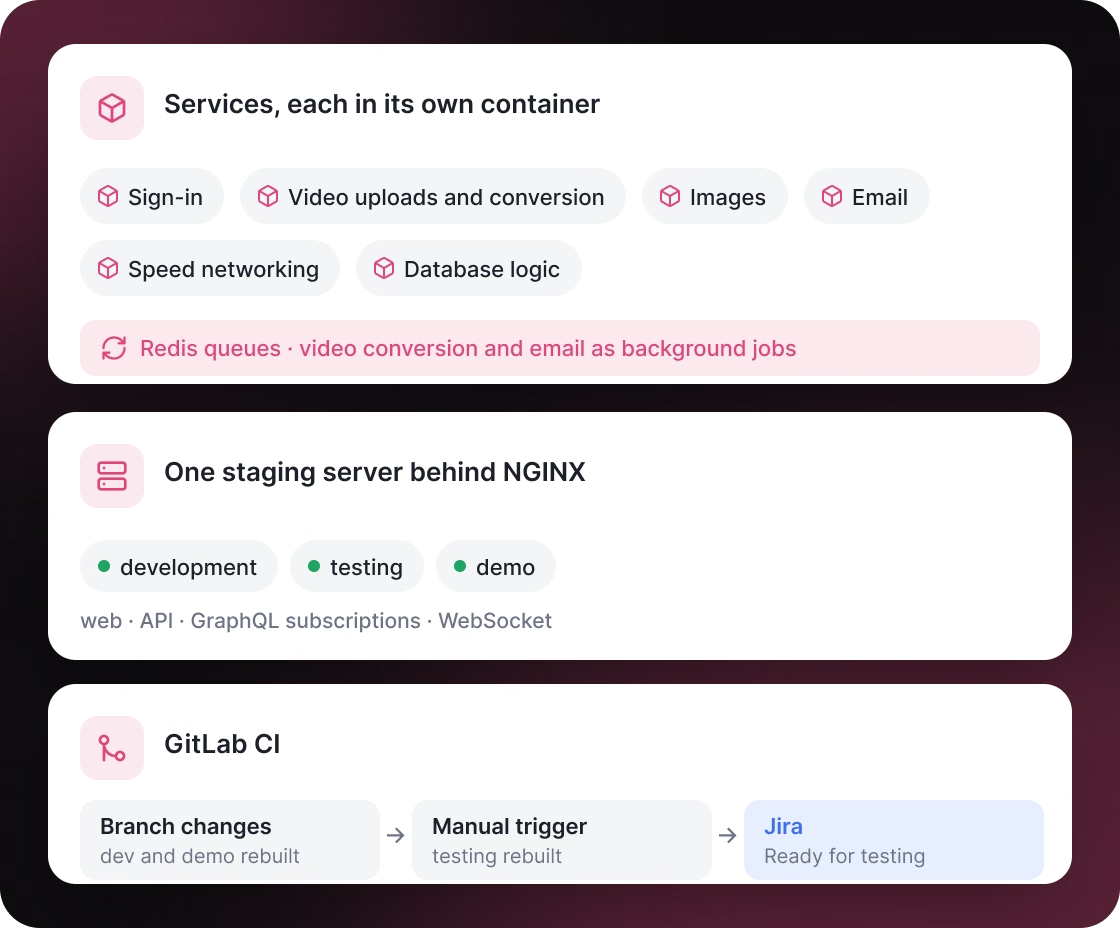
The backend is split by responsibility: sign-in, video uploads and conversion, images, email, speed networking and database logic are separate services, each in its own container, so a change to one service does not touch the code of the others. Video conversion and email delivery run as background jobs through Redis-based queues.
Development, testing and demo environments run side by side on one staging server, behind an NGINX gateway that routes web, API, GraphQL subscription and WebSocket traffic. GitLab CI rebuilds the development and demo environments when their branches change. The testing environment is rebuilt on a manual trigger, and the pipeline then moves resolved tasks in Jira to "Ready for testing". A separate CI job, run on demand, copies the code to the agency's own repository.

You get a realistic estimate, technical recommendations and next steps. Free, no obligations.