
WhiteHelmet and Fora Soft logos

Live 360° site tours for construction projects

Published: Nov 14, 2026
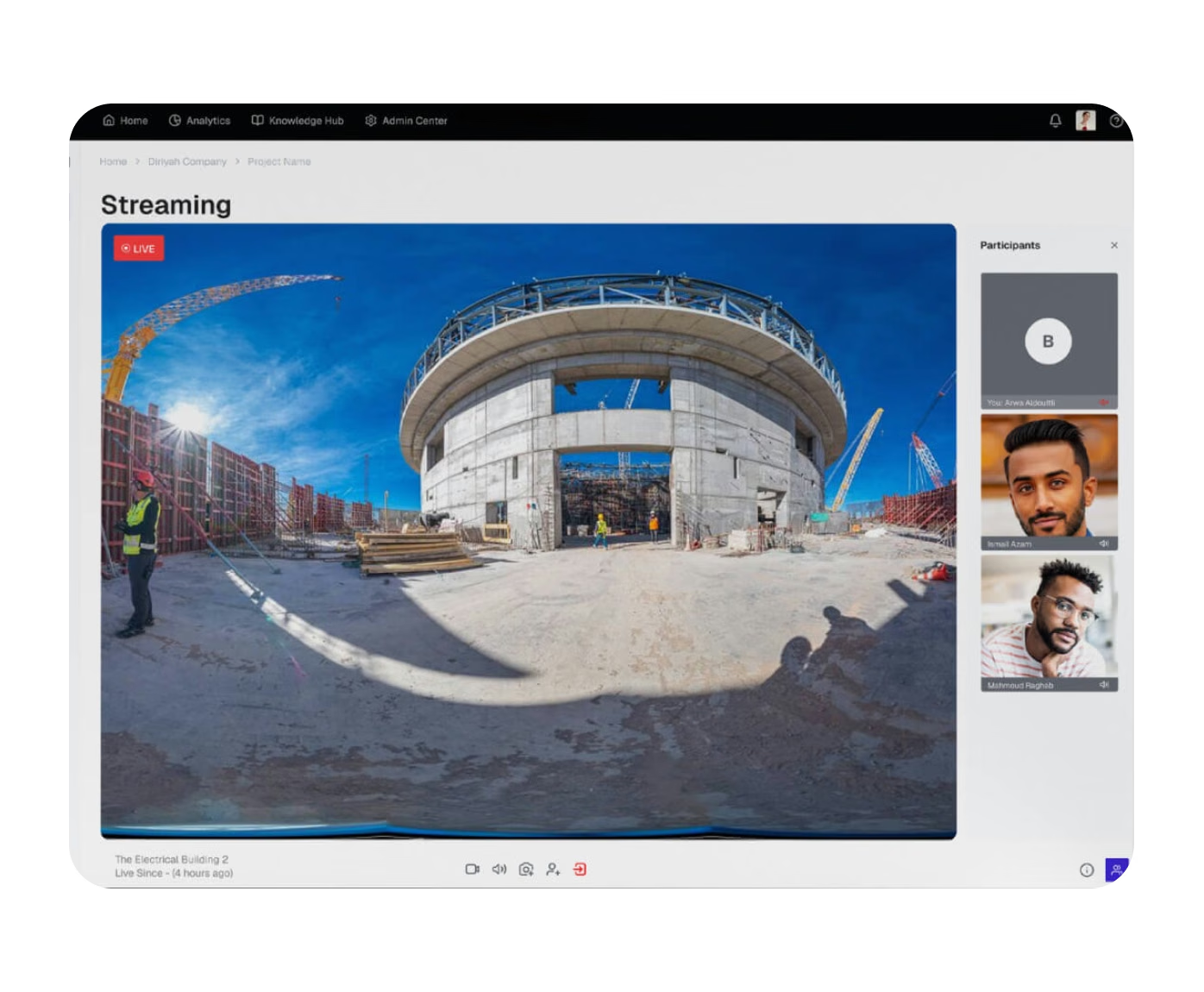
Live Virtual Visit web app streaming a live 360° construction site tour with the participants' video
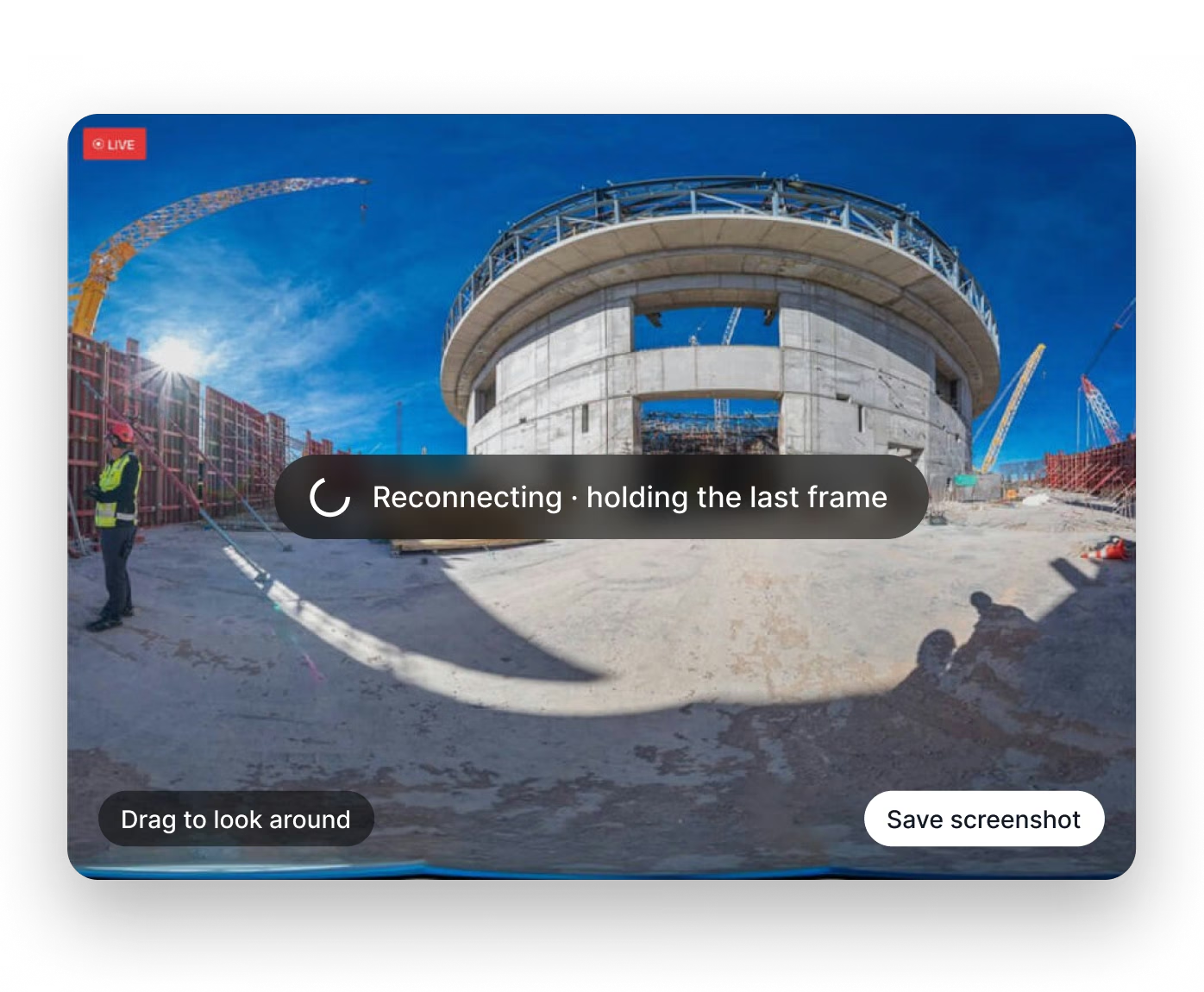
Browser 360° viewer reconnecting while holding the last frame, with drag to look around and save screenshot
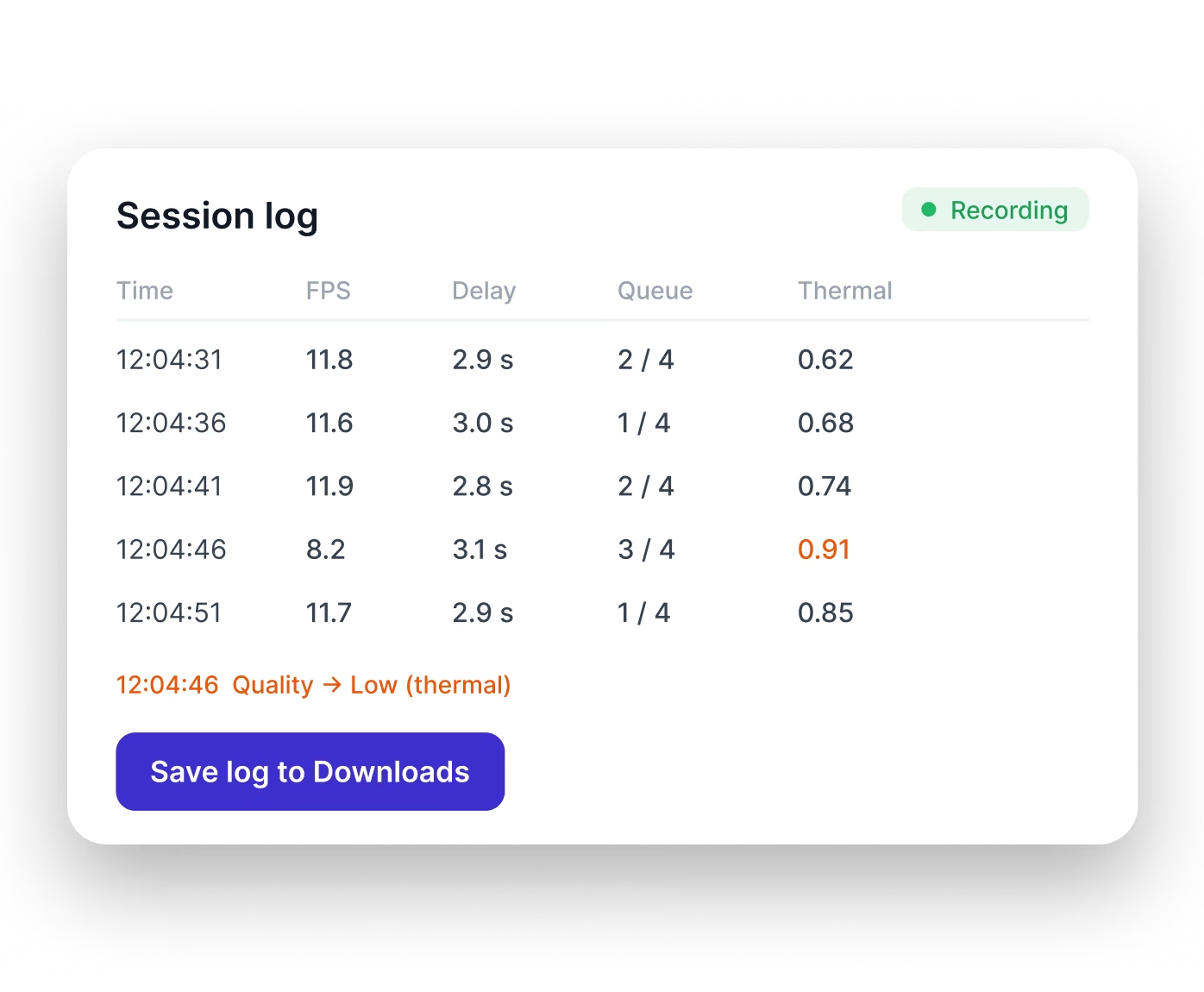
Session log with frame rate, delay, queue and thermal readings, and a Save log to Downloads button
Fora Soft handled the LiveKit development for WhiteHelmet Live Virtual Visit. Over 16 weeks we rebuilt the product's live streaming on self-hosted LiveKit: the streaming in the Android app, the backend that runs rooms and streams, the web app's room pages and 360° viewer, and the media servers for the client's Kubernetes cluster.
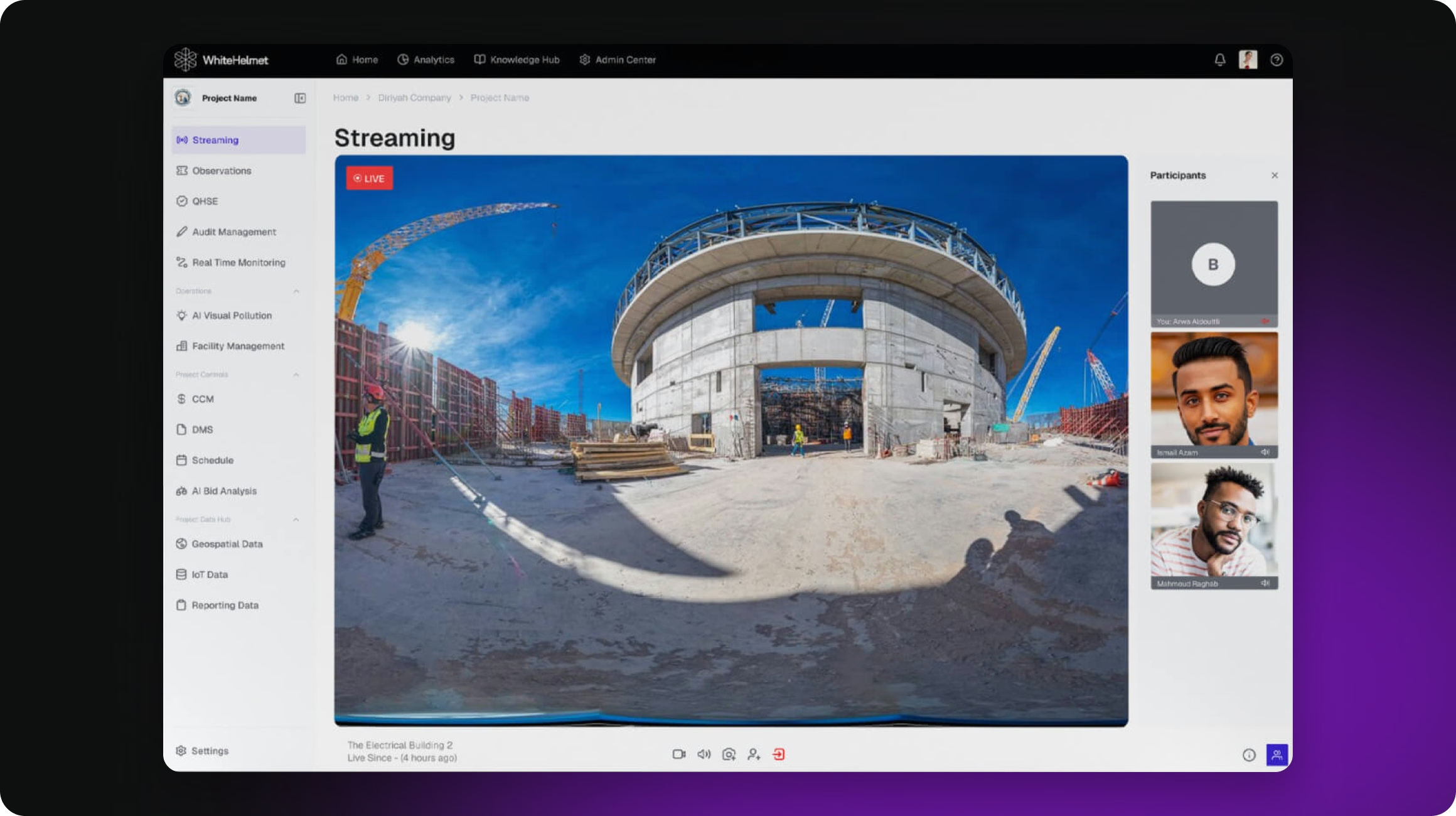
WhiteHelmet web app streaming page: a live 360° view of a construction site with the participants panel
Live Virtual Visit lets people inspect an active construction site without going there. It is part of WhiteHelmet's construction management platform from Saudi Arabia. One person walks the site with an Insta360 camera plugged into an Android phone, and remote stakeholders join from a desktop browser, look around in any direction and talk to the person on site.
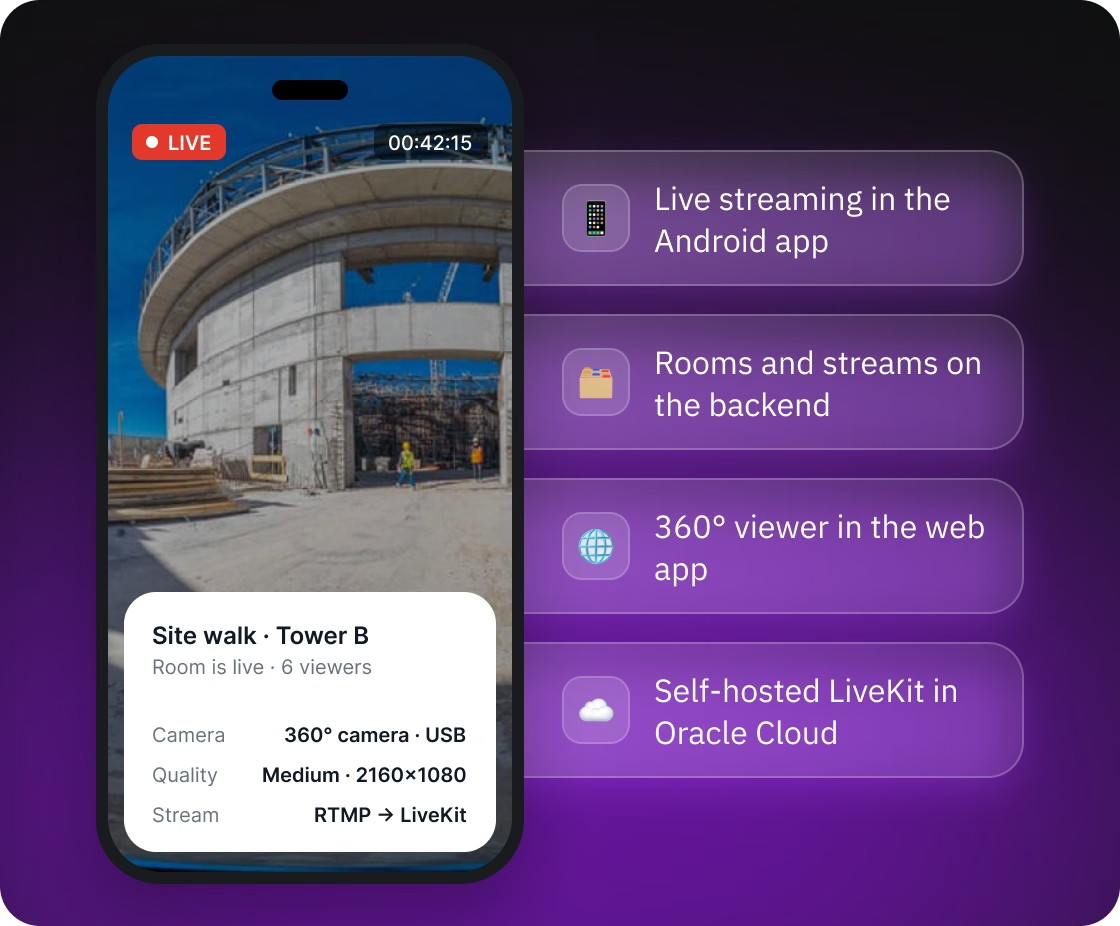
Live Virtual Visit Android app streaming a site walk at Tower B, with our scope: live streaming, rooms and streams, 360° viewer and self-hosted LiveKit

What we did

WhiteHelmet came with a working product and its own developers and DevOps team, so we worked inside the client's existing Android app and Laravel backend, and sign-in, accounts and organizations stayed as they were. The hardest part was keeping a long 360° stream alive and sharp on an ordinary Android phone, often in the heat. We proved the path with two proofs of concept, then moved the backend and web app, then Android, checking each step against transition criteria.

How a live 360° tour works

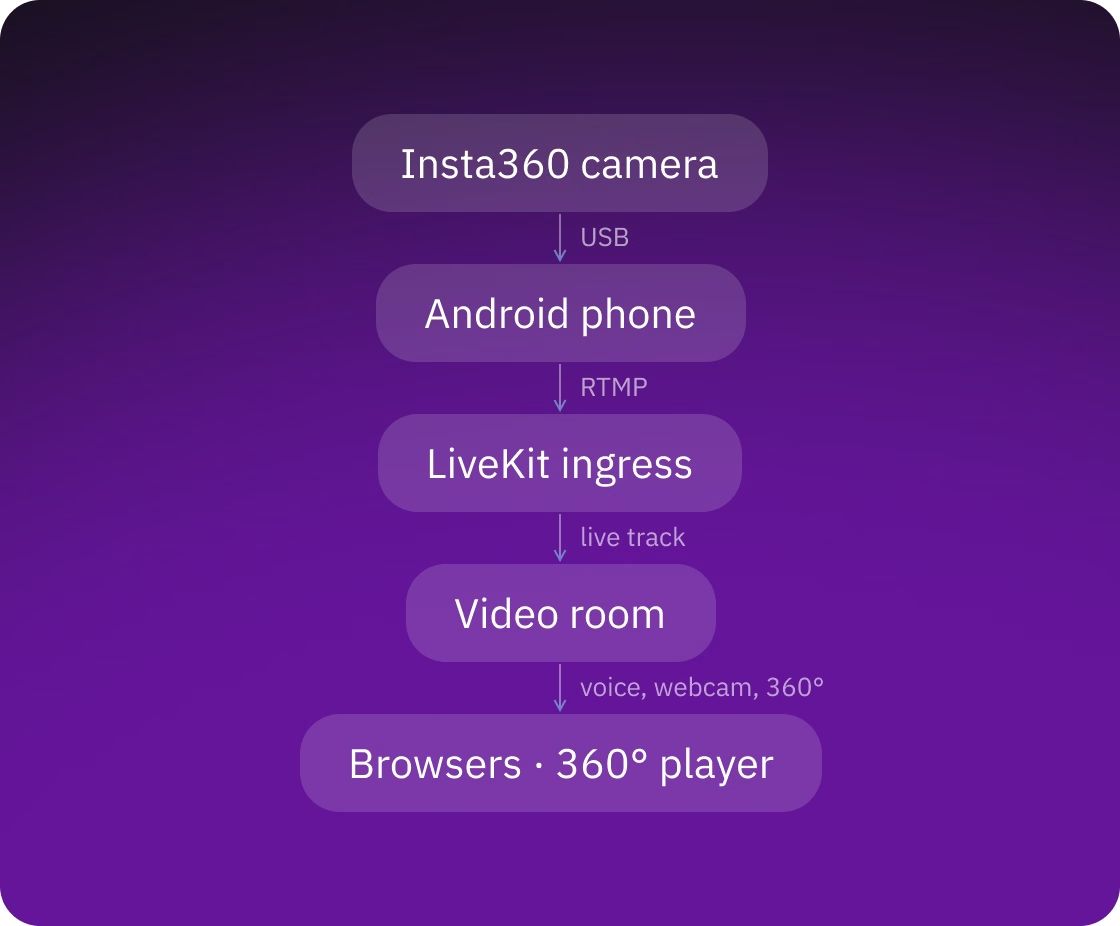
The phone receives the camera feed over USB and sends it as one RTMP stream to the LiveKit ingress, a service that re-encodes the stream and adds it to a video room as a live track. Browsers show that track in a 360° player, and everyone in the room also talks by voice and webcam. The backend creates rooms, issues access tokens, sends invitations and closes rooms nobody uses anymore.
  • The operator walks the site with the phone and the camera, creates a room, streams into it and talks to the people watching
  • Viewers join from a desktop browser: project owners, consultants, and the investors, regulators and executives invited on site tours
  • A room is one video session for one tour and belongs to an organization
  • The phone streams at one of three quality levels: High (2560×1280), Medium (2160×1080) or Low (1920×960)
Live tour flow: Insta360 camera over USB to an Android phone, RTMP to LiveKit ingress, a live track in the video room, and browsers with a 360° player
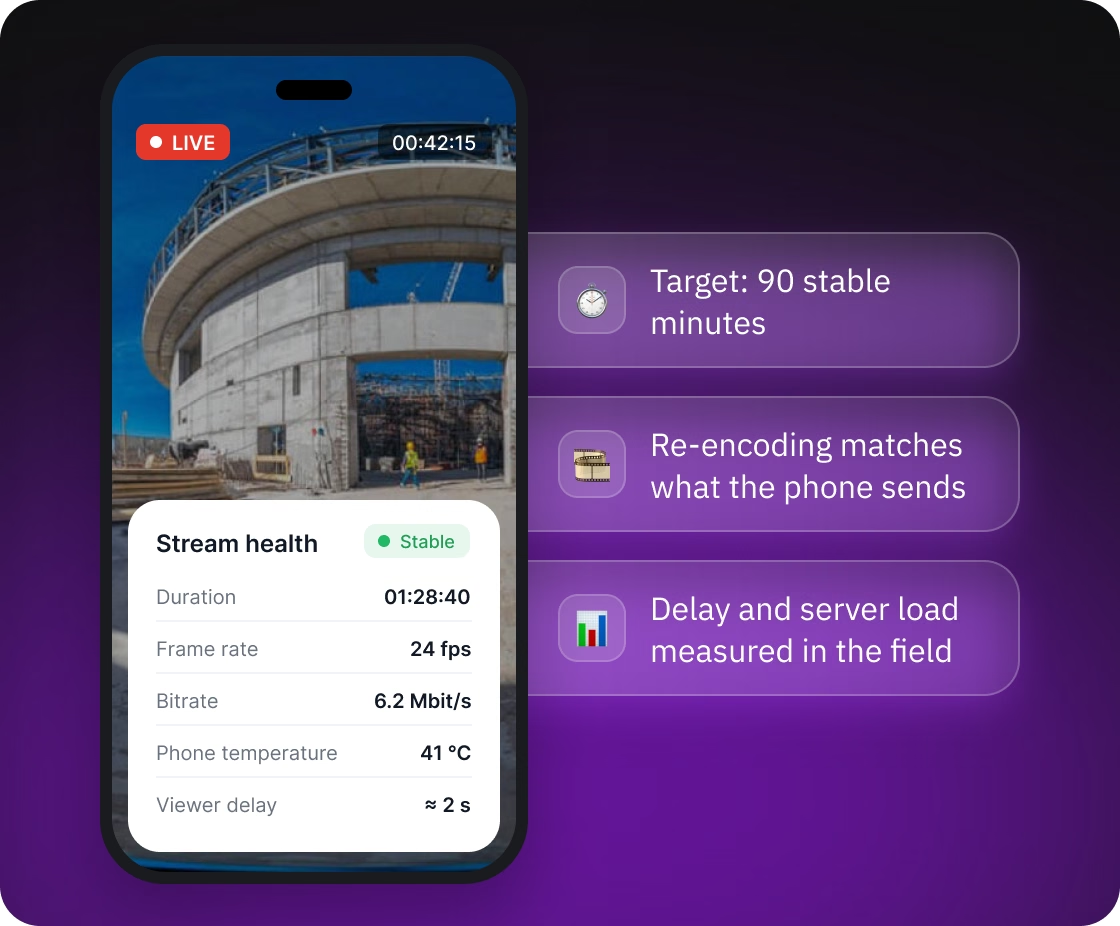
Stream health screen on the phone: duration, frame rate, bitrate, phone temperature and viewer delay, with a 90-minute stability target

Keeping a long 360° stream alive on a phone

The phone has to stitch the camera's two lenses into one panorama, encode it and push it over a mobile connection, often on sites at 45-50°C. The client's brief described sessions that dropped within 10-15 minutes under load on the previous setup and set a target of 90 stable minutes. We removed the causes of those drops one by one:

  • Re-encoding that assumed more than the phone sent
  • Overheating phones
  • Dropped cables and networks
  • Quality levels a phone could not encode

We measured the viewer's delay and the server load, on the test setup and in the client's field runs.

Streaming core on self-hosted LiveKit

The client runs the streaming in its own cloud: we moved it to self-hosted LiveKit and packaged the media servers as a Helm chart (an install package) for the client's Kubernetes cluster. The client's existing backend issues the LiveKit access tokens and runs the rooms. The setup includes:
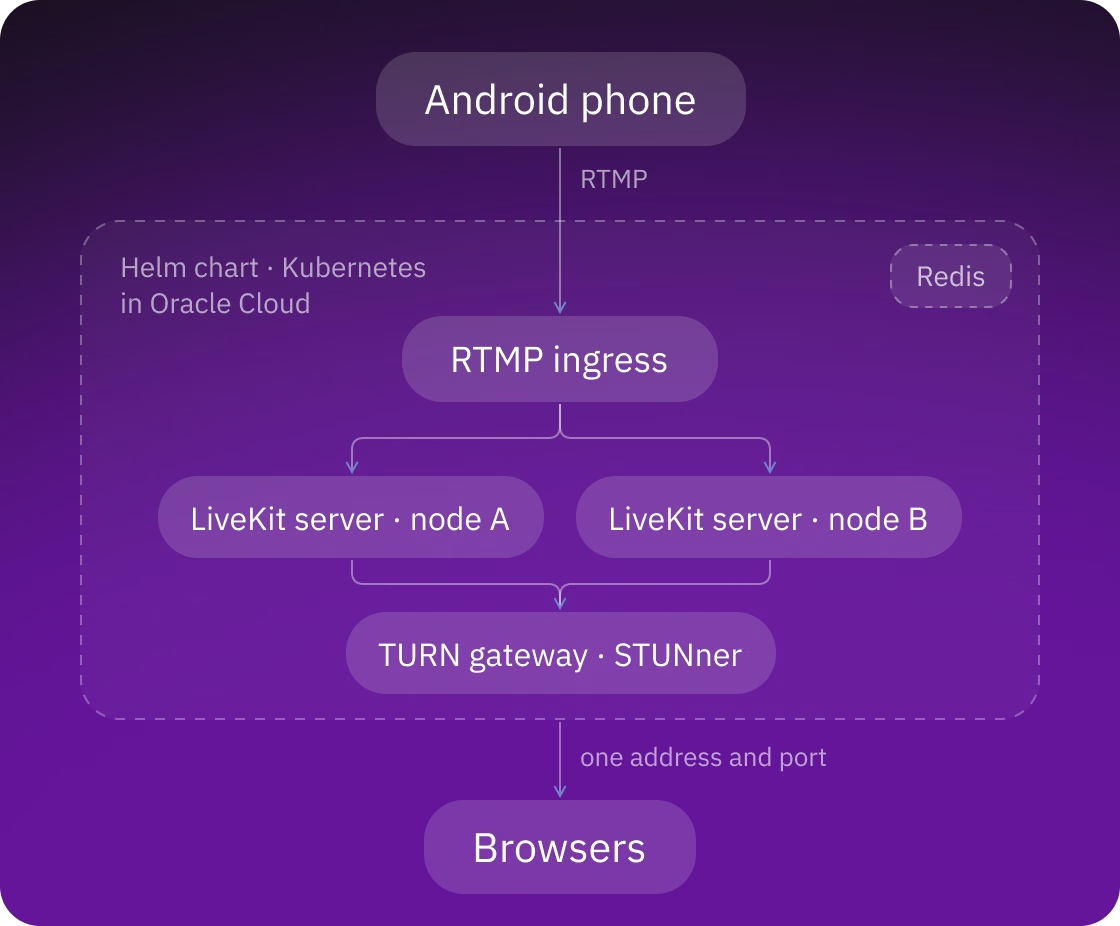
  • Two LiveKit servers on different machines, so losing one machine does not take down both, and a single RTMP ingress service
  • A TURN gateway (STUNner) that carries media through one stable address and port instead of a wide range of ports
  • Web traffic through ingress-nginx with TLS, and a production profile prepared to issue certificates through cert-manager and Let's Encrypt
  • We fixed a defect in the upstream chart that silently dropped the API keys, and upgraded LiveKit to versions that match the current SDKs, which removed a source of repeated reconnects
Self-hosted LiveKit in Oracle Cloud Kubernetes: RTMP ingress, two LiveKit server nodes, Redis and a STUNner TURN gateway serving browsers
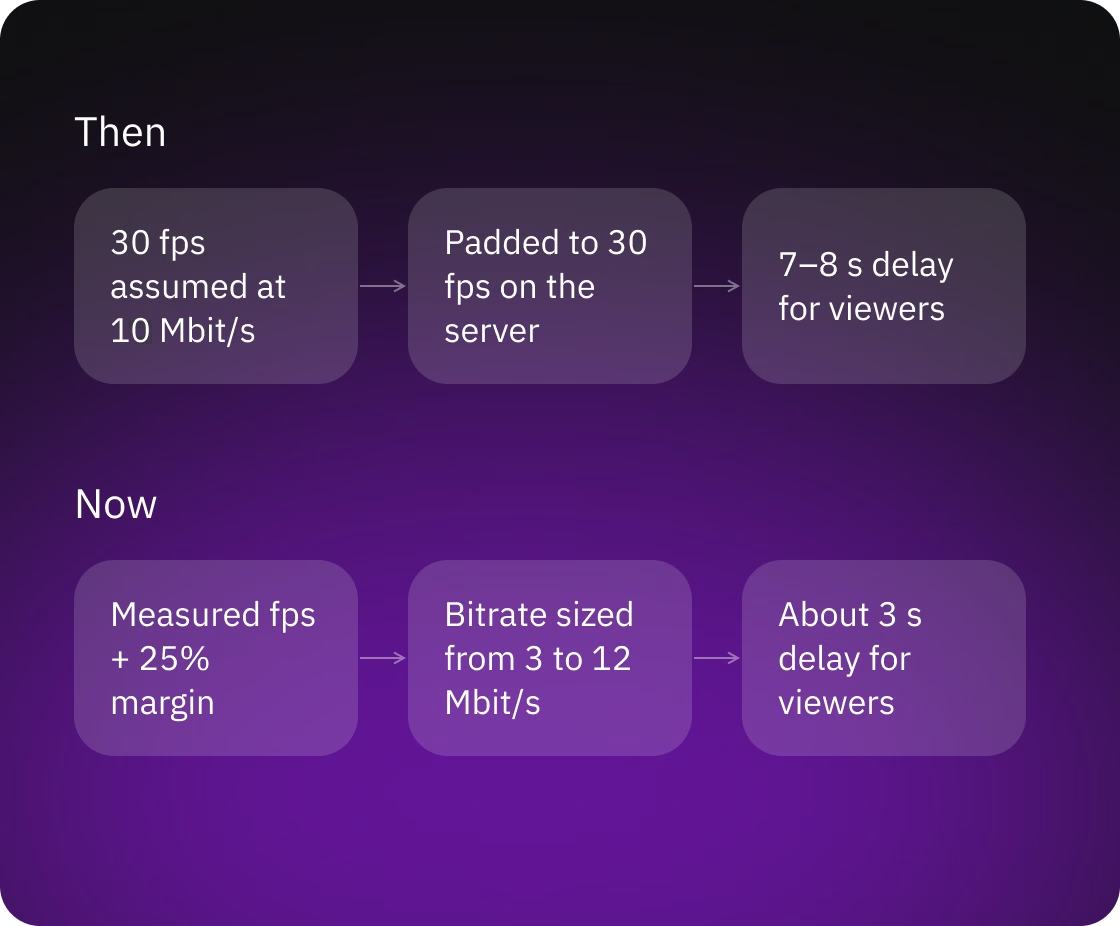
Re-encoding before and after: 30 fps assumed at 10 Mbit/s with a 7–8 s delay, now measured fps plus 25% margin and about 3 s delay

Lower delay by matching re-encoding to the real stream

Viewers get a feed sized to what the phone really sends: the app measures the frame rate each quality level delivers and reports it to the backend, which sizes the server's re-encoding of the 360° feed to match:

  • The declared frame rate is the measured one plus 25% as a margin, from 12 to 60
  • The bitrate follows the resolution and the measured frame rate, from 3 to 12 Mbit/s
  • Each quality level is encoded as a single layer, because the 360° viewer does not need a smaller copy
  • On the test setup, the viewer's delay dropped from 7-8 seconds to about 3, and freezes after a quality change disappeared

Quality changes without ending the tour

The operator can switch between High, Medium and Low during a tour. The viewers' browsers get a restart signal, the backend applies the new settings only after the old stream has stopped, and the phone resumes on the new level:

  • The phone tells the viewers' browsers that the stream is restarting and stops it
  • The backend checks the ingress for up to 3.5 seconds until the old stream is gone, and only then applies the new settings
  • The phone starts the stream again on the new level

If the server does not confirm in time, the backend keeps the old settings rather than cut the stream. Every step has a time limit, so the operator is not left waiting.
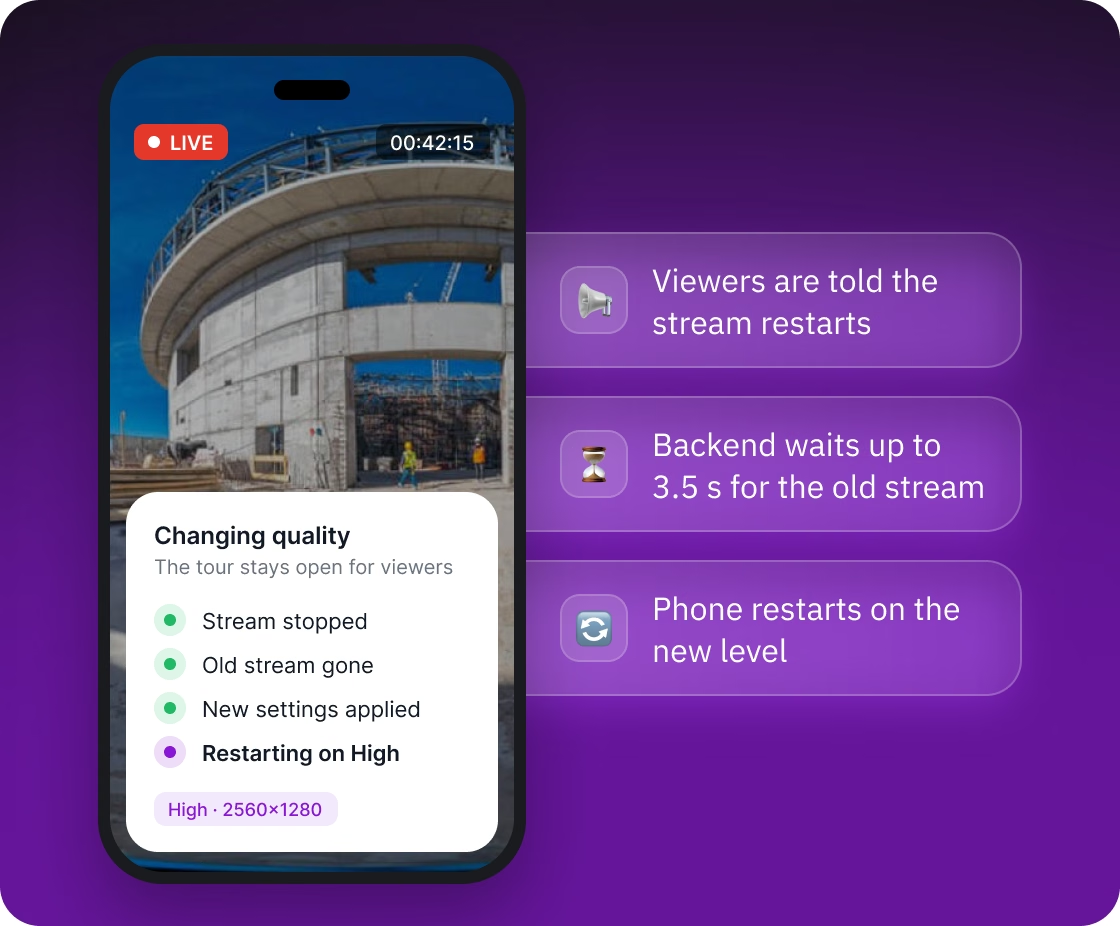
Changing quality during a live tour: viewers are told the stream restarts, the backend waits for the old stream, and the phone restarts on High
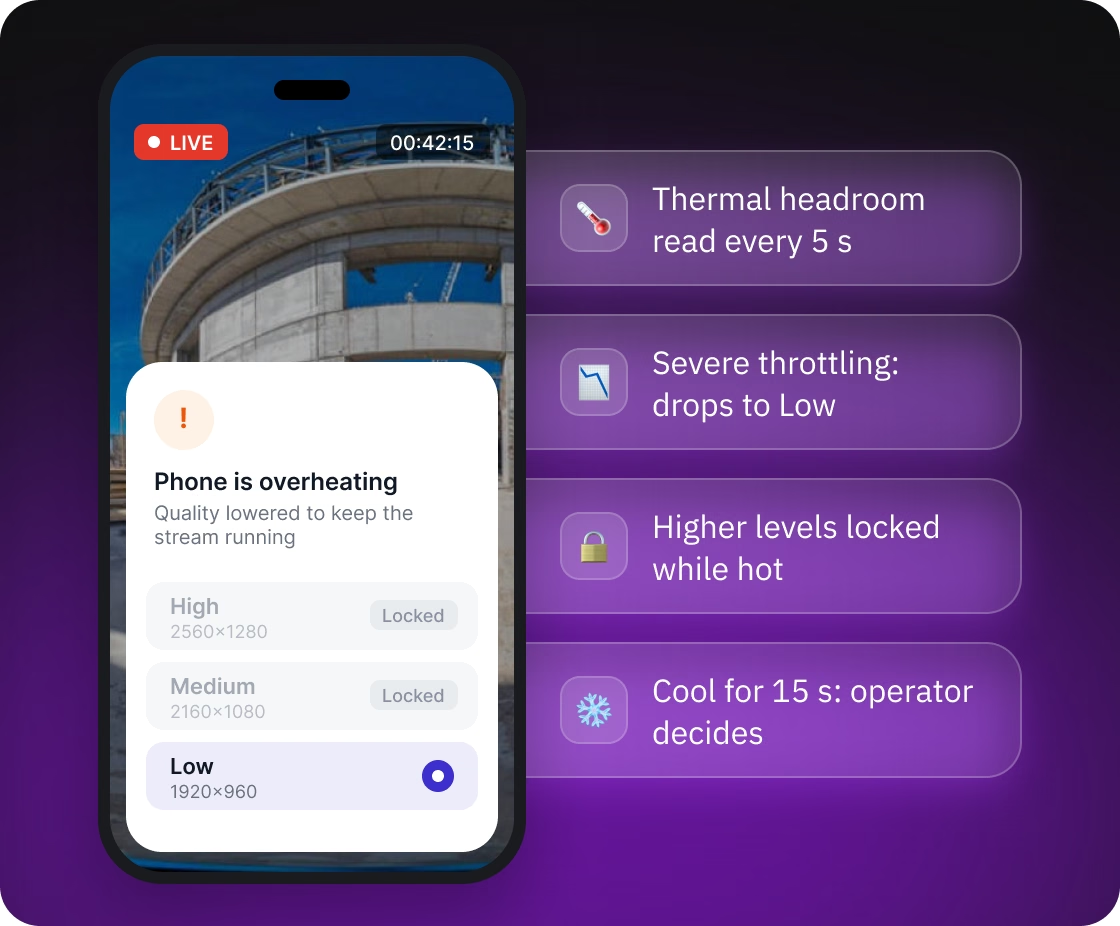
Phone is overheating warning: quality lowered to Low, higher levels locked while hot

Protection for phones on hot sites

On a hot site, a phone can throttle or shut down in the middle of a long tour, so the app watches Android's thermal forecast and lowers the load itself before that happens.

  • At the point where Android starts heavy throttling, the stream drops to Low on its own
  • While the phone is hot, the app blocks switches to a higher level and explains why
  • Once the phone has cooled down, the app tells the operator that quality can go up and leaves the choice to them

Recovery from pulled cables and lost connections

A loose cable or a dead spot in coverage does not end the tour, because the app brings the camera and the connection back on its own.
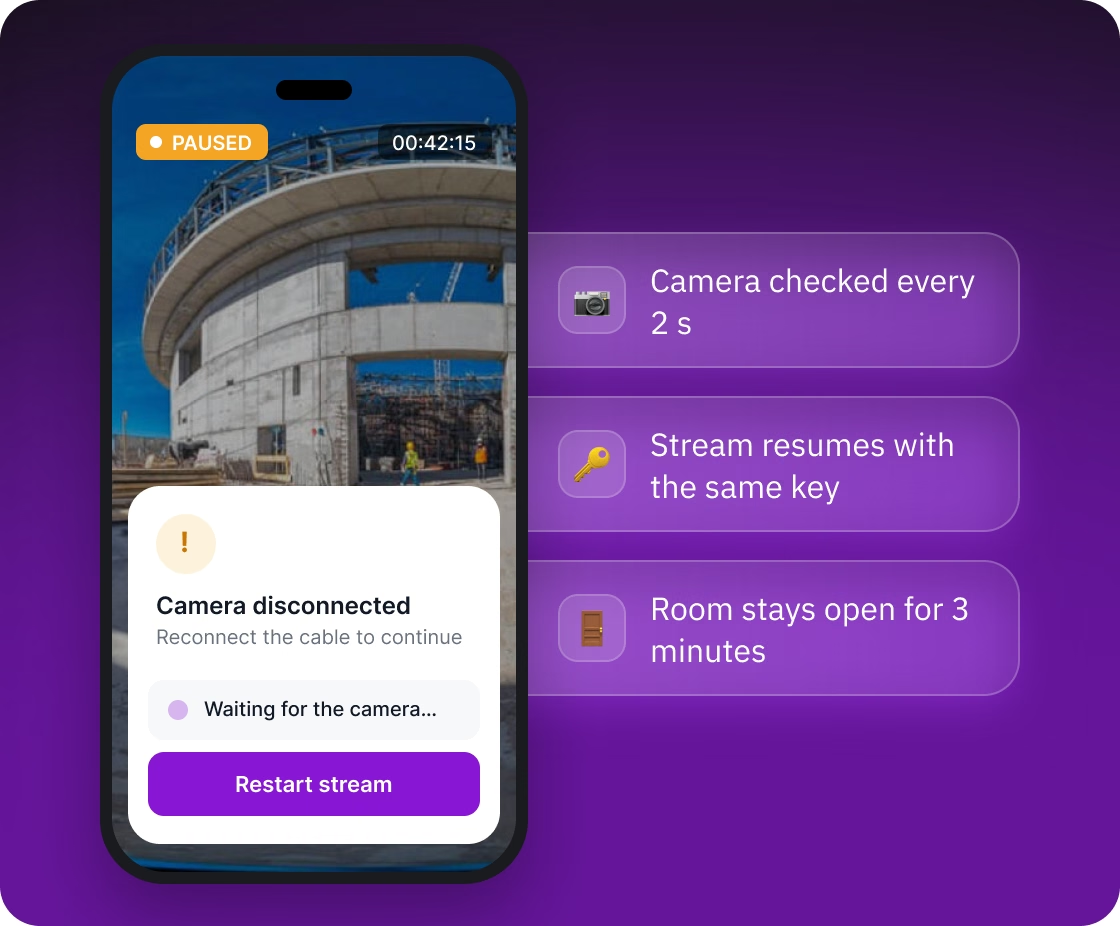
  • If the camera cable is pulled, the app checks every two seconds whether the camera is back, requests USB permission again if needed, reopens the camera, restores the live mode and quality level, and restarts the stream
  • The app makes one automatic attempt. If it fails, the operator restarts the stream manually
  • After a lost network, the app rejoins the room and resumes the same stream
  • A room the operator has left stays open for three minutes so they can step back into the same session
  • Once a minute, the backend removes participants who stopped reporting two minutes ago and closes empty rooms
Camera disconnected screen with a Restart stream button: the camera is checked every 2 s and the room stays open for 3 minutes
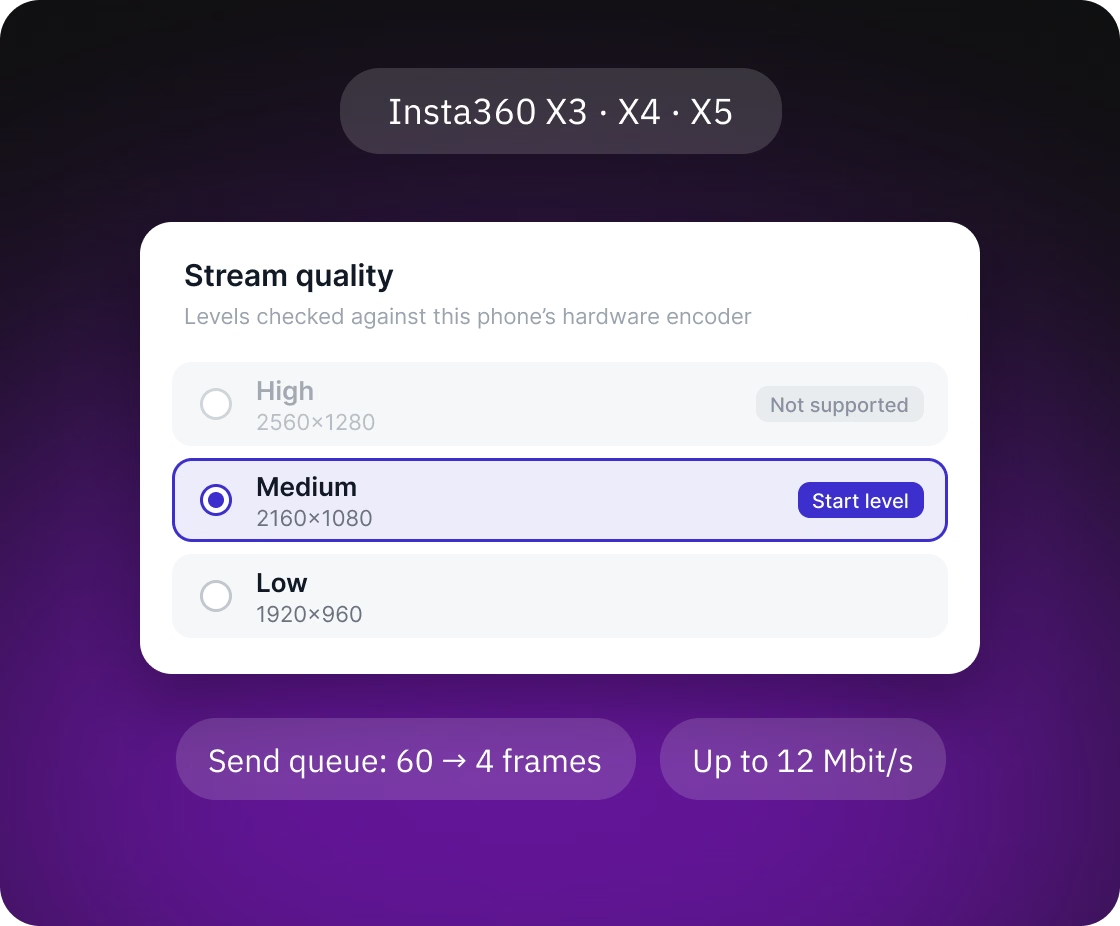
Stream quality picker for Insta360 X3, X4 and X5: High not supported, Medium as the start level, Low available

Quality fitted to each phone

Android phones differ widely in what they can encode, so the app reads the limits of the phone's hardware encoder and hides the levels it cannot handle. The stream starts on Medium, or on Low if Medium is out of reach.

  • The app reads the limits of the phone's hardware encoder and disables the quality levels it cannot handle, so a phone capped at 1920 pixels wide does not fall into software encoding at 1-2 frames per second
  • The stream starts on Medium, or on Low if the hardware cannot encode Medium
  • The bitrate follows the picture size, up to 12 Mbit/s
  • A short send queue means a slow connection costs a few dropped frames, not a delay that grows over a long tour
  • The app works with Insta360 X3, X4 and X5 cameras

A 360° viewer that does not go black

Viewers drag to look in any direction in a 360° player built on A-Frame and three.js, and the picture stays on screen while the stream changes underneath.
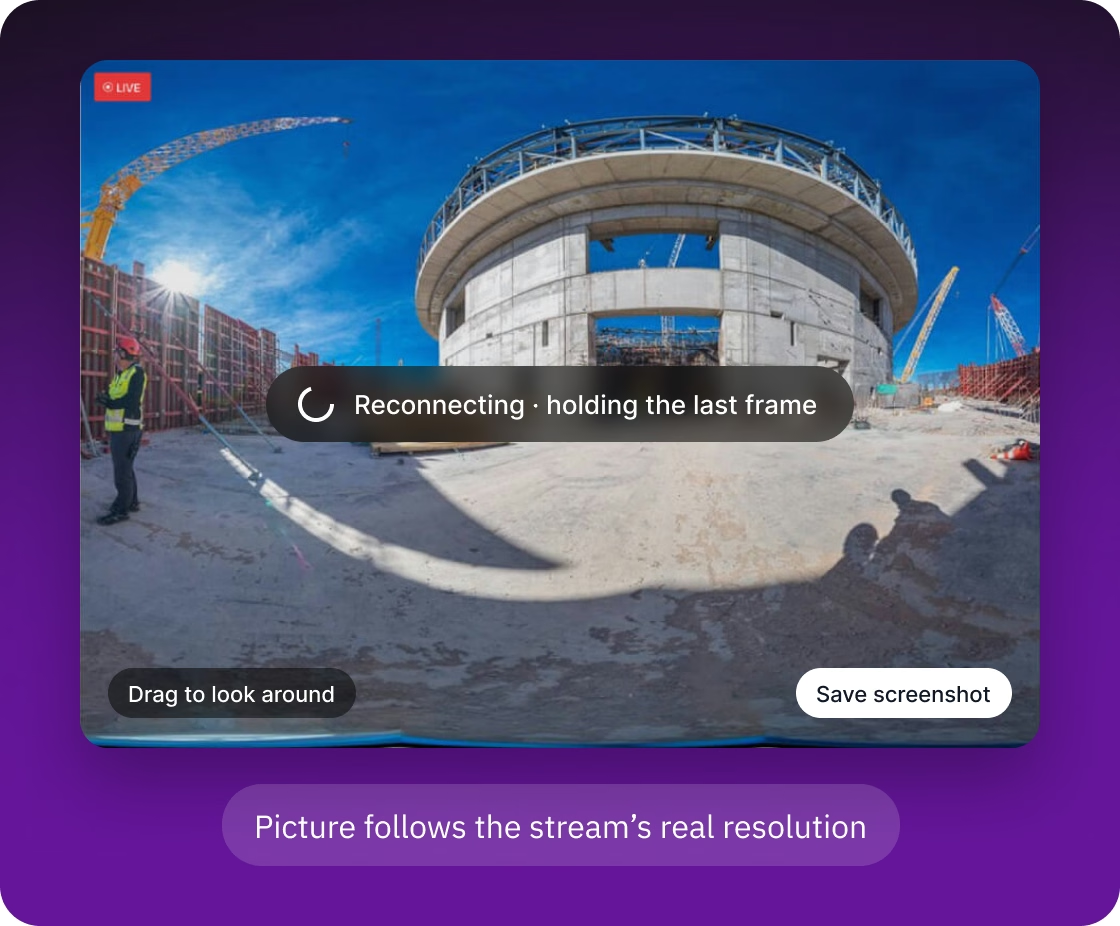
  • During a quality switch or a short reconnect, the player holds the last good picture with a loading indicator
  • A "camera not connected" notice appears only if the stream has not returned within seven seconds or the operator has ended it
  • The picture follows the stream's real resolution, so the High level shows more detail
  • We fixed a color handling error that made the picture look washed out
  • Viewers can save a screenshot of what they are looking at
Browser 360° viewer reconnecting while holding the last frame, with drag to look around and save screenshot
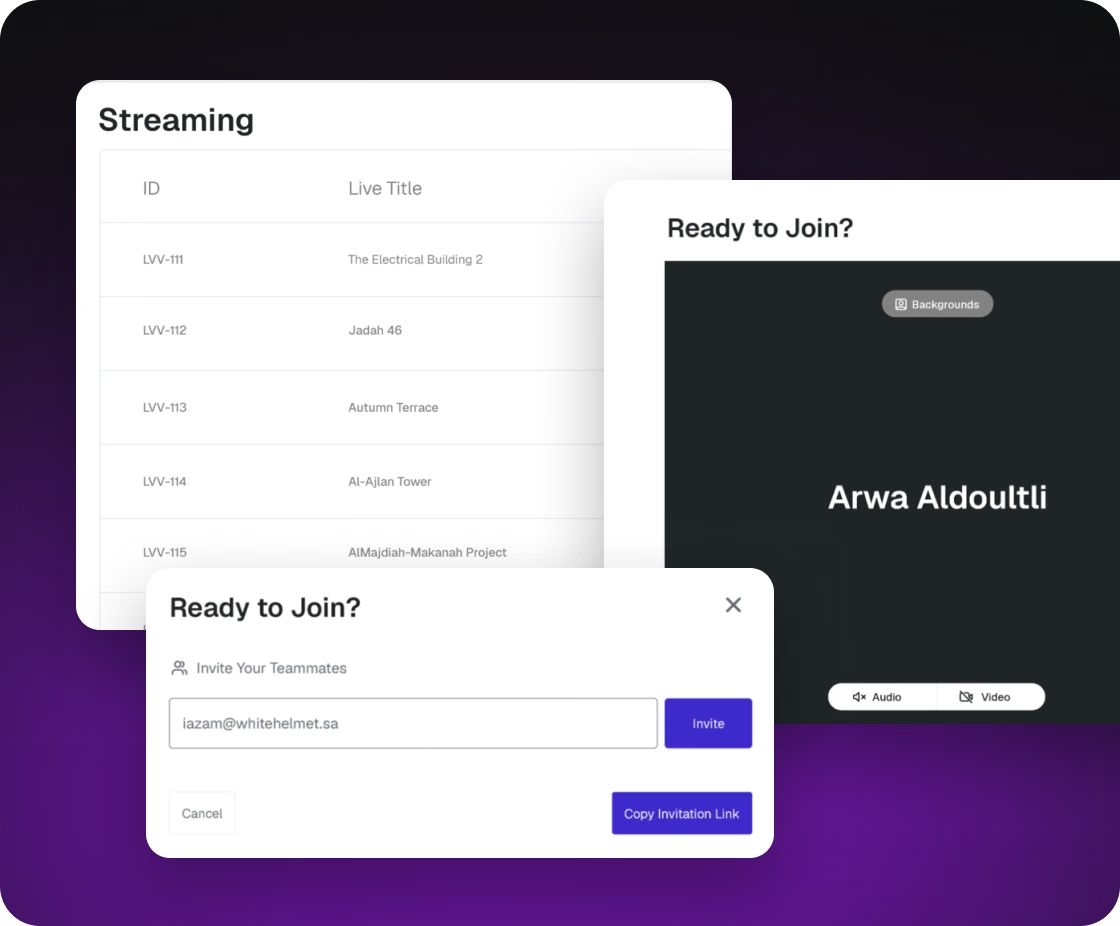
Web app streaming rooms list with the Ready to Join camera preview and the invite dialog

Rooms and invitations in the web app

The web app covers the steps around a tour, from creating a room to joining it:

  • The list of rooms with a live badge, limited to the signed-in person's organization
  • A room gets a name, a project and a site location picked on a map
  • Invitations by email to registered colleagues, and a room link that can be copied
  • A camera preview before joining, with the camera and microphone on or off
  • Inside, viewers see the 360° feed, the other participants and the stream's running time

Field diagnostics

Problems on a site are hard to reproduce in an office, so both apps record what happens during a tour.
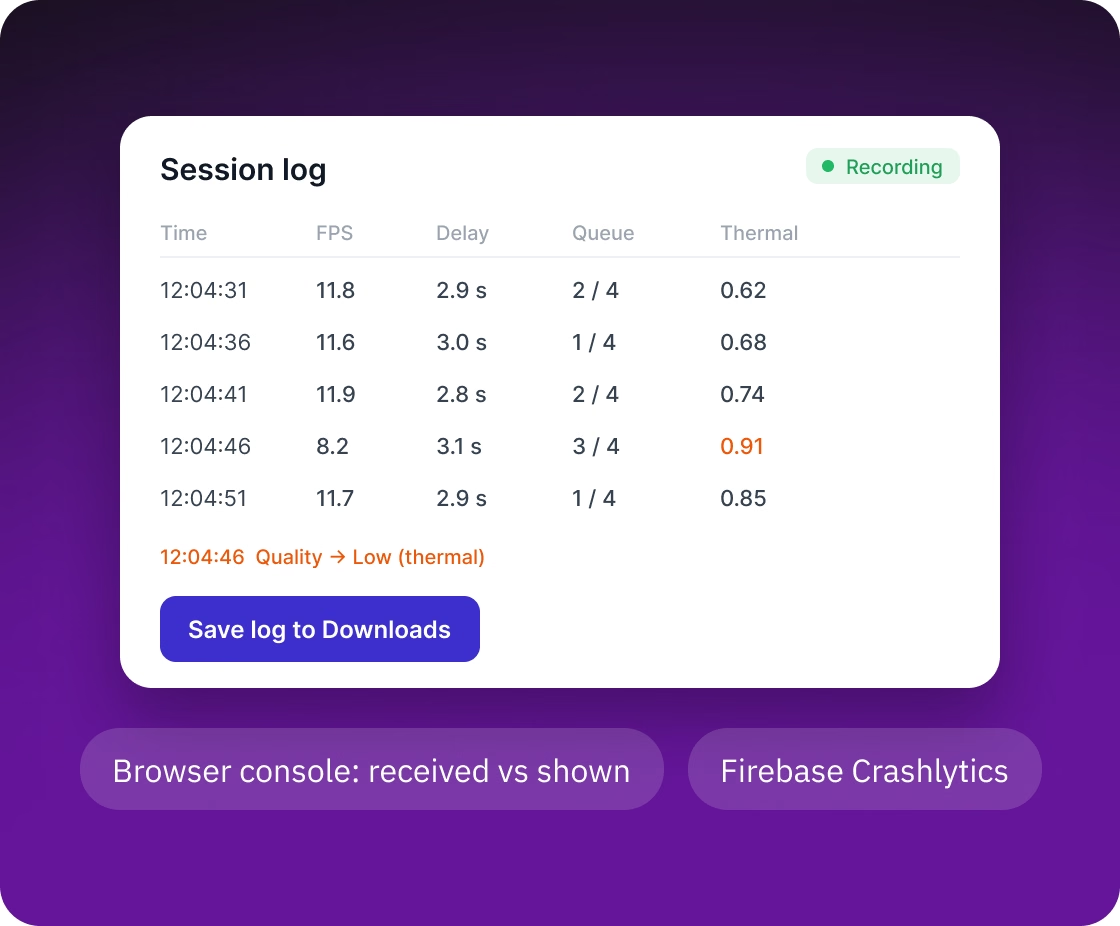
  • The operator saves the Android app's log to the phone with one tap and passes it to support
  • The web app records what the browser received and what the player showed, which tells a slow computer from a slow stream
  • Crash reports arrive automatically through Firebase Crashlytics
Session log on the phone with frame rate, delay, queue and thermal readings, and a Save log to Downloads button
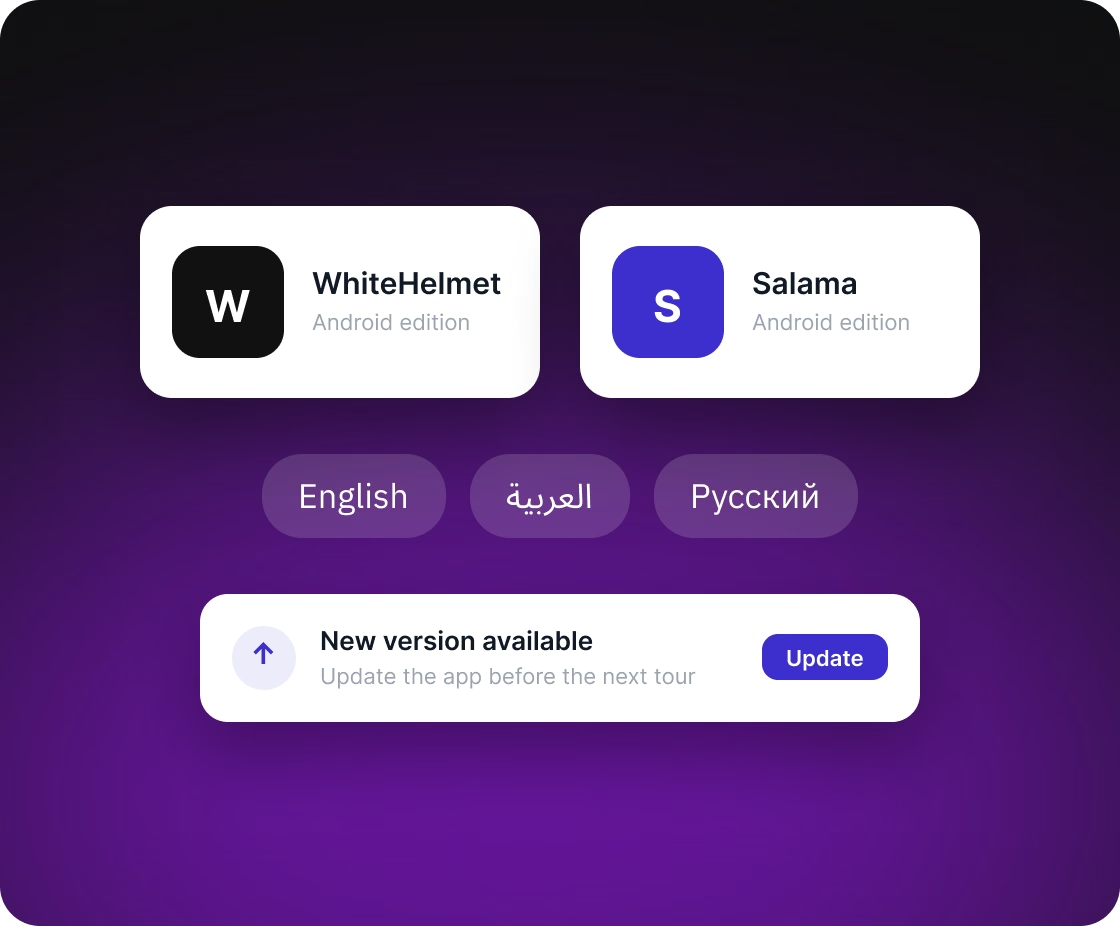
WhiteHelmet and Salama Android editions, English, Arabic and Russian languages, and a new version prompt

Branded editions, languages and updates

The same code serves two branded editions. The Android app is built as WhiteHelmet and as Salama, a second edition under its own name. The Android and web apps are available in several languages, and the web app switches to a right-to-left layout for Arabic. The Android app checks for new versions and prompts the operator to update.

Technologies

The stack below covers our part of the work.

🖥 Platforms
Android (phone with an Insta360 camera over USB), web (desktop browsers), self-hosted media servers on Kubernetes
📹 Video and streaming
LiveKit, LiveKit Ingress, WebRTC, RTMP, TURN (STUNner), Insta360 SDK
⚙️ Backend
Laravel, PHP, Laravel Sanctum, Redis
📱 Android
Kotlin, LiveKit Android SDK, Kodein, Firebase Crashlytics, Firebase Remote Config
🔮 Frontend
Angular, TypeScript, livekit-client, A-Frame, three.js, Tailwind CSS, Transloco, Google Maps API
⚒️ Infrastructure
Oracle Cloud Infrastructure, Kubernetes, ingress-nginx, cert-manager, Let's Encrypt, OCI Network Load Balancer
🔁 Delivery
GitLab CI/CD, Helm, Argo CD

FAQ

Can an ordinary Android phone stream 360° video for a long tour?
-

Yes, with the camera plugged in over USB. The phone stitches the two lenses into one panorama and sends it as one stream, so the app fits quality to the phone's hardware encoder and lowers the load when the phone gets hot.

Yes. In Live Virtual Visit, LiveKit runs on the client's own Kubernetes cluster, installed from a Helm chart, and the client's backend issues the access tokens.

No. Sign-in, accounts and organizations stayed in the client's existing backend, which now also issues LiveKit access tokens.

The tour goes on. The app reopens the camera and restarts the stream after a pulled cable, rejoins the room after a lost network, and the room waits three minutes for the operator to return.

Delivery and Outcome

On an ordinary phone in the field, the stream comes back by itself after a pulled cable or a lost network, quality fits what the phone can encode, and a hot phone lowers its load before Android throttles it.

We build the same kind of software for other products that stream live video from a phone or camera to remote viewers.
WhiteHelmet AI for Construction logo with Web and Android labels