CareerPoint and Fora Soft logo

AI career coaching
by video chat, gained $1,4M investment

$1.4m
in investment
Oxford logo
partnership
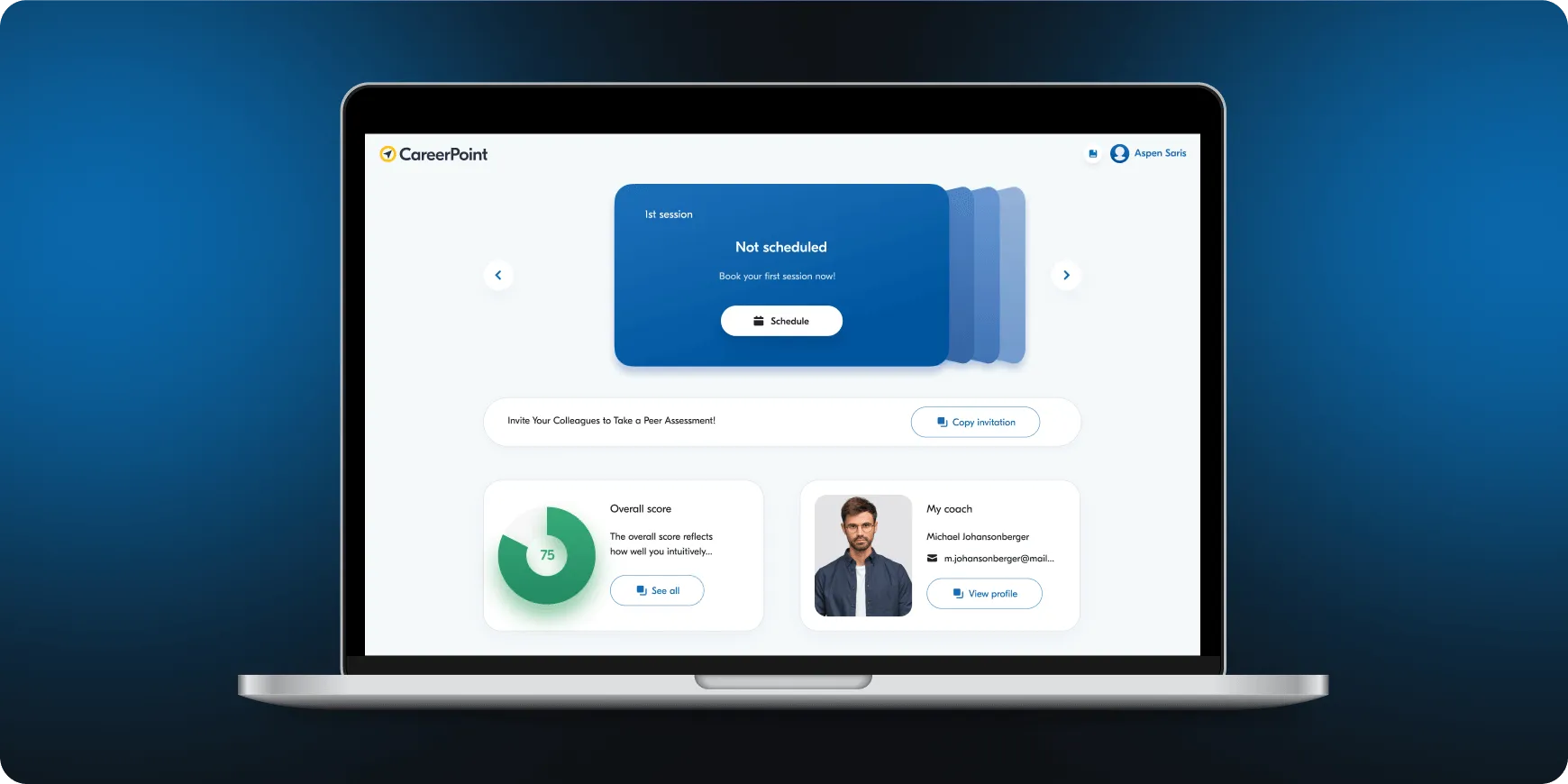
Laptop screen displaying CareerPoint dashboard with a blue card showing '1st session Not scheduled' and options to schedule, invite colleagues, view overall score of 75, and coach profile with photo and contact details.
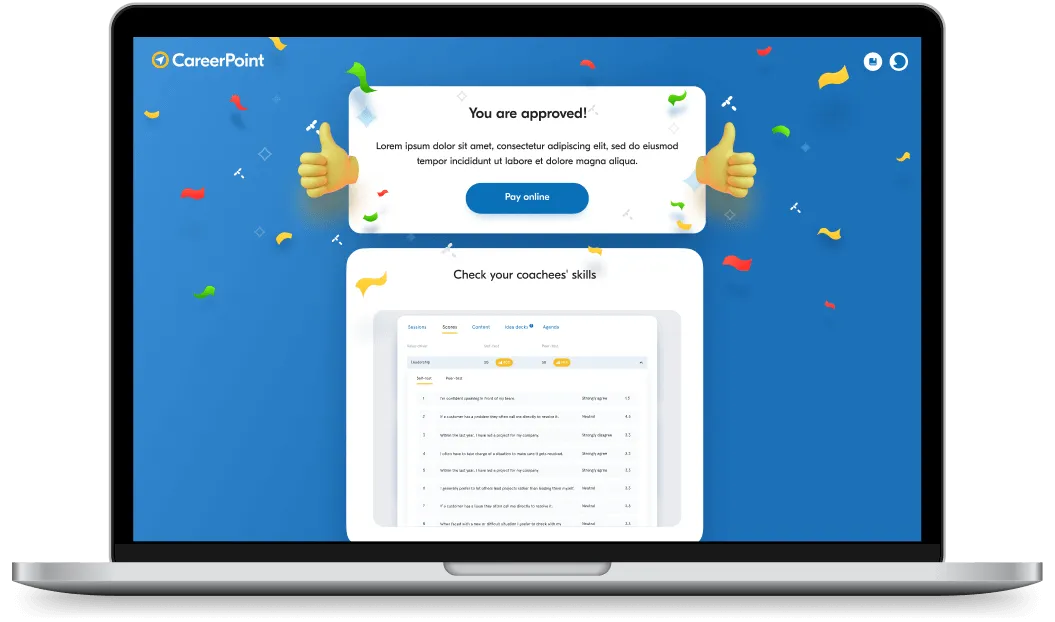
Laptop screen displaying a CareerPoint interface with a confirmation message 'You are approved!' and a section titled 'Check your coachees' skills' featuring a skills assessment table.
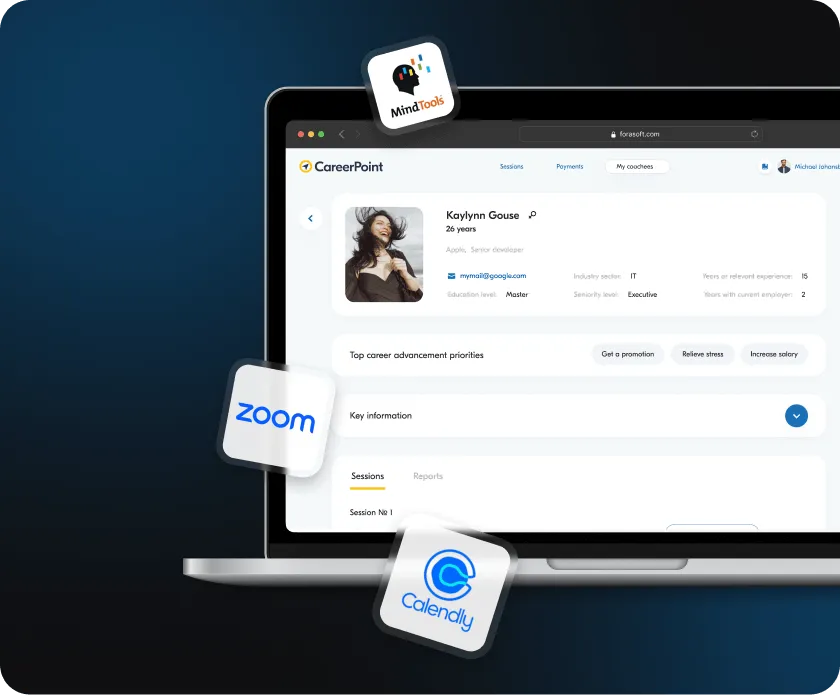
Laptop screen showing CareerPoint dashboard with profile of Kaylynn Gouse, highlighting career advancement priorities and integrated with MindTools, Zoom, and Calendly logos.
In just three months, we launched a Minimum Viable Product (MVP) that helped Career Point secure $1.4 million in funding for further development. The platform integrates tools like Zoom for video calls, Calendly for scheduling, and MindTools for learning resources, delivering a smooth and engaging user experience.

Intersecting circles with University of Oxford logo and text on the left and CareerPoint logo and text on the right against a dark blue gradient background.

Personalized career guidance

To address the need for personalized career guidance, the client partnered with the University of Oxford to create an advanced assessment tool that evaluates users’ career levels.
AI integrated to create recommendations
We also integrated AI to recommend coaches and courses tailored to each user, providing the support they need to grow and succeed.
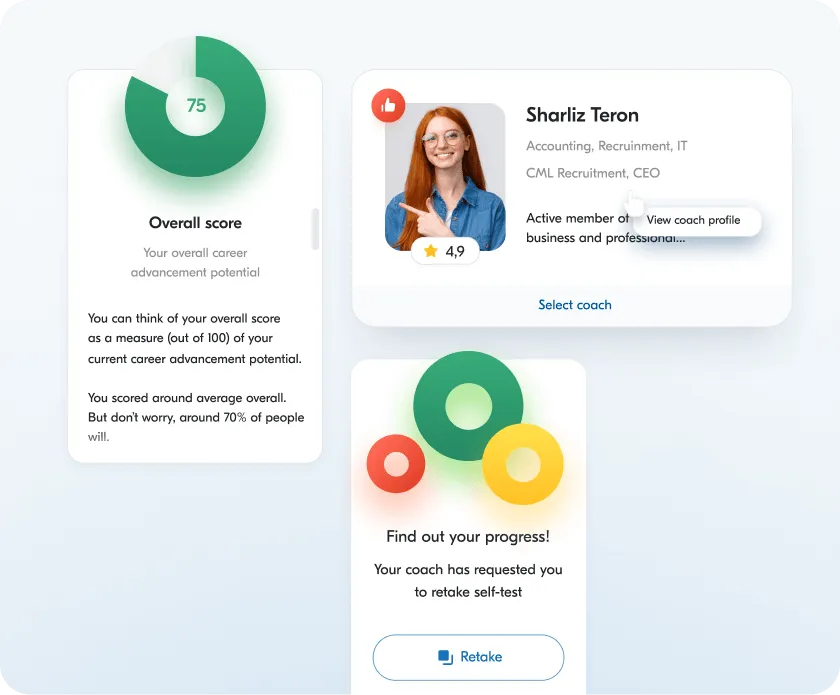
Dashboard showing overall career advancement score 75 with explanation, profile of coach Sharliz Teron rated 4.9, and a prompt to retake self-test for progress update.
Career Point Live bridges the gap between coaches and trainees, offering a seamless skill-building experience across web and mobile. The platform provides an all-in-one solution with scheduling, payment processing, lesson management, and testing tools — all designed to support tailored career coaching for diverse needs.
User interface of CareerPoint showing profiles of active coaches with their photos, names, emails, job titles, companies, and session dates.

For Coaches: Empowering Quality Coaching

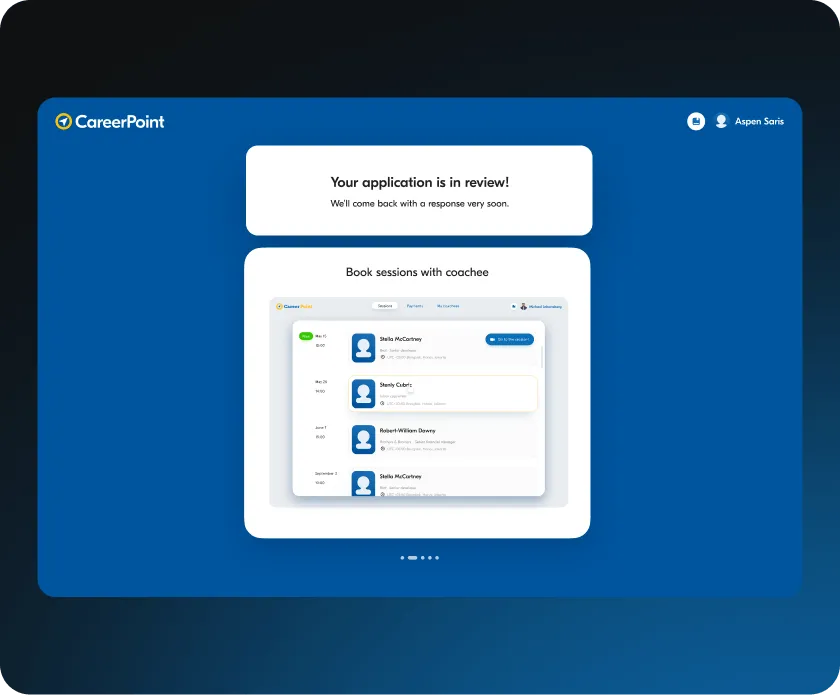
CareerPoint application review screen showing a notification that the application is in review and a session booking interface with a list of coachees and their scheduled session times.

Become a Certified Coach

Complete a series of tests and interviews to ensure top-quality coaching. Once approved by Career Point admins, a coach is ready to start.
Effortless Scheduling with Calendly
Integrated Calendly makes booking sessions easy. The coach’s availability is visible to students, who can request sessions at open times.
Laptop displaying a career profile interface with floating logos of MindTools, Zoom, and Calendly around it.
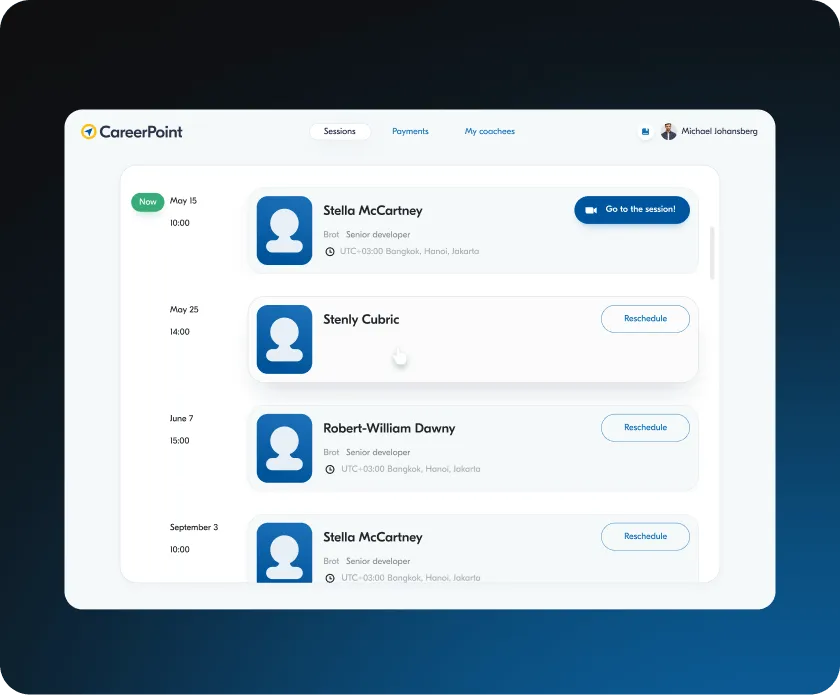
Dashboard interface of CareerPoint showing scheduled coaching sessions with names, dates, times, roles, and reschedule options.

Manage Coaching Sessions with Ease

Easily reschedule, edit, or remove sessions. When adjustments are made, students receive automatic notifications to stay up to date.
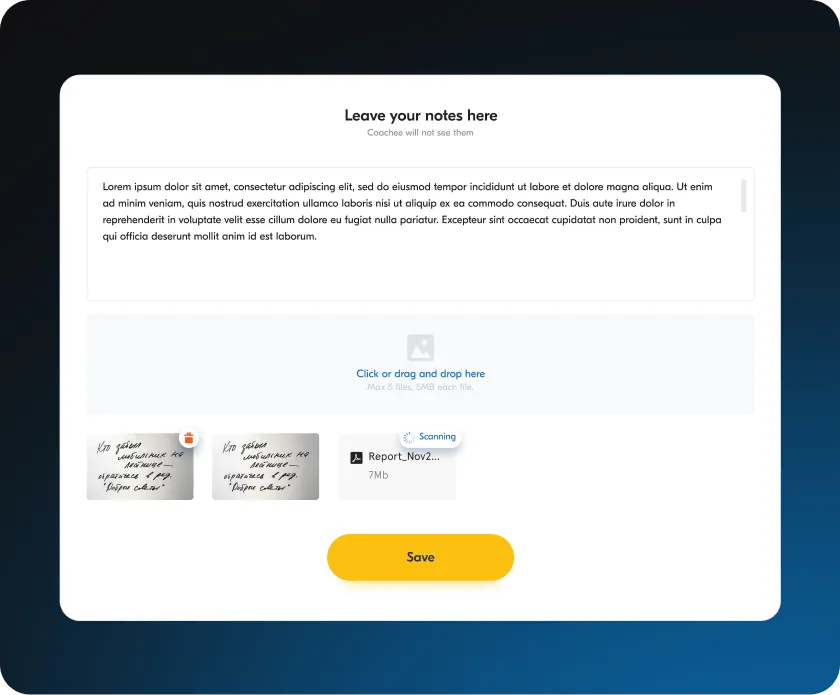
Stay Organized with Meeting Notes
Take notes during sessions, which Career Point stores securely in the system. Great for tracking progress or preparing homework!
User interface for leaving notes with a text box containing placeholder text, an area for drag-and-drop file uploads showing two handwritten images and one scanning PDF file, and a yellow Save button.
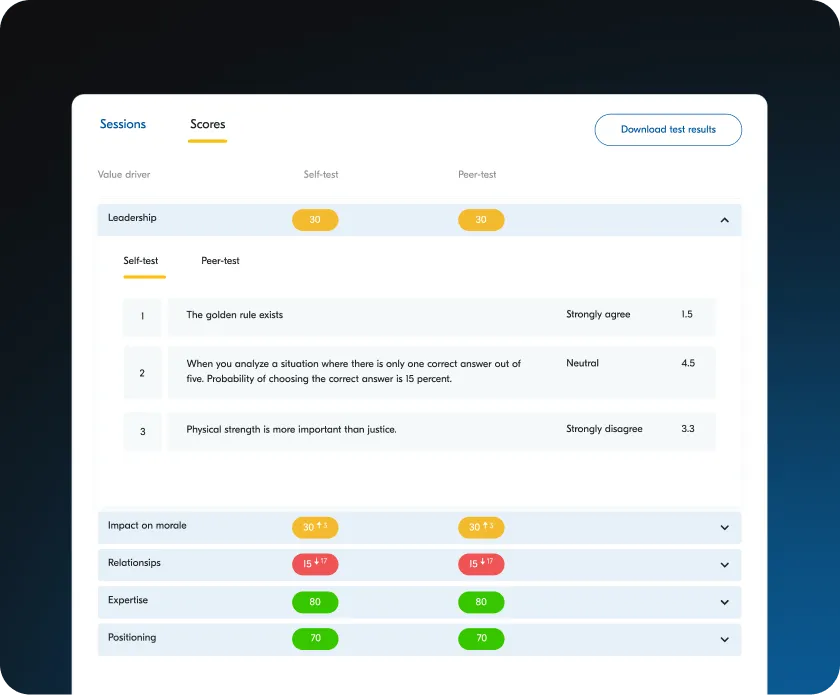
Dashboard showing leadership scores with self-test and peer-test comparisons on statements about the golden rule, analysis probabilities, and physical strength, along with scores for impact on morale, relationships, expertise, and positioning.

Monitor Student Progress

View student test results directly on their profile, enabling you to tailor sessions for their specific needs.
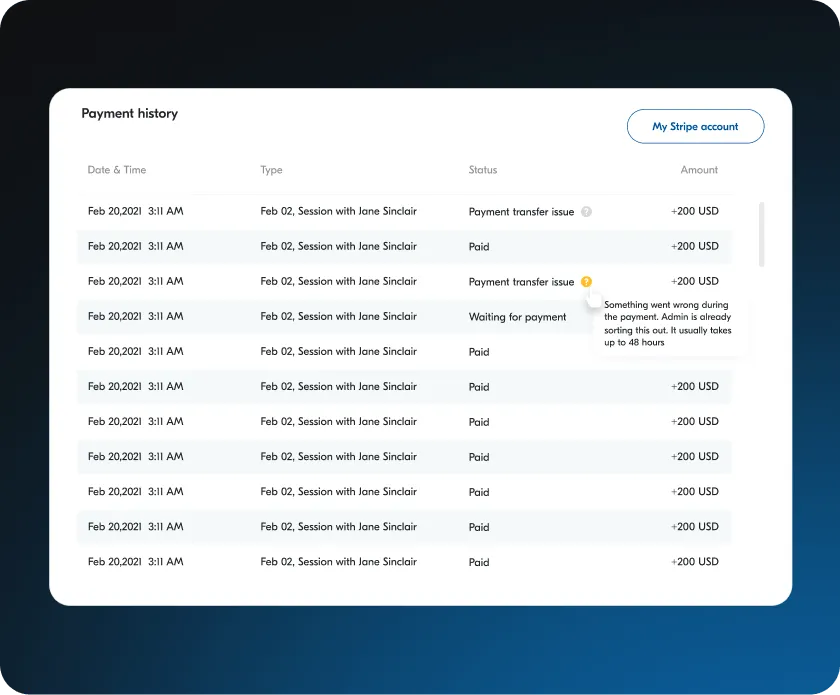
Streamlined Payments via Stripe
Connect to Stripe for secure, hassle-free payments directly to a bank account.
Payment history table showing multiple transactions dated Feb 20, 2021, for sessions with Jane Sinclair, with statuses including Paid, Payment transfer issue, and Waiting for payment, and amounts of +200 USD each.
Laptop screen displaying CareerPoint platform with approval message, thumbs-up icons, and a skills checklist.

For Trainees: Clear Path to Success

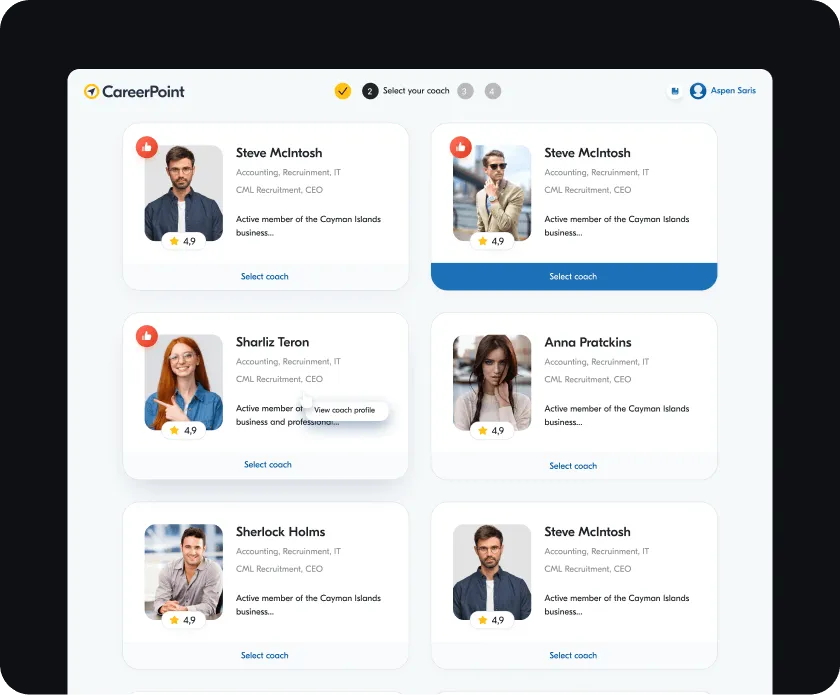
User interface for selecting a coach on CareerPoint, featuring profiles of six coaches with photos, ratings, specialties, brief descriptions, and select coach buttons.

Find the Perfect Coach

Browse available coaches with the help of ratings to find the perfect match for specific career goals.
AI-Powered Recommendations
Take the career assessment test to evaluate the current career level. Based on the results, AI offers tailored recommendations for coaches and learning courses to ensure all the career goals are achieved.
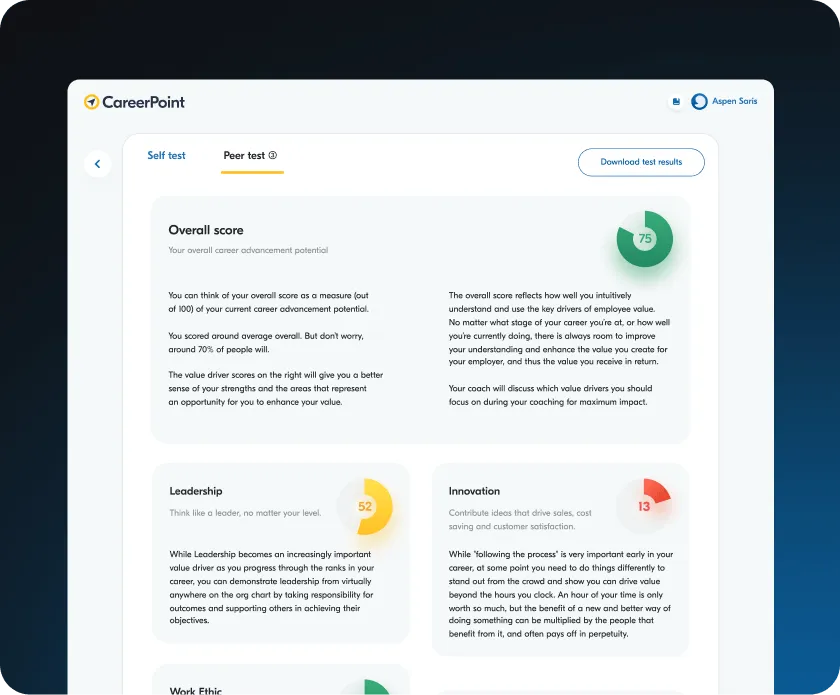
CareerPoint dashboard showing peer test results with an overall score of 75 and value driver scores for Leadership at 52 and Innovation at 13.
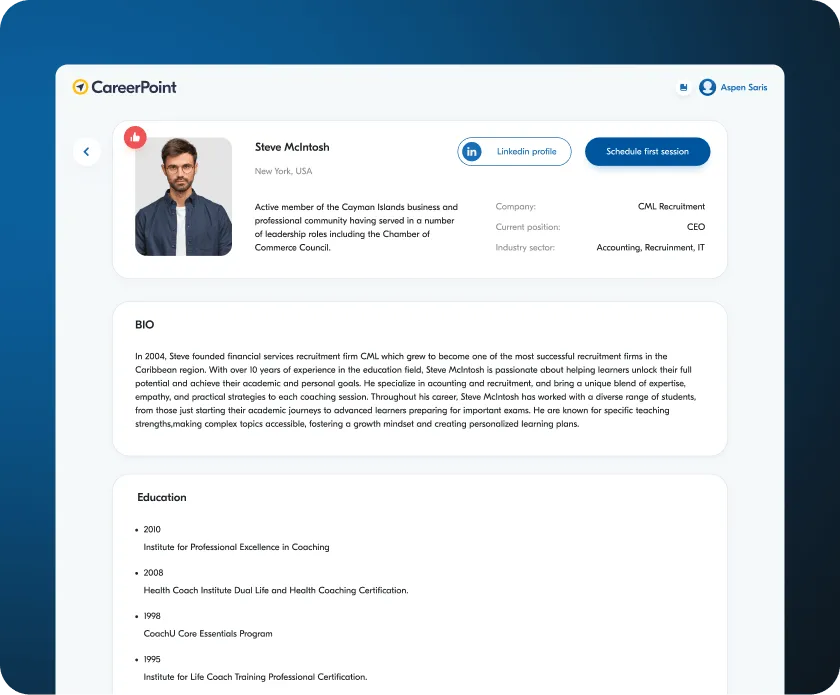
Profile page of Steve McIntosh showing his photo, location New York USA, bio, education details, and buttons for LinkedIn profile and scheduling a first session.

Schedule Your First Session

Visit your chosen coach’s profile, view available times on Calendly, and book a slot for a Zoom session – easy and straightforward!
Hassle-Free Payment Options
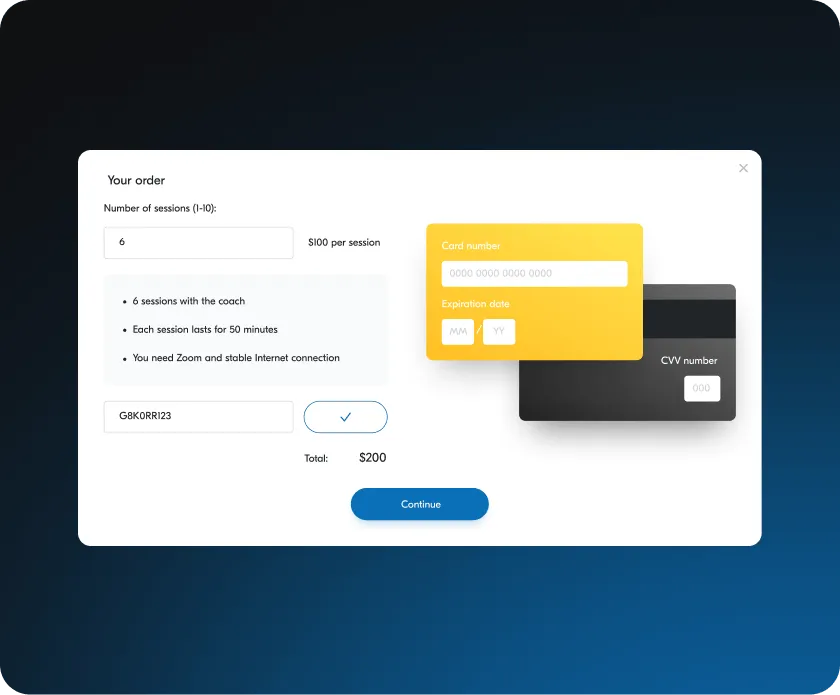
Choose from convenient payment options: bank cards or vouchers. Vouchers can be assigned by admins, giving free or discounted sessions.
Online order form for booking six coaching sessions at $100 each, showing total $200 and input fields for promo code, card number, expiration date, and CVV, with a Continue button.
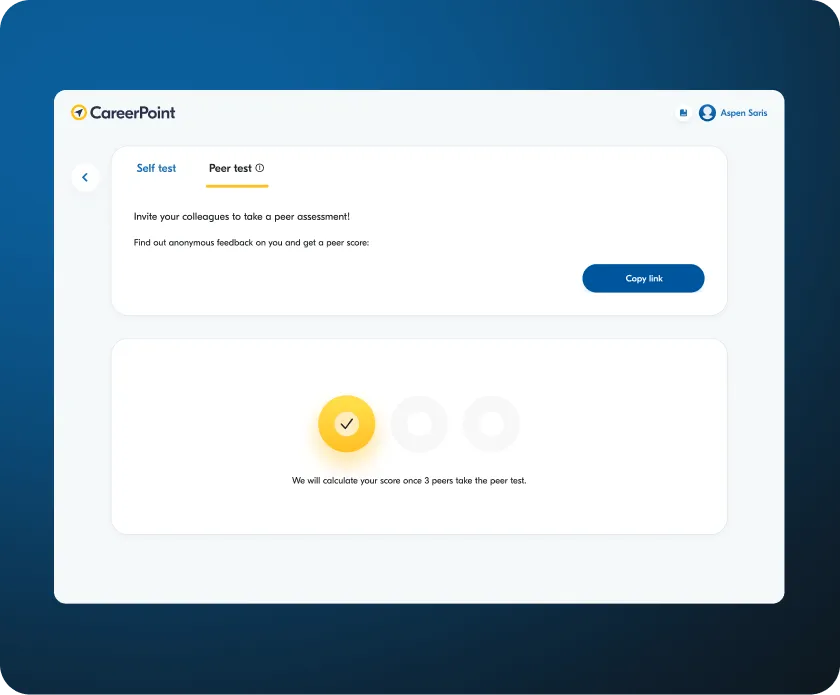
CareerPoint peer test interface inviting colleagues for anonymous peer assessment with a button to copy link and progress circles indicating one of three peers completed.

Gain Valuable Feedback with Anonymous Questionnaires

Request honest feedback with Career Point’s unique anonymous questionnaires. Send them to friends or colleagues for real insights. Results are anonymized for privacy and appear only when a minimum of three respondents complete it.
Laptop displaying CareerPoint dashboard with session scheduling, peer assessment invitation, overall score chart, and coach profile.

For Admins: Streamlined Management

Manage Coaches and Trainees
Edit and delete users as needed, maintaining a professional, active user base.
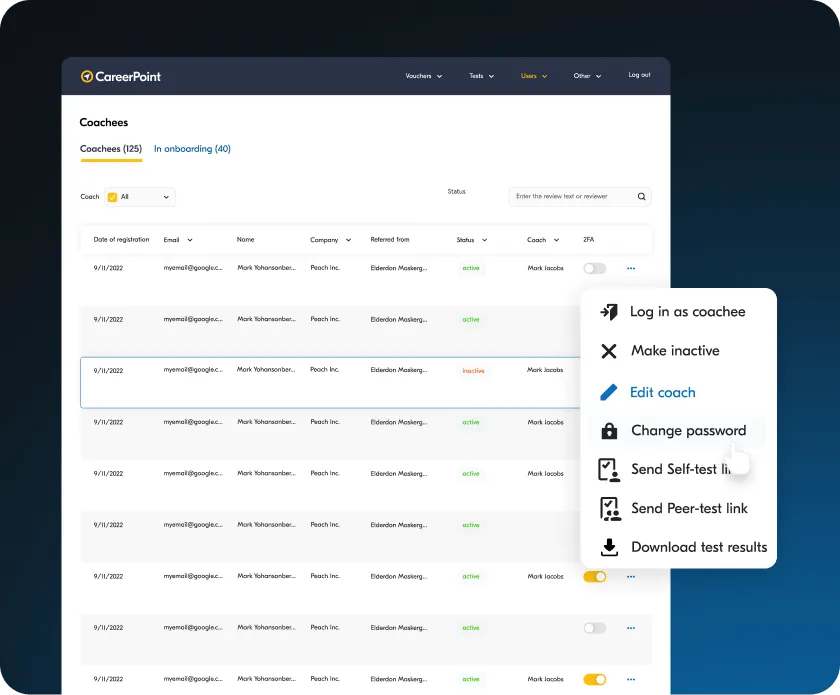
CareerPoint dashboard showing a list of 125 coachees with details including date of registration, email, name, company, referral source, status, coach, and two-factor authentication toggles, with a menu open for options like log in as coachee, make inactive, edit coach, change password, send test links, and download test results.
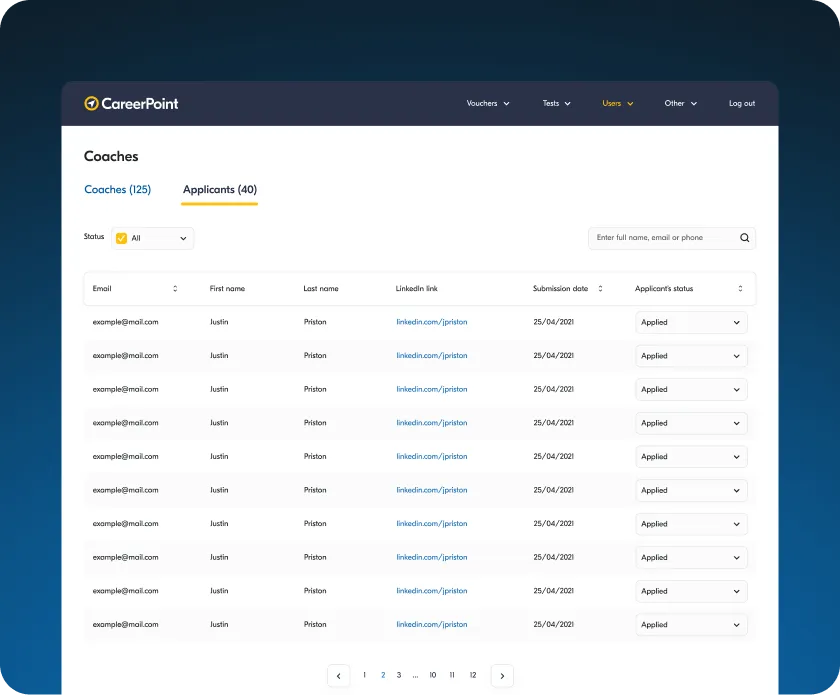
Dashboard screen of CareerPoint showing a list of coach applicants with columns for email, first name, last name, LinkedIn link, submission date, and applicant status, with pagination at the bottom.

Create and Approve Coach Profiles

Create profiles for promising coaches, who then complete their information to join the platform.
Customize Tests for Trainees
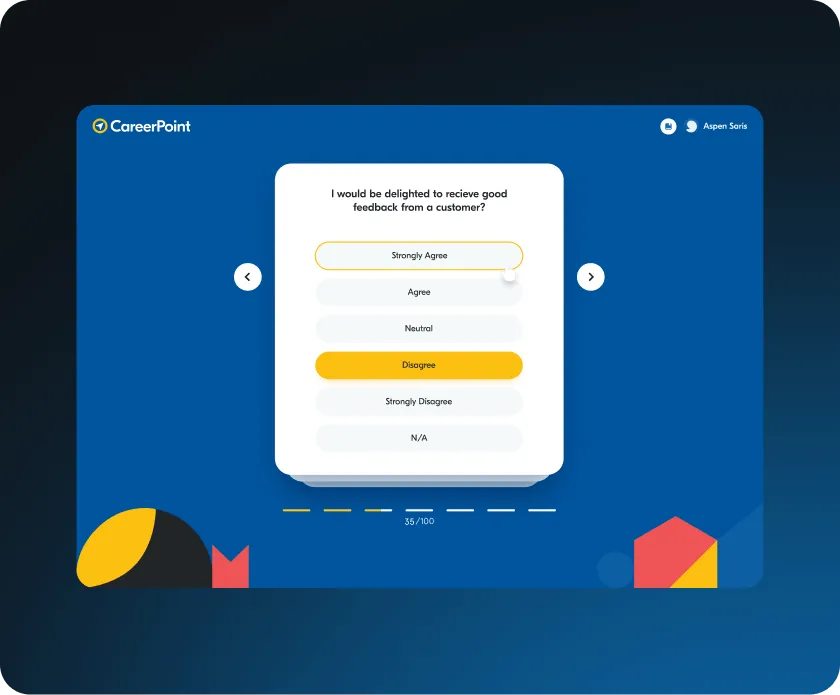
Create tests that trainees can share with others for anonymous feedback, adding a unique dimension to self-improvement.
CareerPoint survey screen showing a question about receiving good feedback from customers with multiple choice answers, 'Disagree' is selected.
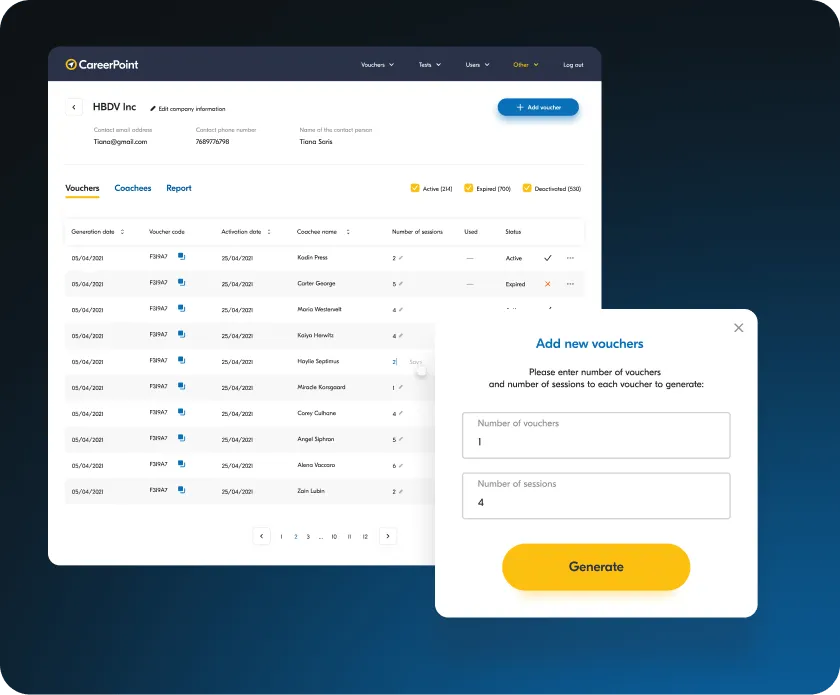
CareerPoint dashboard displaying voucher assignment with a list of coachees, their session numbers, status, and a popup to add new vouchers with fields for number of vouchers and sessions.

Assign Vouchers for Free or Discounted Sessions

Admins can assign vouchers for discounted or free lessons, helping new trainees or just providing a boost to those who need it.
Enable Free Coaching Opportunities
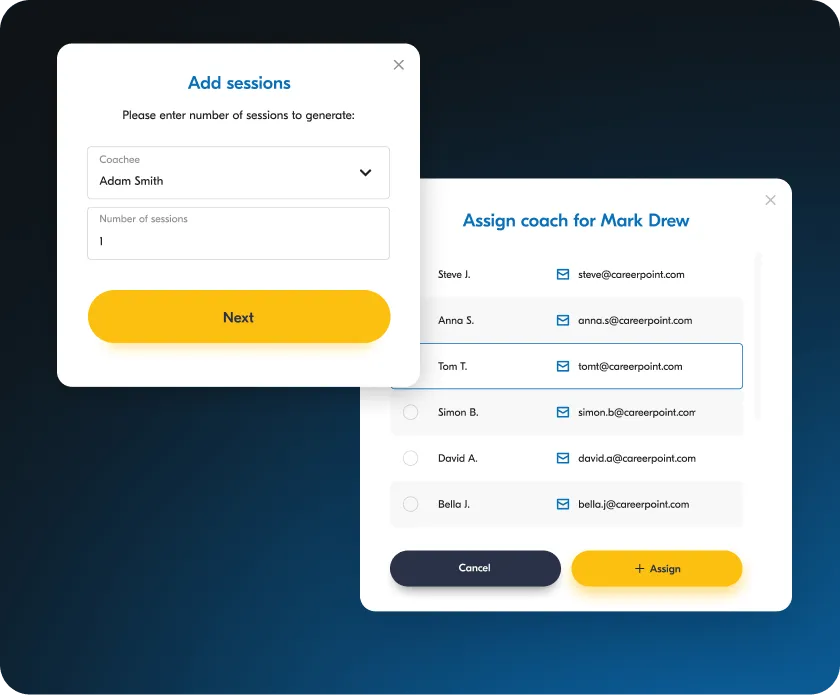
Support trainees who need additional guidance by designating sessions as free, giving coachees valuable access to knowledge and giving coaches an opportunity to share their skills.
Two overlapping dialog boxes on a dark blue gradient background; the left box titled 'Add sessions' with fields for selecting a coachee named Adam Smith and entering the number of sessions with a yellow 'Next' button, the right box titled 'Assign coach for Mark Drew' listing coaches with email addresses and radio buttons, including Tom T. selected, plus 'Cancel' and '+ Assign' buttons.
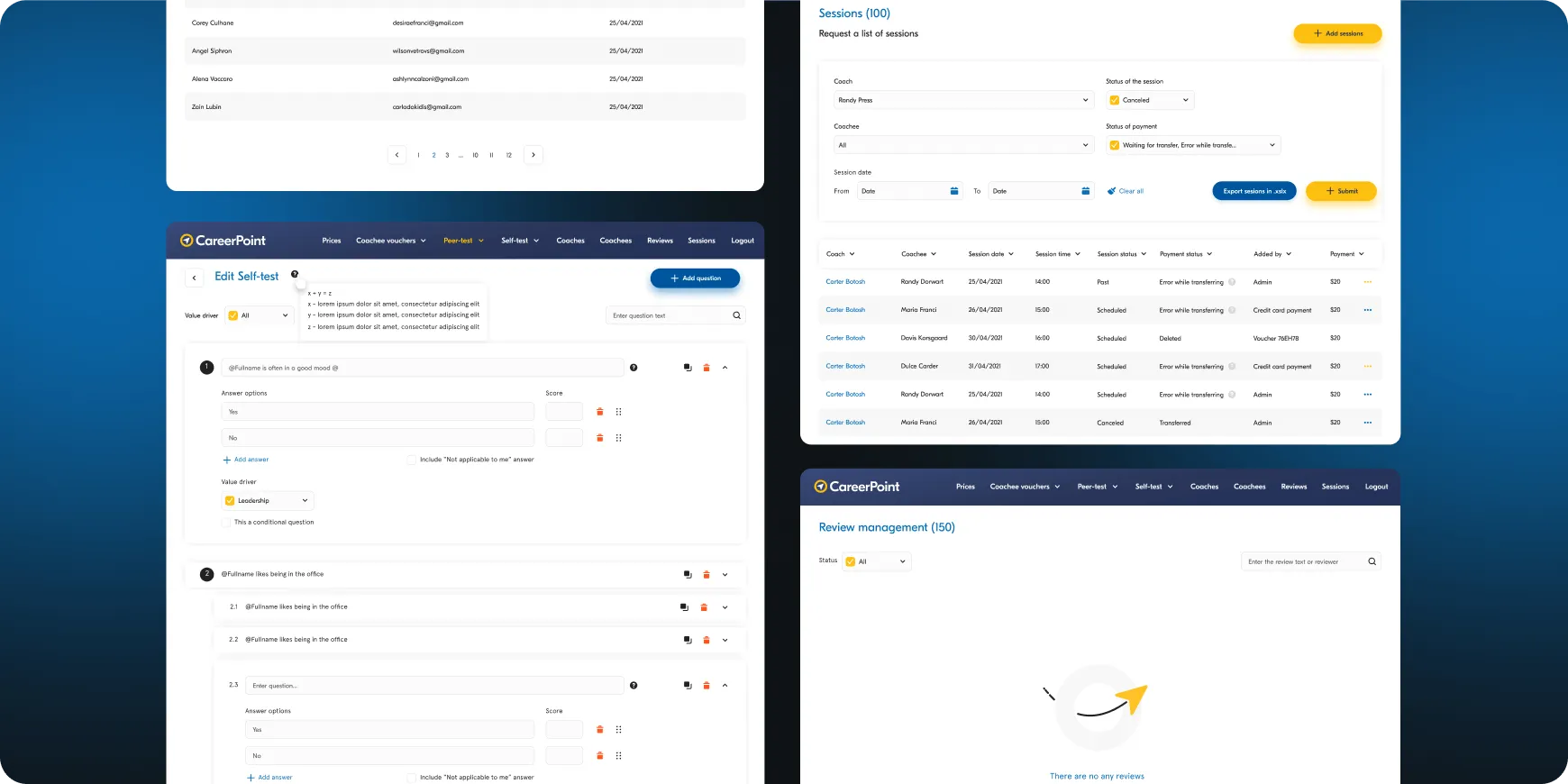
CareerPoint dashboard showing self-test editing, session list with filters, and review management with no reviews.
Describe your project and we will get in touch
Enter your message
Enter your email
Enter your name

By submitting data in this form, you agree with the Personal Data Processing Policy.

Thumb up emoji
Your message has been sent successfully
We will contact you soon
Message not sent. Please try again.