
Competish × Fora Soft

Weight loss competition app where friends put money in a pool and the winners take prizes

Published: Nov 24, 2026
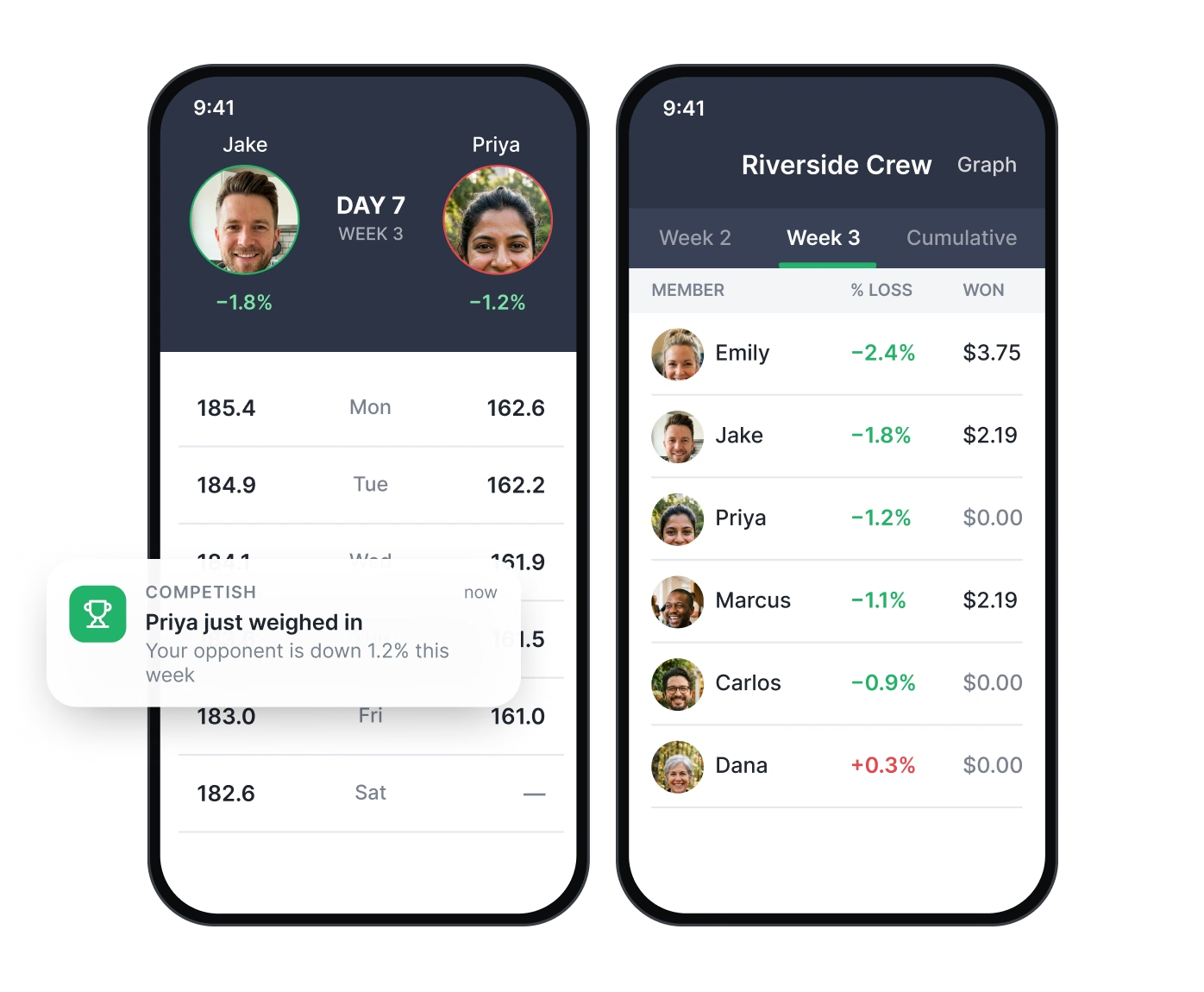
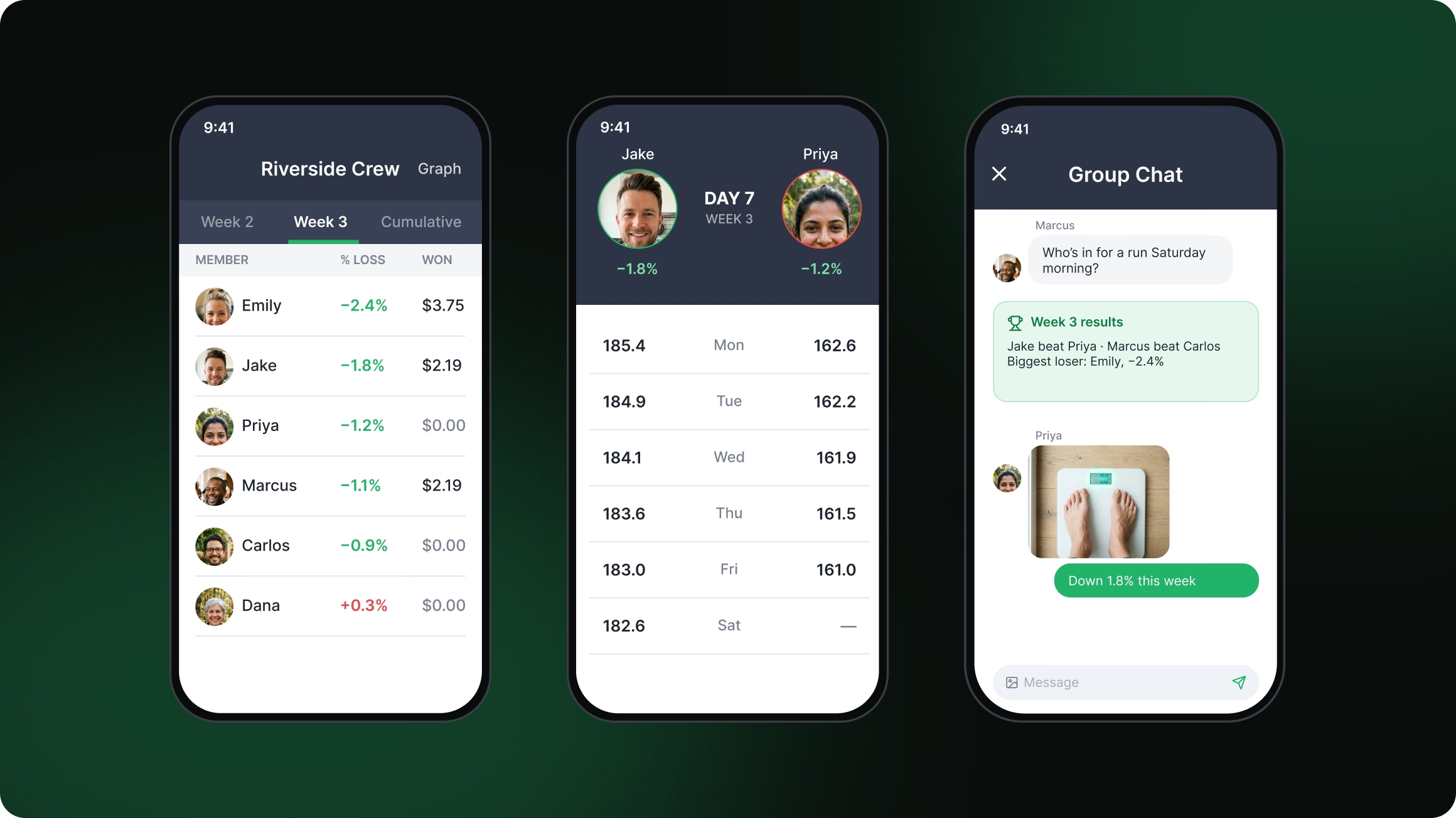
Competish day 7 matchup and weekly leaderboard
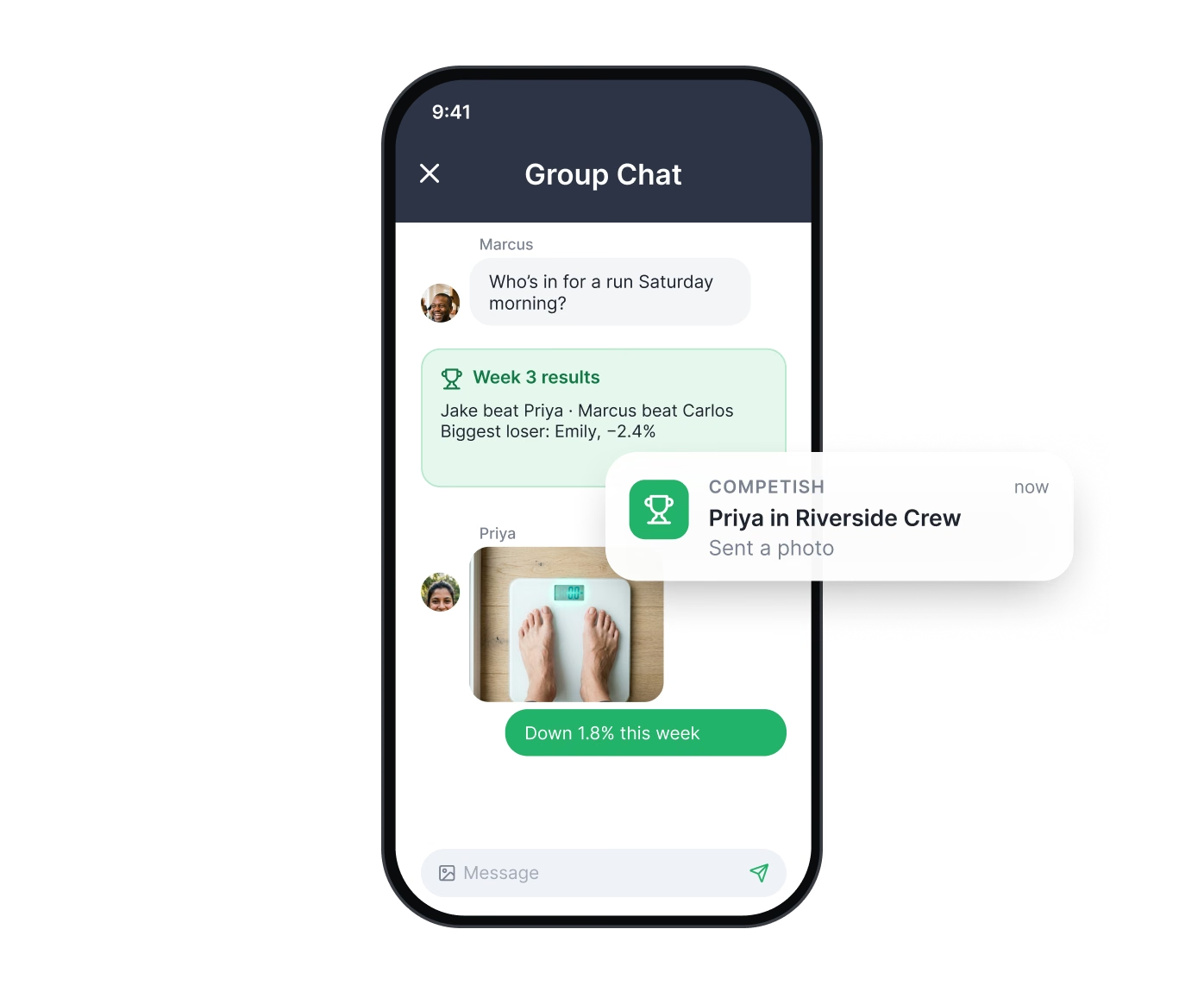
Competish group chat with weekly results
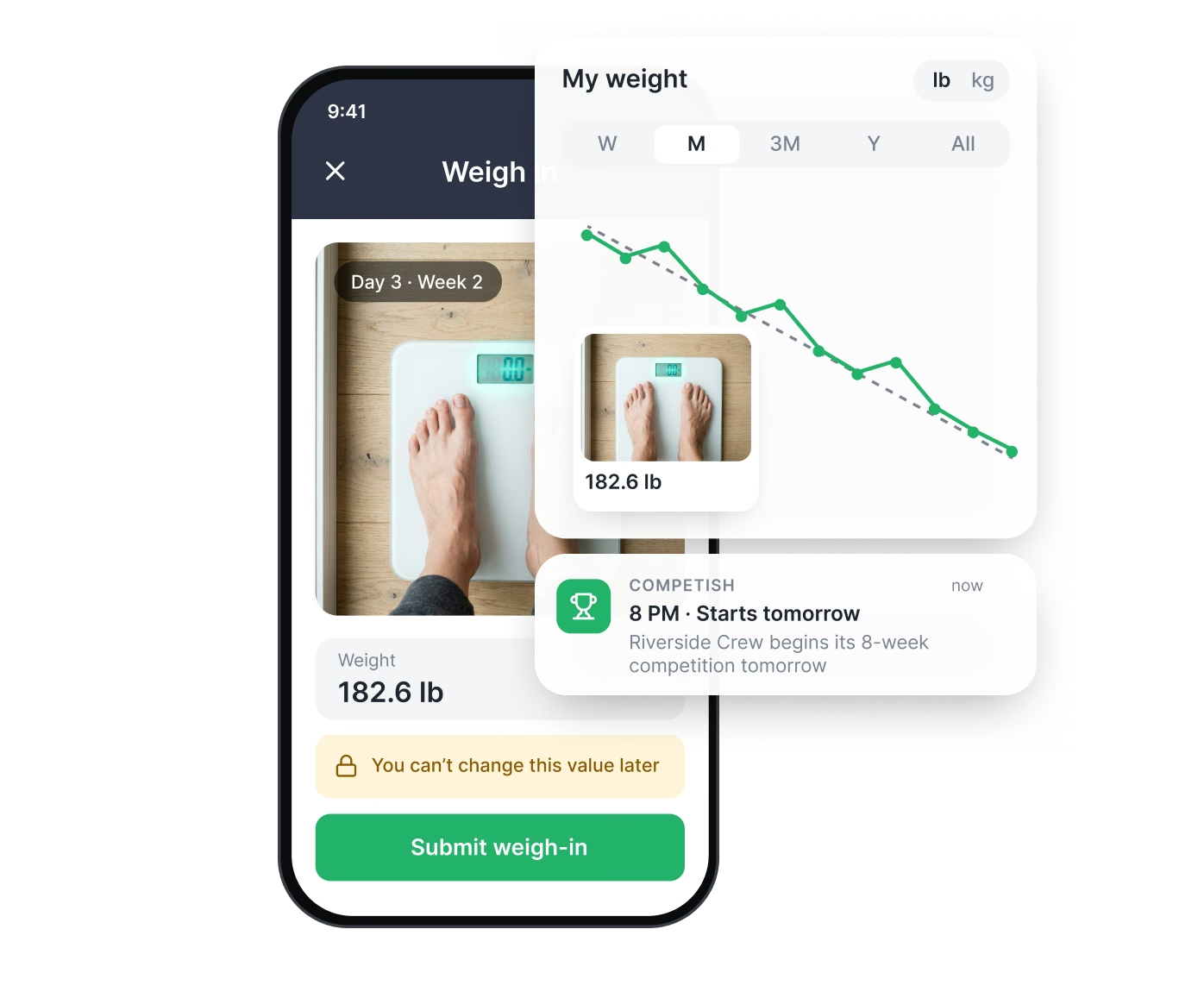
Weigh-in screen with a weight chart and a competition start notification
Competish is a weight loss competition app with financial motivation. Friends, families and co-workers form a group, set the competition parameters (start date, duration, entry fee) and compete to achieve the best results. Winners take prizes from the pool. The client came to us with a working app, and we updated and improved it. We rebuilt the group chat, added ad-free subscriptions, moved photos to cloud storage and reworked the server logic that runs the competitions. This case covers the iOS app and the server side.
The founder describes the product as a mashup of weight loss competitions and fantasy football. The app has 10,000+ downloads on Google Play and is free, with ads and in-app purchases. The app itself does not move money: the group's admin collects the entry fees directly, and the app works out who has won how much.
Competish: leaderboard, matchup and group chat
The system works like this: the iOS app handles weigh-ins, the leaderboard, charts and the chat; a competition server stores groups, weigh-ins and winnings and runs the scheduled jobs; a separate chat service delivers messages, stores photos and sends chat notifications.
How Competish works: the iOS app, the competition server and the chat service
The hardest part of the platform is that winnings depend on time. Each group lives by its own local calendar, while its members may be anywhere and the server keeps one clock for all groups. A weigh-in counted toward the wrong day, or a weekly result calculated an hour early, could change who wins that week's prize.
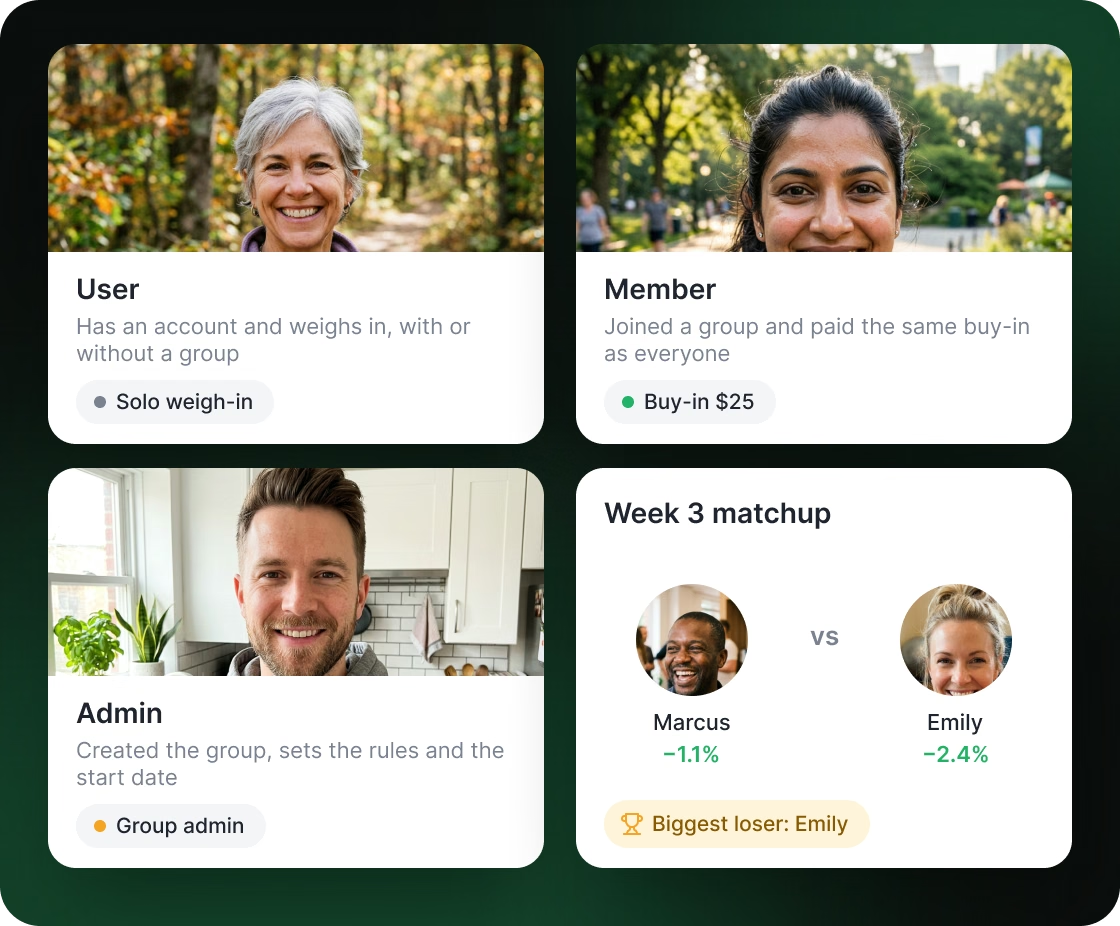
Who uses Competish: user, member, admin and a weekly matchup

Who uses the platform

  • A user is anyone with an account, with or without a group.
  • A member is a user who has joined a group. A group runs one competition of 4 to 12 weeks, and every member contributes the same entry fee, called the buy-in. The buy-ins together make the pool.
  • The admin is the member who created the group. The admin sets the rules, schedules or cancels the competition, removes members and collects the buy-ins outside the app.
  • A matchup is a weekly pair of two members, and each is the other's opponent.
  • The week's biggest loser is the member who loses the largest share of body weight in the group that week.

Highlights

  • Linked weigh-ins, reminders and weekly results to each group's local time.
  • Reworked the competition bookkeeping on the server: weekly matchups, the prize table, weekly and final results.
  • Replaced the group chat with our own chat service that also posts the competition's results.
  • Added ad-free subscriptions on iOS, with receipts checked on the server and each purchase tied to one account.
  • Switched photo storage from the database to Amazon S3 and automated the cleanup of abandoned photos.
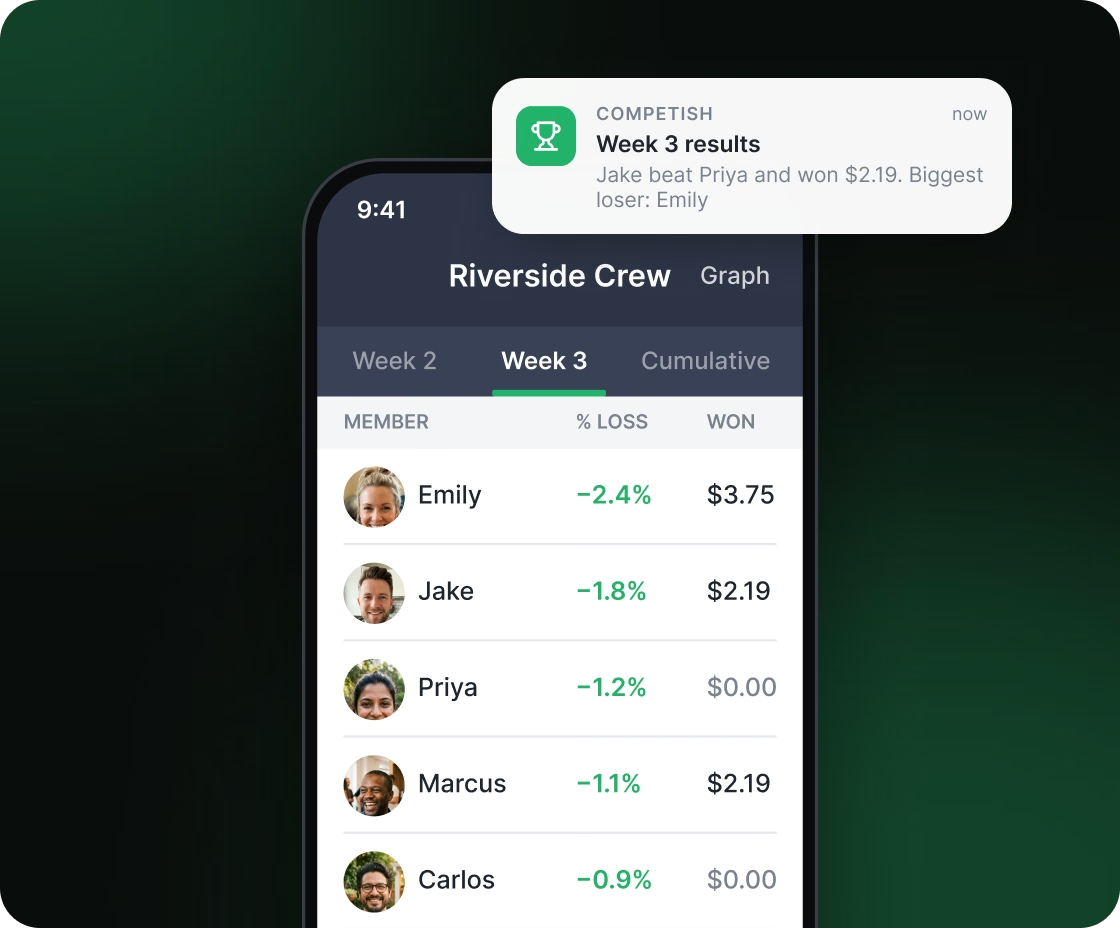
Week 3 results notification and the group leaderboard
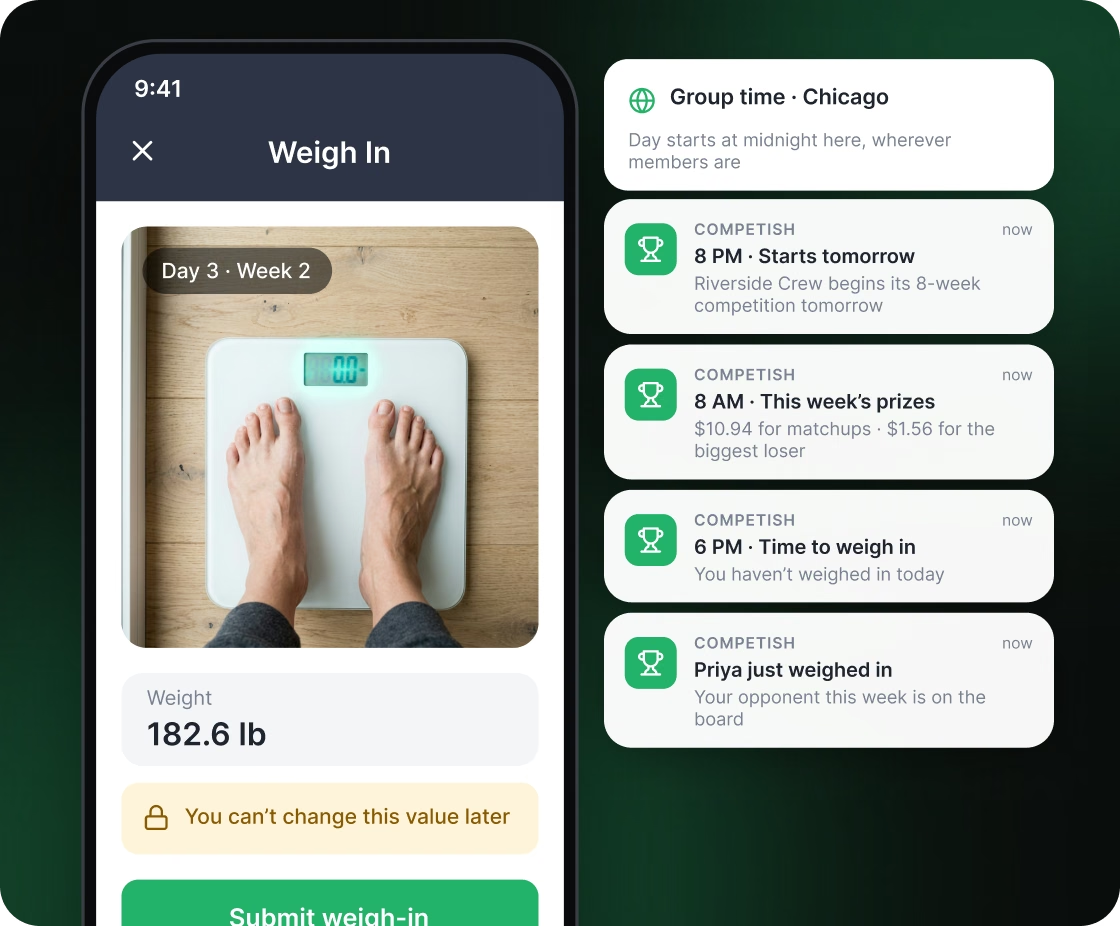
Photo weigh-in with notifications sent by group time

Weigh-ins and reminders that follow local time

Daily weigh-ins via photo submission are the core of the game, so the competition server, not the phone, decides which day a weigh-in counts toward.

  • The server works out the competition week and day from the group's time zone and start date. A new day starts at midnight in the group's time zone, wherever the member is.
  • A member photographs the scale with the in-app camera and enters the weight. The server accepts one weigh-in per member per day, and the app tells the member the value cannot be changed later.
  • Results are compared as a percentage of body weight. Each week's progress is measured against the weight the member ended the previous week with, and in the first week against the first weigh-in of the competition.
  • A user without an active competition can still weigh in for themselves and replace that day's value and photo.

Notifications are sent by the group's clock as well. Scheduled jobs run every ten minutes and look for the groups where it is the right hour:

  • 8 PM on the evening before the start: the group is told that the competition starts tomorrow.
  • 8 AM on the first day of each week: the group gets that week's prize amounts.
  • 6 PM each day: a reminder goes only to the members who have not weighed in that day.

Two other jobs complete the set: one stops the daily reminders once the competition has ended, and one invites users without a group to join one on Saturdays.

Some notifications are triggered by a weigh-in. When a member weighs in, their opponent gets a push notification about it. After a user's first photo weigh-in, they get a push notification asking them to review the app.

Matchups and prize calculation

Once the admin picks a start date, the competition server does the bookkeeping that a group would otherwise keep in a spreadsheet.

At the start of a competition the server creates the matchups for all weeks at once, rotating members so that they meet different opponents, and builds the prize table from the pool. We set this up as scheduled tasks that are stored on the server, so the start does not depend on the server being up at that exact minute. A task is created when the admin schedules the competition, runs when its time comes and is then marked as finished, and finished tasks are skipped on later runs. A separate job checks that each competition that has not started yet has its tasks and recreates a missing one. Cancelling a competition removes its pending tasks.

Over the whole competition, part of the pool is shared across the weekly matchups and a smaller part across the weekly biggest losers. At the end, the largest share goes to the competition winner and a smaller one to the runner-up.

At 8 AM group time after a week ends, the server settles that week:

  • in each matchup the member who lost the larger share of body weight wins the prize;
  • if both lost exactly the same share, the prize is split in half;
  • a member who did not weigh in that week loses the matchup to an opponent who did;
  • in a group with an odd number of members, one member has no opponent that week, and that matchup's prize is added to the biggest loser's prize.

The server records each prize in the member's winnings and sends the results to the group. The final prizes are recorded eight hours after the competition ends.
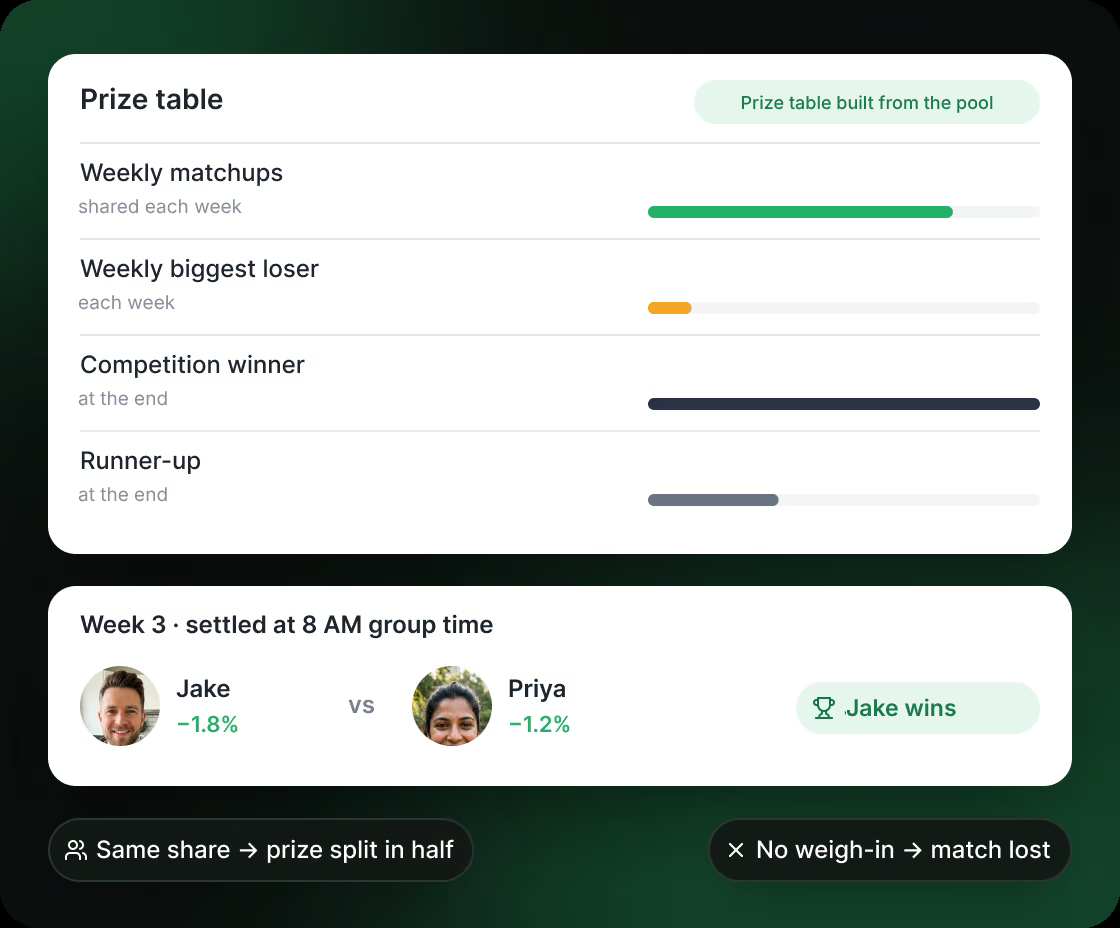
Prize table and a week 3 matchup settled at 8 AM group time
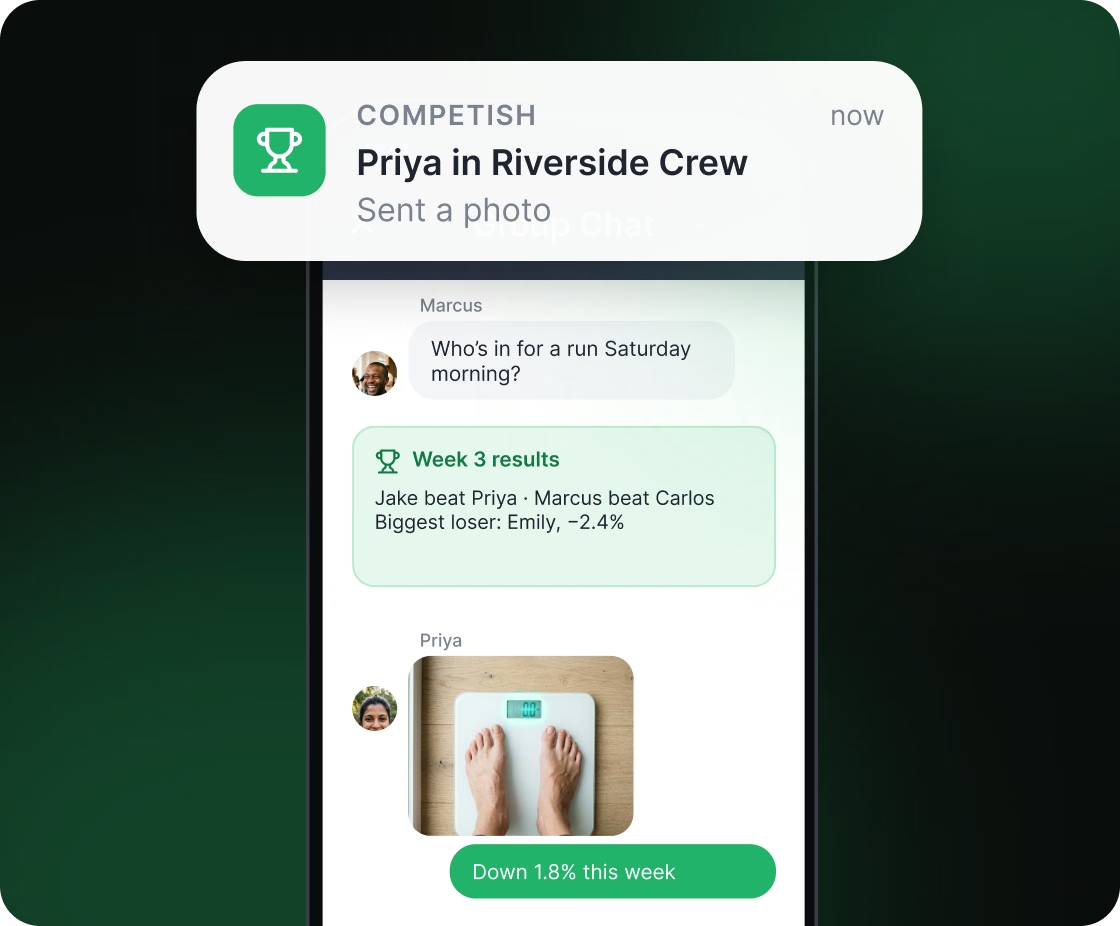
Group chat with photo weigh-ins and automatic weekly results

Group chat with automatic results

Group chat keeps members accountable, and we replaced the old one with our own chat service. The app sends a message to the service, which stores it and delivers it to the members who have the chat open over a persistent connection. Members can post text and photos, the history loads 50 messages at a time, and the other members of the group get a push notification with the sender's name.

The chat also follows the competition. A background job picks up the result announcements the competition server has sent out and posts them to the group's chat as system messages: the matchup winners, the week's biggest loser and the competition winner. Members can find the results in the chat even if they missed the notification. The chat also reports when someone joins, leaves or is removed, when the competition is scheduled, and when the admin cancels it. A cancellation goes out both as a chat message and as a push notification.

The chat service keeps its own database of groups, members and messages. The competition server tells it when a group is created and when a member joins or leaves, and scripts that run at startup brought the groups and members that already existed into the chat.

Ad-free subscriptions with server-side checks

The app is free and shows full-screen ads through Google AdMob after a weigh-in and at launch. We added ad-free subscriptions for 4, 8 or 12 weeks on iOS. They do not renew automatically.

  • The app sends the App Store receipt to the competition server and completes the purchase only after the server accepts it.
  • The competition server checks the receipt with Apple, works out when the subscription ends and stores the purchase.
  • If someone tries to use the same purchase on another account, the competition server rejects it, while the original buyer can restore it.
  • Receipts from test builds are checked against Apple's sandbox automatically.

While a subscription is active, the app does not load ads, and the account screen shows the date the ad-free period ends. Google Play purchases from the Android app are acknowledged on the server side through Google's API.
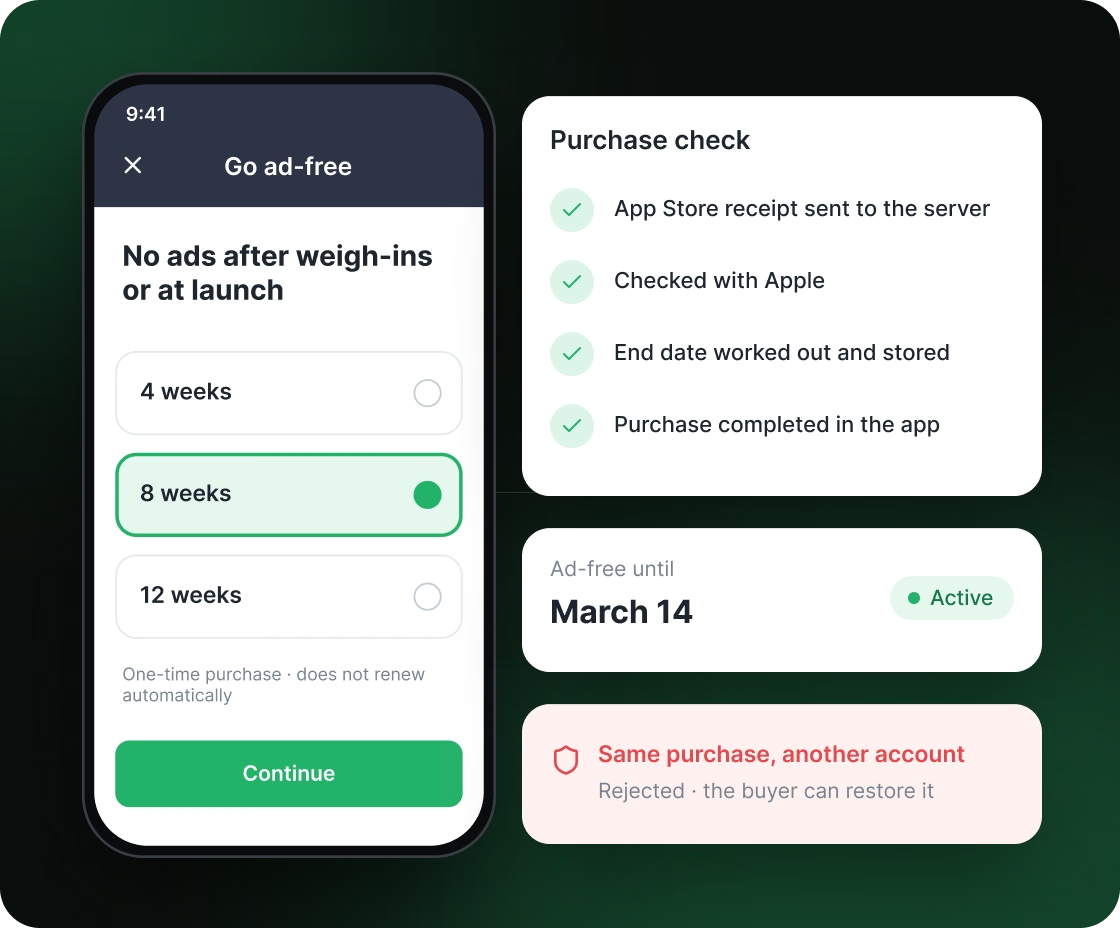
Ad-free subscription purchase with a server-side receipt check
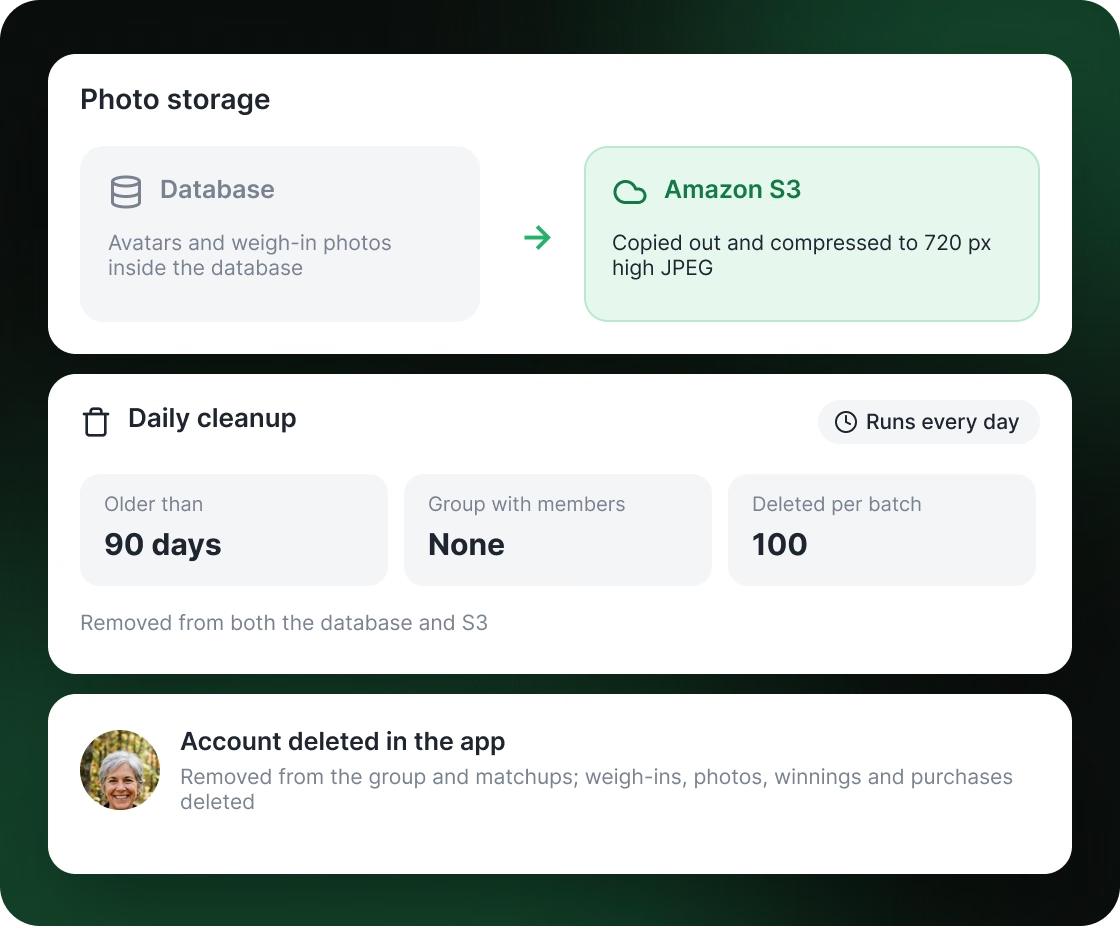
Photo storage moved to Amazon S3 with daily cleanup

Photo storage on Amazon S3

Weigh-in photos and avatars used to live inside the database. We switched photo storage to Amazon S3: a migration script copied each avatar and weigh-in photo out of the database, compressed it to a 720 px high JPEG and uploaded it. New photos, including chat photos, are saved to S3 by the chat service, and each environment has its own bucket. When a user replaces a solo weigh-in photo, the old one is deleted.

Old photos that no group needs are cleaned up without manual work. A daily job finds photos older than 90 days that do not belong to a group with members and deletes them from both the database and S3 in batches of 100. When a user deletes their account in the app, the competition server removes them from their group and matchups and deletes their weigh-ins, photos, winnings records and purchases.

Groups, invites and progress tracking

Group admins set the name, location, buy-in and length, and can choose to hide members' weights so that the group sees only percentages. The location determines the group's time zone. Each group gets a short invite code, which the admin shares from the app so friends can find the group and join.

The leaderboard shows the current week, past weeks and cumulative results with each member's weight loss percentage and winnings. A personal chart shows a user's weight over a week, a month, three months, a year or all time with a trend line, and a competition chart shows each member's progress week by week. Tapping a point on a chart opens the weigh-in photo for that day. Each user chooses whether the app shows weights in pounds or kilograms.
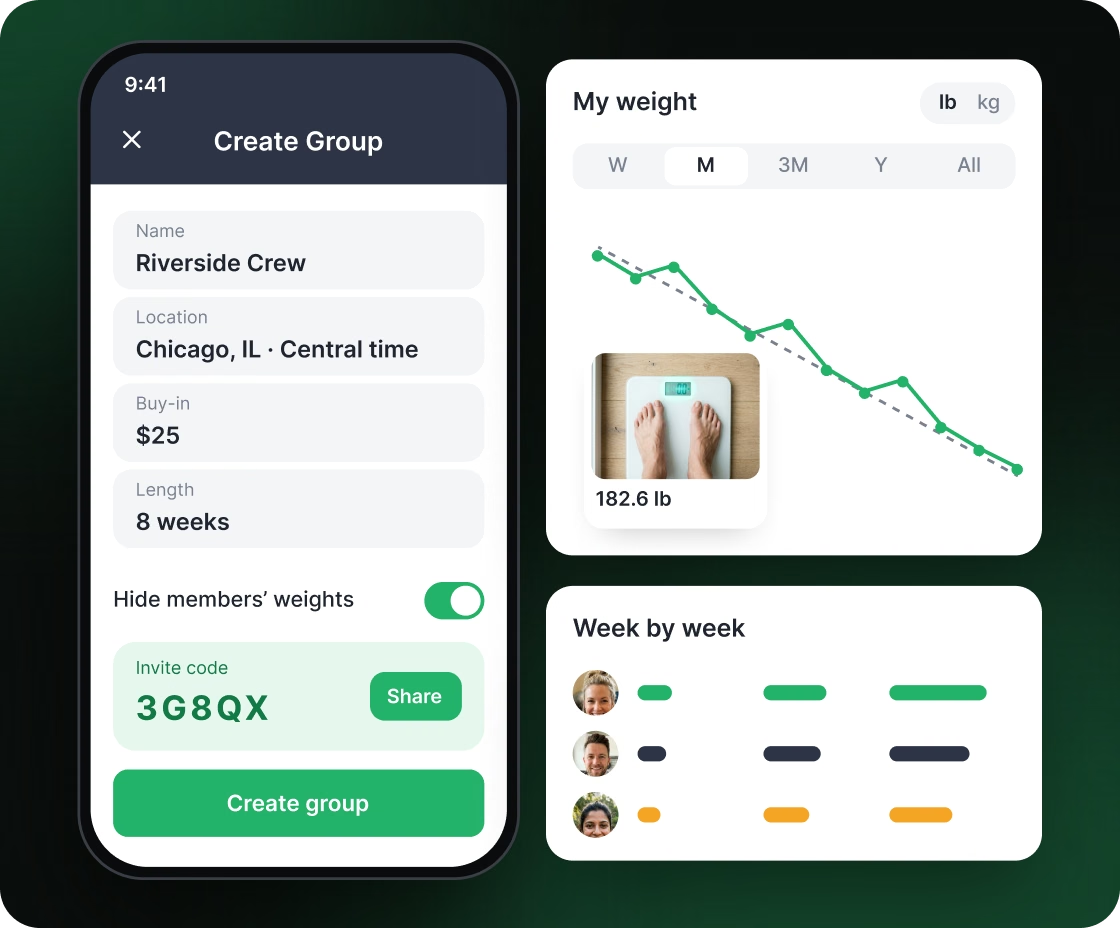
Create group screen with an invite code and weight charts
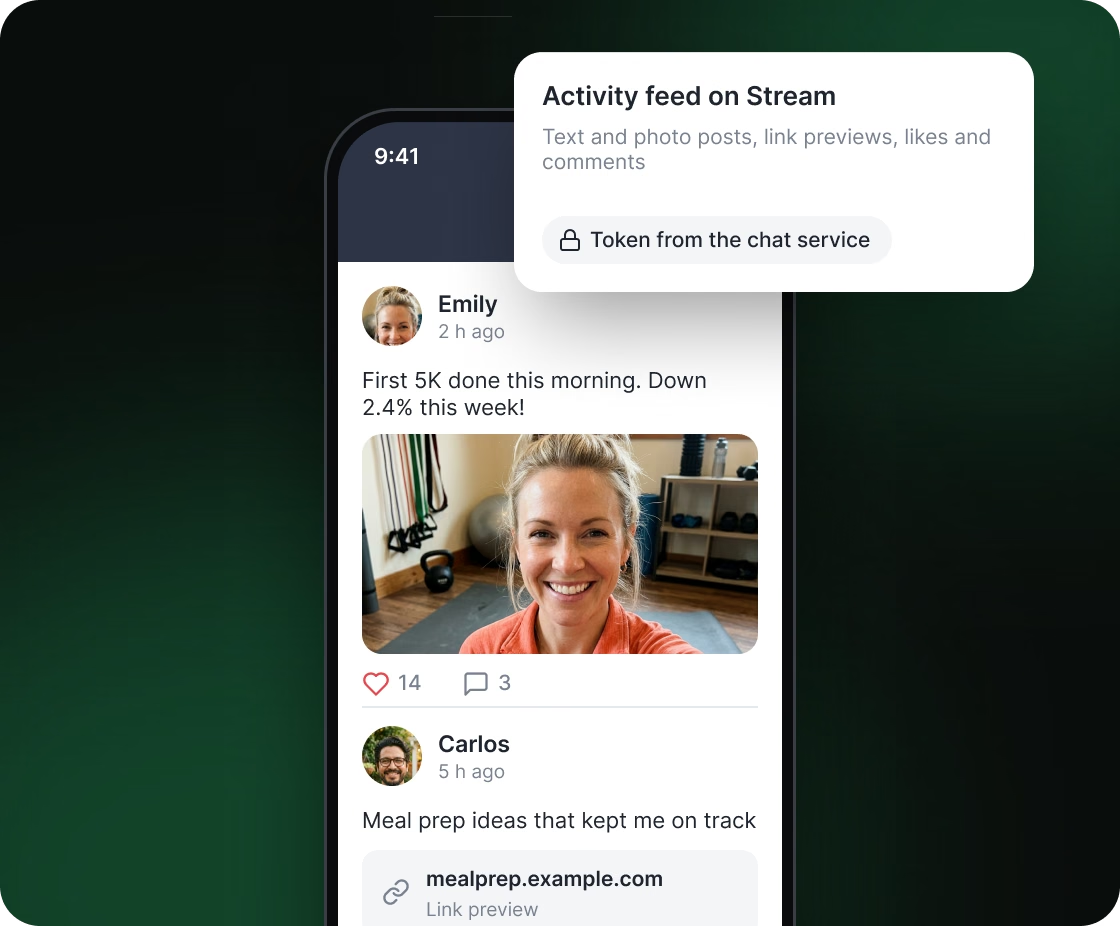
Social activity feed on Stream

Social feed

We built a global activity feed on Stream: text and photo posts with link previews, likes and comments. The chat service issues each user a token, so the app connects to Stream directly. The latest iOS version we worked on ships with the feed switched off.

Server and release setup

We put the backend into Docker and set up GitLab CI. Each of five branches deploys automatically to its own environment (development, test, demo, pre-production or production), each with its own databases and push notification credentials. The chat service's API is described in an OpenAPI document that the service publishes as an interactive reference, and the chat service checks incoming request data against the expected format before processing it.

On iOS, test and demo builds are assembled with one command and sent to testers through App Center. Crash and usage reports from App Center and Firebase show the team how the app behaves on users' phones.
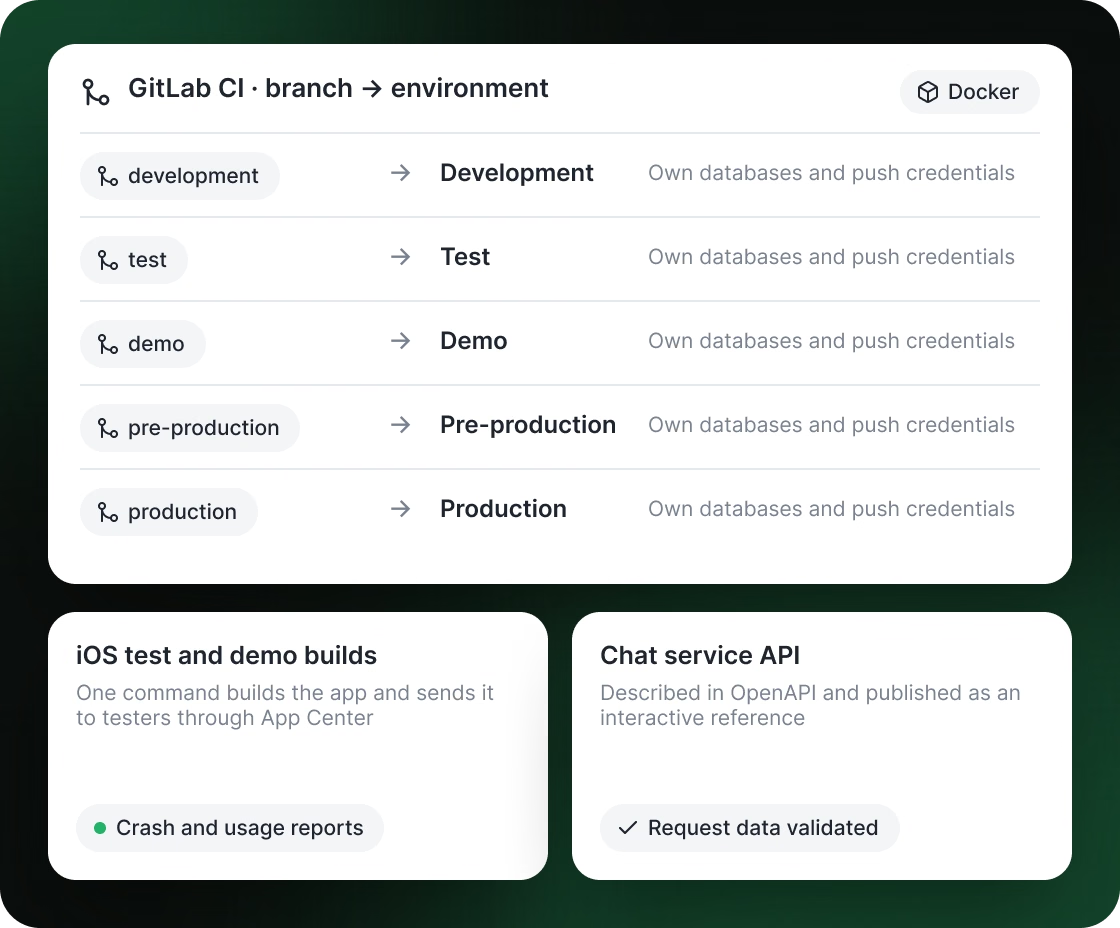
GitLab CI branches deploying to five environments
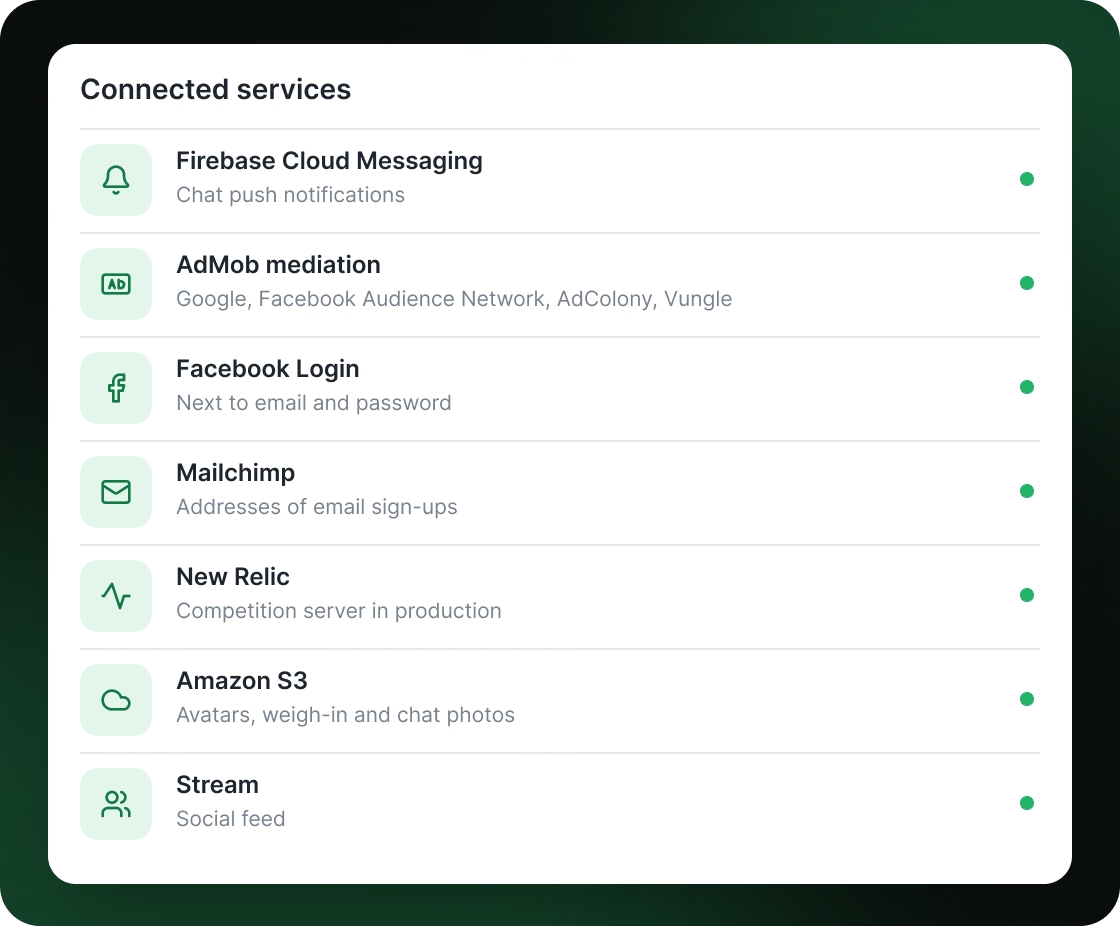
Connected services: Firebase, AdMob, Facebook Login, Mailchimp, New Relic, Amazon S3, Stream

Integrations

  • Firebase Cloud Messaging delivers the chat service's push notifications to members' phones.
  • AdMob mediation serves ads from Facebook Audience Network, AdColony and Vungle alongside Google's own.
  • Facebook Login is offered next to sign-up by email and password.
  • Mailchimp receives the address of each user who signs up by email, for the client's mailing list.
  • New Relic monitors the competition server in production.

Technical Implementation

📱 Platforms
iOS and Android apps (this case covers iOS and the server side)
🍏 iOS
Swift, UIKit, Alamofire, Charts, StoreKit, Google AdMob, Facebook Login, fastlane, App Center
⚙️ Competition server
Parse Server, Node.js, MongoDB, Agenda, Google Play Developer API, New Relic, Mailchimp
💬 Chat service
Node.js, Express, Socket.IO, MySQL, Sequelize, Joi, OpenAPI (Swagger UI), Stream (GetStream)
🔔 Notifications
Firebase Cloud Messaging, Firebase
☁️ Infrastructure
AWS, Amazon S3, Docker, GitLab CI
Competish: group competitions, prize calculation, group chat