
DialRush and Fora Soft logos

A cloud predictive dialer for US outbound call centers

Published: Nov 14, 2026
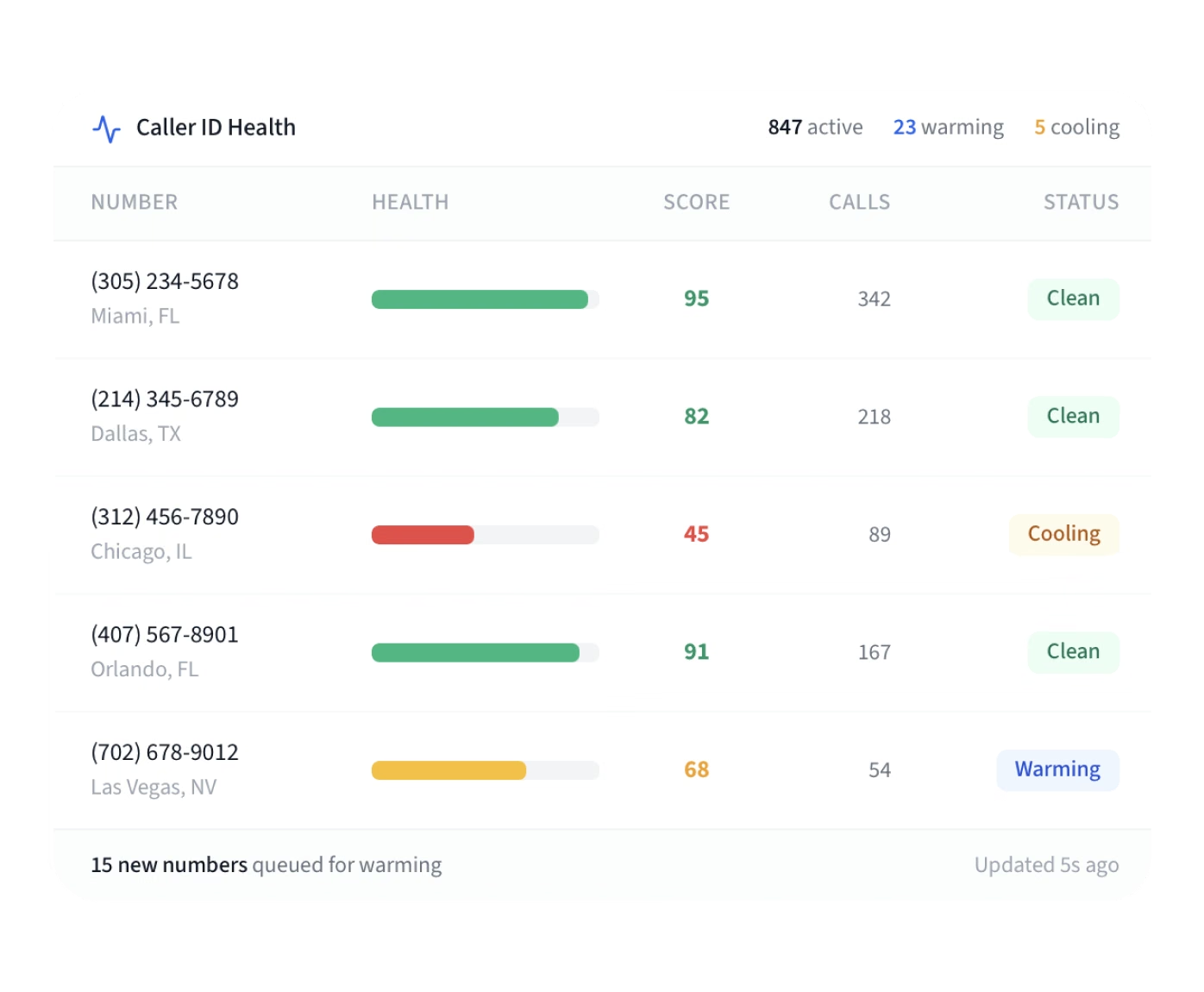
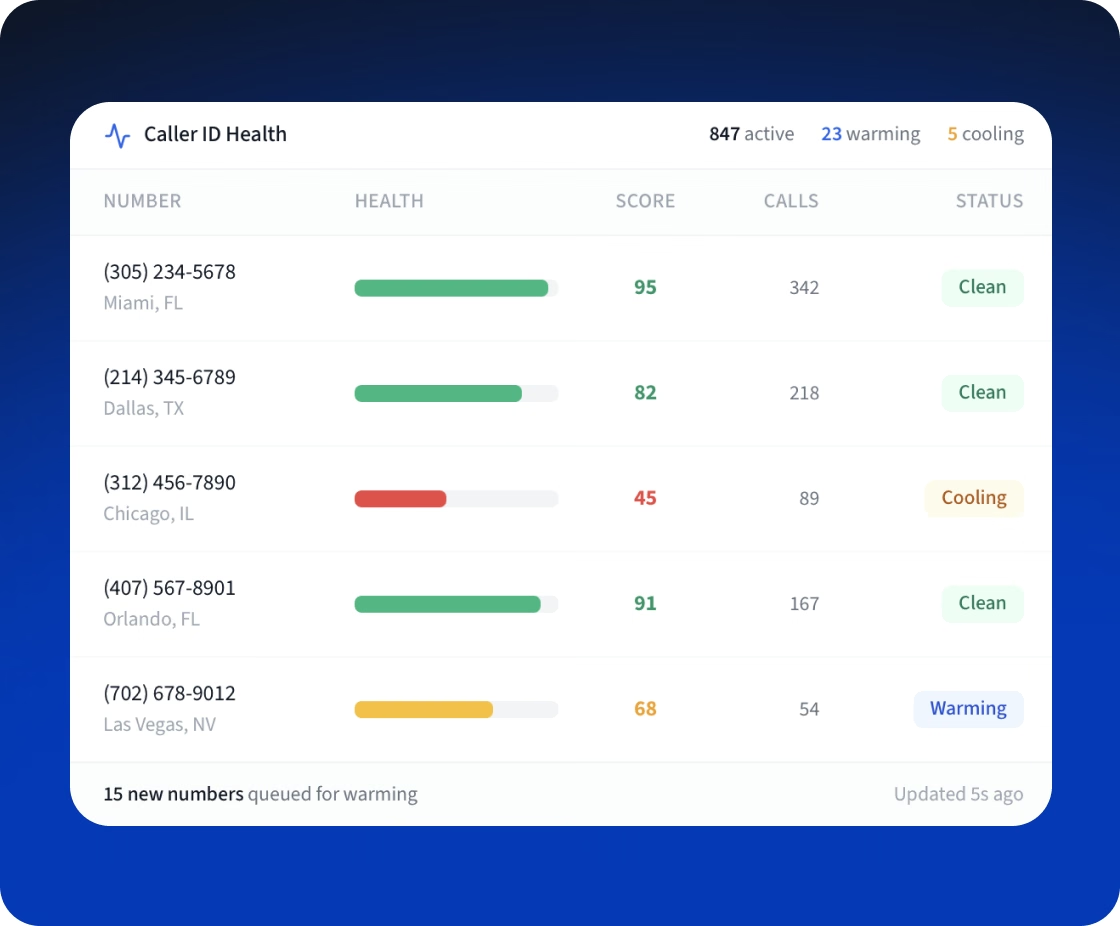
DialRush Caller ID Health table: numbers with health scores, call counts, and Clean, Cooling or Warning status
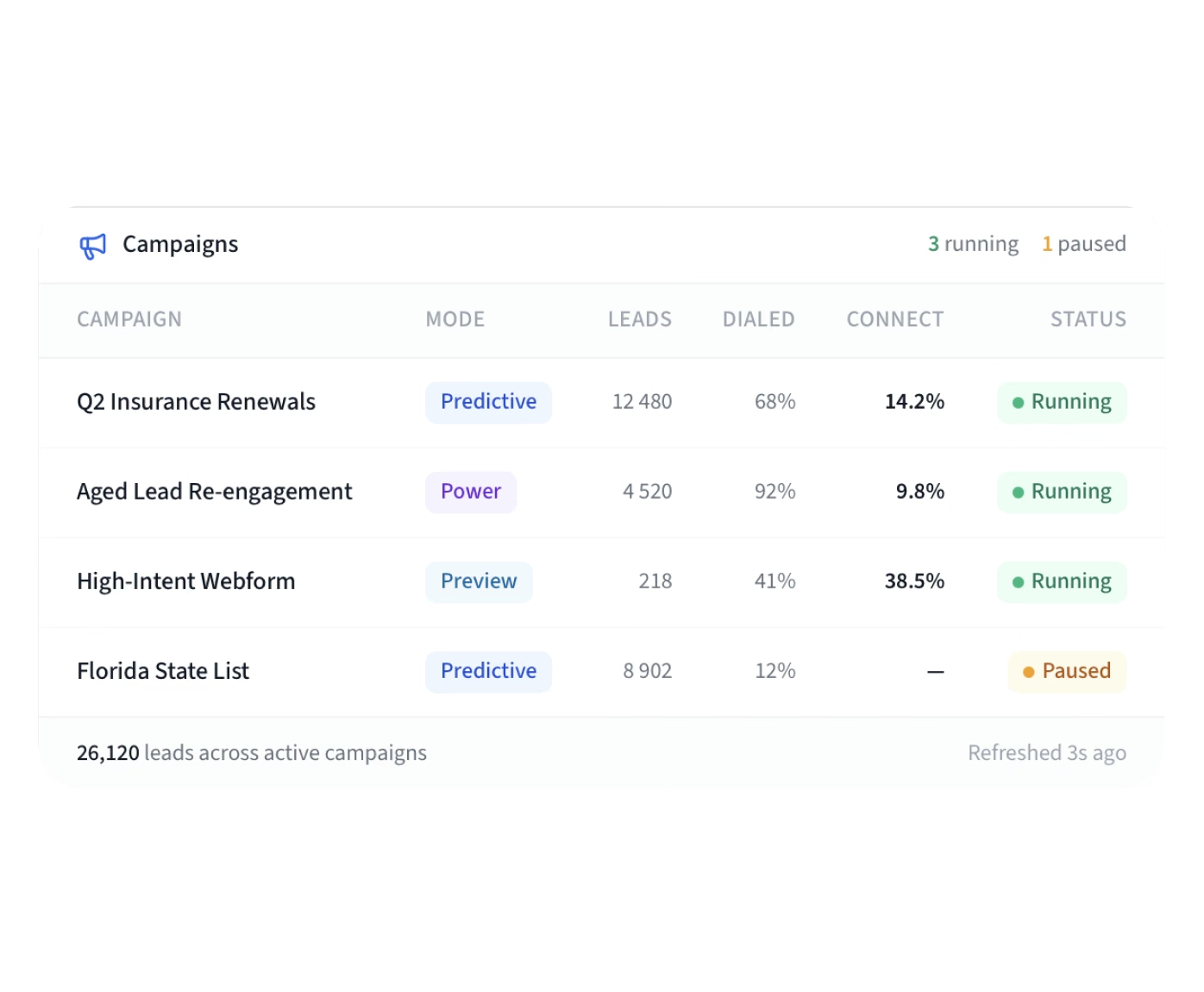
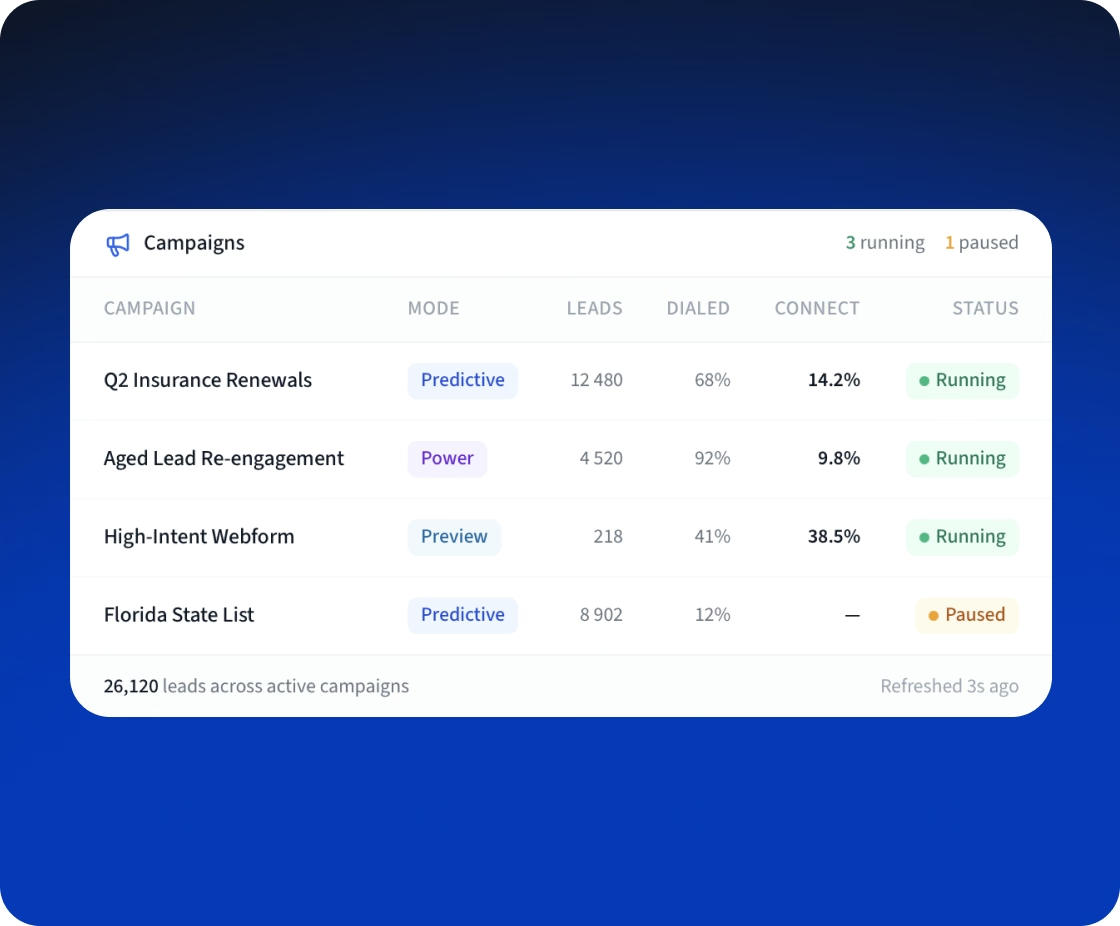
DialRush Campaigns list: predictive, power and preview campaigns with leads, dialed share, connect rate and status
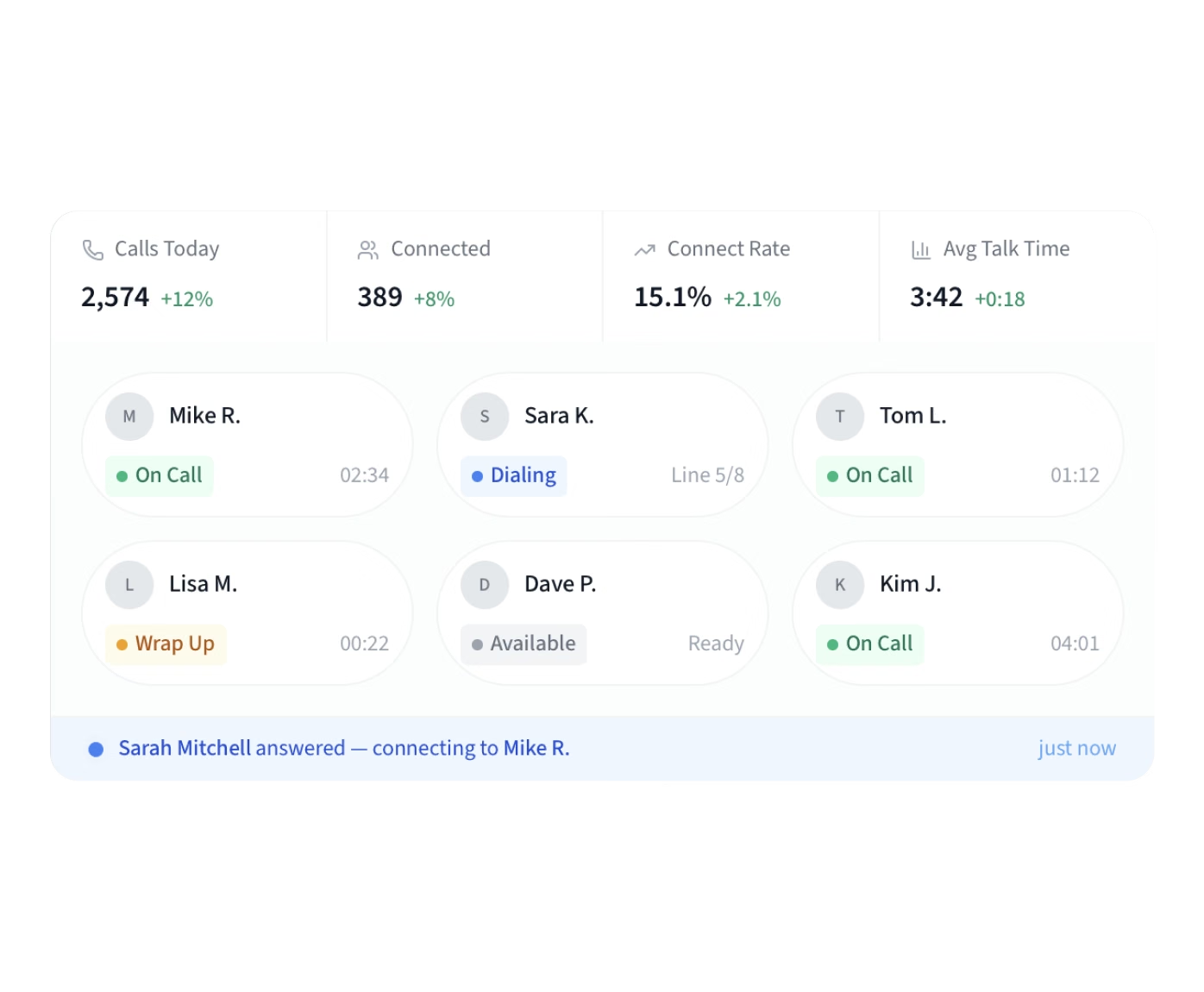
DialRush live floor view: calls today, connect rate, talk time, and agent statuses such as On Call, Dialing and Wrap Up
Fora Soft spent four weeks on software troubleshooting and optimization of DialRush, a live predictive dialer built by another team. We reworked how it counts abandoned calls and decides that an agent is ready, gave small campaigns an answer-rate estimate and built a first pacing controller that targets agent occupancy. The changes were merged into the platform's development branch for the client's next release.
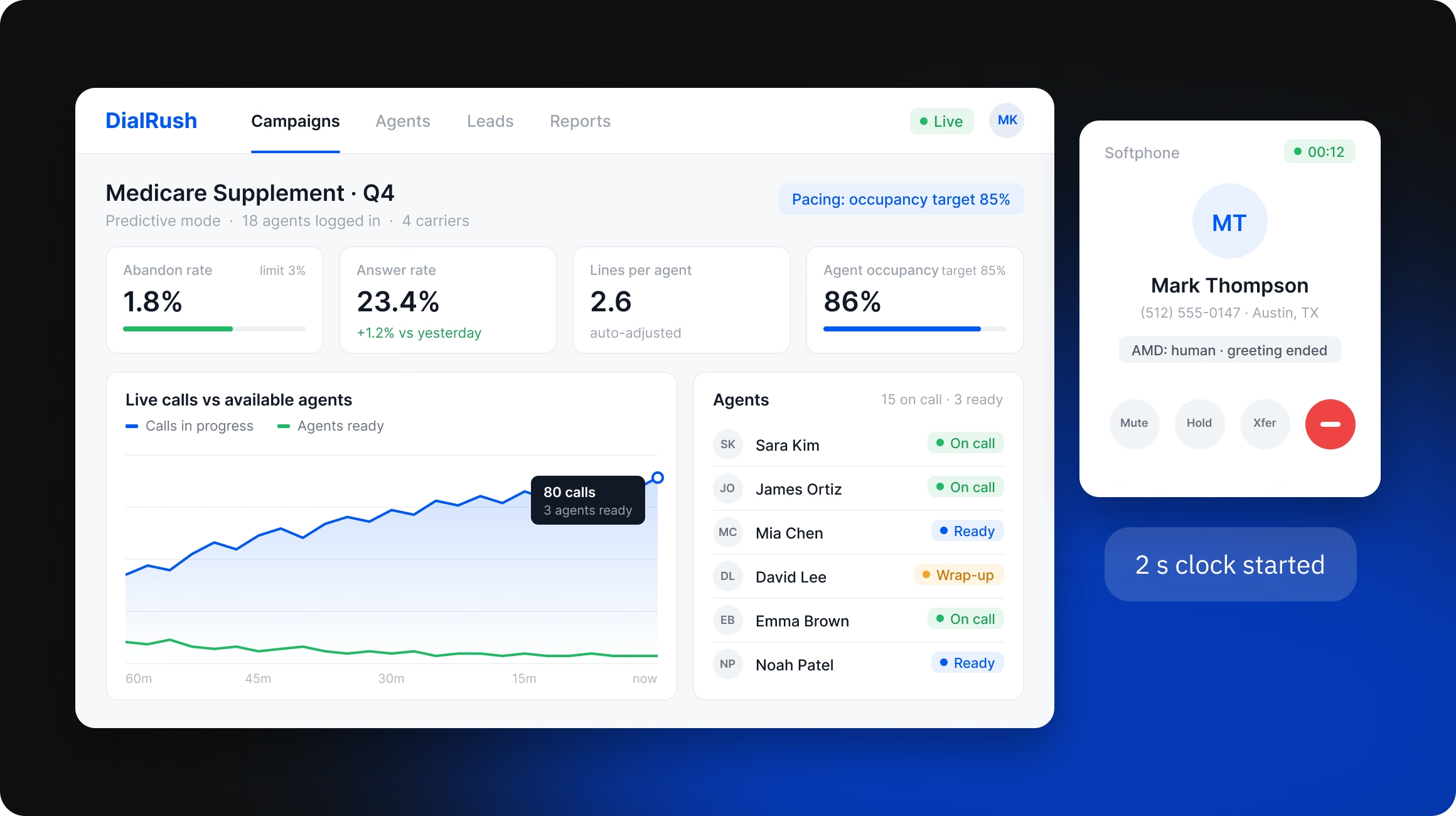
DialRush supervisor dashboard for a Medicare Supplement campaign next to an agent softphone with answering machine detection status
DialRush is a cloud predictive dialer for US outbound call centers, built mainly for insurance agencies. It dials more leads than there are free agents, because most calls go unanswered, and connects the people who answer to agents in a browser. US rules cap abandoned calls, where a person answers and no agent joins, at 3% of live answers per campaign over 30 days. For a call center, the changes come down to three things: abandoned calls are counted by the rule's own definition, small campaigns pace up from their first calls, and calls go only to agents who can take them.
DialRush Caller ID Health table with number health scores and statuses

What we did

The hardest part of the job was that every change to pacing or abandoned-call accounting affects compliance, and a wrong fix could push a campaign over the 3% limit. So we first reconciled production data against call logs without touching the live system and kept a register of the issues we found.

Reproducing the problems before changing a live dialer

The audit found the core of the platform sound, including the model that sizes extra lines and the way agents are reserved for calls, so the dialer needed better measurement and control around them, not a rewrite. Pacing changes were then checked in the load simulator, and releases got a staging copy with a guarded rollback.
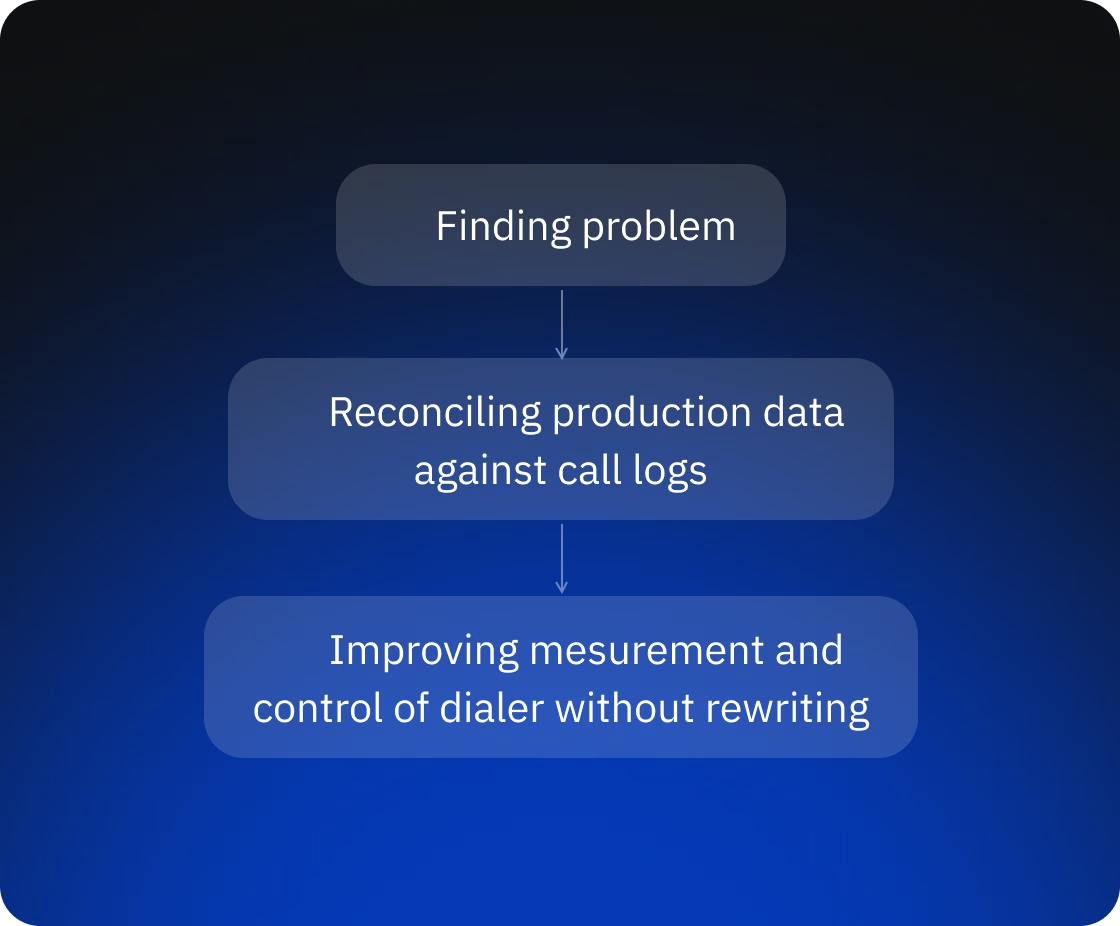
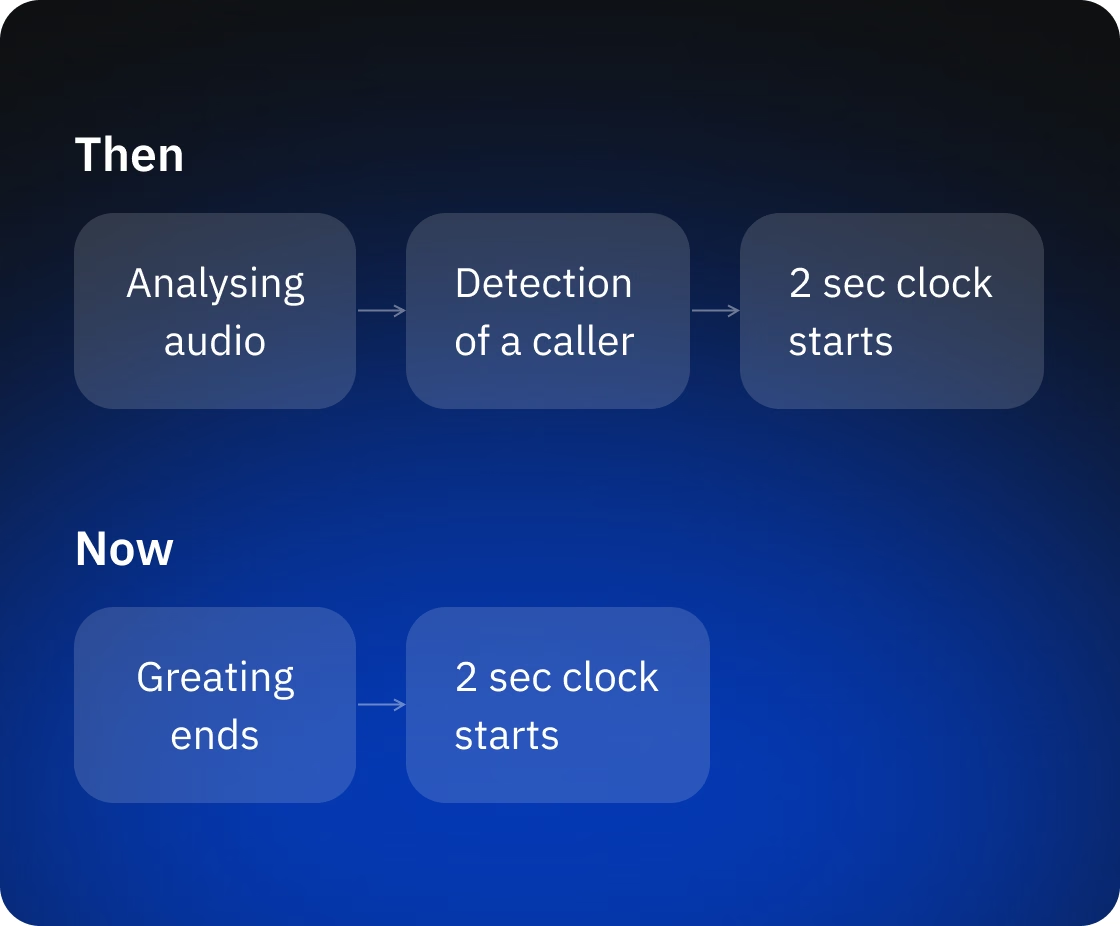
Diagram: finding problems, reconciling production data against call logs, improving measurement and control without a rewrite
Then and now: the two-second abandon clock moved from caller detection to the end of the greeting

One abandon rate, counted the way the rule counts it

The rule starts the two-second clock when the person finishes their greeting, a few seconds before answering machine detection decides that the caller is a person. So the dialer counts from the greeting, as the rule defines, and not from the detection decision.

  • The detection service reports when the greeting ends, and the clock starts there, while an unknown end is never guessed.
  • One abandon-rate calculation feeds every screen, every report and the monitoring metric, with alarms for each organization.
  • Alarms are defined on that same metric for each organization, with a separate alarm for when the metric stops arriving. The client deploys this alarm stack on its own
  • When detection runs out of time, the dialer passes the call to an agent as a person without proof. These unverified calls now have their own count next to the abandon rate
  • An unreadable abandon rate stops predictive dialing and raises an alarm.

Answer-rate estimates for small campaigns

The pacer sets lines per agent from the campaign's answer rate, so a campaign with few completed calls had no estimate of its own and stayed on its starting lines.
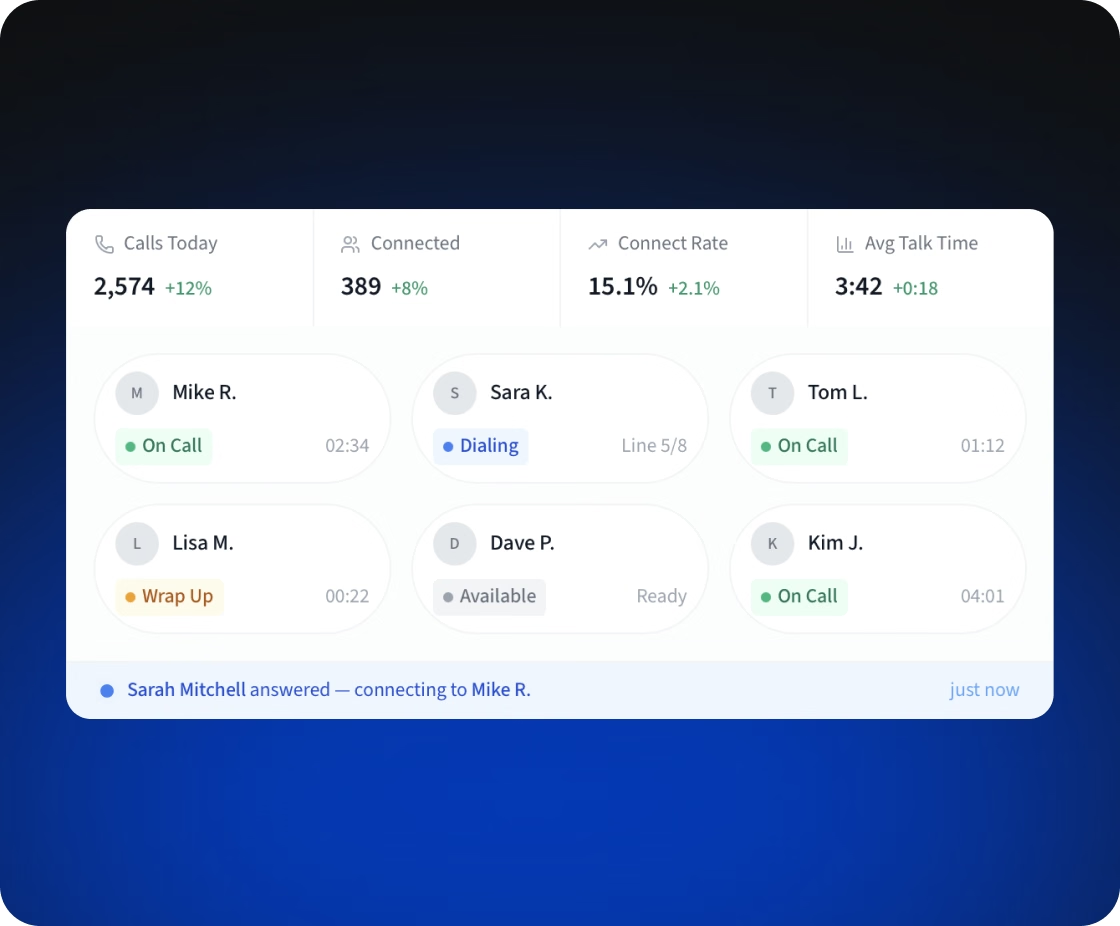
  • In the simulator, one agent at a 30% answer rate stayed at one line per agent, although that agent needs about three.
  • The new estimate blends the campaign's own calls with the organization's recent history until the campaign has enough data.
  • It leans toward a higher answer rate, so the pacer dials fewer lines rather than more.
  • The lines-per-agent limit now applies to each agent reserved for a batch, not to the batch as a whole
  • Both simulator scenarios are saved in the repository as pacing checks
Answer-rate estimate panel for a small campaign blending campaign and organization data
Agent presence list showing which agents are ready based on live connection and phone registration

Dialing only for agents who are online

A person who answers a call should never hear silence, so the dialer must not place a call for an agent who cannot take it. Readiness now rests on a live connection, not on a presence flag.

  • An agent is available only while the server sees a live connection and a probe confirms that the browser phone is registered.
  • A frozen browser tab leaves the ready pool within 20 to 30 seconds.
  • An optional connection score takes agents whose calls keep failing out of rotation for a while
  • Dialing loops share one short-lived snapshot of ready agents instead of each re-reading the pool.

A pacing controller that targets agent occupancy

We built the first version of a controller that sets lines per agent from agent occupancy (the share of time agents spend on calls) and aims at a set occupancy level.
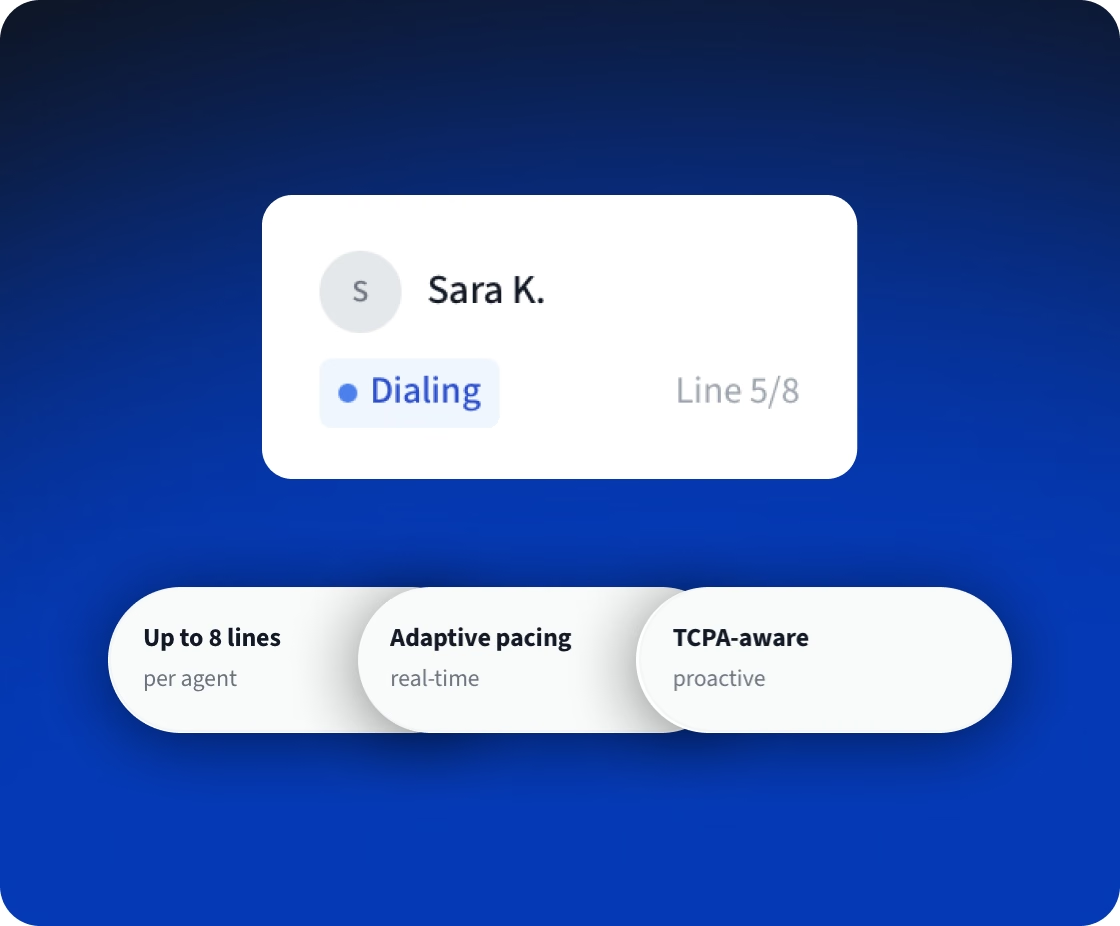
  • It counts the agents who are free now and those expected to finish a call within 20 seconds
  • It moves in small steps from its previous target and holds the target when occupancy cannot be measured.
  • Calls dialed but not yet classified count against what the campaign may still place, so two parallel batches cannot both dial the full amount for the same agents
  • If the number of calls in flight is unknown, it falls back to the campaign's starting lines and raises an alarm.
  • It ships switched off and is enabled per campaign. In an 8-minute simulator run that started at one line per agent, it moved to two lines with no reversals and no abandoned calls.
Pacing controller panel targeting 85% agent occupancy with lines per agent
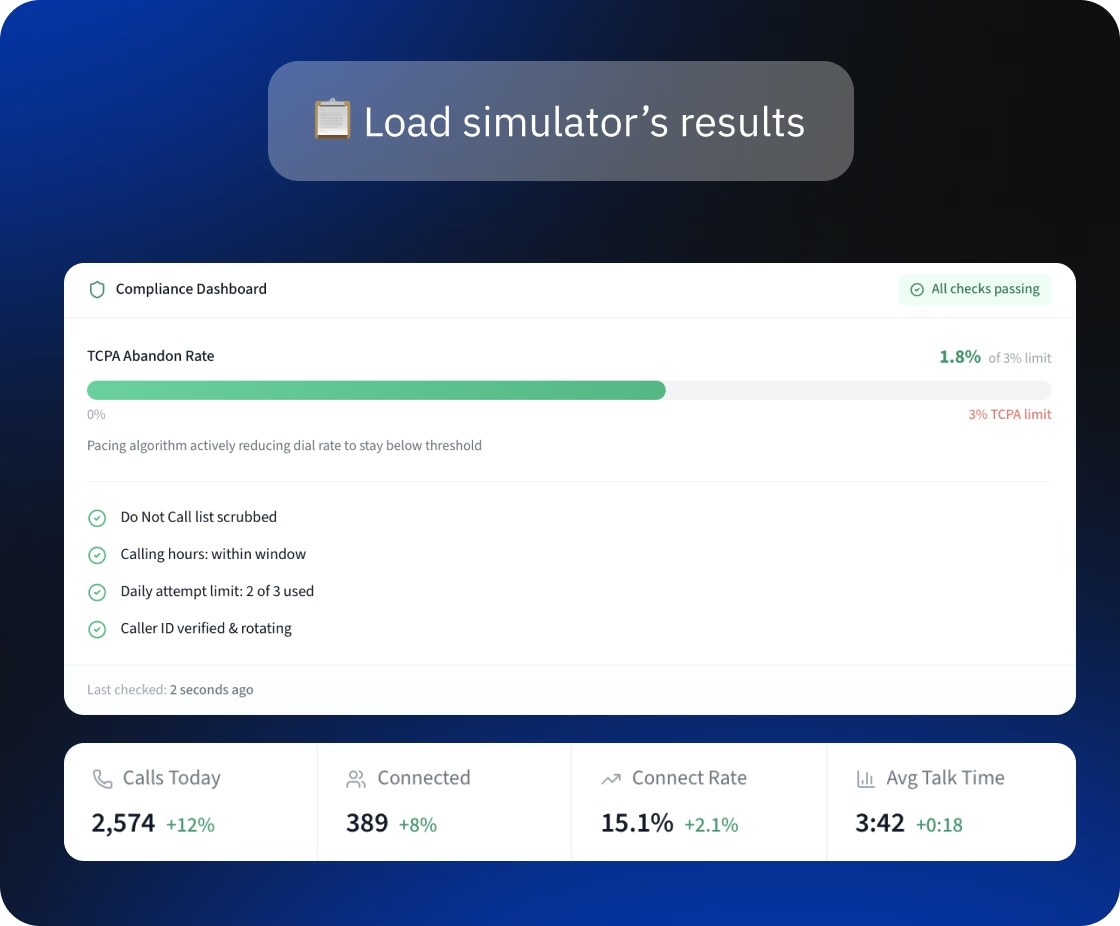
Load simulator results report: abandon rate, occupancy, controller reversals

A load simulator that shows problems before production does

Changes can now be tested without calling real people, because we extended the platform's load simulator. It runs the real dialing engine with simulated telephony, answering machine detection and agent browsers.

  • Each run replays from the same random seed and ends with a report, and a deliberately broken controller fails it.
  • Load runs cover one agent, 50 agents in one organization, and two organizations of 50 agents dialing at once
  • In the two-organization runs, one organization placed 34% fewer dials while the other was active. The cause was a background job that checks agent status for all organizations: at 100 agents, it ran longer than its 12-second lock
  • In every 50-agent run, some agents ran out of caller ID numbers in the simulated pool
  • We also fixed a bug in that job that wrote an agent's readiness under another organization

A staging copy and a rollback that checks before it acts

The team can rehearse releases and rollbacks away from production: our scripts define a reduced two-host copy of the production deployment that places no real calls.
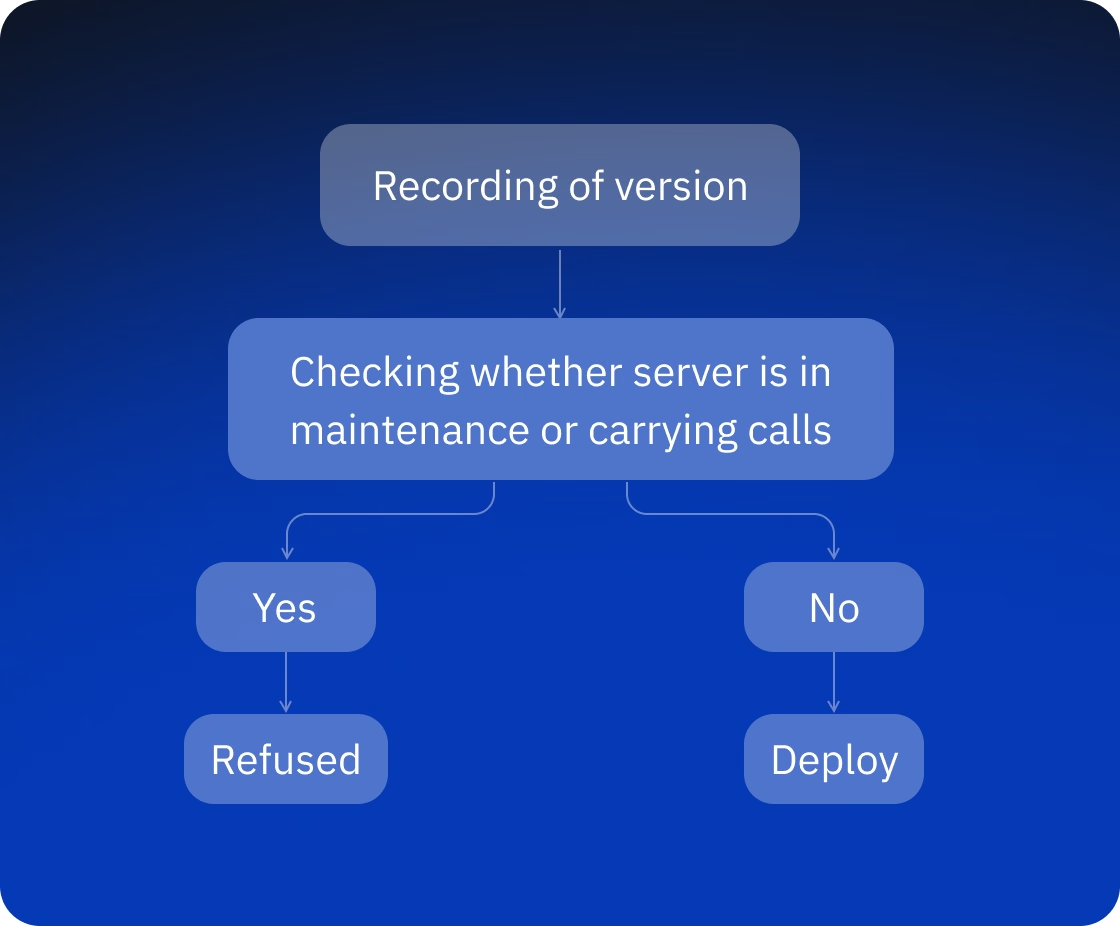
  • Before a release, the plan records the exact version to roll back to
  • On rollback, the script checks again whether each server is in maintenance or carrying live calls and refuses to run if that has changed
  • Every step needs explicit approval, and the release and rollback scripts have automated tests
Rollback flow: the version is recorded, the server state is checked, and the deploy is refused if it changed
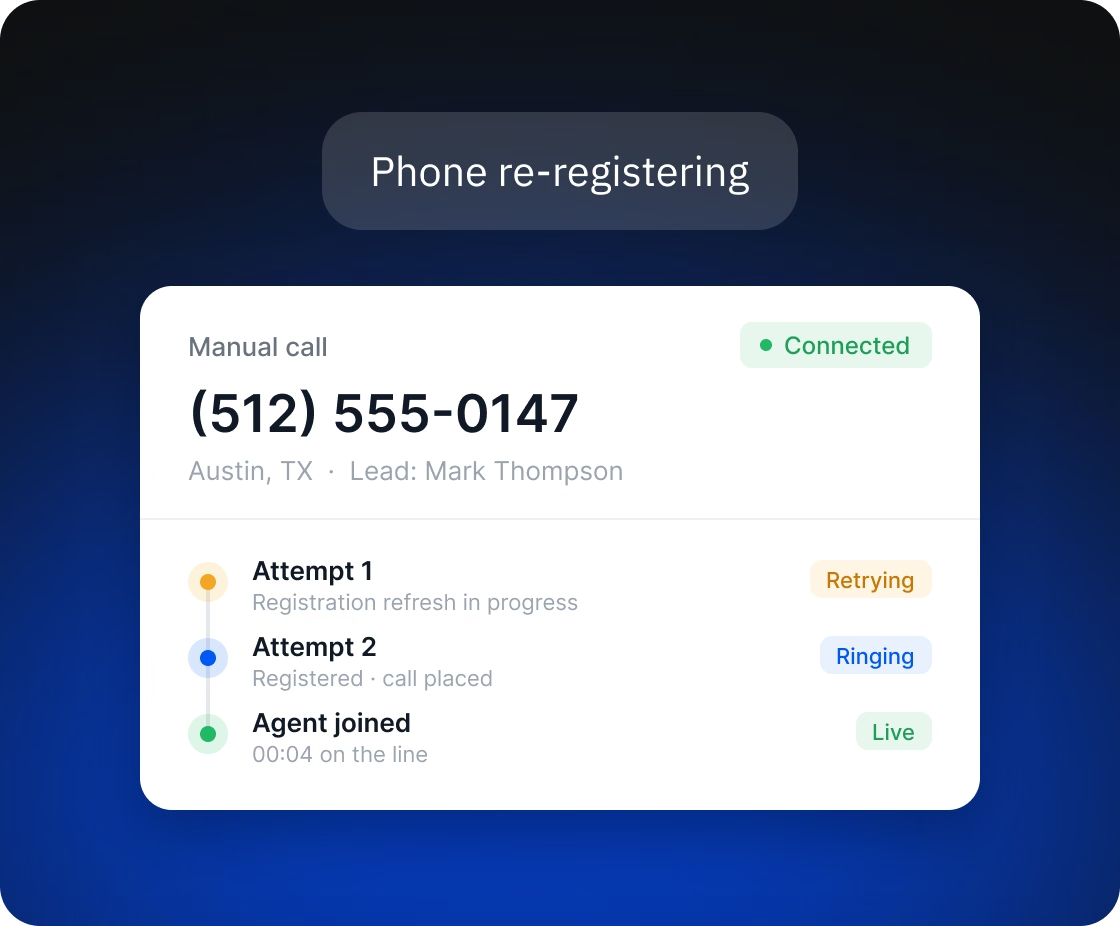
Manual call that retries during phone re-registration and connects on the second attempt

Manual dialing that survives re-registration

The browser phone re-registers with the telephony server from time to time, and manual calls now ride out these short gaps the same way auto-dial does, with a short, limited set of retries.

A dialer with its own telephony, routing, and compliance checks

DialRush runs about ten services in Node.js and Python. Agents call from the browser over WebRTC, and supervisors can listen to calls in their team, whisper to the agent (speak so that only the agent hears) or barge in. Calls go out through several carriers, with routing per destination and automatic failover. Answering machine detection combines speech recognition with a text classifier. Before every dial, the platform checks internal DNC (do-not-call) lists, a litigator scrub, state calling hours and attempt limits.
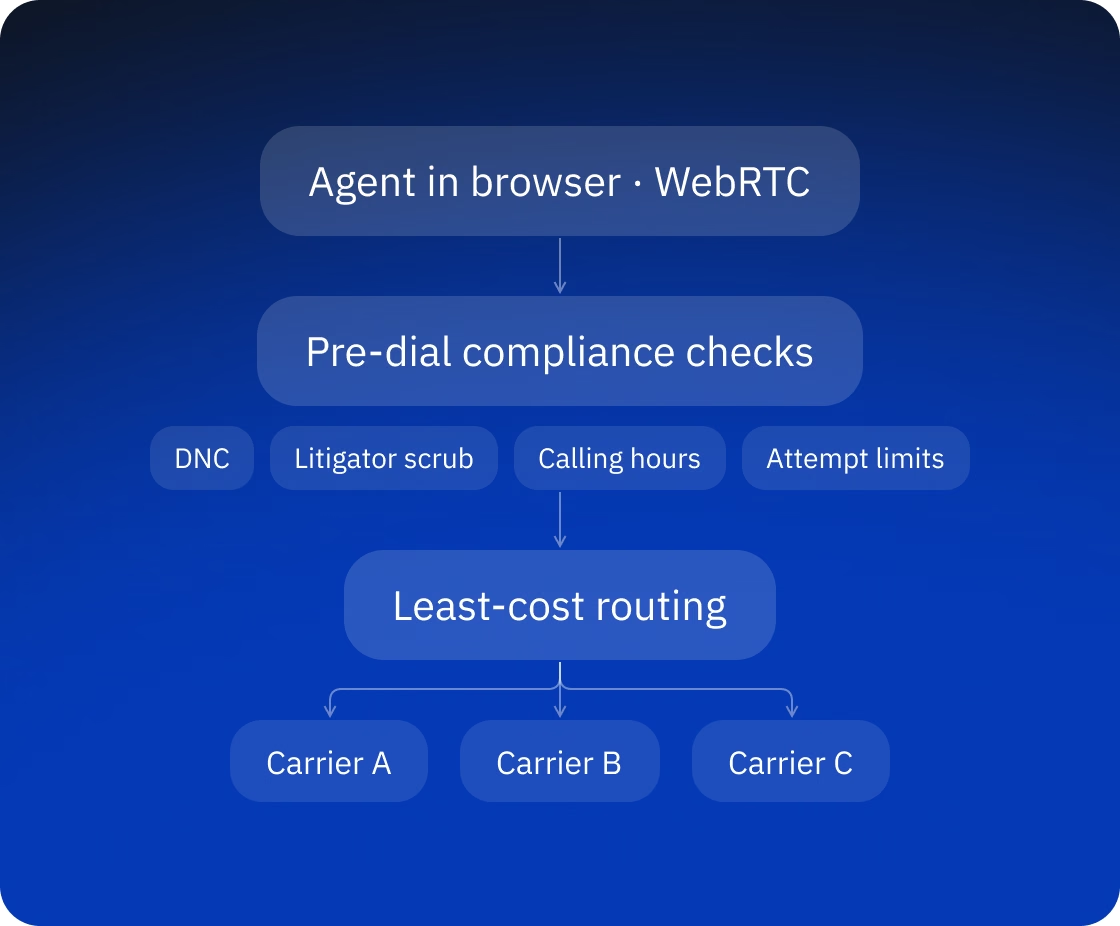
DialRush call flow: agent in browser over WebRTC, pre-dial compliance checks (DNC, litigator scrub, calling hours, attempt limits), least-cost routing to carriers

Technologies

The stack below is the platform's. Our changes touched the dialing engine and pacer, the answering machine detection service, agent presence, monitoring metrics and alarms, the load simulator, and the release tooling.

🖥 Platforms
Web, multi-tenant cloud service
📞 Telephony
WebRTC, SIP, FreeSWITCH, Kamailio, rtpengine, coturn
⚙️ Backend
Node.js, TypeScript, Express, Socket.IO, Python, FastAPI
🗣️ Speech and detection
Speech recognition services, scikit-learn
✉️ Data and messaging
PostgreSQL, Redis, RabbitMQ
🔮 Frontend
React, Vite
⚒️ Infrastructure
Cloud infrastructure as code, Packer

FAQ

What counts as an abandoned call, and why does the start of the clock matter?
-

Under the FCC rule, a call is abandoned when a person answers and no agent joins within two seconds of the person's completed greeting, and a campaign may abandon no more than 3% of live answers over 30 days. A dialer that starts the clock at answering machine detection, a few seconds later, undercounts. In DialRush, the clock starts when the greeting ends.

Because pacing depends on the answer-rate estimate, and a campaign with few completed calls may not have one. In DialRush, a blended estimate gives every campaign a value from its first calls, using the organization's recent data while the campaign's own data is thin.

In small, reversible steps. The occupancy controller ships switched off and is enabled per campaign, and it holds its target or falls back to the starting lines if a value it needs cannot be read. Releases are rehearsed on a staging copy, and the rollback script refuses to run if a server's state has changed.

Delivery and Outcome

Fora Soft handed the work over after four weeks. The client deploys the alarm stack on its own and enables the occupancy controller campaign by campaign, and the load runs gave the next round of scaling work a measured starting point. The project combined telephony, real-time pacing logic, compliance metrics and load testing on a live system built by another team. We take on the same kind of work for other live call center and VoIP platforms.

DialRush logo with Desktop and Mobile labels