
iMind × Fora Soft

Business video conferencing platform with company rooms

Published: Nov 24, 2026
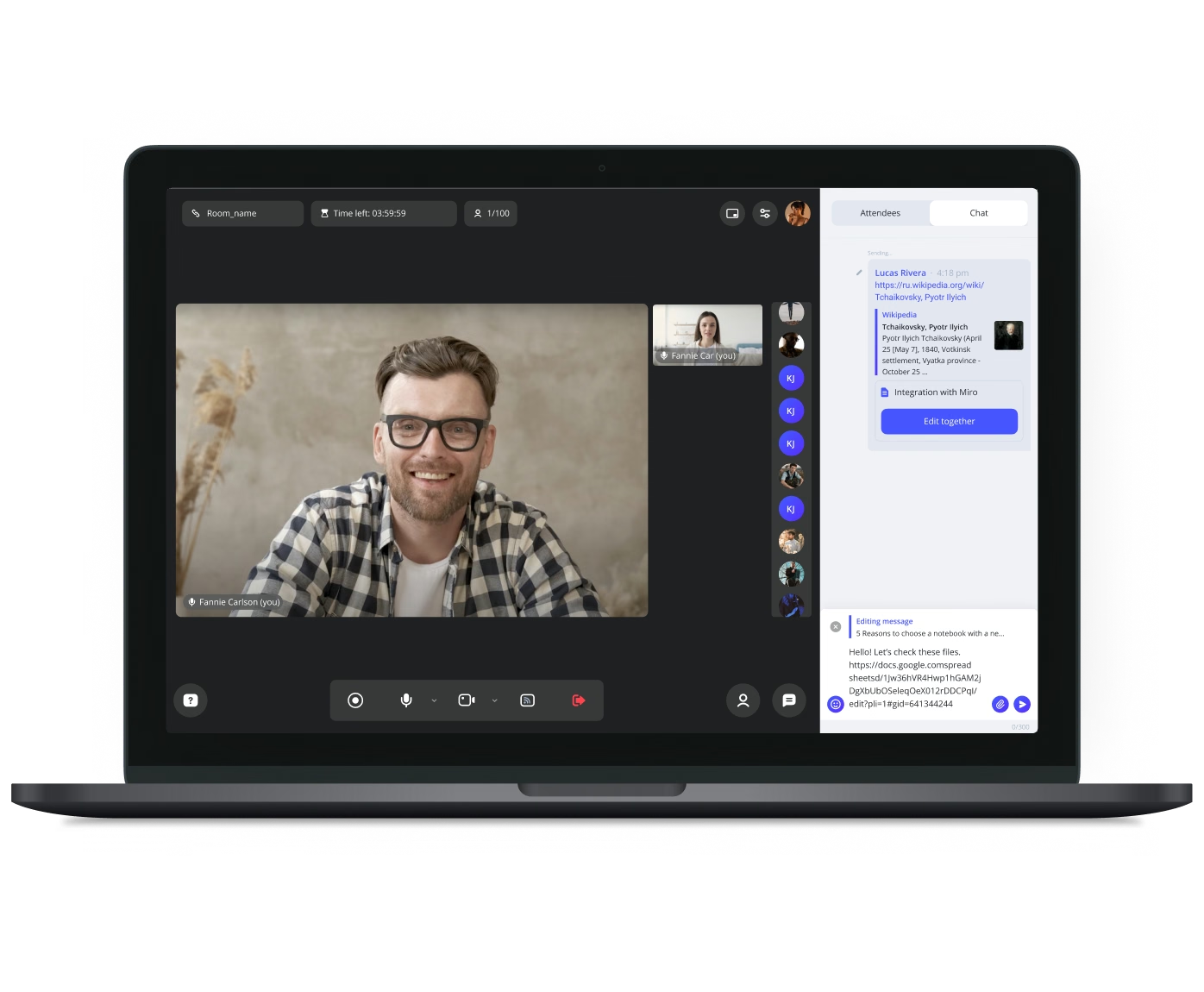
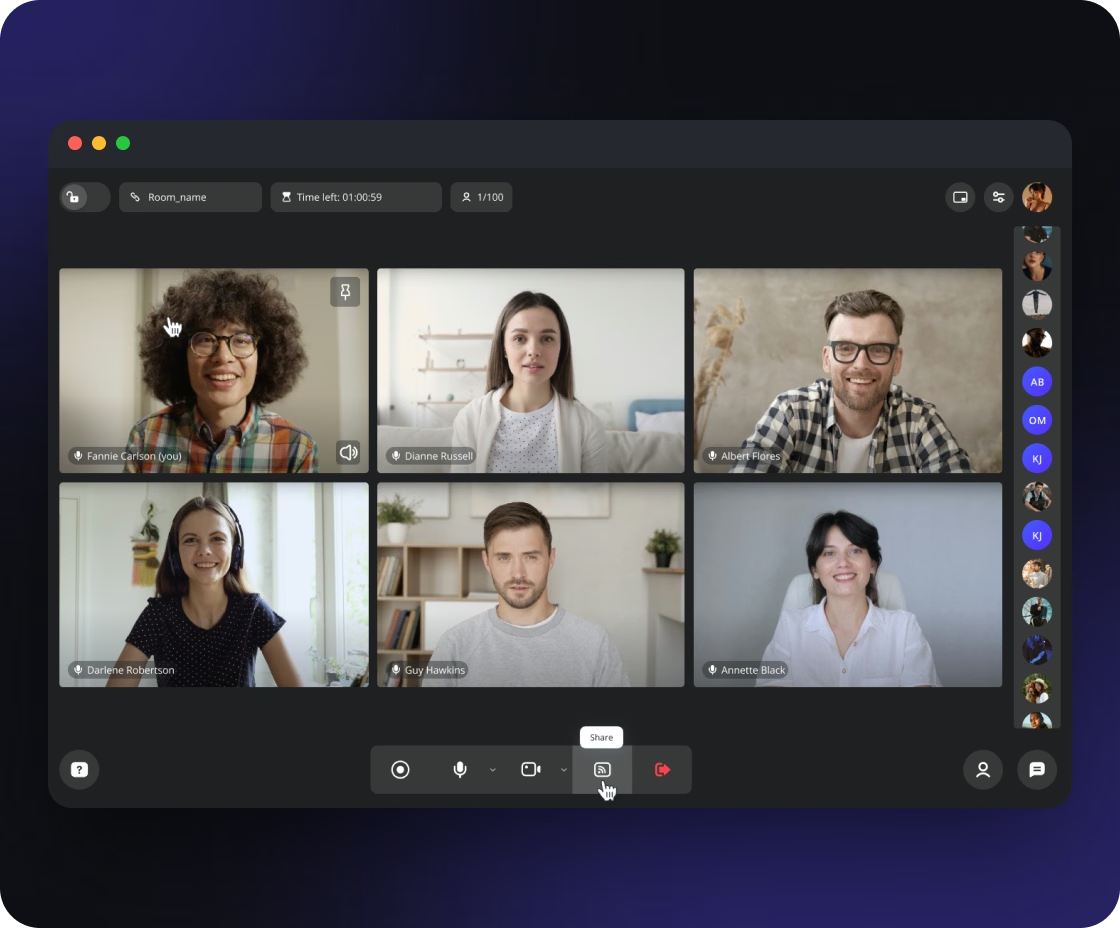
iMind meeting in the desktop app with the chat panel
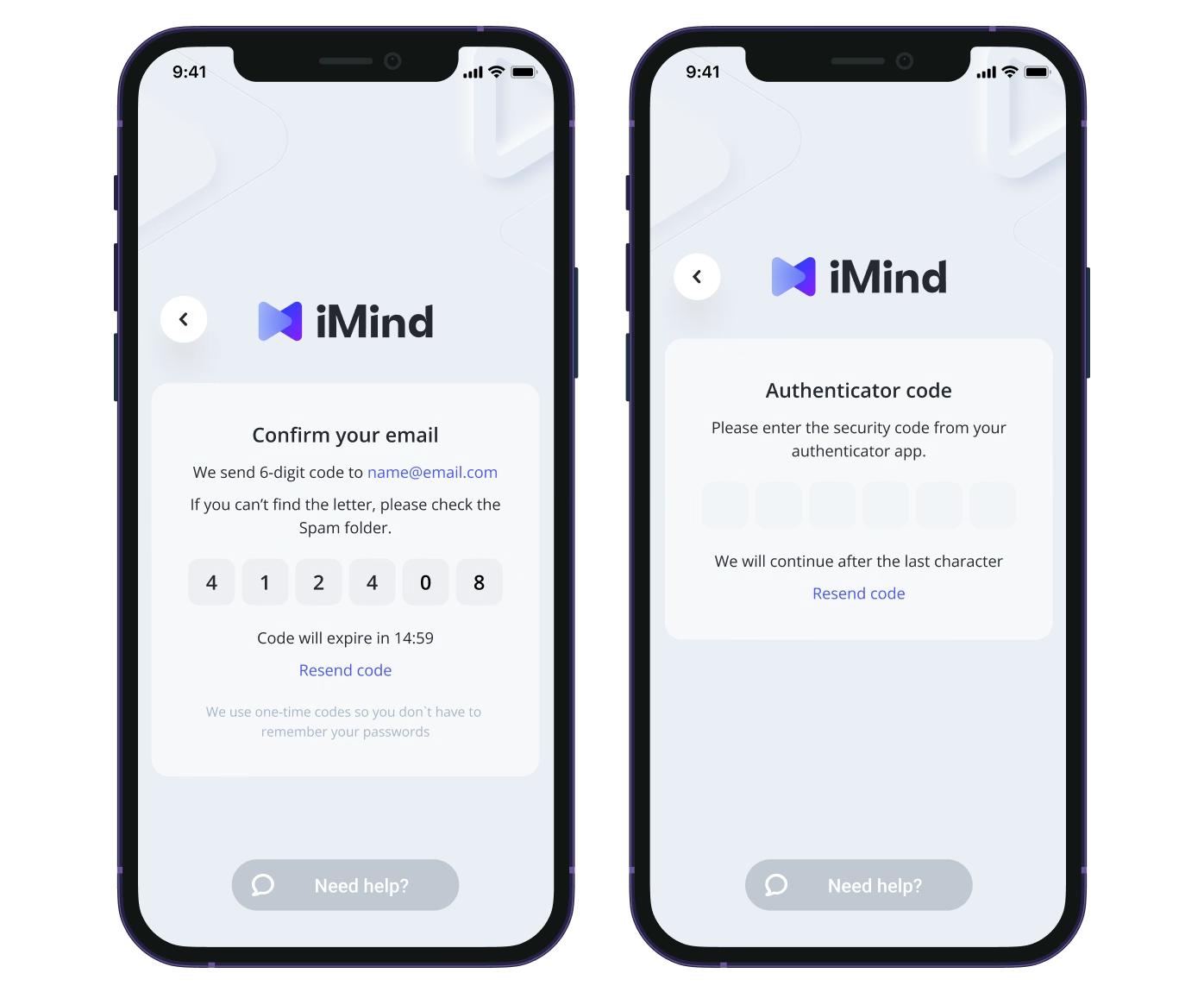
Sign-in with a six-digit email code and an authenticator app on iOS
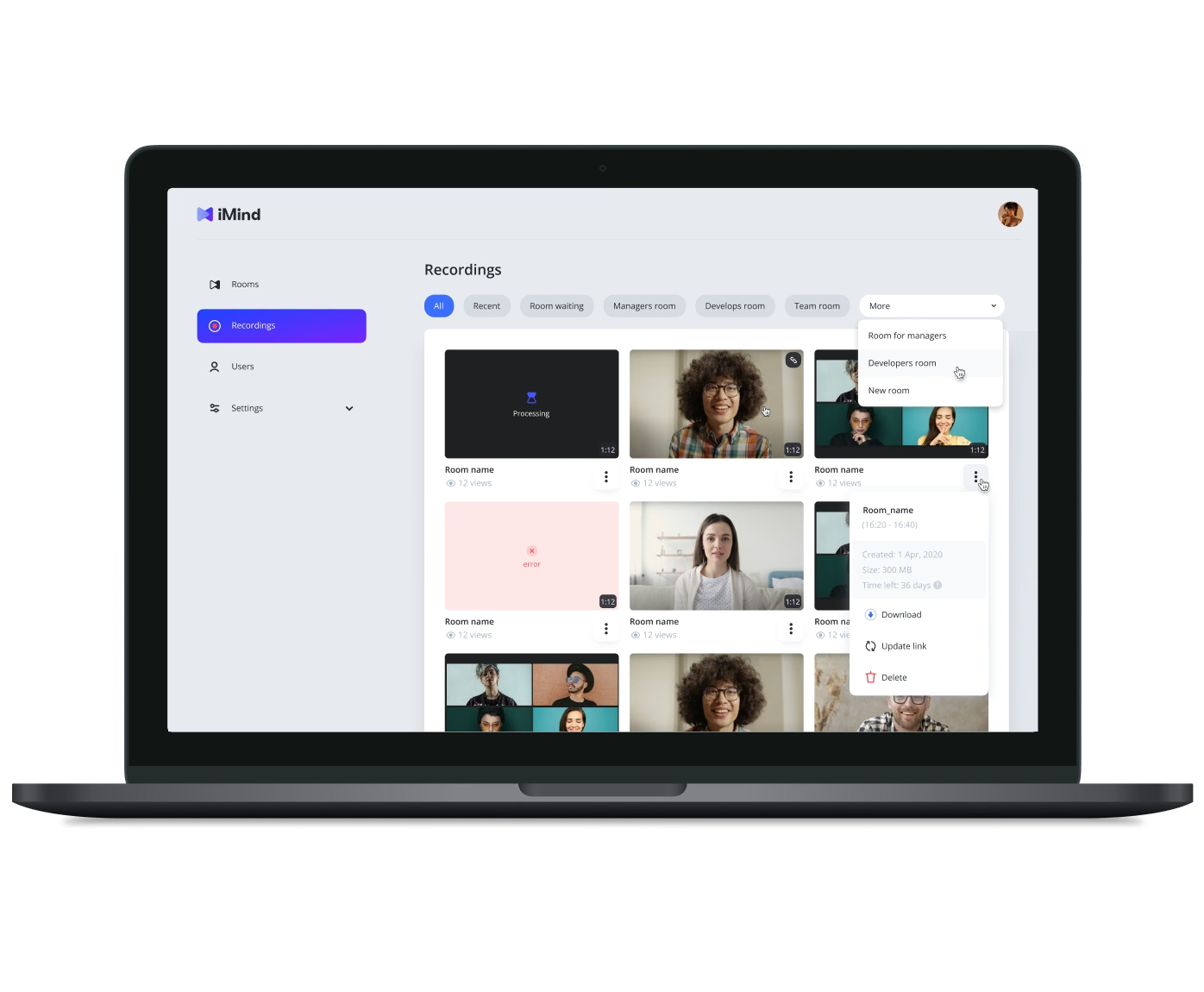
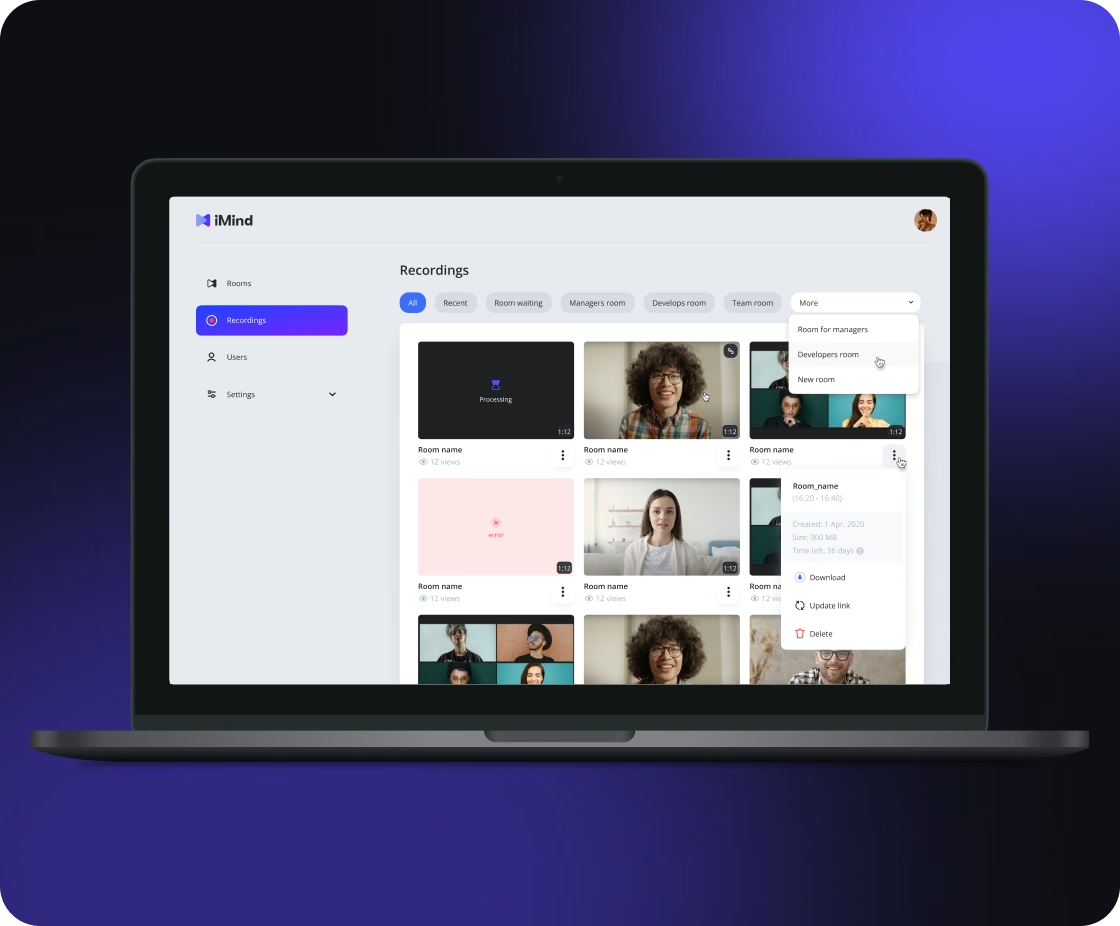
Meeting recordings with previews in the iMind web app
iMind is a business video conferencing platform: companies get their own rooms on a company subdomain, invite colleagues and outside guests, record meetings and pay per seat. We built the web app, the backend services, the desktop apps for Windows, macOS and Linux, the iOS and Android apps, billing, the marketing site with its blog, and the deployment pipeline. The video engine belongs to the client: its media servers and SDK handle encryption of the media (standard WebRTC encryption, which the client describes as 256-bit AES), noise suppression and screen sharing.
The client is MindMeeting OÜ from Estonia, founded in 2008. The first version of iMind launched at the end of 2021. On its website, iMind says it is ranked in the top 30 video conferencing platforms on G2 and rated 10/10 on TrustRadius. Its foreign clients include PwC, leading mobile and telecom providers in Kazakhstan and Uzbekistan and divisions of the Ministry of Regional Development of the Czech Republic.
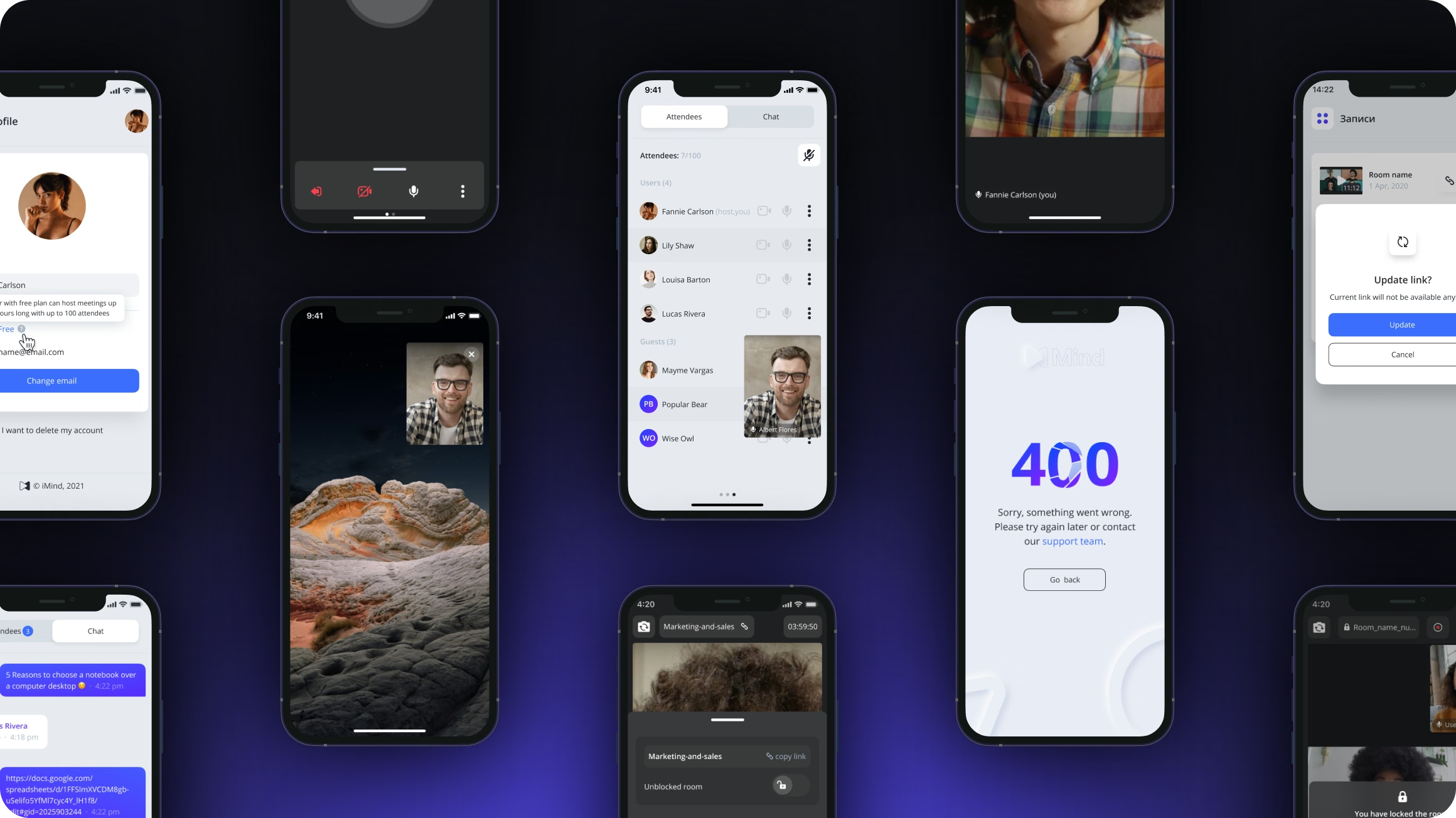
iMind mobile app screens: meeting, waiting room, participants and recordings
The system works like this: a company account owns rooms. When someone opens a room link, our backend checks the plan and the room's access rules and connects the participant to the client's media service. From then on, our services run everything around the video: the waiting room, chat, recording storage, timers and billing.
How iMind works: our backend, the client's media service and our services
The hardest part of the platform is that the video engine is a separate service, while everything the customer sees around the call lives in our code. For example, a recording is produced on the client's media servers, and our services then have to fetch it, make a preview, store it in the right place (iMind's Amazon S3 storage or the customer's own WebDAV drive) and give it a deletion date from the customer's plan.
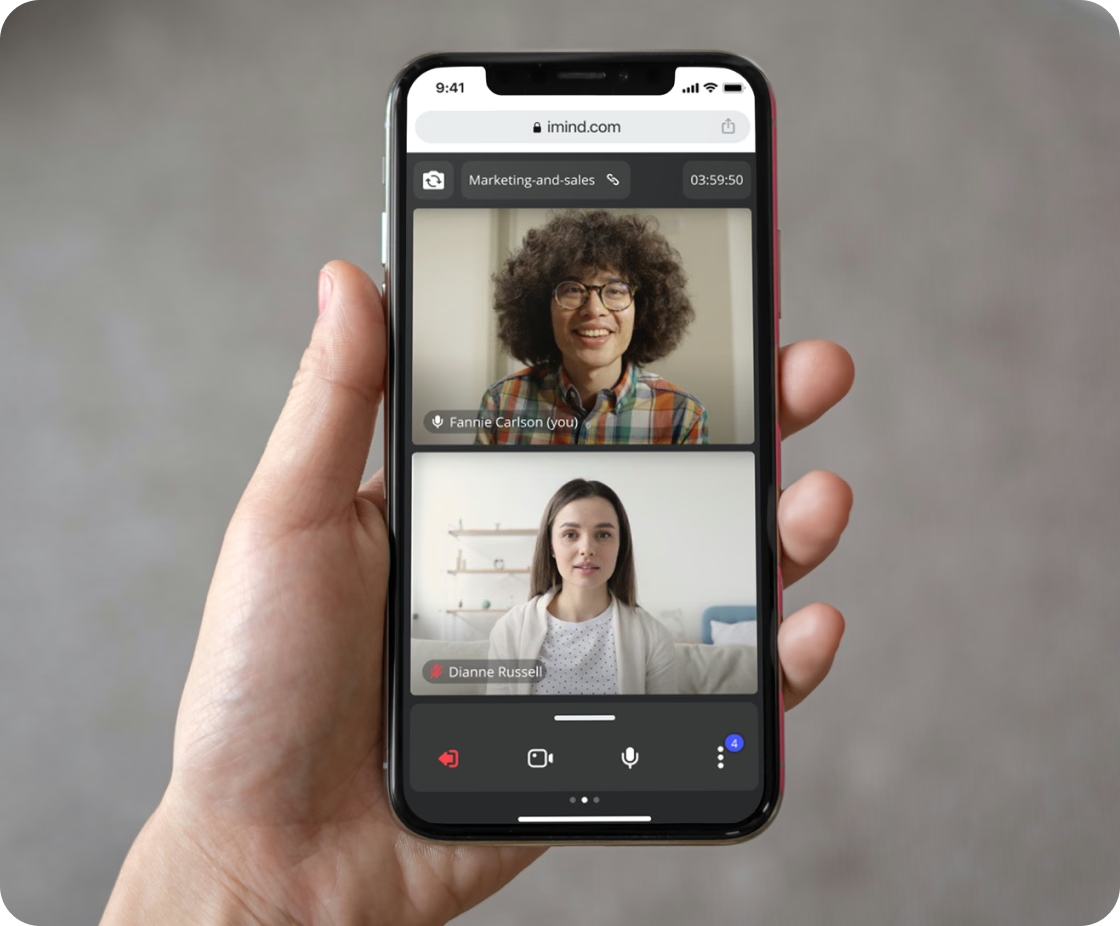
iMind meeting on a phone held in hand

Who uses the platform

  • A customer is a company that uses iMind, and its account is the company's workspace. Everyone in an account is a member: one owner, optional admins and regular members. Accounts pay per seat.
  • A host is the member who runs a meeting in a room: they let people in, mute participants and extend the meeting.
  • A participant is anyone in a meeting. A guest is a participant who is not on the room's list of authorized members, including people without an iMind account; when a room is locked, guests ask to join and wait for the host's approval.
  • A room is a meeting space with a permanent link, or a temporary link that expires after 7 days. A meeting is a live session in a room.

Highlights

  • Sign-in with email codes, two-factor authentication and Google, Apple or Microsoft accounts, plus a waiting room where the host sees a guest's camera snapshot before letting them in.
  • Virtual backgrounds in the browser, with a separate engine for Safari built on Google's segmentation models.
  • Recordings that move from the media servers to cloud storage or the customer's own drive, with previews and an optional per-plan retention period.
  • Per-seat billing on Stripe with prorated upgrades, end-of-period downgrades and a fallback to the free 100-participant limit when payment stops.
  • One web app shipped as a website, a PWA, desktop apps for three operating systems and iOS and Android store apps.
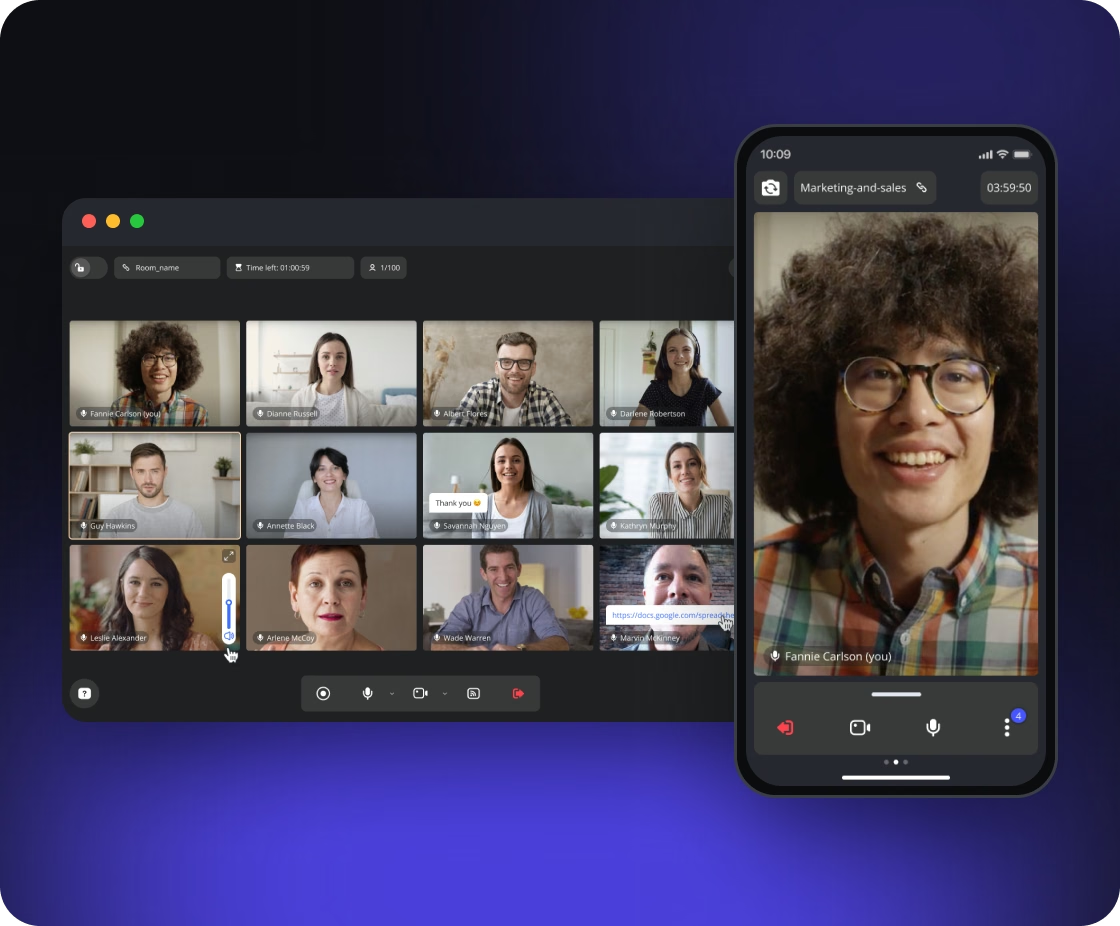
Meeting grid in the iMind web app
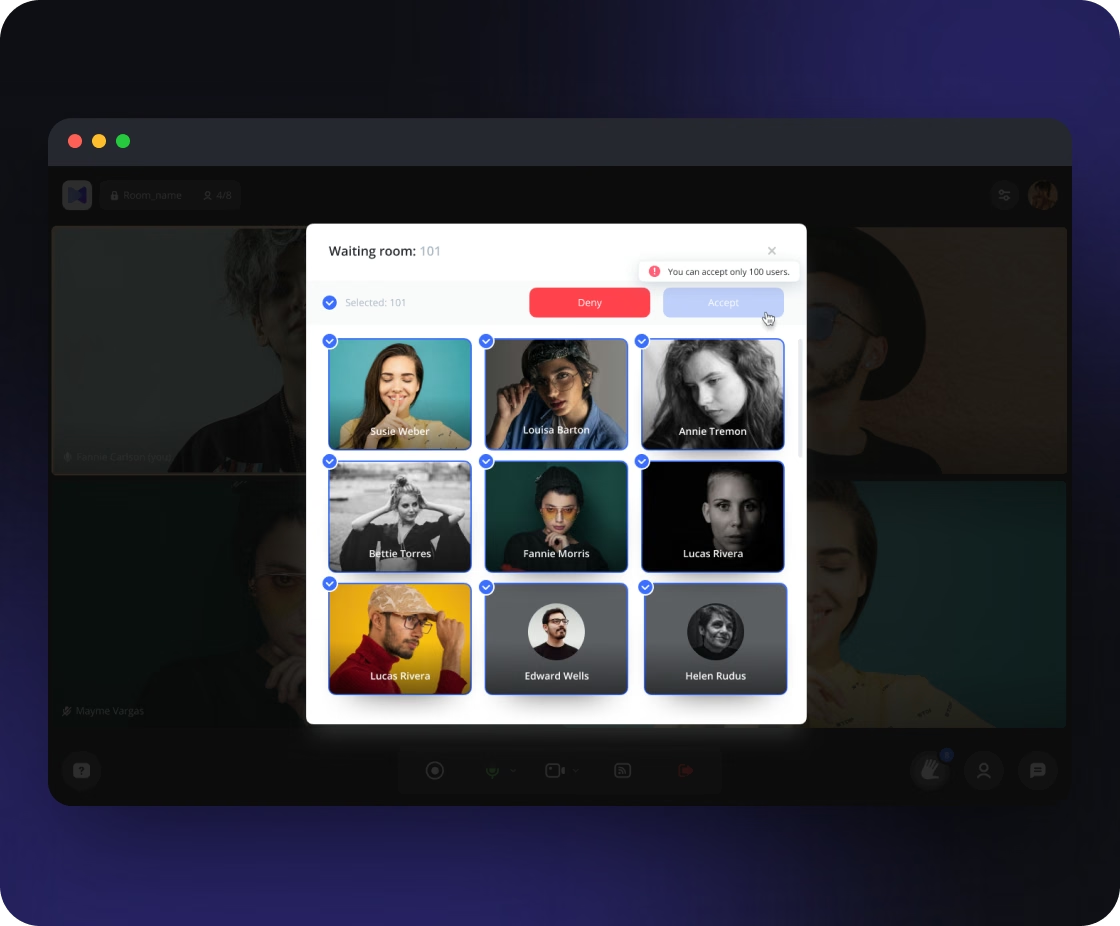
Waiting room with guest camera snapshots for the host

Controlled entry to every meeting

Companies hold confidential calls on iMind, so we gave hosts control over who gets in.

  • Members sign in without a password: iMind emails a six-digit code that expires after 15 minutes and allows five attempts. Members can also sign in with Google, Apple or Microsoft and turn on two-factor authentication with an authenticator app.
  • A host can lock a room and keep a list of authorized members. The account owner, admins and authorized members go straight in; everyone else lands in the waiting room.
  • The peephole: when a guest asks to join, the app takes a small snapshot from their camera and sends it with the request, so the host sees who is knocking before pressing Accept or Decline.
  • The server refuses new requests once the room reaches the participant limit of the plan, and the guest sees a clear message instead of a broken call.
  • If a guest drops out of the call by accident, they rejoin without asking for approval again.
  • In the meeting, the host can mute one participant or everyone, remove a participant and extend the meeting timer. The meeting chat has quick reactions and an unread counter.

Virtual backgrounds that run in the browser

Background blur and replacement are expected in business calls, and iMind does them inside the browser without any install.
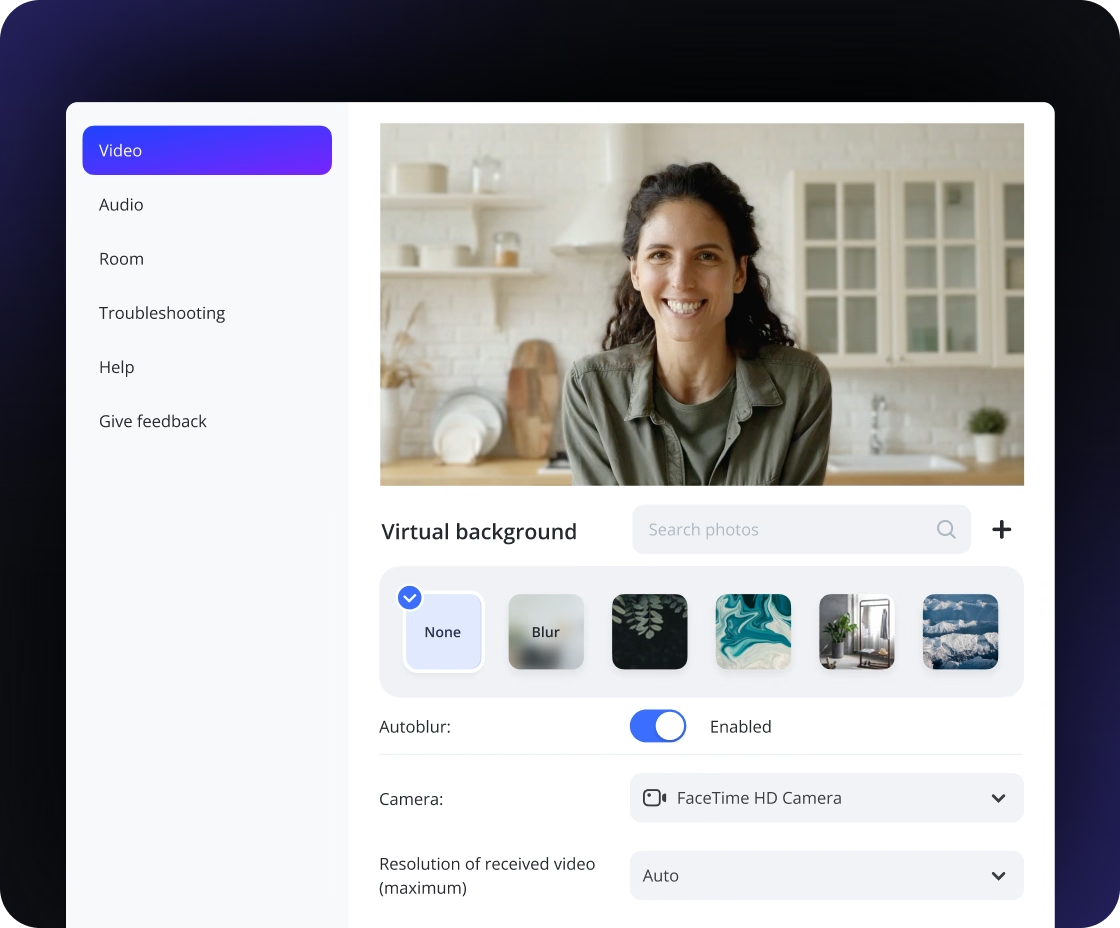
  • On desktop Chrome, Edge and Firefox the app uses a ready-made effects library for blur and image backgrounds.
  • Safari needed its own engine. We compiled TensorFlow Lite to WebAssembly (with a faster SIMD build where the browser supports it), run Google's person segmentation models on the live video and draw the result with WebGL2 shaders that smooth the edge between the person and the background.
  • On Safari 16 the app lowers the frame rate of the effect to keep the call smooth; Safari versions that cannot run it get a clear "not supported" message, and virtual backgrounds are not offered on phones.
  • Members pick backgrounds from Unsplash photo search inside the app or upload their own; the search goes through our backend, so API keys stay on the server.
Virtual background settings with blur and image backgrounds
Recordings list in the iMind web app on a laptop

Recordings from the media server to cloud storage or the customer's own drive

Recording is free on every plan, including Free, and the files end up where the customer wants them.

  • The host starts and stops recording; the client's media servers record the whole call layout.
  • When the recording is ready, our file service streams the video and its preview from the media service, creates thumbnails with FFmpeg and uploads everything to Amazon S3. If the account has connected its own cloud drive over WebDAV, the recording goes into an iMind_recordings folder there instead, and the service checks the free space on that drive before uploading.
  • Members get an email when a recording is ready and can play it back in the app. During a meeting, the host can play a recording for everyone: the server keeps play, pause and position in sync for all participants.
  • Retention is set per plan; a job running every minute removes recordings past their deletion date. Today every plan, and every account with its own WebDAV drive, keeps recordings with no time limit.

Per-seat subscriptions on Stripe

iMind earns from paid seats, so billing had to handle companies that grow, shrink and change plans mid-month.
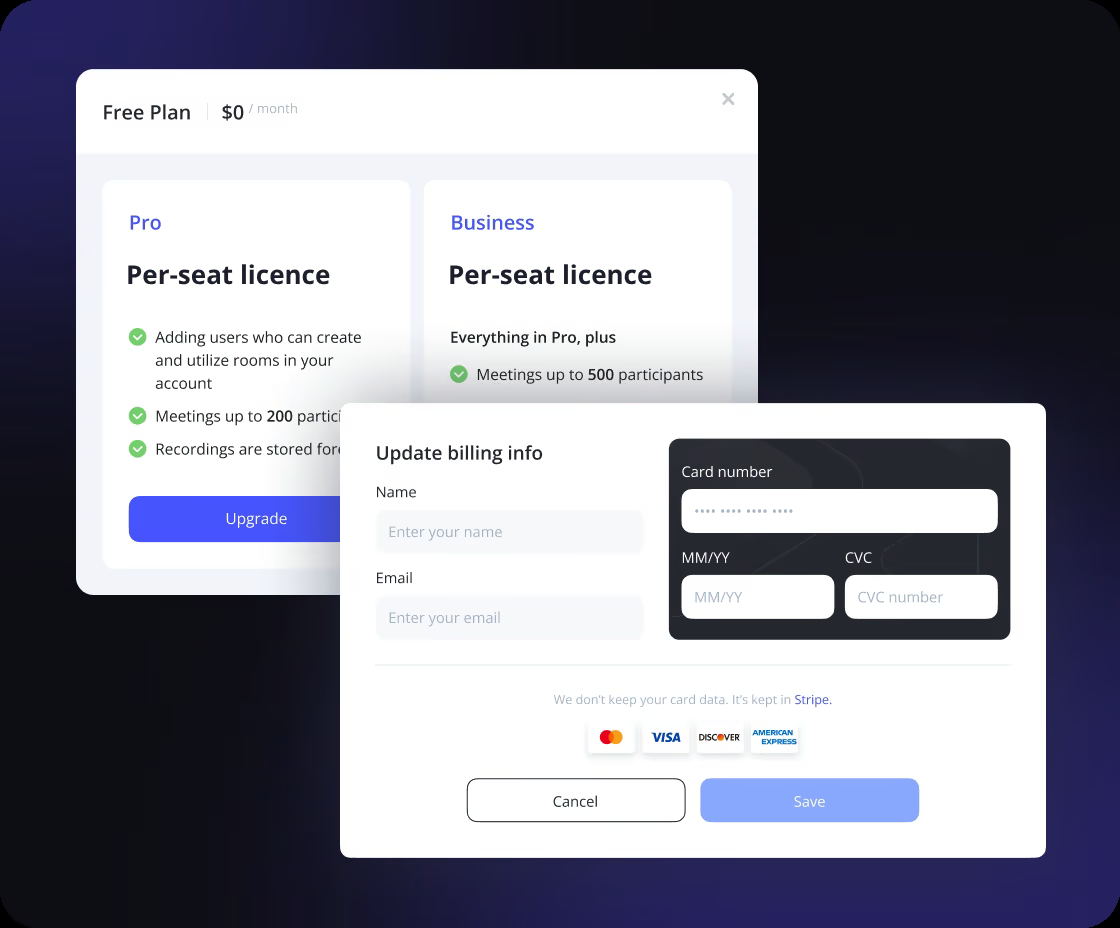
  • Plans: Free (one seat, up to 100 participants per room), Pro (up to 99 seats, up to 200 participants) and Business (up to 999 seats, up to 500 participants, custom domain and phone support). On every plan up to 12 participants can have their cameras on at once, and the server enforces this.
  • A company buys a plan for a number of seats through Stripe Checkout and manages cards and invoices in the Stripe billing portal.
  • An upgrade takes effect at once, and Stripe invoices the prorated difference immediately. A downgrade or a cancellation is scheduled for the end of the paid period.
  • The backend reacts to Stripe events: paid and failed invoices, subscription changes and deletions, and new payment methods. If the subscription is no longer active, the account's rooms fall back to the free limit of 100 participants.
  • Purchases, signups, upgrades and cancellations are sent to Google Analytics from the server, so marketing sees revenue events even when ad blockers hide the browser tag.
Pro and Business plans and Stripe billing details
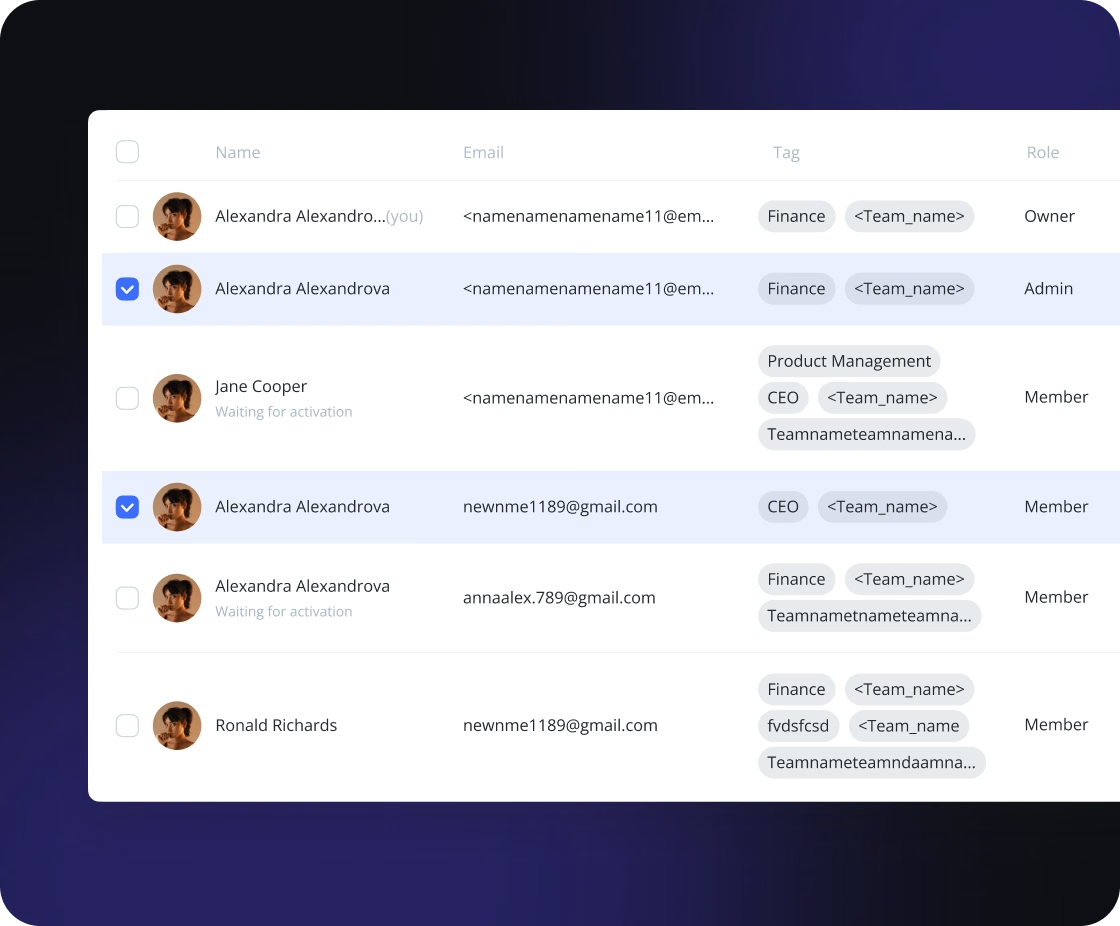
Company members table with roles and departments

Company accounts and administration

A company on iMind works as one organization with its own address and its own rules.

  • Every account gets a subdomain, and Business accounts can use their own domain. Room addresses are unique within a subdomain.
  • The owner and admins invite members by email, change roles, organize members into departments, assign members to locked rooms and buy seats.
  • Members get emails about role changes, room access and plan changes in English or Russian.
  • Unpaid business accounts and unfinished registrations are deleted automatically once their deletion date passes.

Calendar sync and scheduling

Meetings are planned in Google Calendar, so iMind works with it in both directions.
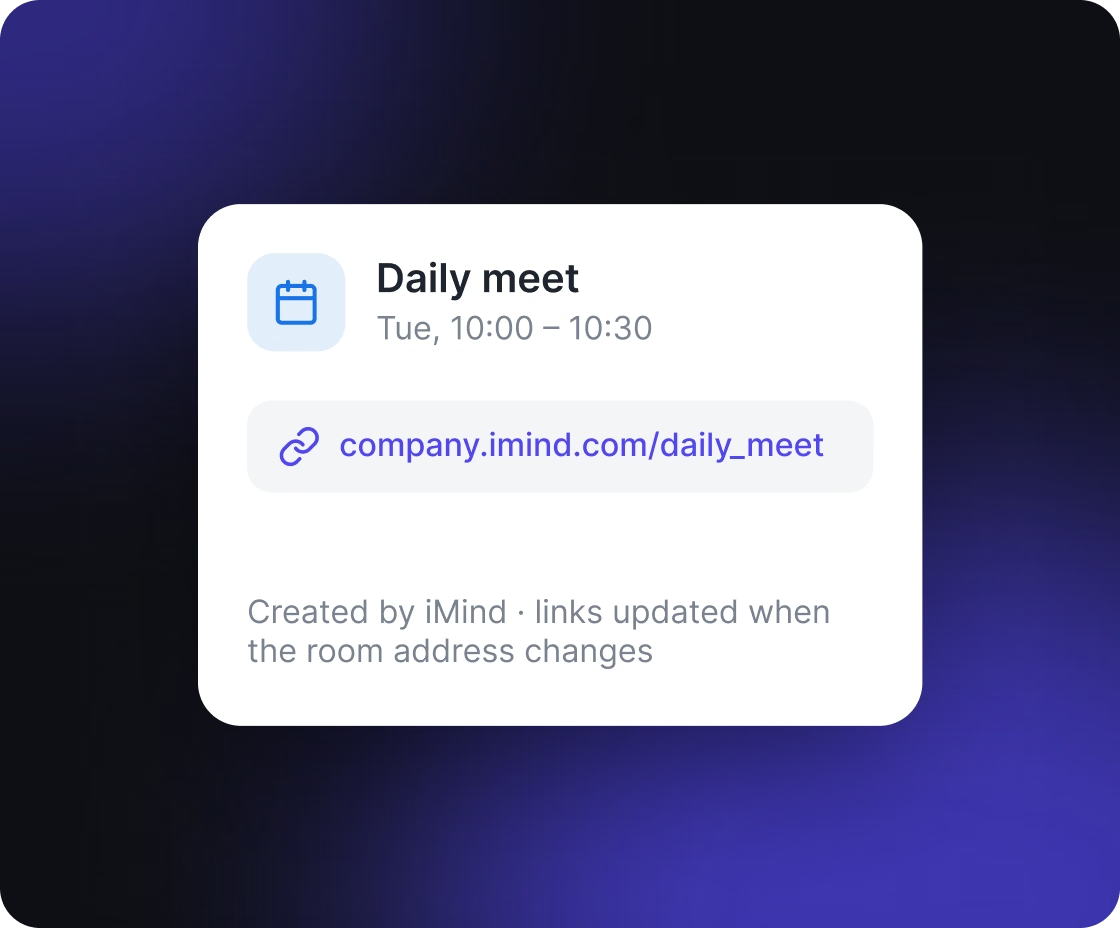
  • A member connects their Google account, and iMind creates calendar events with the meeting link.
  • iMind subscribes to Google's change notifications, so new events appear in the app without a manual refresh.
  • When a room address or the company subdomain changes, iMind rewrites the links in existing calendar events, so invitations keep working.
  • Members can start a meeting now or schedule one for later; temporary room links expire after 7 days, and an hourly job removes expired ones.
Google Calendar event with an iMind room link
iMind on desktop and mobile

One product on web, desktop and mobile

People join calls from whatever device they have, and the client wanted one product to maintain.

  • The web app is built with Next.js and works as a Progressive Web App with an offline page.
  • The desktop apps for Windows, macOS and Linux are built with Electron. They update themselves from Amazon S3, the macOS build is signed and notarized, and screen sharing in the desktop app has its own picker of screens and windows. Links with the mindapp:// scheme open meetings directly in the app.
  • The iOS and Android apps, built with React Native and Expo, wrap the web app and add camera and microphone access, file downloads and deep links. We adjusted them to pass App Store review, and both apps were published in the stores in July 2022.
  • We fixed device-specific issues along the way, such as landscape mode on mobile Safari and Google Smart Lock in the desktop app.

Call quality data and speaker detection

To find and fix call problems, the client's team needs numbers from real meetings.
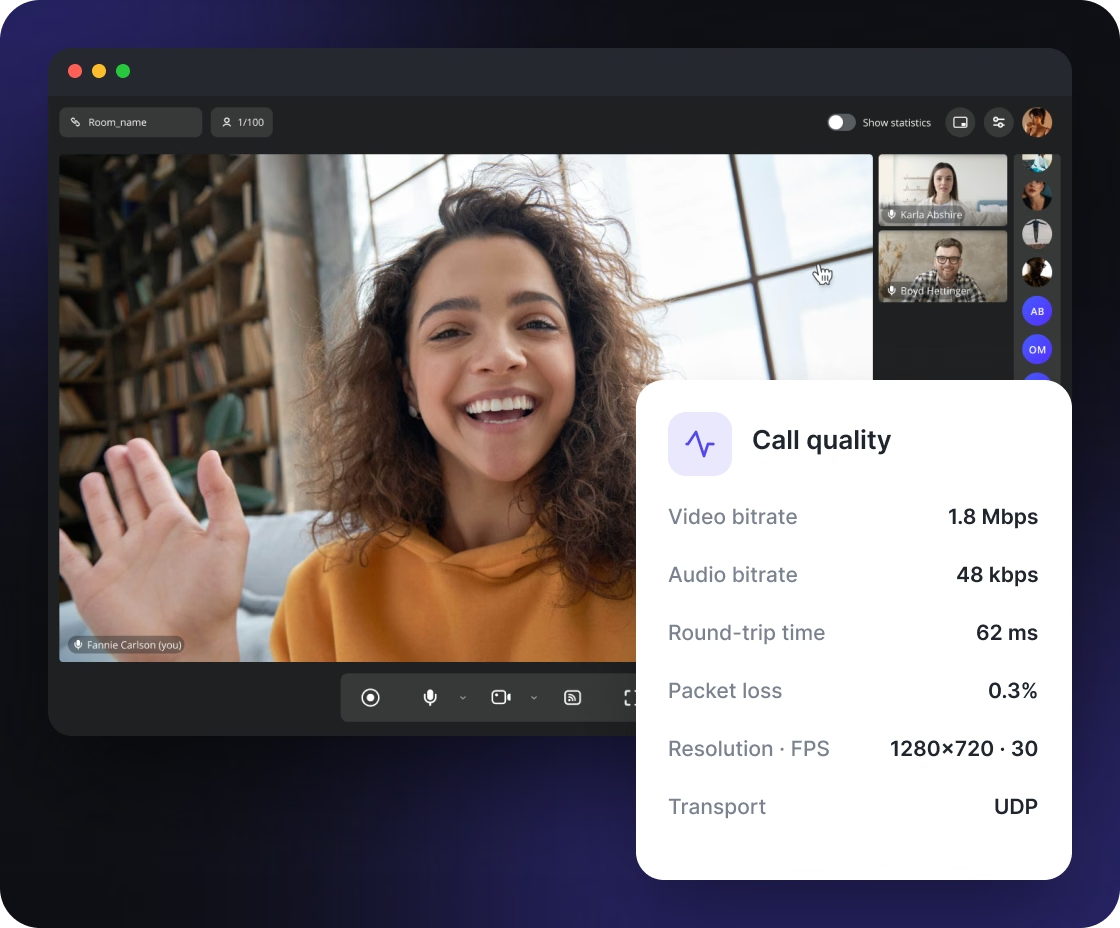
  • During a call the app reports each participant's video and audio bitrate, round-trip time, packet loss, resolution, frame rate and whether the connection uses UDP or TCP. The backend stores the data, exposes it to Grafana dashboards and counts daily and monthly active users.
  • After a call, participants rate its quality.
  • The backend detects the active speaker from microphone levels kept in Redis.
Call quality data for a participant during a meeting
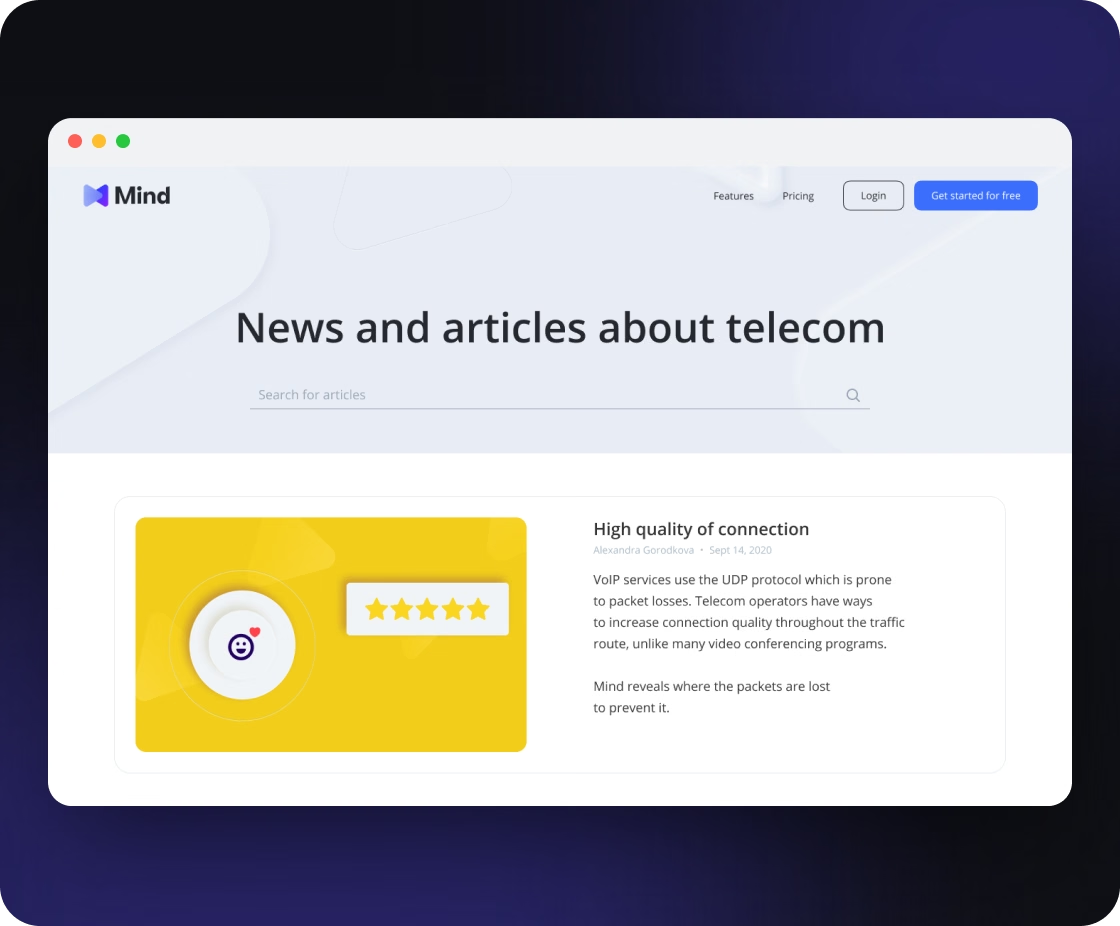
iMind blog with news and articles about telecom

A multilingual blog and marketing site

The marketing site brings in new customers, so we built it into the same Next.js app.

  • Articles are written in a headless WordPress and served through our blog service, which translates them with Google Translate into 10 languages under a daily limit.
  • The landing page has a demo request form that creates a lead in Zendesk Sell, and the site has a Zendesk support chat.
  • The app interface is available in English and Russian, with translations managed in Localazy.

Delivery and load testing

The platform runs as a set of services, so releases had to be repeatable and the team needed to know how it behaves under load.
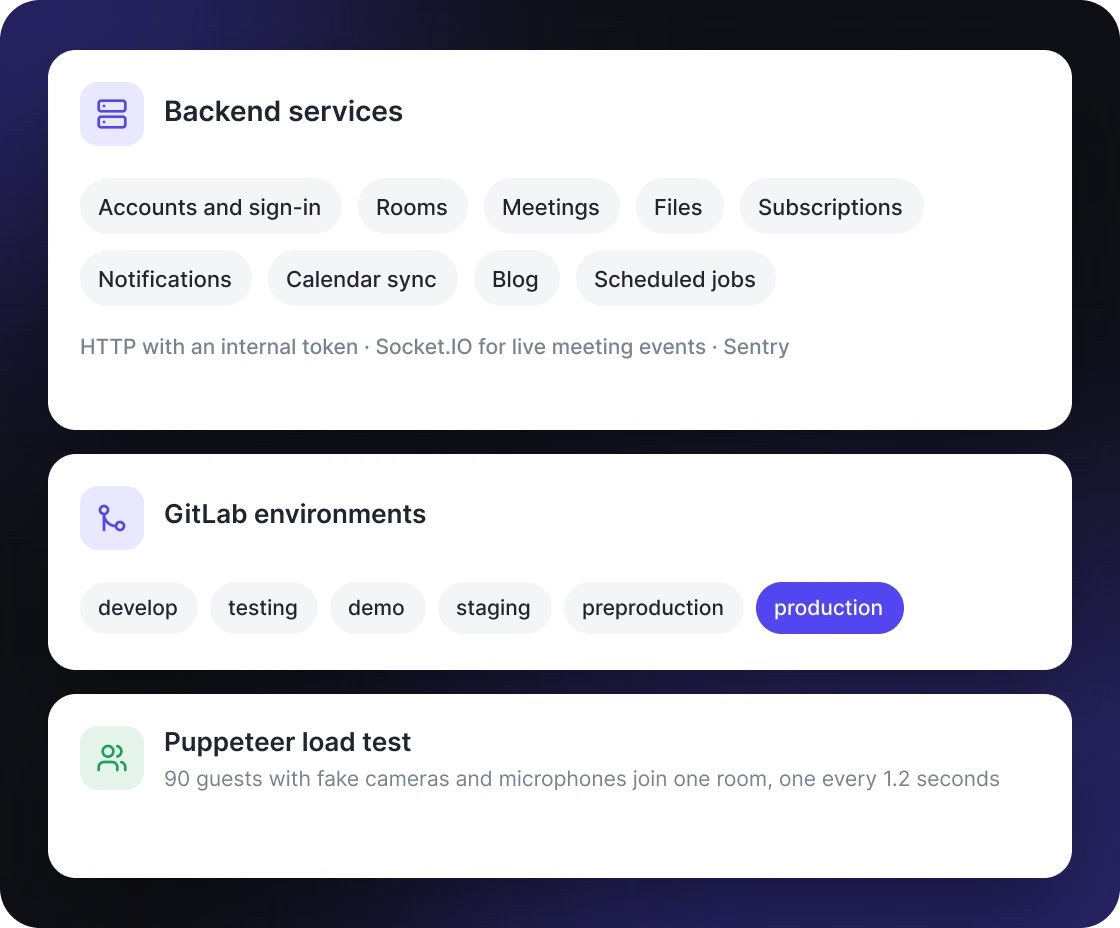
  • The backend is split into services for accounts and sign-in, rooms, meetings, files, subscriptions, notifications, calendar sync, the blog and scheduled jobs. Services talk to each other over HTTP with a shared internal token; the apps get live meeting events (waiting room, chat, mute, timers) over Socket.IO. Errors from the apps and services are reported to Sentry.
  • GitLab deploys each branch to its environment: develop, testing, demo, staging, preproduction and production. SonarQube checks every merge request against a quality gate, and the Android app is built in the pipeline with Expo.
  • Load tests use Puppeteer to bring 90 guests with fake cameras and microphones into one room, one every 1.2 seconds, to check how a room handles a steady stream of people joining.
  • We also prepared the move to Kubernetes: charts for every service on Amazon EKS, with a MongoDB replica set, Redis and automatic scaling of each service.
Backend services, GitLab environments and a Puppeteer load test
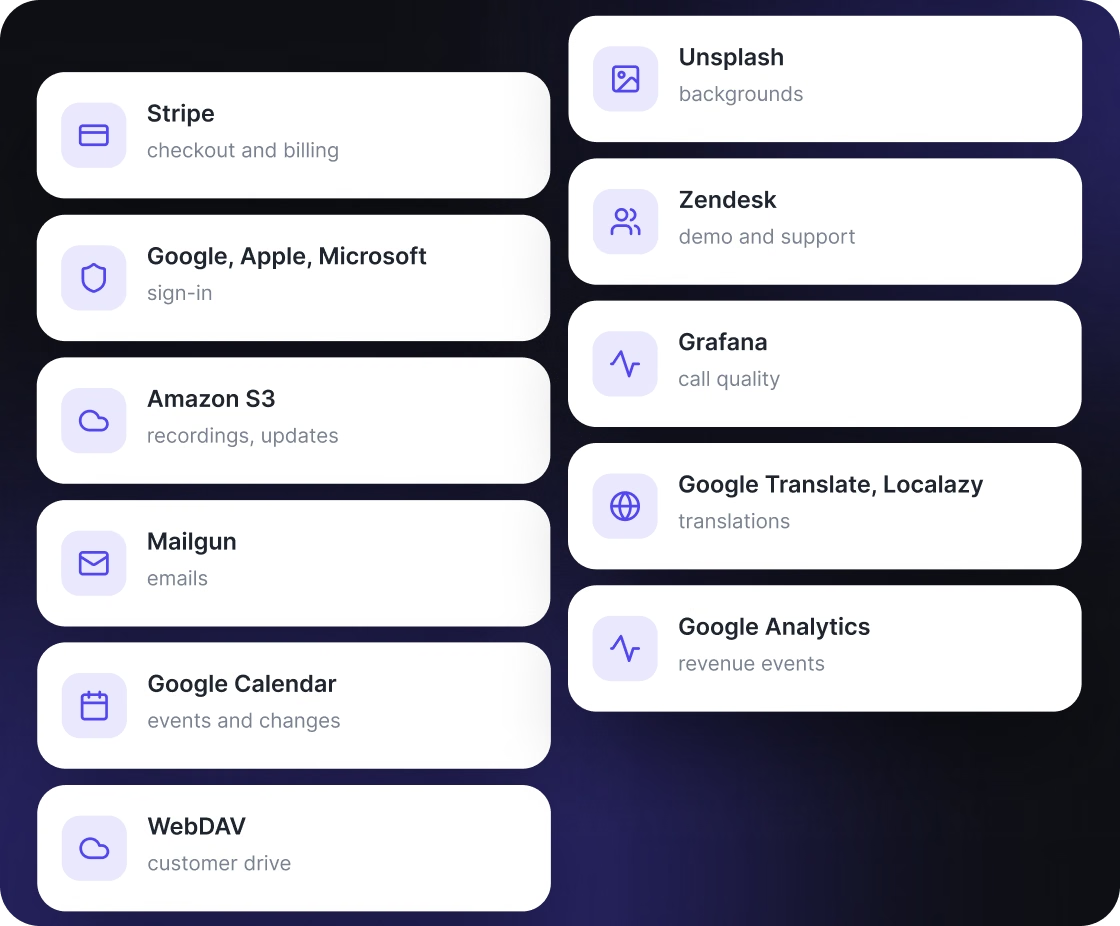
Integrations: Stripe, Google, Amazon S3, Mailgun, Zendesk, Unsplash, Grafana and others

Integrations

  • Stripe: checkout, billing portal and subscription events.
  • Google Calendar: event creation and change notifications.
  • Google (via Firebase), Apple and Microsoft: sign-in.
  • WebDAV: recordings saved to the customer's own cloud drive.
  • Amazon S3: recordings, previews and desktop app updates.
  • Unsplash: background image search.
  • Mailgun: account and meeting emails.
  • Zendesk Sell and Zendesk chat: demo requests and support.
  • Google Analytics: server-side revenue events.
  • Google Translate and Localazy: blog and interface translations.
  • Grafana: call quality dashboards.

Technical Implementation

📱 Platforms
Web app and PWA, desktop apps for Windows, macOS and Linux, iOS and Android apps
🖥 Frontend
JavaScript, TypeScript, React, Next.js, Electron, React Native, Expo, TensorFlow Lite (WebAssembly), WebGL2
⚙️ Backend
Node.js, Express.js, MongoDB, Redis, Socket.IO
💳 Payments and email
Stripe, Mailgun
🔗 Integrations
Google Calendar API, Firebase, WebDAV, WordPress (headless)
☁️ Infrastructure
AWS, Docker, GitLab CI, SonarQube, Sentry, Puppeteer
iMind: waiting room, recordings, per-seat billing