Live Eye Surveillance and Fora Soft logos

Desktop video recorder for stores that prints the receipt into the footage

Published: Oct 19, 2026
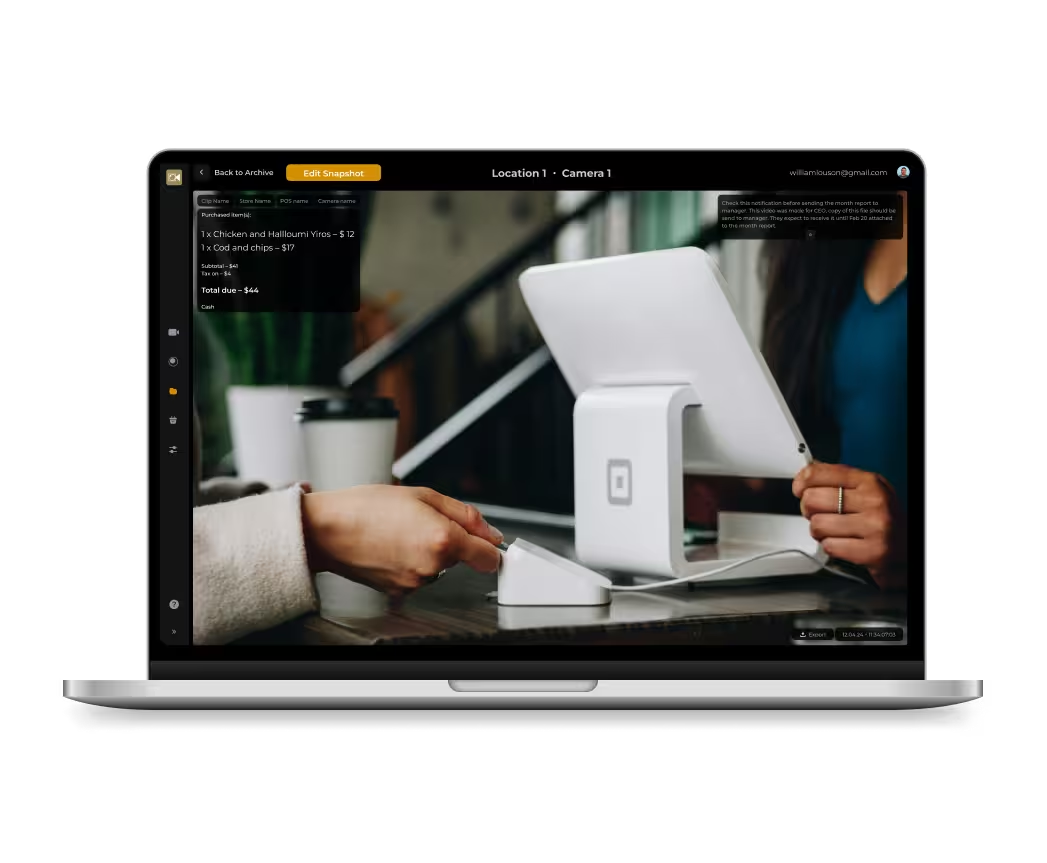
Live Eye desktop app on a laptop: a checkout camera view with the POS receipt overlaid on the footage
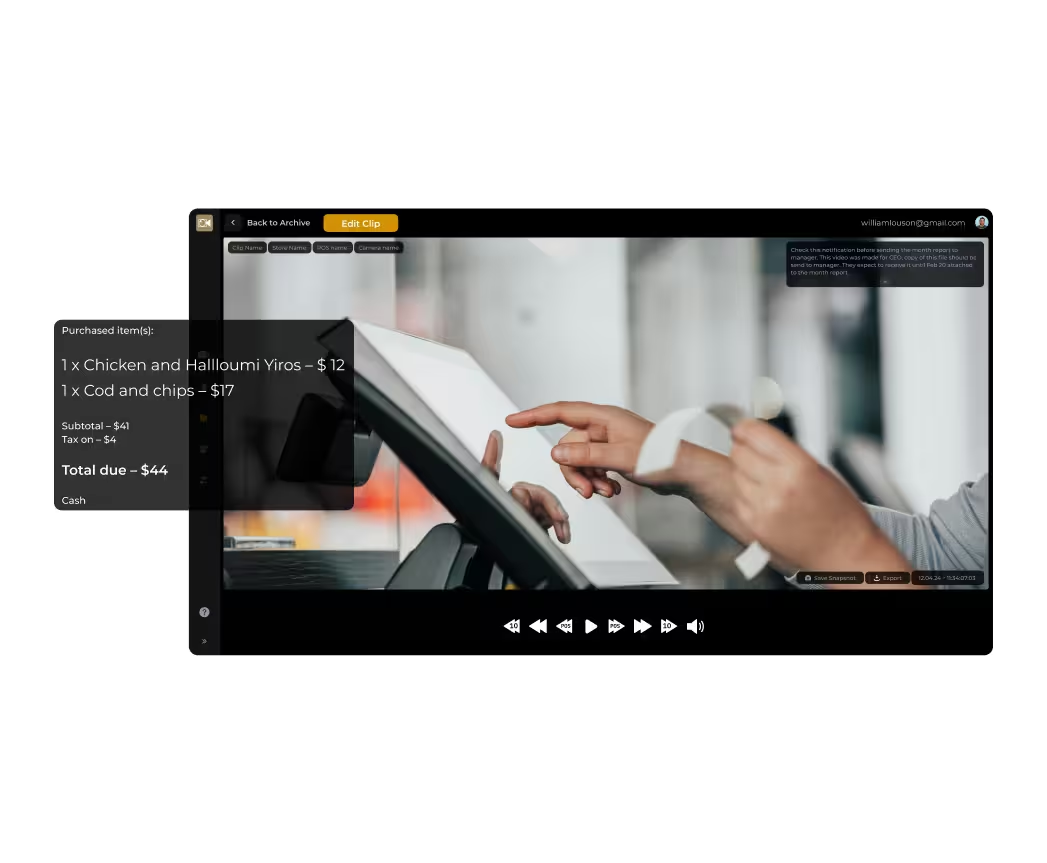
Live Eye clip editor: a POS receipt with items and total next to a checkout camera recording, with playback controls
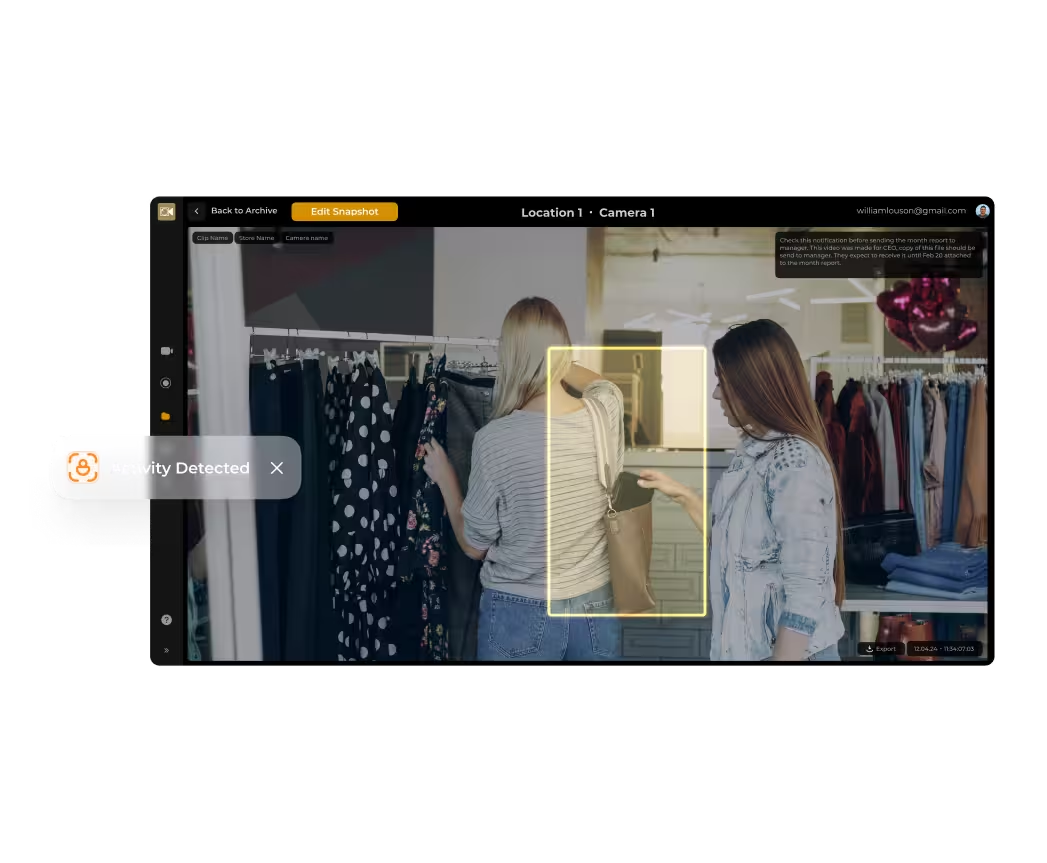
Live Eye desktop app with an Activity Detected alert and a highlighted area on a store camera
Live Eye Surveillance is a video monitoring system for stores and offices. Fora Soft built its desktop app from scratch on Electron and React: live cameras, AI motion alerts, clips, and POS receipts shown next to the footage. Video is stored on the client's local servers.
The primary goal was solid evidence: a store manager can open any sale, review the corresponding video, and export a clip with register data already overlayed directly onto the frame.
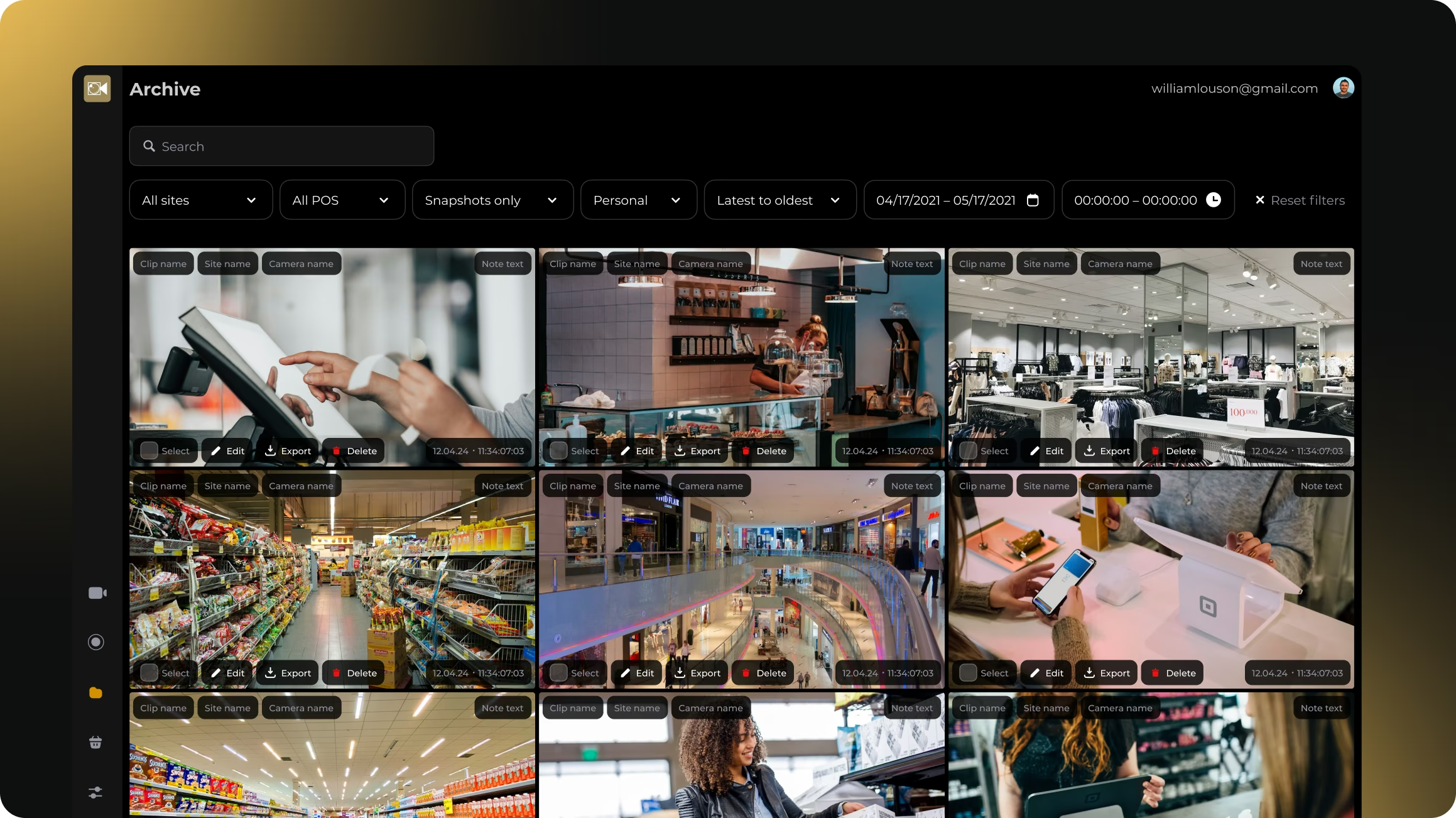
Live Eye archive: a grid of store camera clips with filters by site, POS, date and time
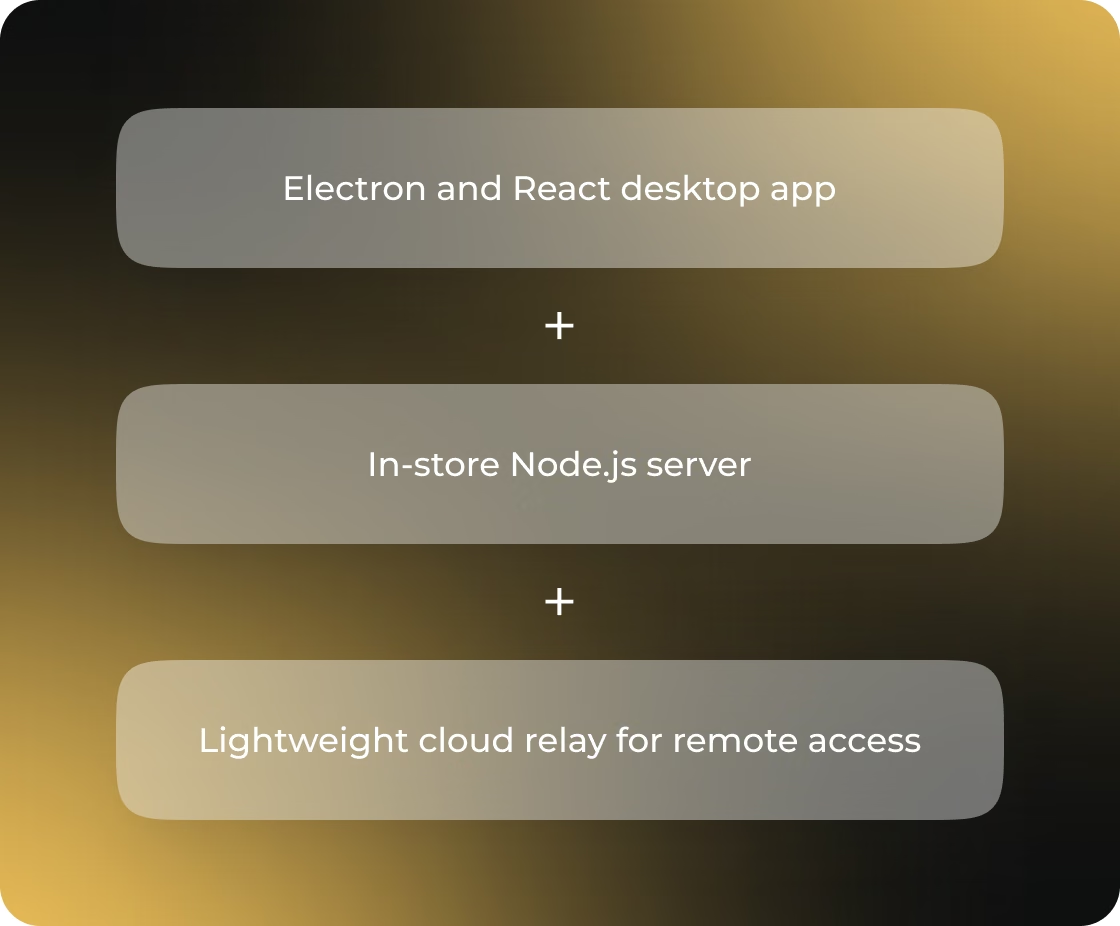
Between June 2024 and March 2025, Fora Soft designed and built Live Eye's desktop video recorder from scratch. Running on a standard store Windows PC, it records video, streams live footage, maintains the archive, and pairs every transaction with the exact seconds of footage when it occurred. The architecture consists of three components: an Electron and React desktop app, an in-store Node.js server, and a lightweight cloud relay for remote access.
What We Did

Between June 2024 and March 2025, Fora Soft designed and built Live Eye's desktop video recorder from scratch. Running on a standard store Windows PC, it records video, streams live footage, maintains the archive, and pairs every transaction with the exact seconds of footage when it occurred. The architecture consists of three core components: an Electron and React desktop app, an in-store Node.js server, and a lightweight cloud relay for remote access.

Live Eye architecture: Electron and React desktop app, in-store Node.js server, lightweight cloud relay for remote access
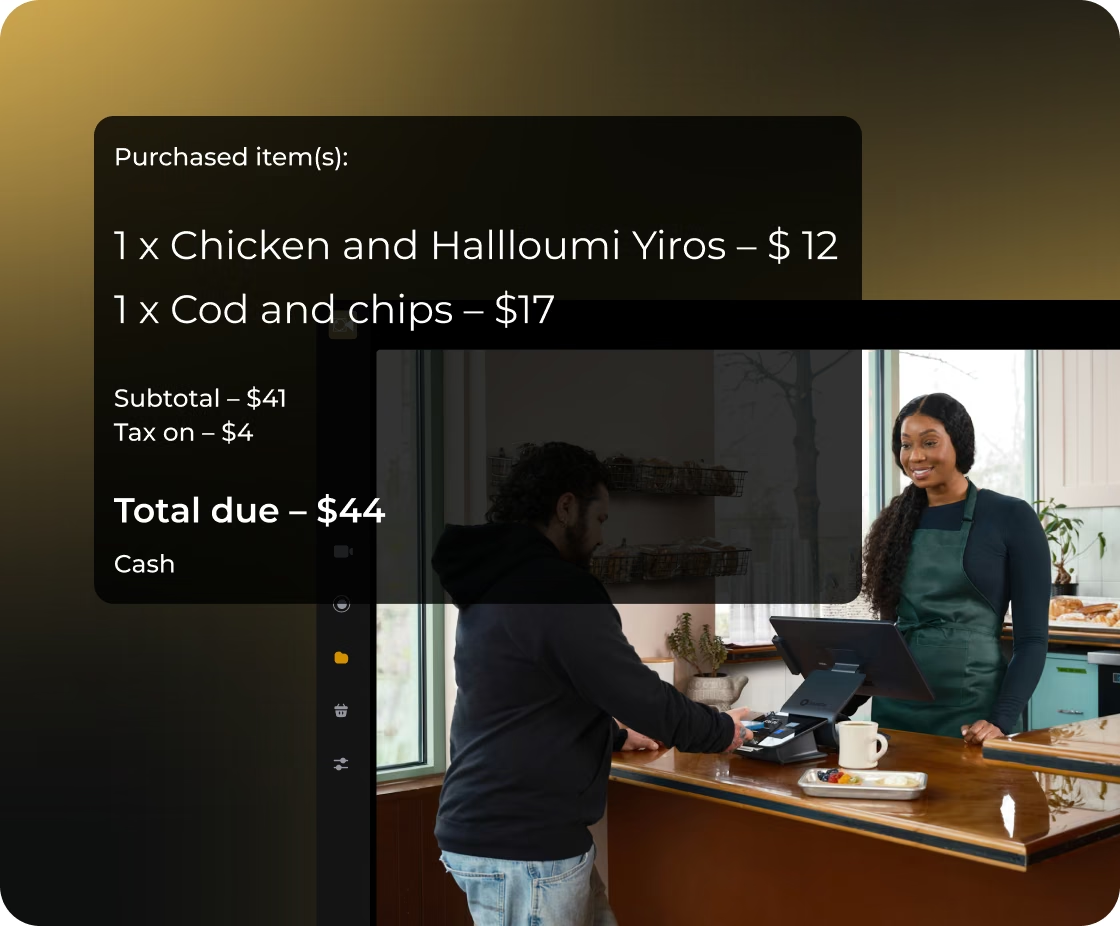
Exported Live Eye clip with the POS receipt (items, subtotal, tax, total) burned into the checkout camera frame

The receipt is printed into the exported video

When a user exports a clip, the register data for that period is burned into the frame: items, prices, tax, total, time. Each receipt appears exactly for the seconds its sale was open, then disappears.

  • Up to four registers in one frame, each in its own corner
  • Font size follows the camera resolution, so the text stays readable on 720p and 4K alike
  • The result is a plain video file: it opens in any player and can be sent to anyone, no Live Eye software needed on the other end
  • The same overlay is shown over live video and in the archive, and can be switched off

Direct integration with the registers

The app reads the point-of-sale device itself, in real time. No middleware and no export from the POS vendor.

  • Over cable (COM port, RS-232) or over the network (TCP)
  • Four different receipt formats are parsed
  • Voided items, payment method and change are tracked
  • When several registers share one data stream, the app separates them
  • When a receipt closes, the camera takes a still for the transaction preview
  • The transactions page updates live, sorts, and filters by date range

In the archive, the timeline has "previous receipt" and "next receipt" buttons. A manager can walk through a shift sale by sale instead of scrubbing by time.
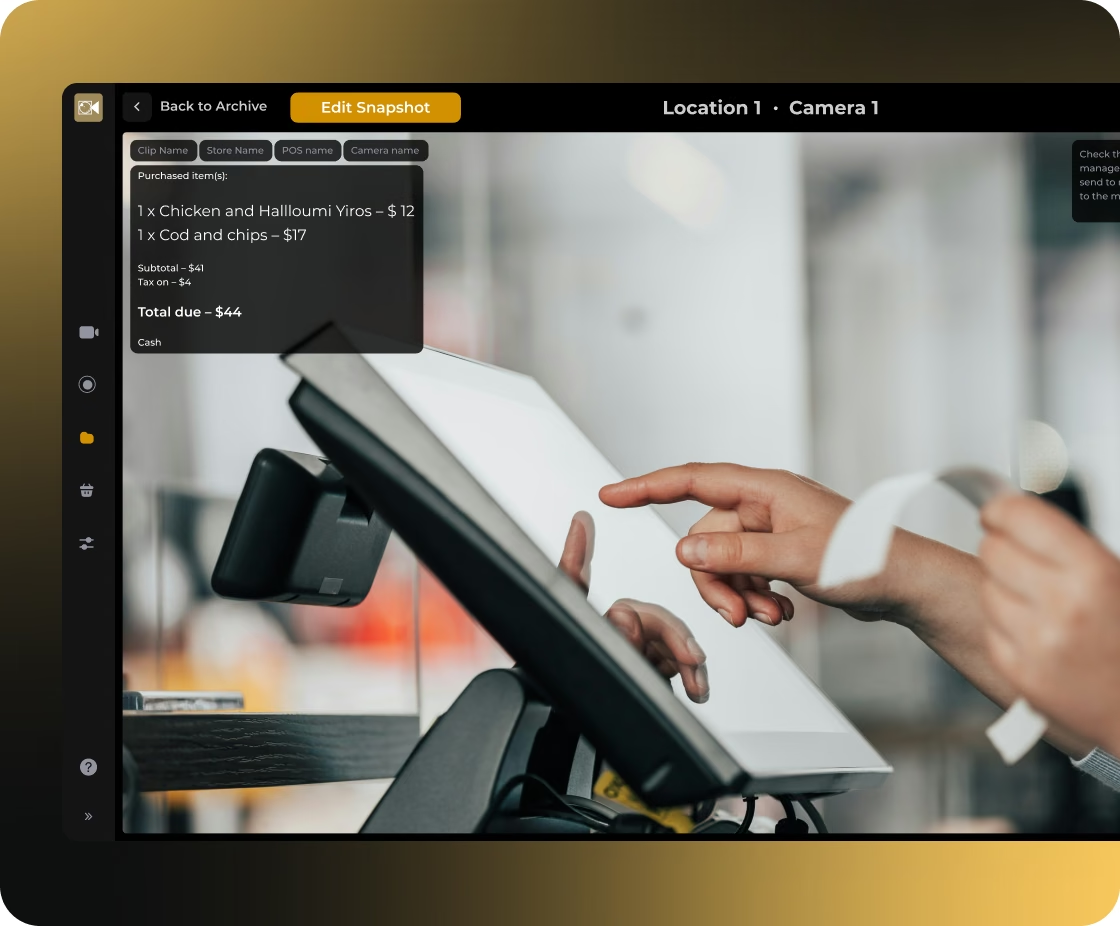
Live Eye snapshot editor: a POS receipt shown next to a checkout terminal camera view
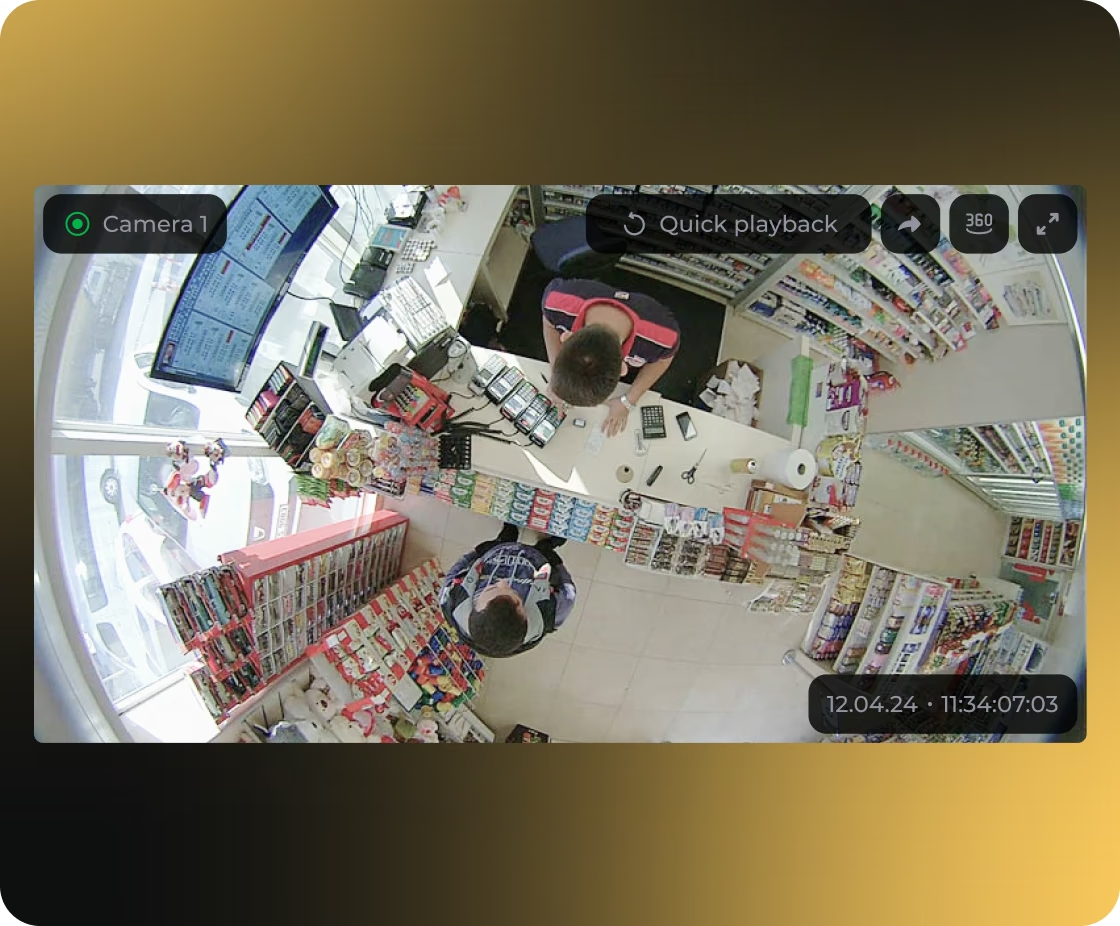
360° fisheye store camera in Live Eye with quick playback controls

A fisheye camera that behaves like a PTZ camera

A 360° fisheye camera covers a whole sales floor, but the raw image is a distorted circle. Live Eye turns it into a virtual pan-tilt-zoom camera: the user drags and zooms with the mouse, like on a mechanical PTZ, with no moving parts.

  • The video is mapped onto a 3D hemisphere (modeled in Blender) and rendered with WebGL through Three.js
  • Works in live view, in the archive, in clips and in previews
  • A camera can be opened in a separate window on a second monitor and keeps its angle
  • Zoom works for regular cameras too

The hard part is export. The server reproduces exactly the angle the user was looking at: the angles from the 3D scene are converted into FFmpeg filter parameters through a calibrated table, so the exported clip shows what the manager saw, not the raw fisheye circle.

Remote access with no public IP and no port forwarding

Stores rarely have a static public address, and nobody wants to touch the router. The store server opens an outbound connection to a cloud relay, and remote users connect through it.
  • One connection carries everything: app commands, archive video, register events and the handshake for live video
  • The relay is Fora Soft's own, about 270 lines of code, instead of a third-party tunnel service
  • If the store does have a public address, the relay checks it and sends the client directly, so video does not pass through the cloud
  • Video never leaves the store. The cloud sees connections, not footage
  • The same app works inside the store and from home, with a switch between locations; several instances can run at once
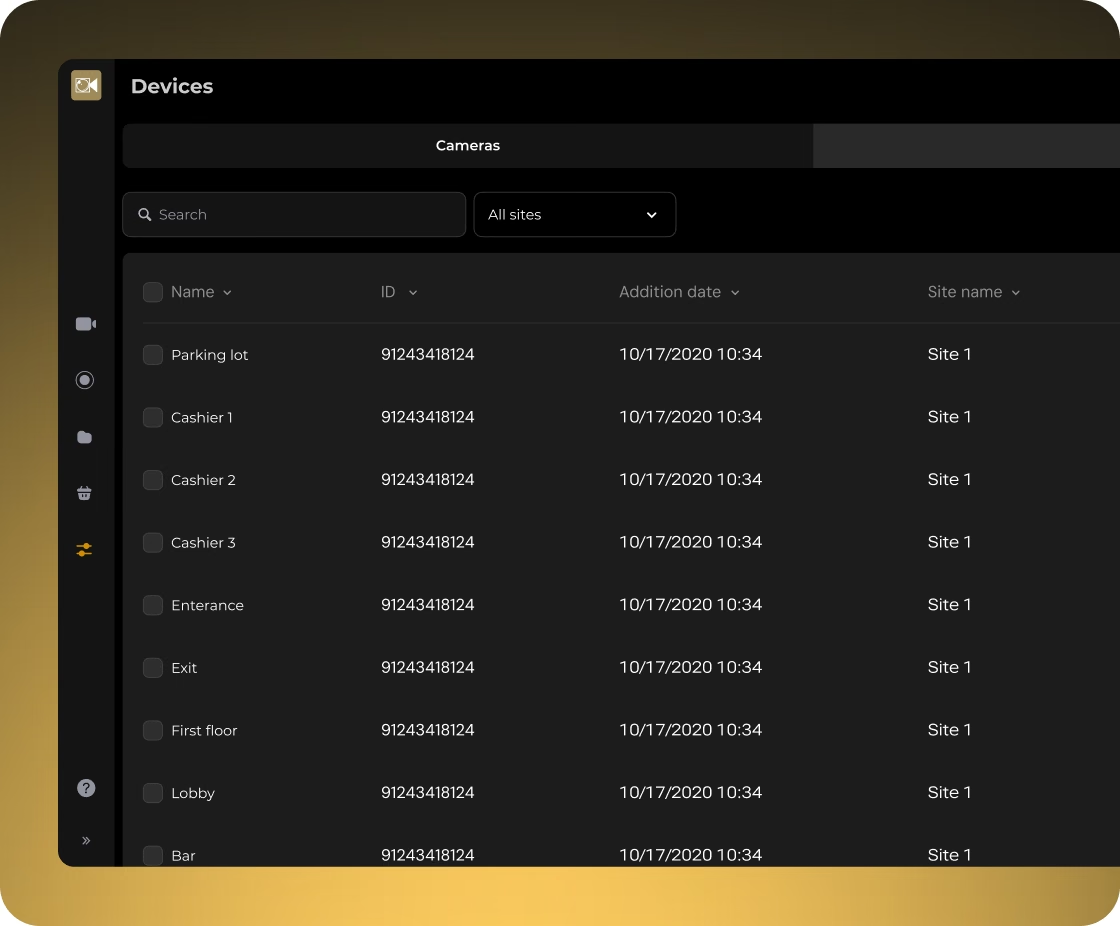
Live Eye devices list with store cameras, IDs, addition dates and sites
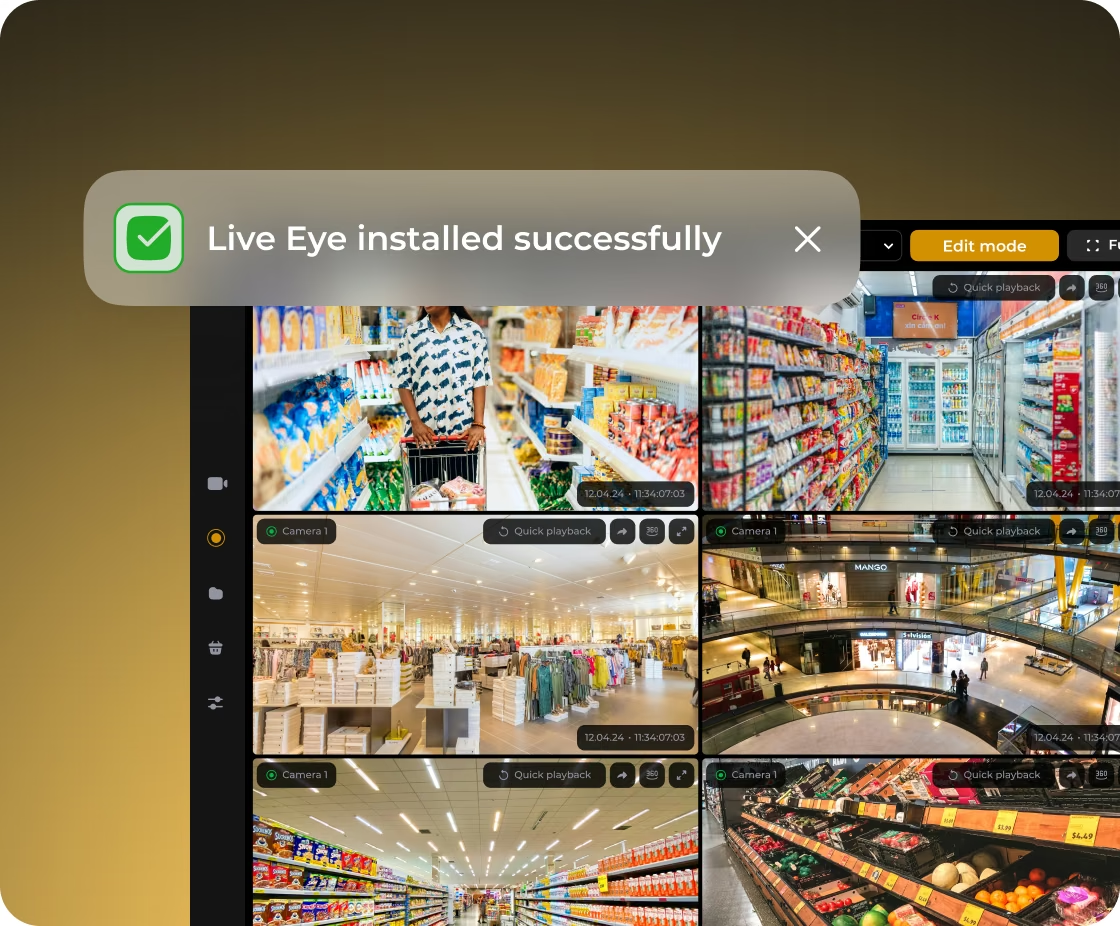
Live Eye installed successfully notification over a video wall of store cameras

One installer, nothing to configure

A single .exe puts everything on a regular Windows PC: the app, Node.js, MongoDB, FFmpeg and the MediaMTX media server. The server starts with Windows. Recording continues with no internet connection.

An archive with no gaps

A recorder is only useful if the footage is there when someone needs it. Several things in Live Eye exist only to make sure it is.
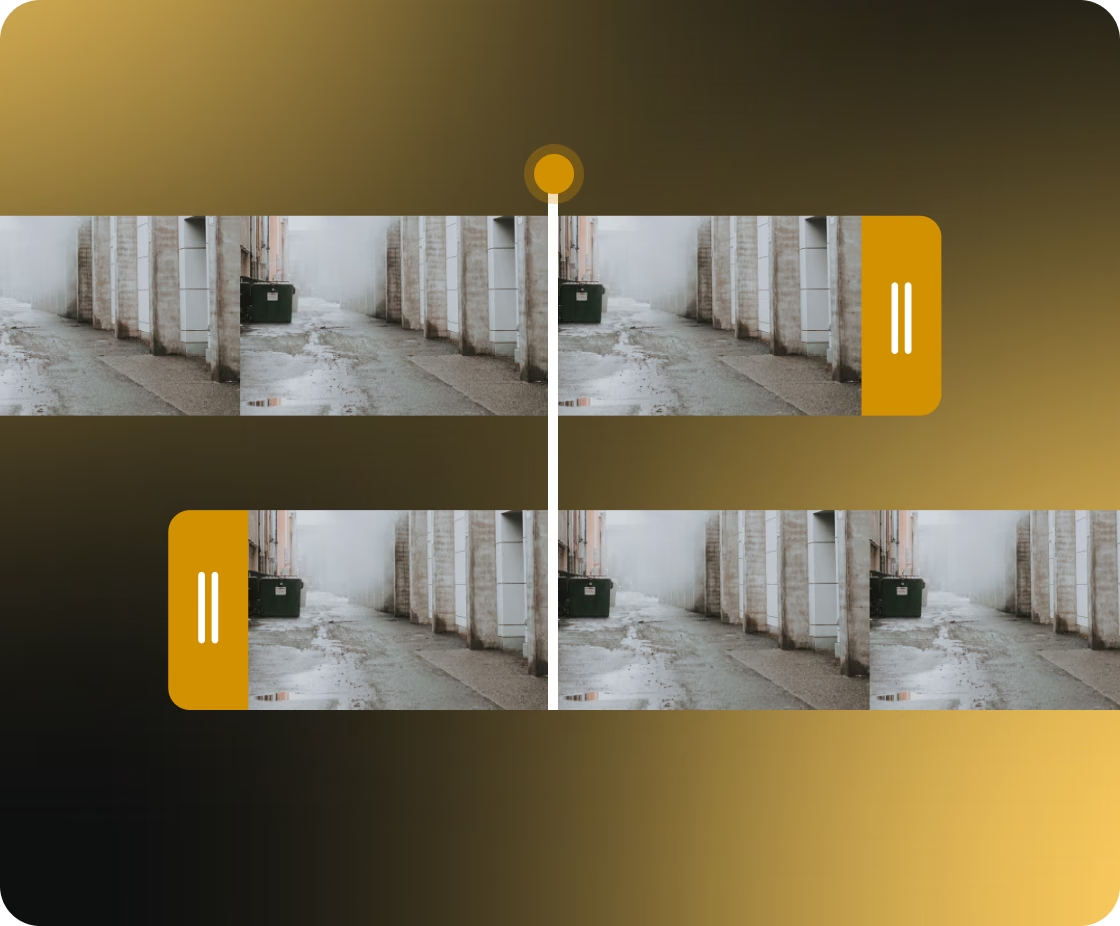
  • Recording is cut into 10-minute segments. The old recording process stops only after the new one has produced its first frame, so nothing is lost at the seams
  • After a power failure, unfinished files are repaired on startup and broken ones are removed
  • Every 10 seconds the system restarts any camera stream or register connection that has dropped; a separate watchdog restarts the media server; a frozen interface reloads itself after 30 seconds; the player reconnects after 30 seconds without frames
  • Old recordings are deleted by age (30 days by default) and by free space: the disk always keeps at least 10% free, oldest segments go first
Overlapping 10-minute recording segments on the Live Eye timeline
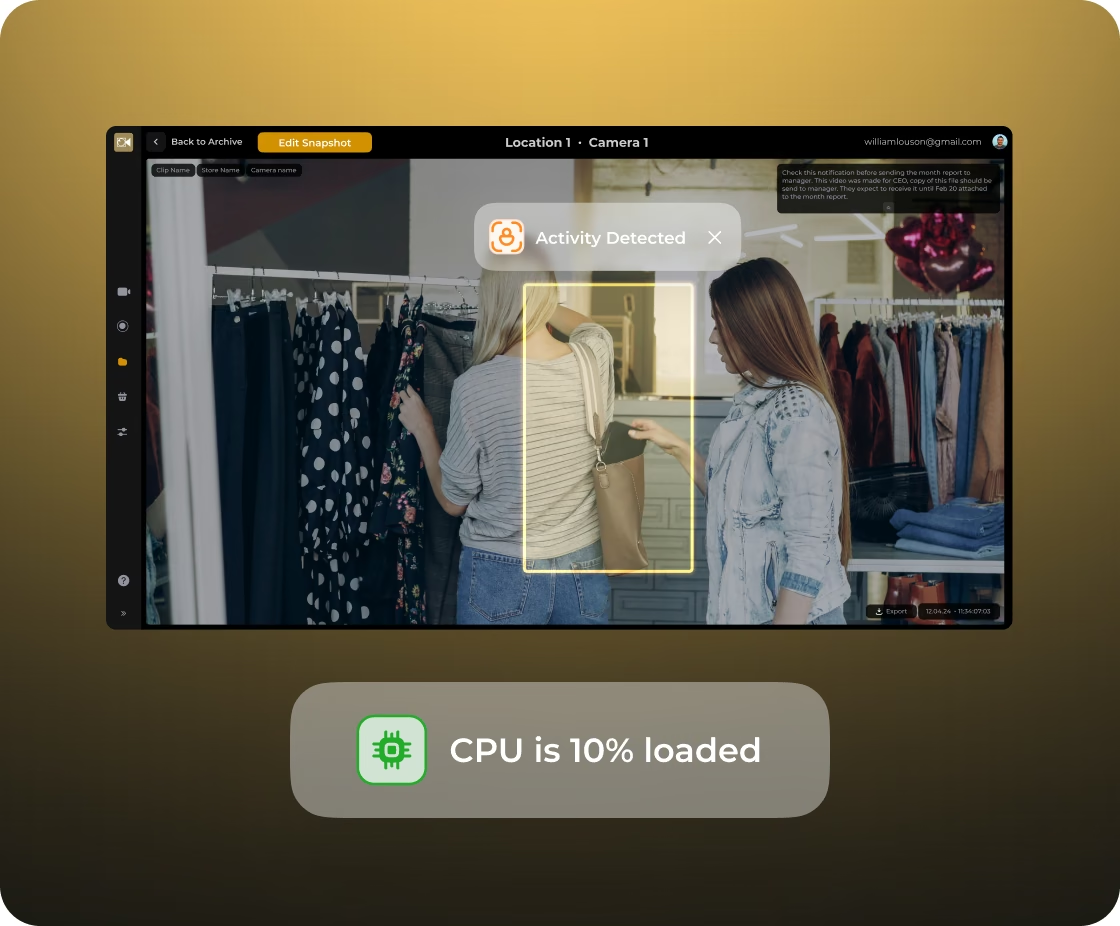
Live Eye motion detection alert on a store camera with a CPU is 10% loaded badge

Low load on ordinary PCs

Store computers are not workstations. The recorder is built to run on whatever is already there.
  • Video is recorded without transcoding, so the CPU is barely used. One FFmpeg process per camera writes the archive, serves the live stream and saves a frame once a minute for the timeline
  • Motion detection needs no GPU and no neural network: frames are compared in a 256×256 grayscale copy. Sensitivity is adjustable, recording continues for 20 seconds after motion stops, and a schedule (including overnight, across midnight) decides when motion recording is on
  • Live video goes over WebRTC, the same technology video calls use

Clips in seconds, a timeline you can read

  • A clip of up to an hour is assembled from archive segments without re-encoding, so saving is almost instant
  • Playback is sought on the server: video starts from the requested second, and the segment still being recorded can be watched as well
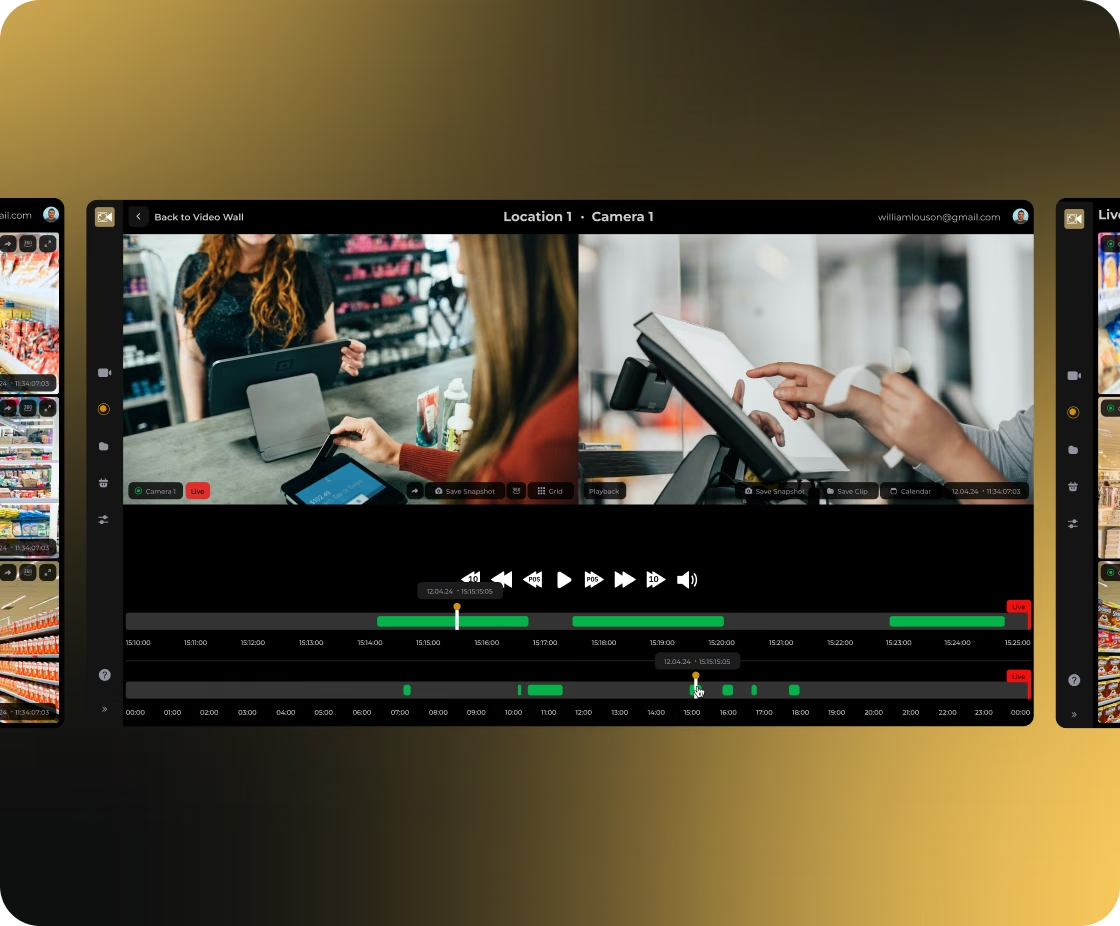
  • The server stitches the once-a-minute thumbnails into one filmstrip and sends it in a single request, so the timeline shows what happened at a glance
  • Fast-forward and rewind run at variable speed; the video wall is configured by dragging cameras, and the grid resizes to the screen
Live Eye clip view with two checkout cameras and a timeline with motion and receipt markers

Technologies

Under the hood, the solution packs roughly 30,000 lines of robust TypeScript code into a clean, layered architecture. Every request undergoes strict format validation and database checks before reaching core business logic, backed by transactional integrity and automated migrations. To keep development moving smoothly, Jira tasks transition automatically upon code merges, while CI pipeline rules strictly enforce high-quality change descriptions.

🖥 Platforms
Windows desktop
🔮 Remote access
Own cloud relay
📽 Video
WebRTC, MediaMTX, FFmpeg, Three.js (WebGL)
🧾 Delivery
Single Windows installer, automated builds on a Windows CI server
🗃️ Desktop app
Electron, React, TypeScript
🗄️ Server
Node.js, TypeScript, MongoDB
⚙️ POS integration
RS-232 (COM port), TCP; four receipt formats
Live Eye Surveillance logo with Desktop and Local data storage labels