
We worked inside Lynxx's existing backend next to Lynxx's own developers. They build the portal, the camera unit software, the database and the rest of the backend. We designed the video architecture, deployed the video server and the recorder, and wrote the recording history, playback and export service, the camera publish tokens and the stream quality presets. We also wrote the interface specifications that Lynxx's developers built their side from. We designed share-link access to live streams and started the implementation; Lynxx's developers completed it.
Where it stands: the video server and the recorder run on Lynxx's own server, the recorder since October 2026. The new streaming unit and camera control are the next stage.
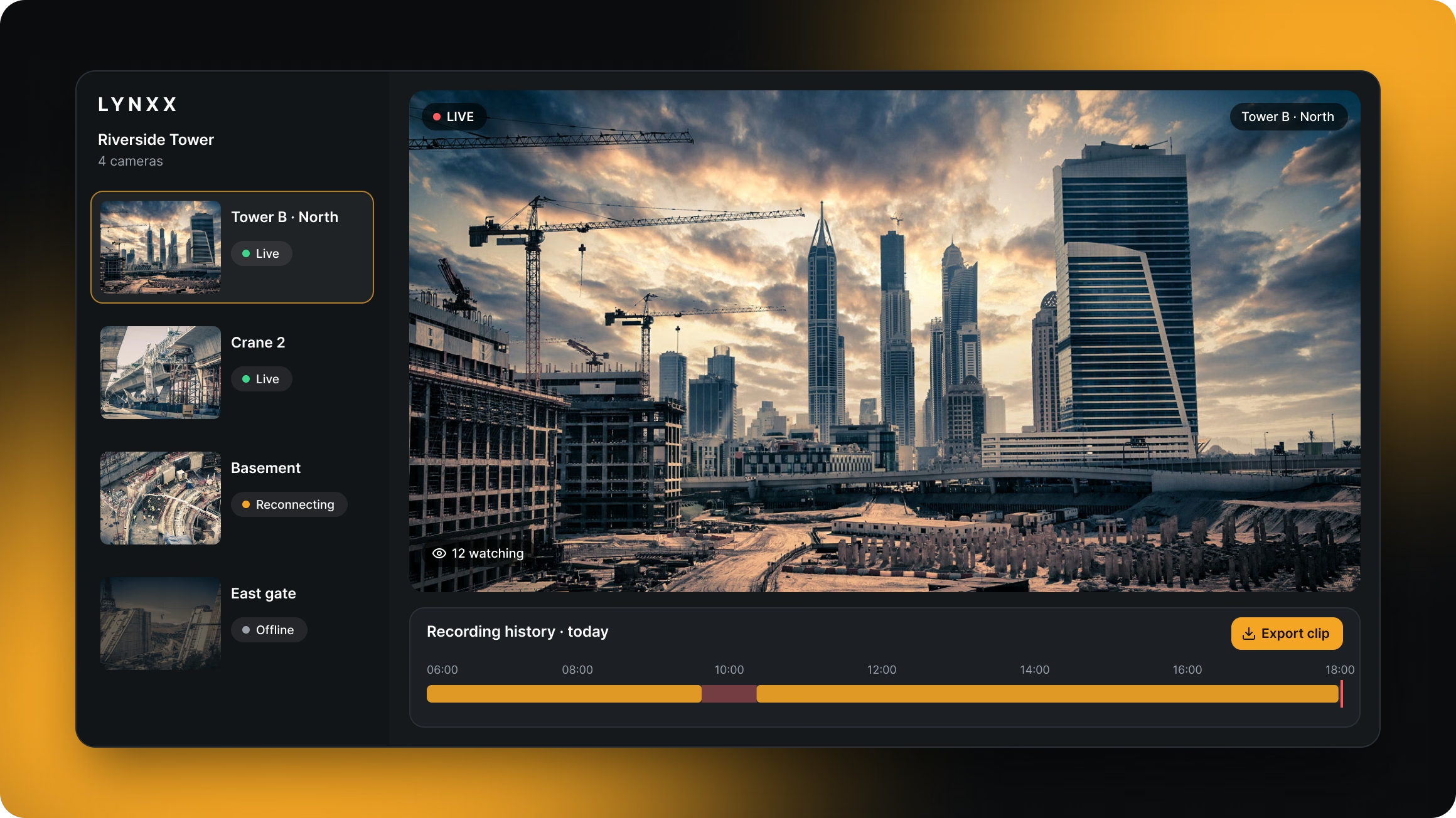


In this text, a viewer is anyone watching a stream, member or guest. The video server is the self-hosted LiveKit server, the recorder is the MediaMTX service that writes video to disk, and the backend is the set of Lynxx services behind the portal.

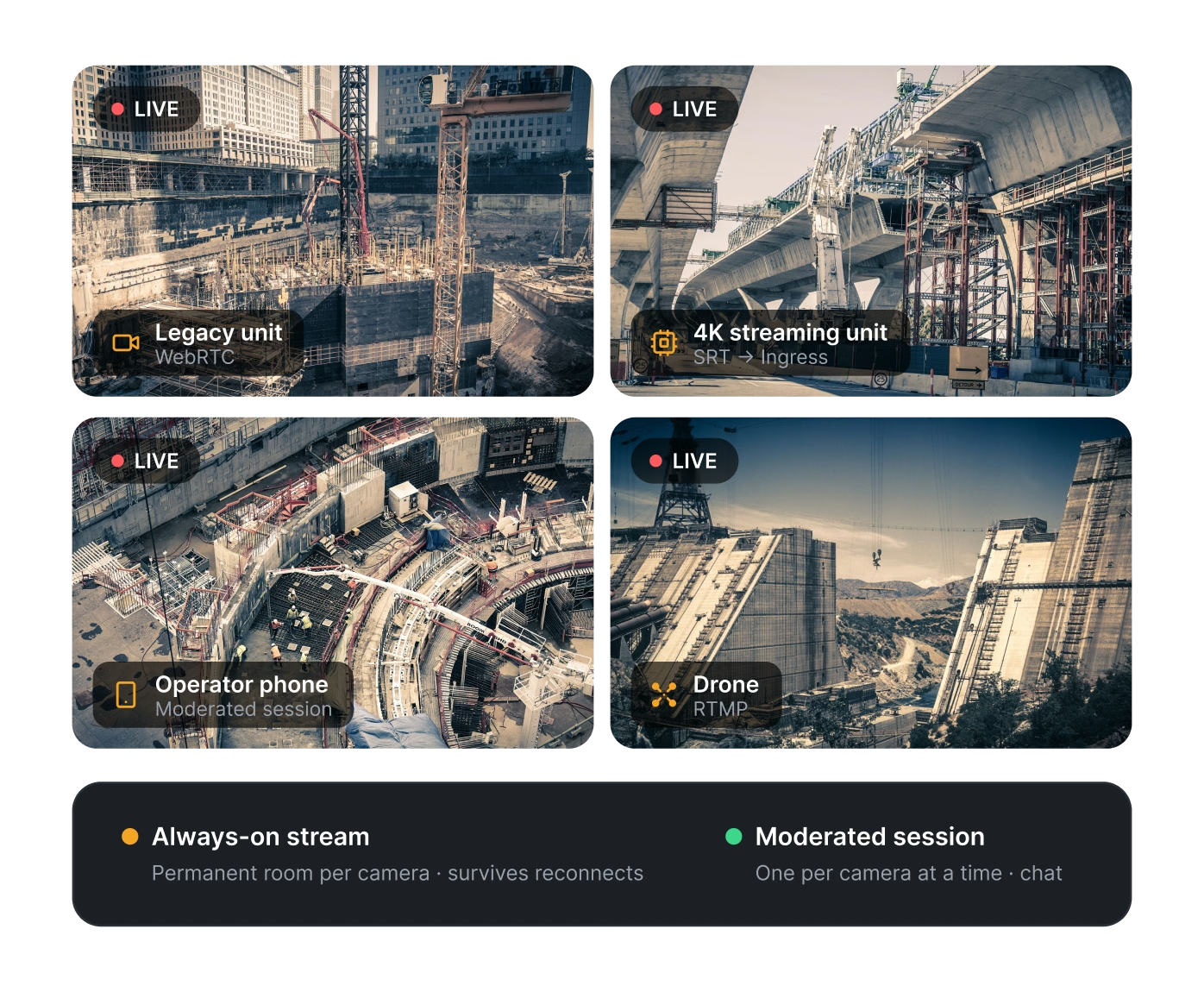
Every source arrives at the video server as the same kind of stream. The portal shows all of them the same way, and a new camera type is designed to need no frontend changes.
We deployed self-hosted LiveKit on Lynxx's server with deployment automation: the video server, TURN on port 443 so viewers behind strict corporate firewalls still connect, the event notifications from the video server to the backend, and the keys the backend uses to issue access tokens. We added the missing Ingress service, the entry point for sources that are not browsers: the recorder forwards each encoder's feed to it, and other sources can publish over the WHIP or RTMP protocols. The existing phone publishing path, room names and participant identities were kept as they were, so working features did not break.
The specification keeps Lynxx's existing moderated sessions and adds always-on streams on the same infrastructure:
For camera control we specified a single lock: taking control of a session also takes the camera's pan-tilt lock, so two people cannot steer one camera at the same time.
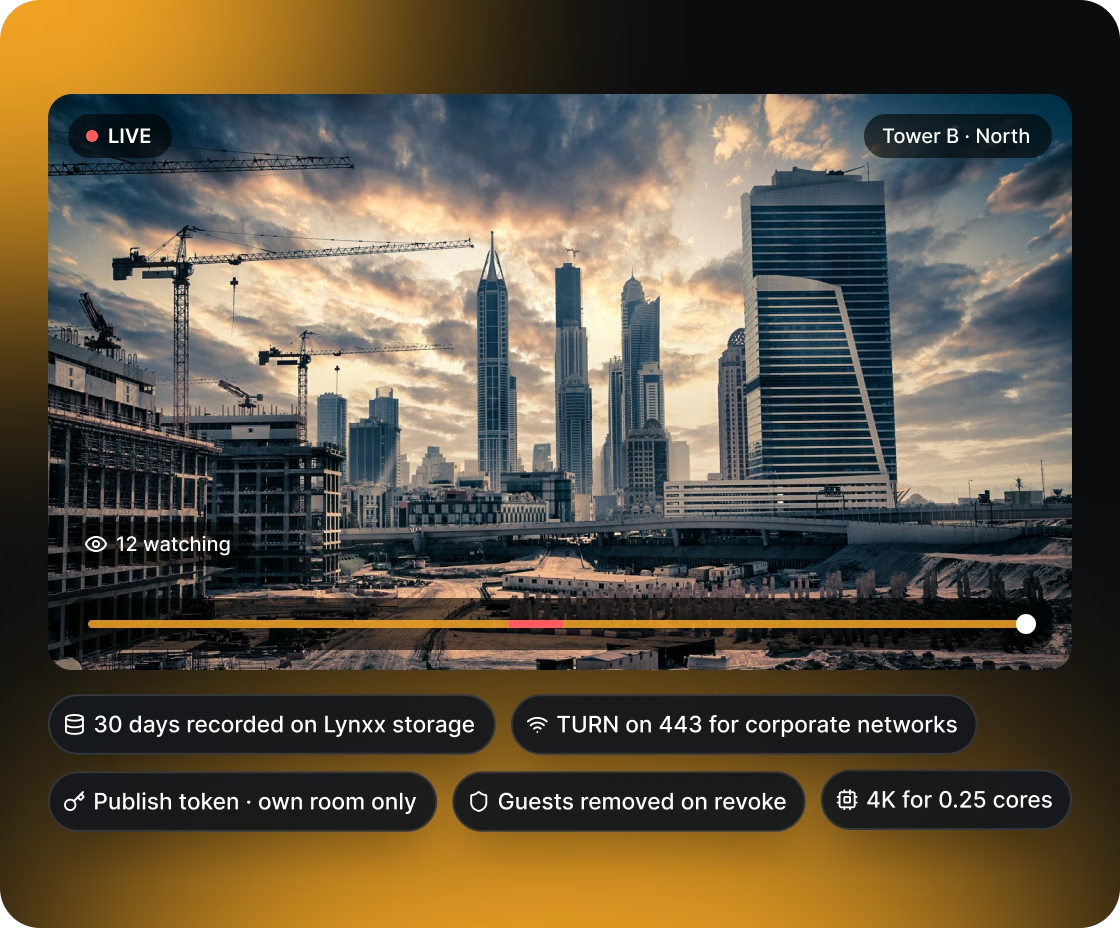
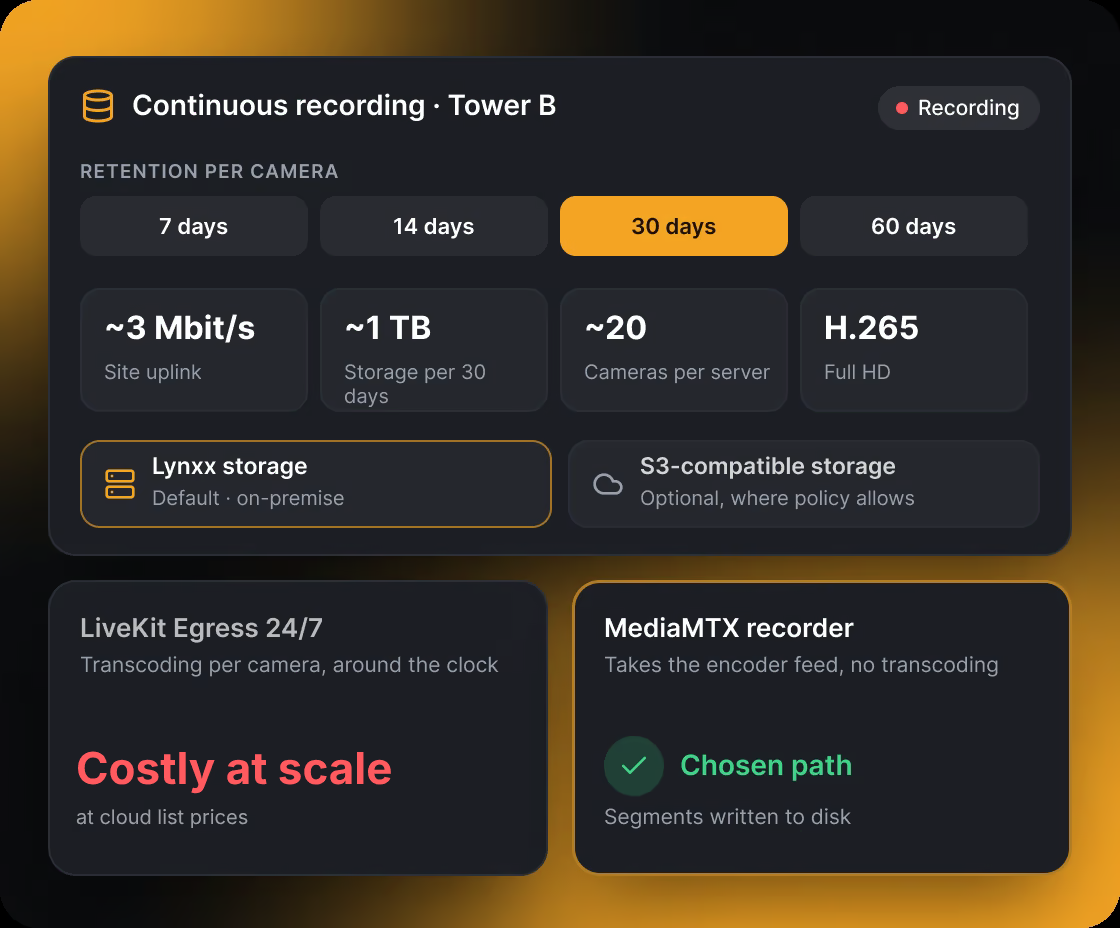
Round-the-clock recording runs on a separate, cheap path with no transcoding, and covers the cameras that publish through the recorder. We recommended this instead of recording 24/7 through LiveKit's own recording service (Egress), which would run a transcoding pipeline per camera around the clock and cost far more at cloud list prices. On the chosen path a MediaMTX recorder takes the encoder's feed directly, writes it to disk as time-stamped segments and forwards the live stream to the video server. The rolling retention window is 30 days by default and is set per camera.
We costed the design at Full HD with H.265: about 3 Mbit/s of site uplink and about 1 TB of storage per camera per 30 days, with one server enough for up to about 20 cameras. Recording in 4K needs more uplink and storage per camera.
Recordings stay on Lynxx's own storage by default, not in a third-party cloud, which suits customers whose data-residency rules forbid storing video in a third-party cloud. S3-compatible object storage remains an option per customer where policy allows it.

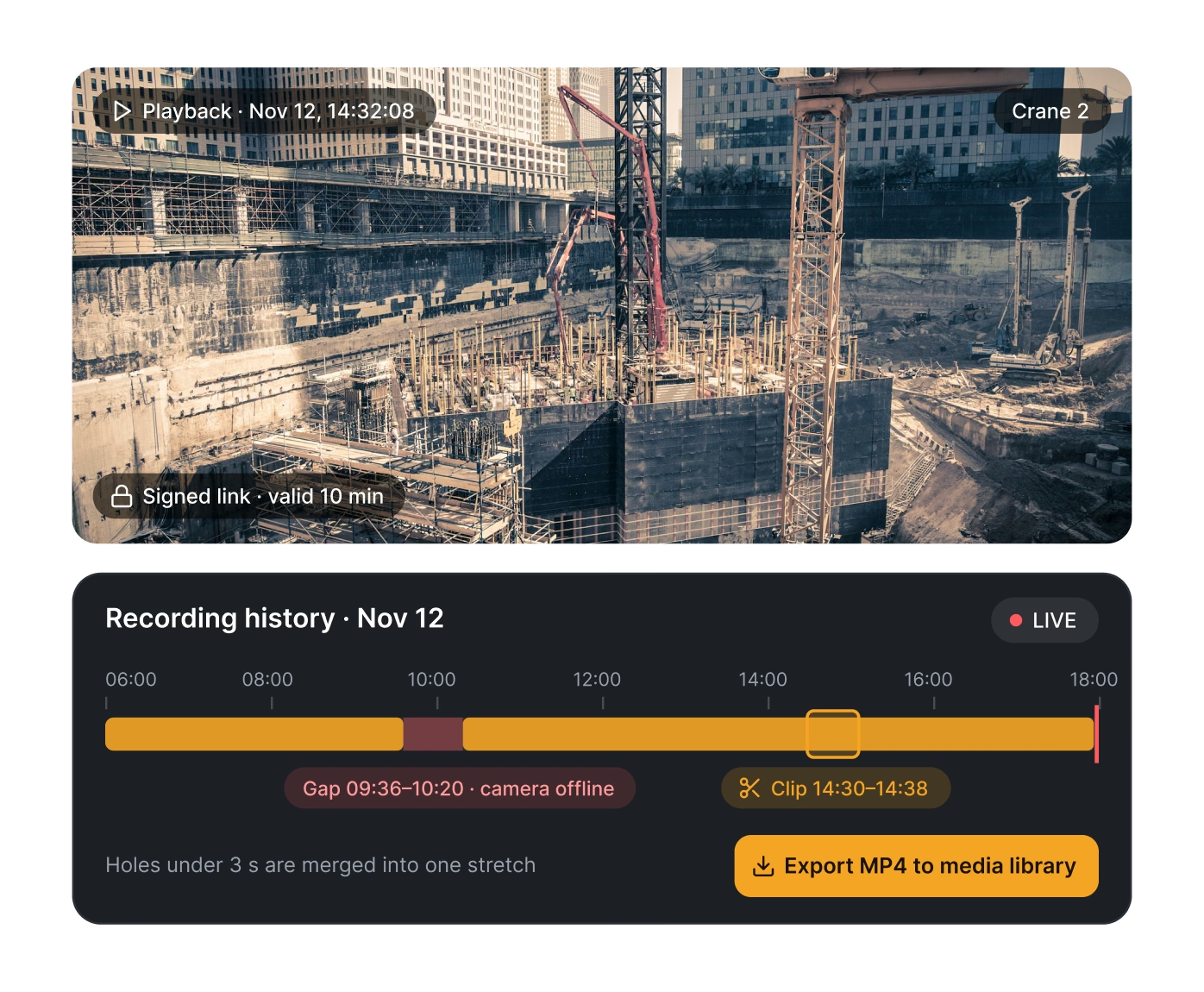
For a camera and a time range, the history service tells the portal which stretches are recorded and where the gaps are. We measured the recorder's real behaviour before writing the specification:
The history service therefore merges holes shorter than a tolerance, 3 seconds by default, into one continuous stretch and reports only longer holes as gaps. While the recorder is receiving the camera's stream, the service extends coverage up to the live moment. If the camera has just come back after an outage, coverage starts from the moment it returned, so the outage still shows as a gap. The merging logic is tested against the recorder's raw output captured during the measurement.
Playback uses signed links. The backend creates a link bound to one recording and one time window of up to 4 hours; the link is valid for 10 minutes by default. The web server in front of the recorder checks the signature itself, without asking the backend. Video plays over plain HTTPS with seeking, so scrubbing through recordings puts no load on the backend or the video server. A request whose window falls entirely inside a gap is refused with the gap's boundaries; a window that only touches a gap plays the recorded part.
A fully recorded stretch of up to 10 minutes can be exported as an MP4 clip and filed in the project's media library like any other item, with a note of where it came from. If the stretch crosses a gap, the export is refused and the response lists the gaps. Recordings are kept for the camera's retention period; a clip saved to the media library stays there.
Before serving history, playback or export, the backend checks that the camera belongs to the customer and project in the request.
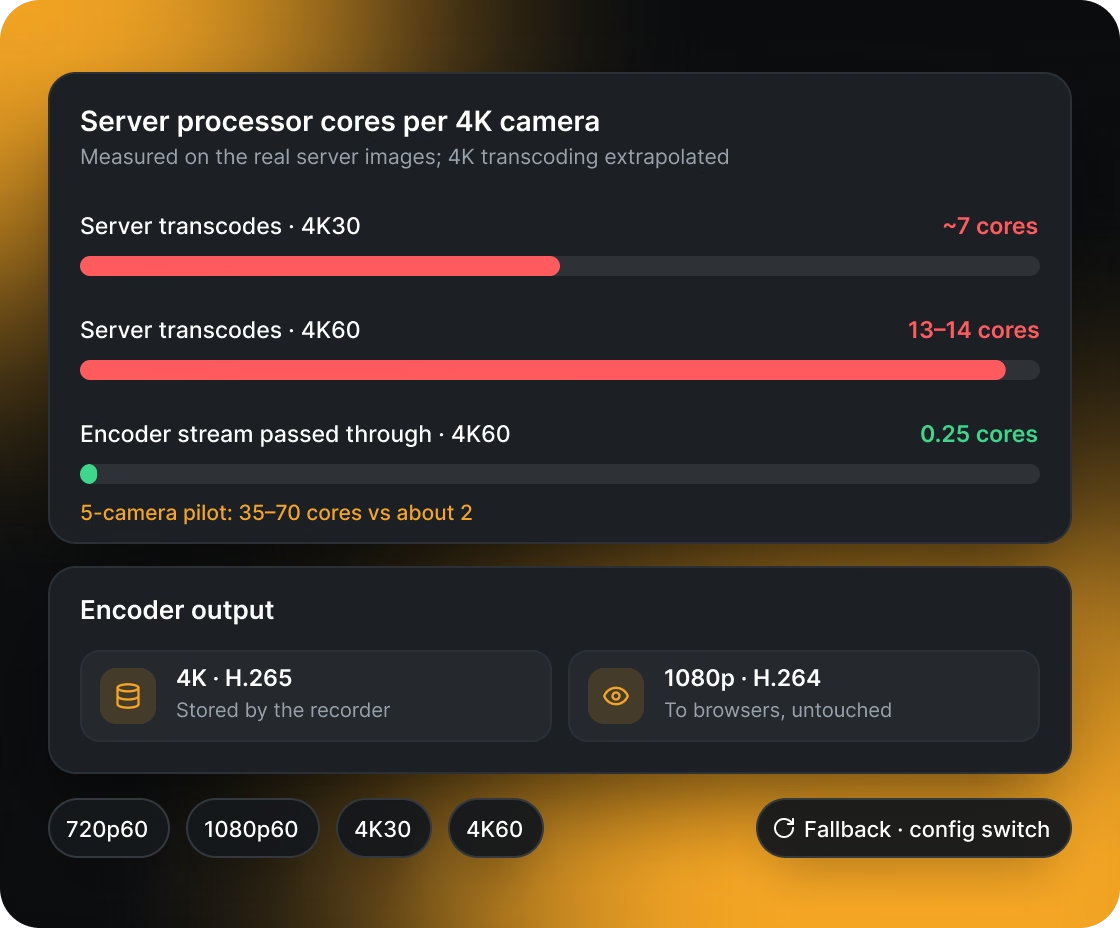
We measured both ways of preparing live video for browsers on the real server images and documented the decision. The results:
In the recommended setup the encoder produces two streams: 4K H.265, which the recorder stores, and 1080p H.264, which the recorder forwards to the video server and browsers receive untouched. This adds no transcoding delay and lets the encoder use a higher-quality H.264 mode than the basic one server transcoding is limited to.
Server transcoding stays available as a fallback. Presets for 720p60, 1080p60, 4K30 and 4K60 are kept in configuration, and switching between the two modes is a configuration change, not a code change.
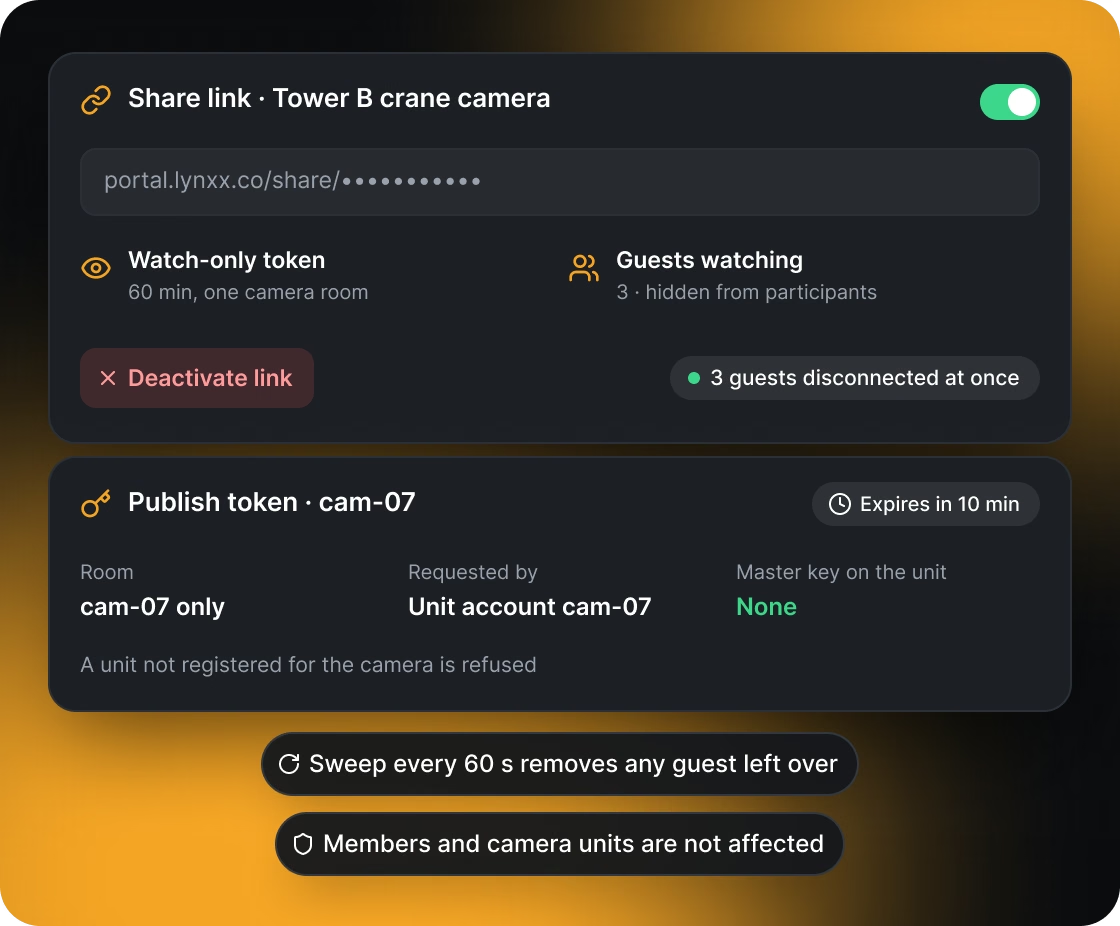
Before our work, a camera unit could publish only by holding the video server's master key, which lets its holder create access for any room. We added a backend endpoint that gives a unit a short-lived token (10 minutes by default) for publishing to its own camera's room only. The unit asks for the token with its own account, and the backend refuses a unit that is not registered for that camera. A unit that uses these tokens no longer needs the master key, which then stays only in the backend and on the video server. The legacy unit software, which Lynxx maintains, holds the key until it switches.
Guests who open a share link or a public embed get a watch-only token for one camera's room, valid for 60 minutes by default, and are not shown in the room's participant list. The video server checks such a token only when the guest connects, so we designed revocation to disconnect guests who are already watching, and Lynxx's developers finished the implementation:
The portal shows whether each camera is live, driven by the video server's events. We defined these events and the status rules in the specification of the link between the video server and the backend. A camera goes online as soon as it starts publishing and offline only after a 60-second grace period, so a short encoder hiccup or a reconnect does not make the status flicker. Before marking a camera offline, the backend checks that the room really has no video left. After a restart it re-checks every active camera, so the status is corrected after outages of the service itself. Status changes are pushed to the portal as they happen.

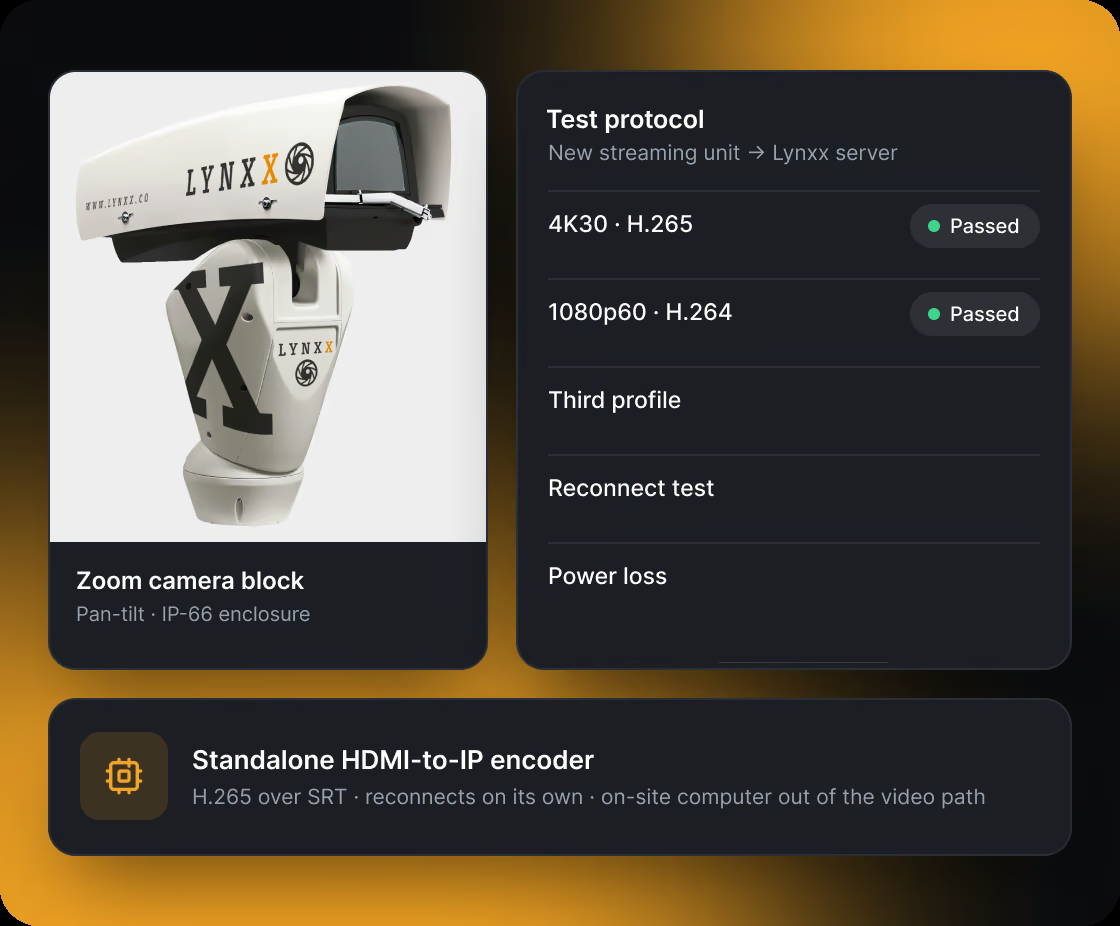
For the new streaming unit we prepared the hardware and encoder specification and a test protocol for three quality profiles. We recommended a standalone HDMI-to-IP encoder next to the zoom camera block, sending H.265 over SRT. It takes the small on-site computer out of the video path, survives reboots of the on-site computer and reconnects by itself after network drops. In tests the unit streamed 4K at 30 fps in H.265 and 1080p at 60 fps in H.264 into Lynxx's server.
We also specified the zoom and focus control of the camera block over its serial interface, tied to the same control lock as pan and tilt.

You get a realistic estimate, technical recommendations and next steps. Free, no obligations.