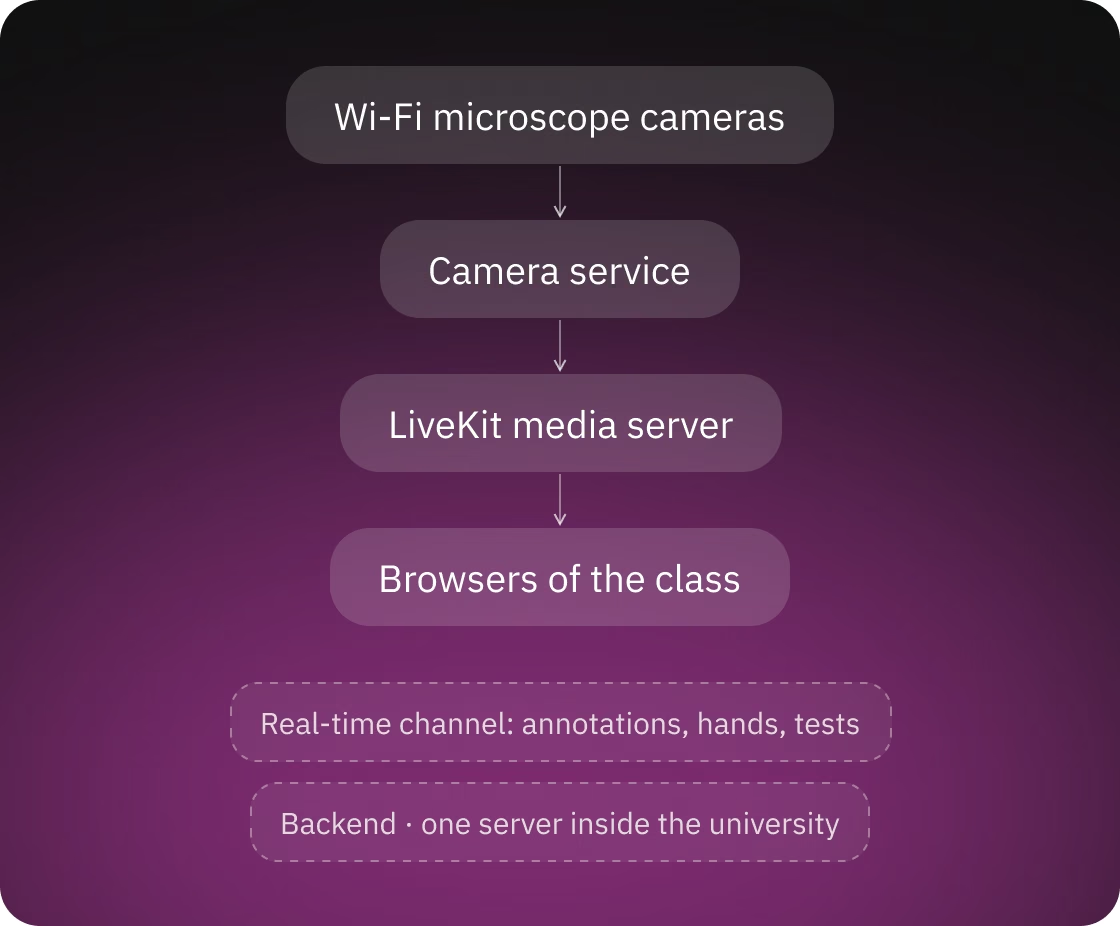
The system works like this: everything runs on one server inside the university. The camera service finds the cameras on the local network and sends each microscope's video to a media server (LiveKit), which delivers it to browsers. Annotations, raised hands and test events reach browsers through a separate real-time channel, and the backend stores accounts, classes, images, annotations and tests.
The hardest part of the platform is the gap between the hardware and the classroom. Stock camera software works for one person at one computer. Scopeo had to turn a room of Wi-Fi cameras into live streams that the whole class opens in a browser. It had to keep measurements calibrated for each objective and aligned on every screen, and recover when a camera or a student's connection drops in the middle of a class. Now the class shares one set of streams and measuring tools, and the teacher can see what each student is looking at.
A class is a live session that a teacher starts; work outside a class is individual mode. A workstation is a numbered place at one microscope. What a user draws on an image (lines, polygons, pen strokes, text) is an annotation, and each user's annotations form that user's own layer.
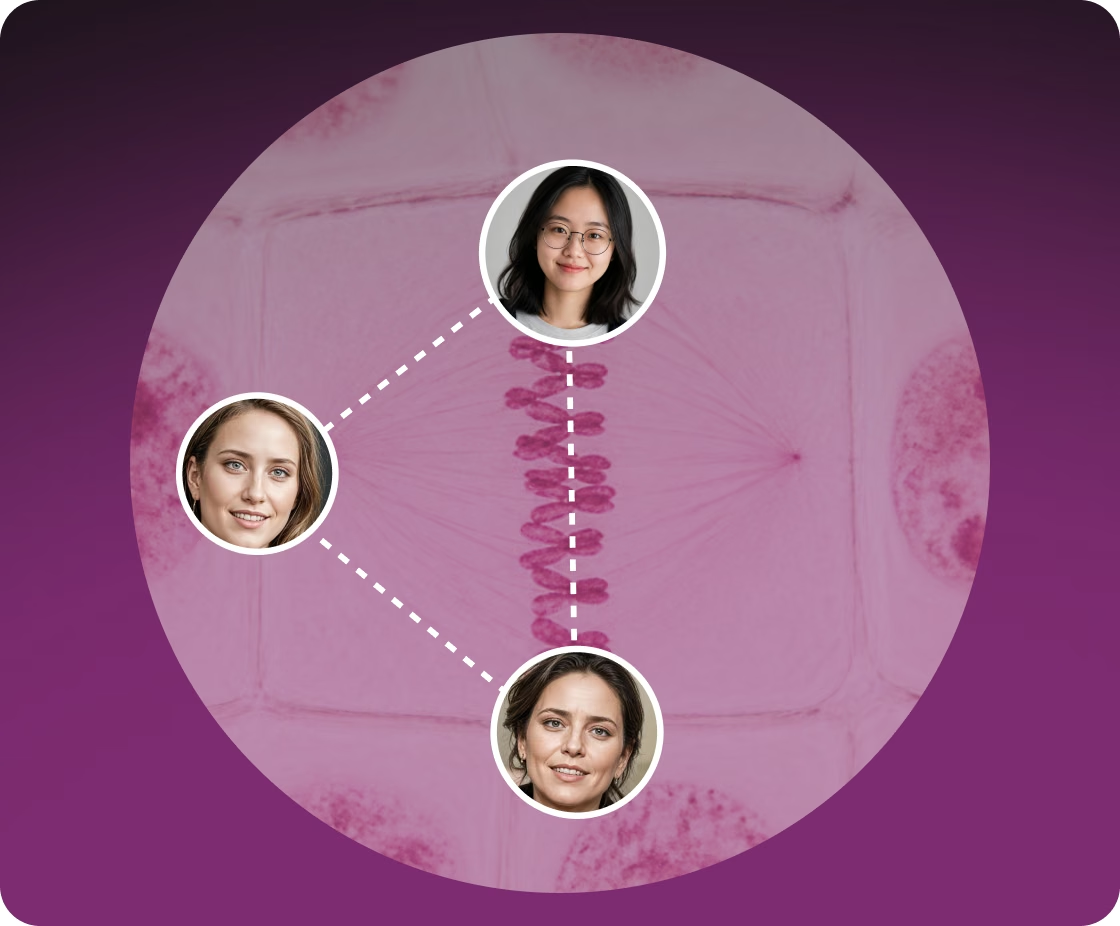
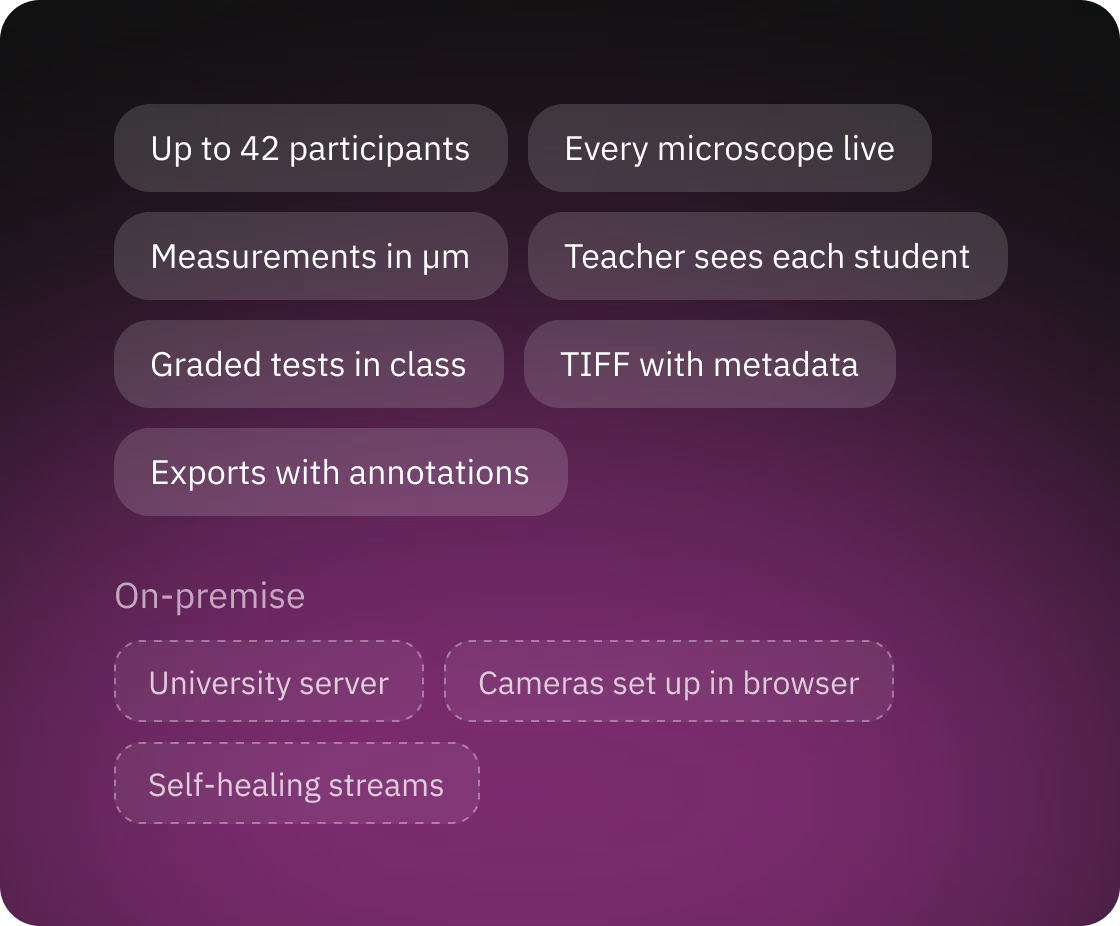
Scopeo turns each microscope's Wi-Fi camera into a live stream that the whole class can open in the browser, so students and teachers don't need the camera vendor's software on their computers.
The camera service, written in Python, works with the ToupTek cameras through the vendor SDK and pushes video into LiveKit over WebRTC. It has two ways to do this:
The backend starts a microscope's stream when the first user takes its workstation and stops it when the last one leaves, so microscopes nobody is using don't send video or load the server. Each microscope has its own room on the media server, and users join it with watch-only access.
In the participant sidebar, each microscope in use appears as a preview image that the camera service refreshes every 5 seconds, so a browser doesn't have to receive full video from all microscopes at once. Full live video plays when a user opens a microscope.
To develop and test without hardware, the camera service replays recorded microscope video as virtual cameras. The test environment runs on them, and changes merged into the development branch are deployed there automatically.
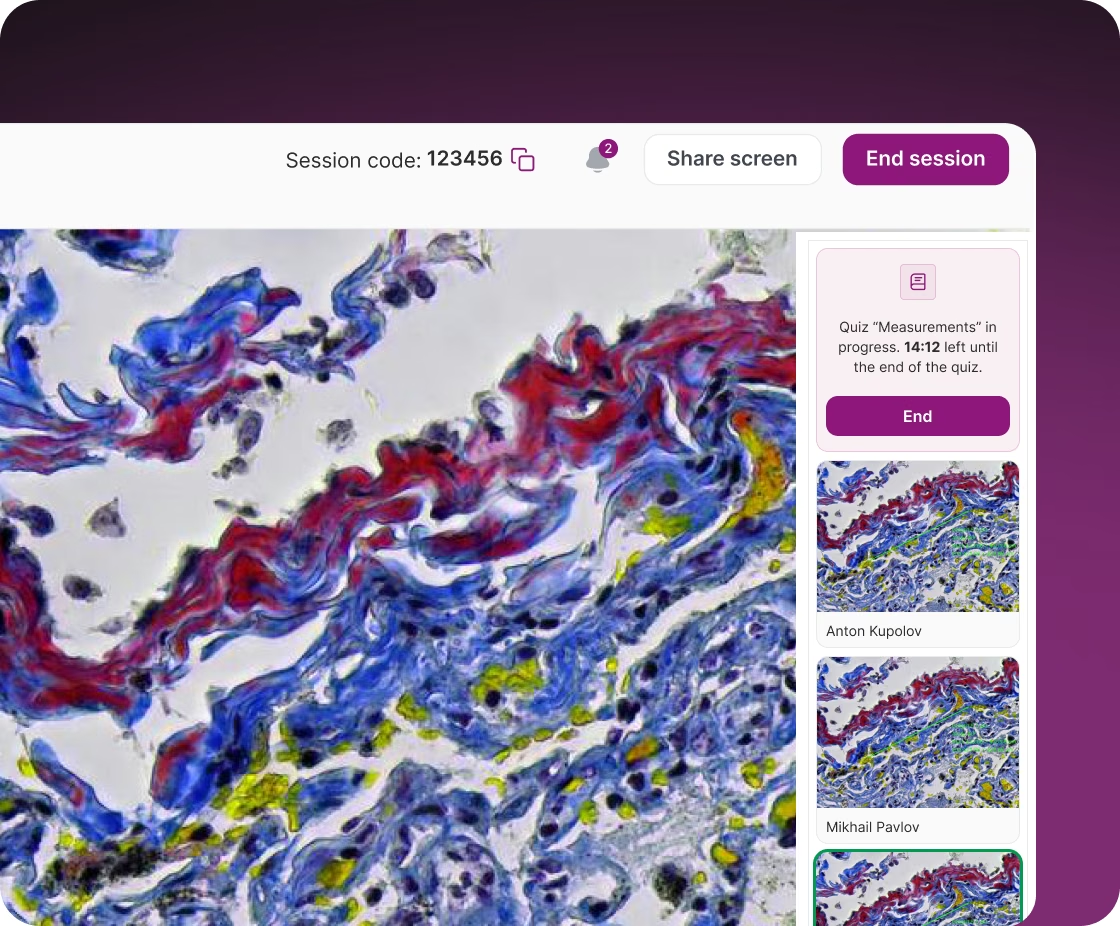
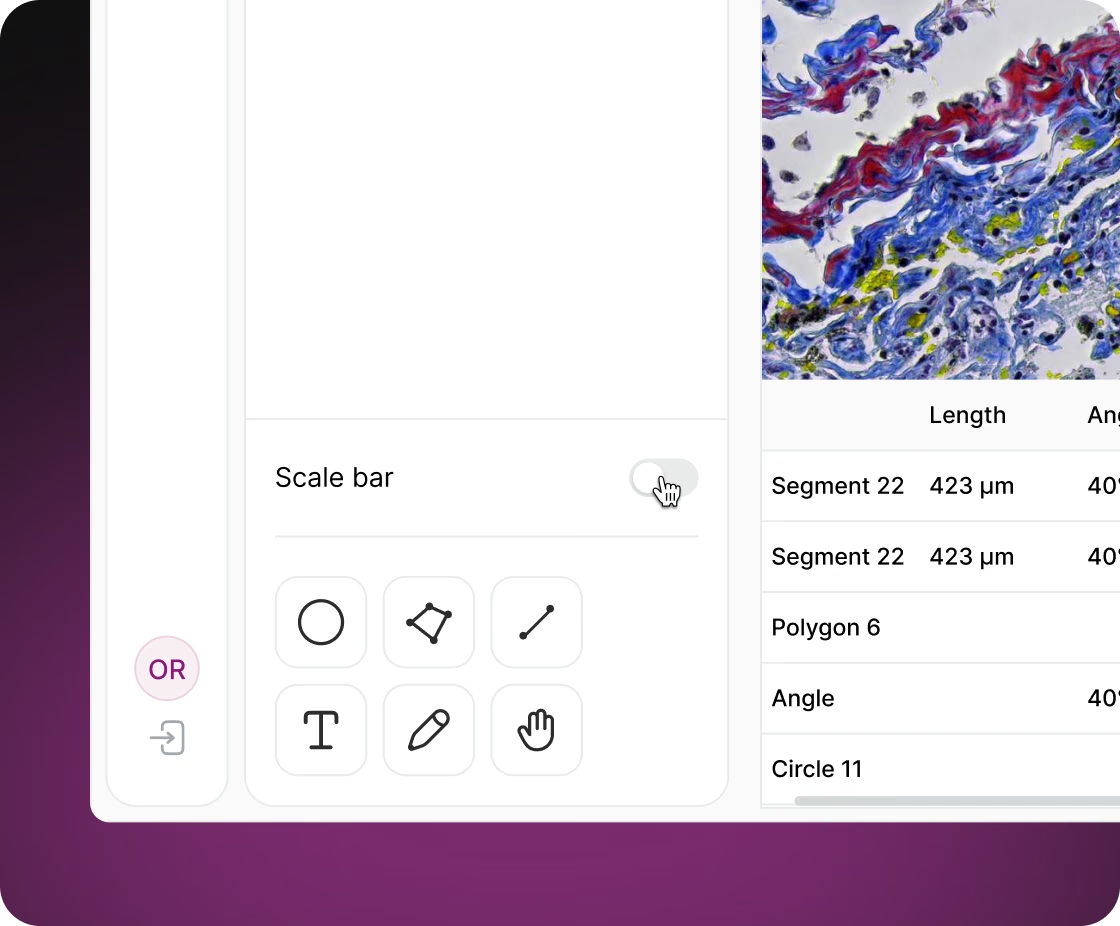
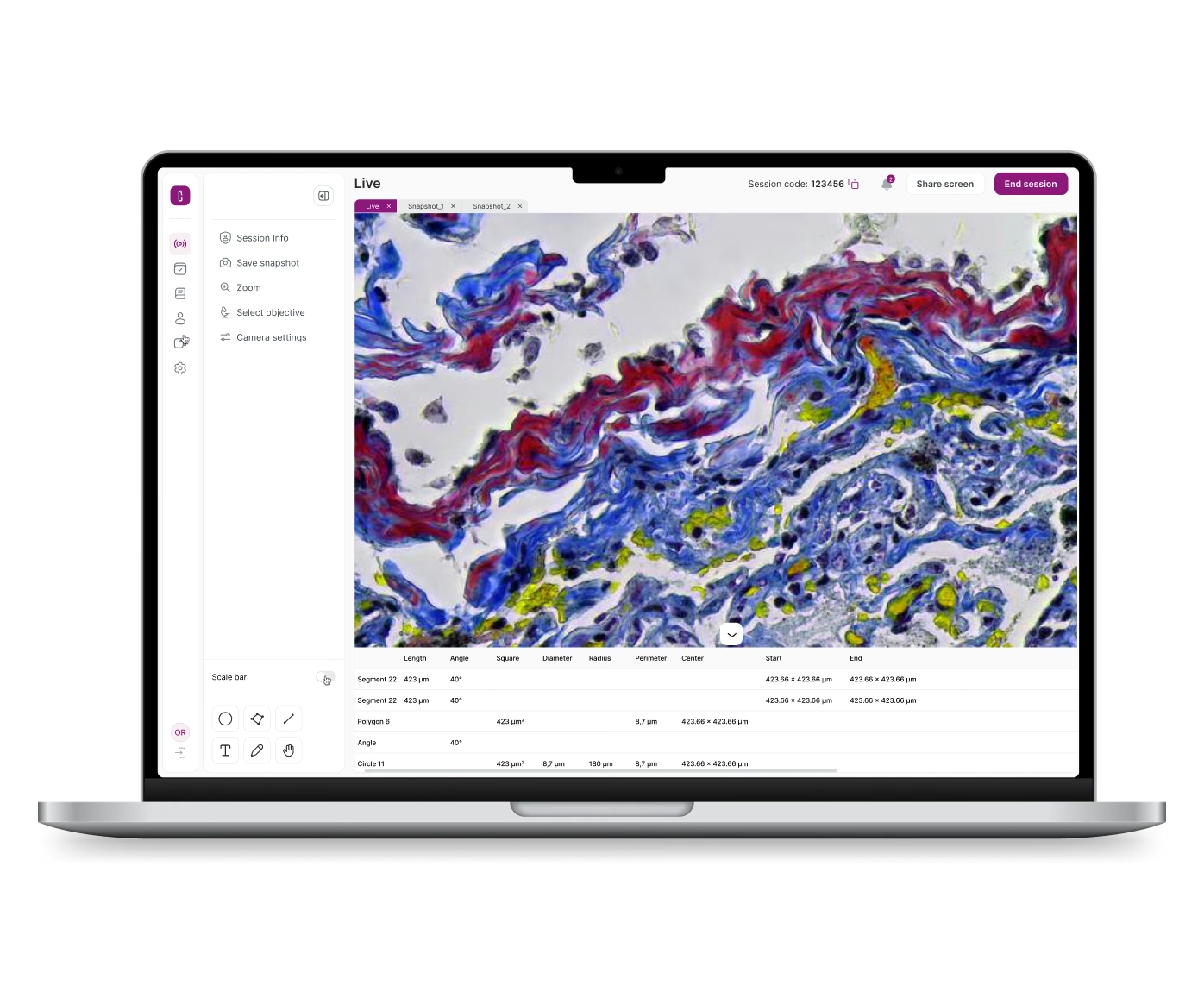
Users measure specimens directly on the live video, in micrometres or millimetres. The tools are:
The admin uploads a table, in Excel or CSV, that maps each objective's magnification to pixels per micrometre. When a user selects another objective in Scopeo, the measurement labels and the scale bar are recalculated, and the scale bar snaps to round lengths such as 10, 20 or 50 µm. A table under the video lists the segments and polygons with their values, separately for the user's own layer and for the layer they are viewing.
The hard part was keeping annotations aligned with the video. All geometry is stored in the camera's native pixel grid (2592×1944), and the same transform is applied to the video and to the annotations drawn over it. Annotations stay in place at any on-screen zoom, window size or screen resolution and look the same on other users' screens.
Users can zoom to one camera pixel per screen pixel, fit the image to the window, or fit it to the free area next to the measurements panel. The view pans on its own while an annotation is dragged near the edge, and common actions have keyboard shortcuts.
Each change is saved and sent in real time to the users allowed to see it; a moved annotation is sent when the user releases it, so dragging stays smooth. Annotations can be styled with colour, line width from 1 to 30, arrow, tick or dot line ends, and label fonts with bold, italic and underline.
The teacher follows the work of the whole room from one screen instead of walking between microscopes.
The participant sidebar shows each student's microscope preview with the student's annotations on top; the annotations update live. One click opens that view full size with the student's measurements. The teacher can sketch on it to think something through; such a sketch stays on the teacher's screen and doesn't change the student's layer. Students who raise a hand move to the top of the student list in the order they raised it. The teacher can share their screen with the class, gets a notification when a student joins or leaves, can remove a student, and can end the class for everyone at once.
Annotation visibility follows classroom rules, and the backend enforces them: a student's annotations go only to the teacher, the annotations in the teacher's own layer go to the whole class, and students don't receive each other's annotations. A layer can be changed only by its author.
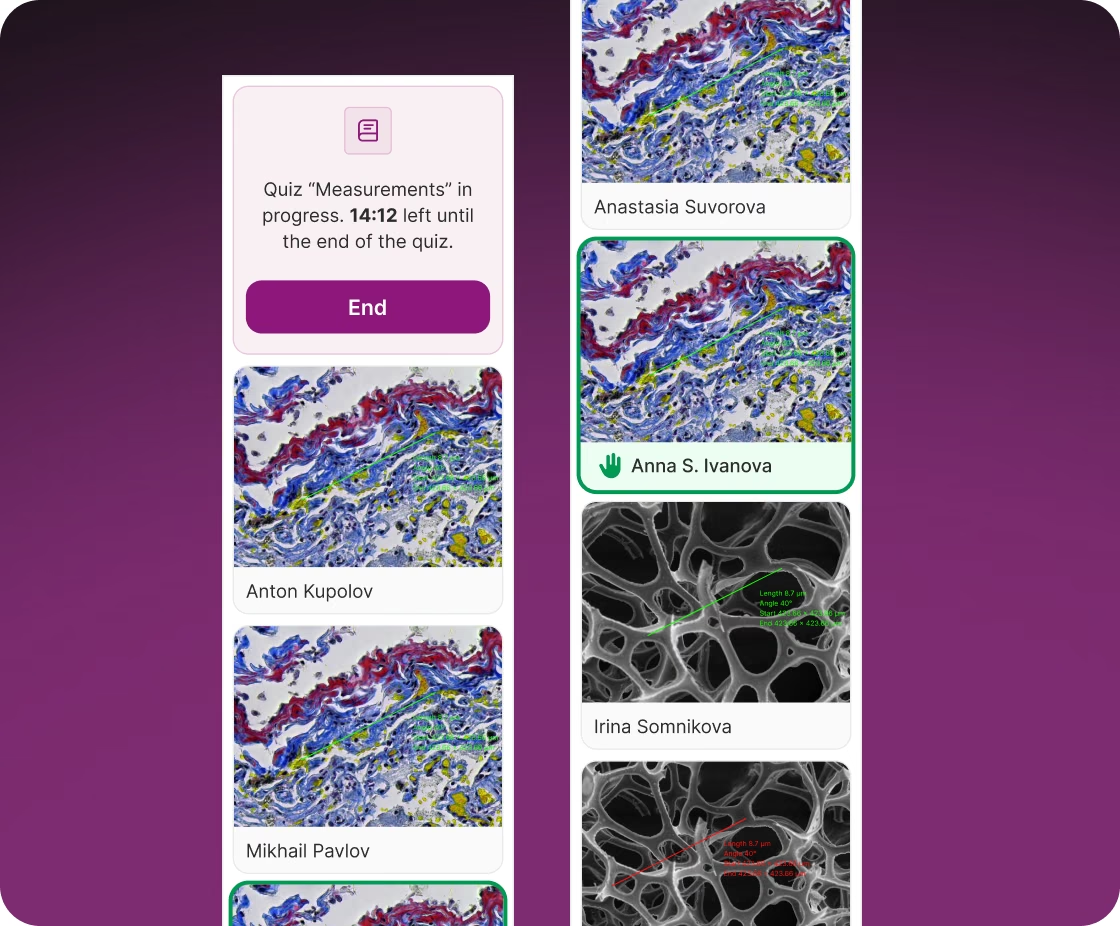
Snapshots are saved at full camera resolution together with the data needed to measure on them later.
A snapshot, taken with a button or the F8 key, comes from the latest full-resolution frame the camera SDK delivers to the camera service, not from a capture of the video in the browser. The service saves it as a TIFF without compression.
The backend then prepares the file for later work:
When a TIFF snapshot saved by Scopeo is uploaded back, Scopeo reads the objective from its metadata and applies that objective's calibration, so measurements on the reloaded image stay correct. Images uploaded from a computer, JPEG or TIFF, are padded to the camera's 4:3 aspect ratio so the tools work on them the same way.
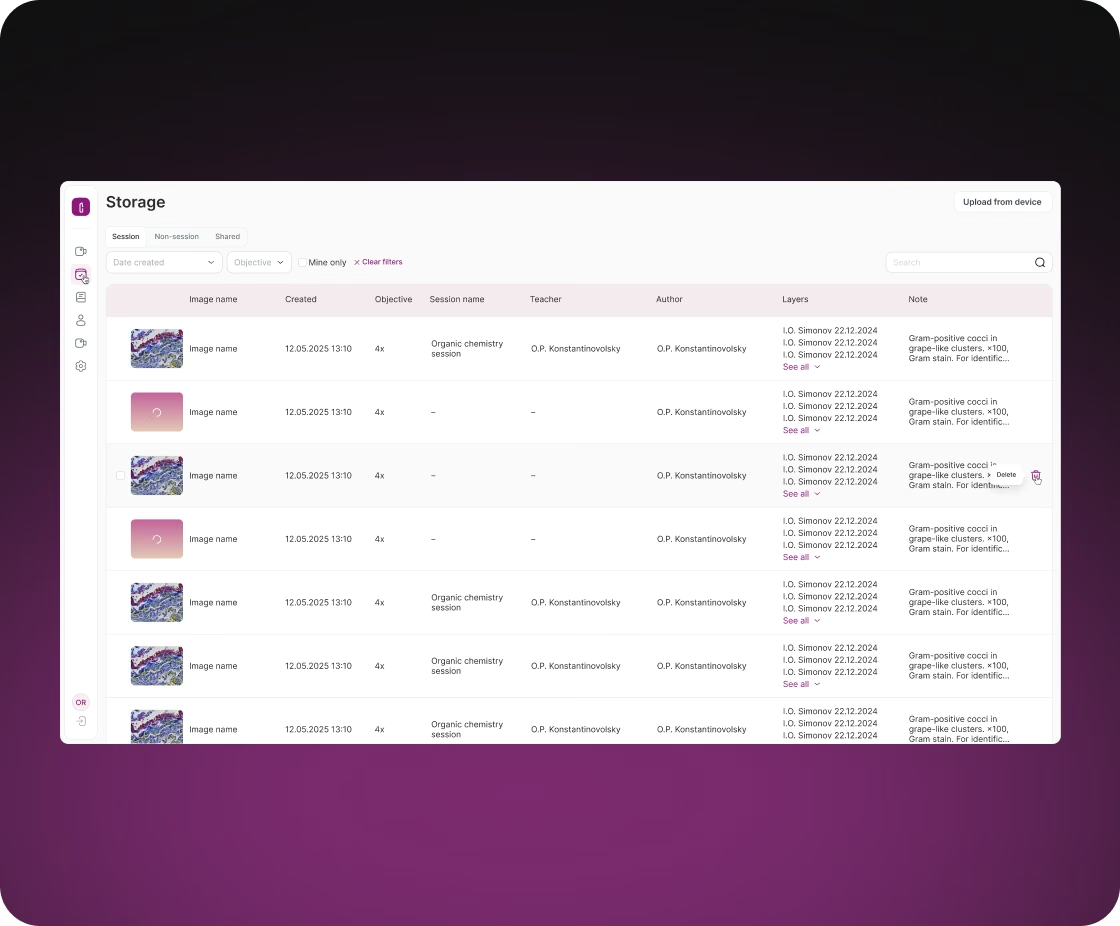
The image library keeps class work and individual work apart, filters by objective and date, can show only the user's own images, and searches by image name, notes, class and author. Students see their own images and images from the classes they attended. In the editor, several images open as tabs, and users switch between the annotation layers available to them.
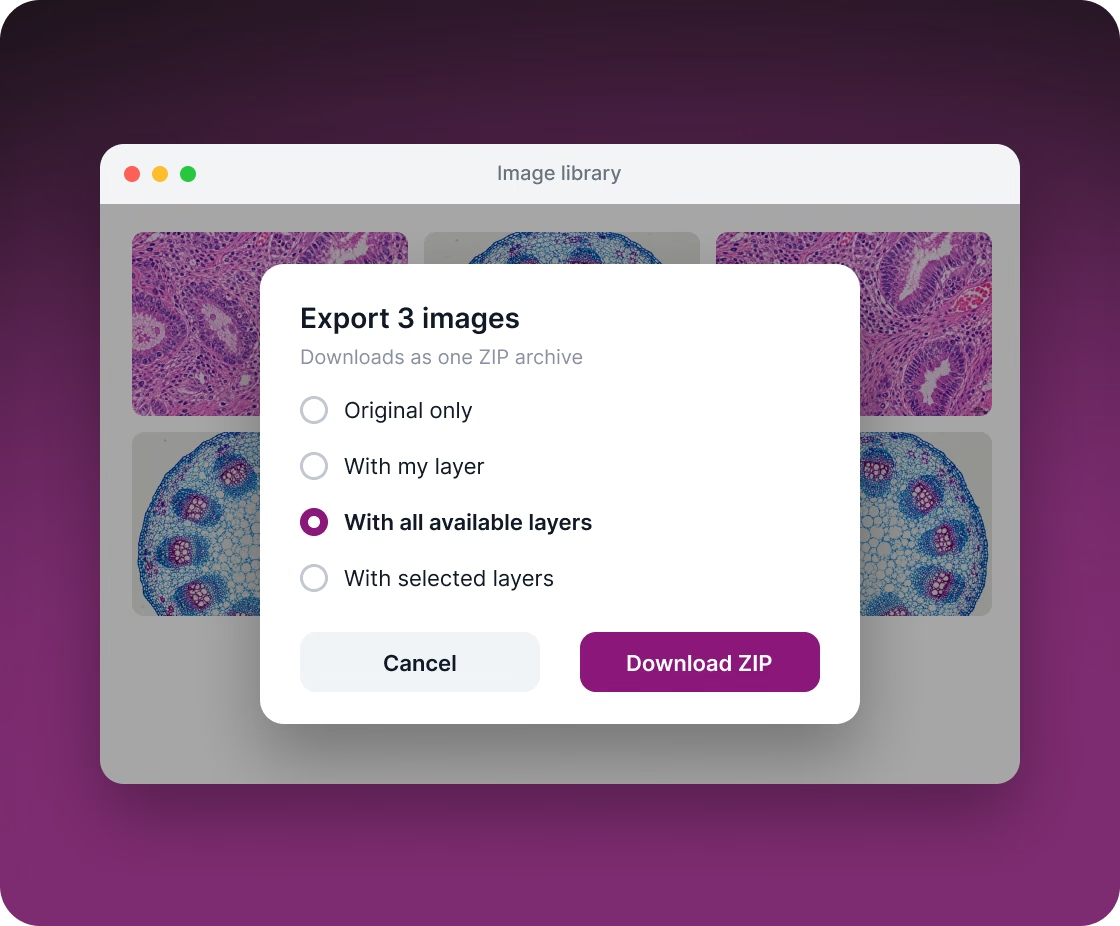
Users take their work out of Scopeo as ordinary image files that look the same as on screen. An image can be exported as the original only, with the user's own layer, with all layers available to that user, or with selected layers. Several images download as one ZIP archive.
The backend draws the annotations itself. It runs the same drawing engine as the browser (Paper.js) without a screen, turns the result into SVG and renders it with resvg. Fonts are bundled with the app and system fonts are switched off, so the result doesn't depend on the fonts installed on a particular server. Text underlines are drawn as separate lines, positioned from measured glyph widths. The annotations, measurement labels and scale bar are then placed over the full-size image.
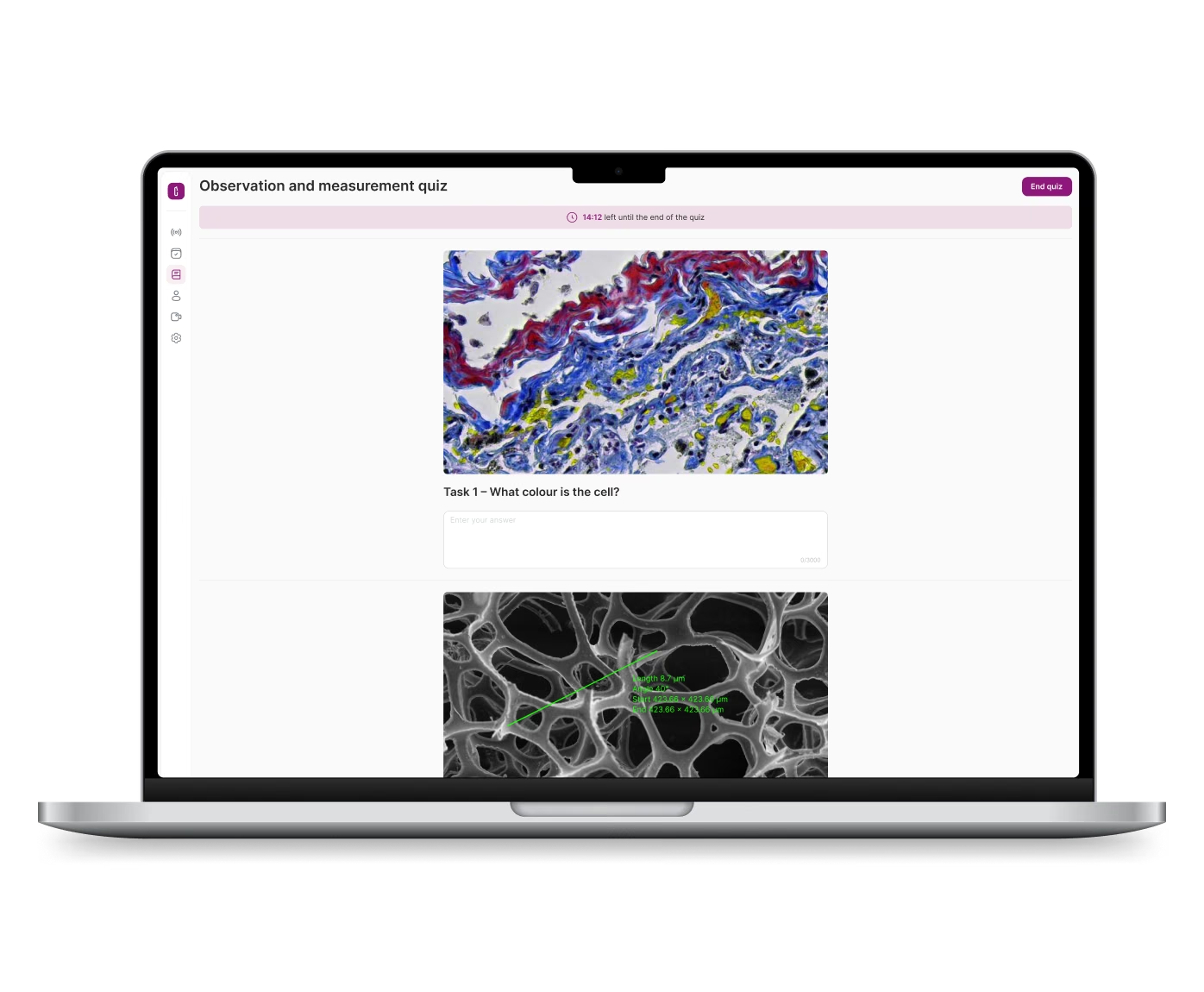
Teachers check knowledge on the same specimens the class is looking at, without a separate testing tool.
Teachers build tests with single-choice, multiple-choice and open-answer questions, set points for each question, reorder answer options by dragging, and can add a time limit. A question image can come from the image library, from a computer, or from a snapshot of the live microscope view together with its annotations.
A test runs like this:
Results can be filtered by date, student, teacher, course and group. Teachers can copy a colleague's test and reuse it.
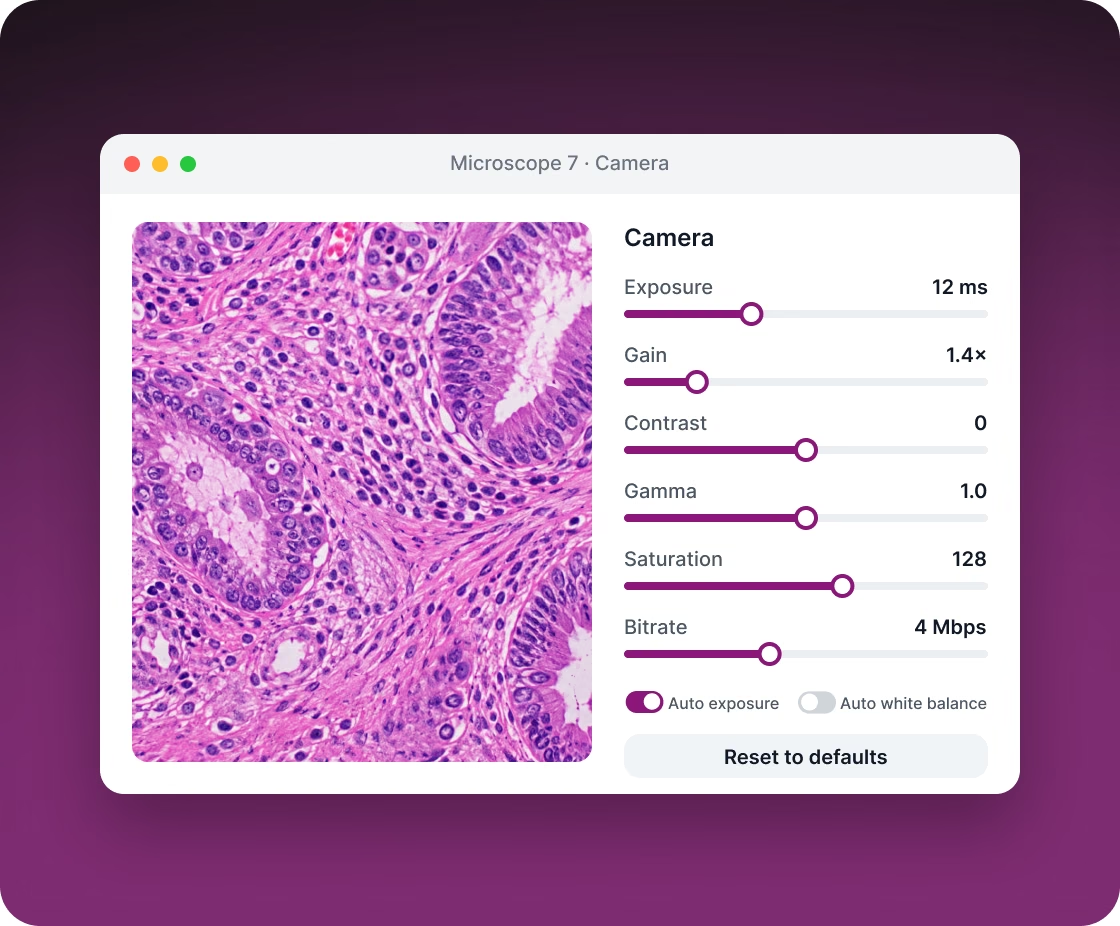
Each user adjusts the camera of the microscope they work at in Scopeo instead of the vendor's desktop app: exposure, gain, auto exposure, auto white balance, contrast, gamma, saturation and stream bitrate.
The camera service reads each camera's real parameters with their ranges and defaults from the SDK, up to 37 of them, and drops the ones the camera doesn't support, so the controls match the connected model. A changed parameter is shown to other users watching that microscope after the camera reports the new value, and one button resets the camera to its defaults.
Some adjustments are applied in the browser instead of the camera: brightness, monochrome mode, colour temperature, hue, mirroring and 90° rotation. They are synced to everyone watching that microscope and carried over into saved snapshots: the backend applies the colour adjustments, and the camera service applies mirroring and rotation.
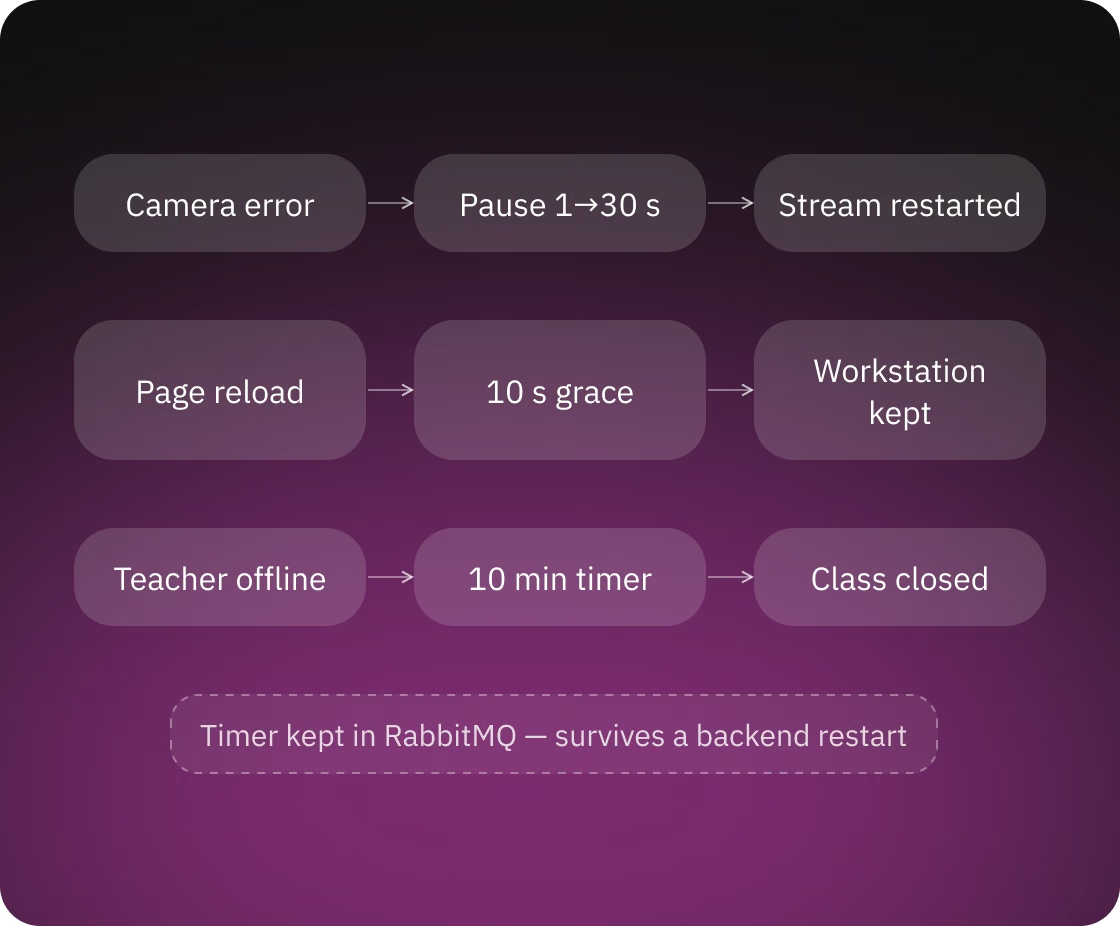
Wi-Fi cameras and student laptops lose connection, and the system is built to recover without the teacher's help:
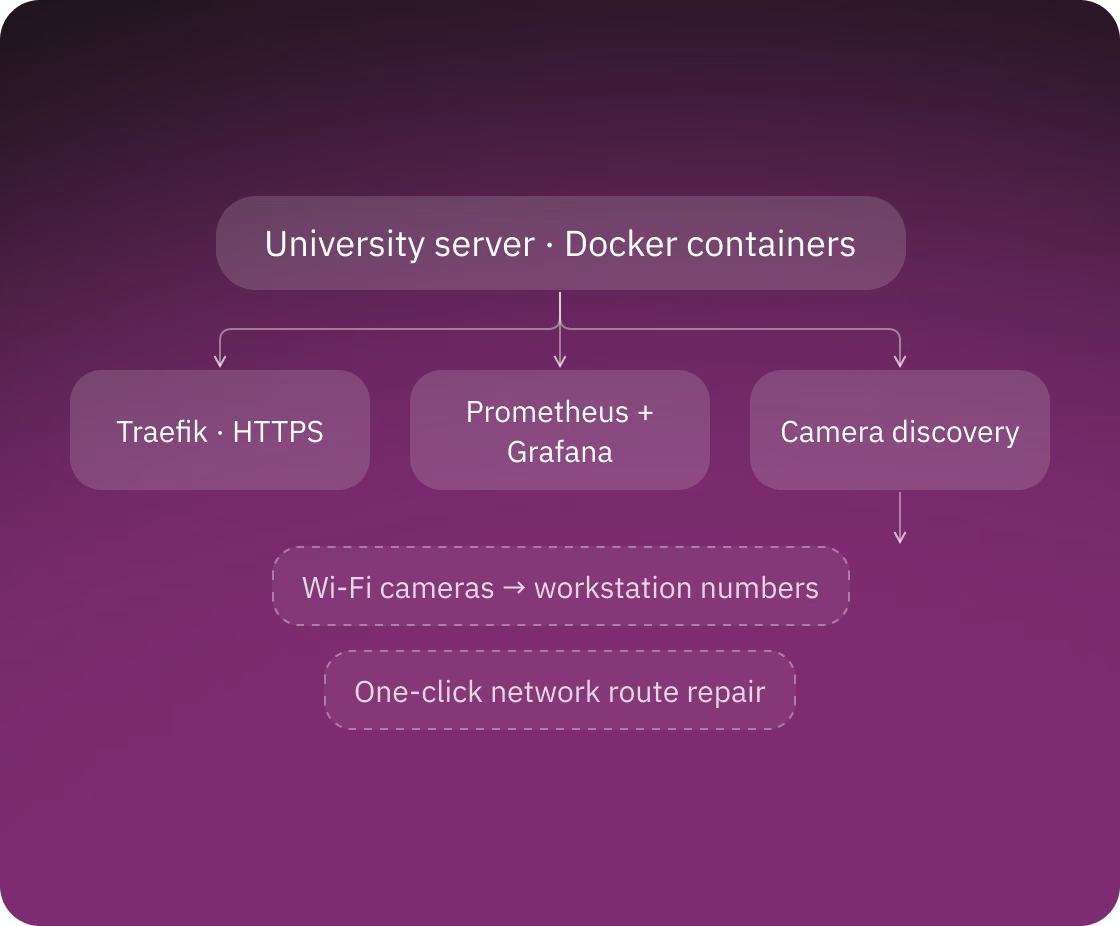
Scopeo runs as a set of Docker containers on one server inside the university. Once it is installed, the cameras are set up from the browser, without a technician at the server console.
On the Cameras page an admin can:
Camera discovery relies on network broadcasts, which often break on servers with Docker or several network interfaces. Scopeo notices when the cameras that used to be connected over Wi-Fi have all gone offline and offers a one-click repair of the server's network routes.
The platform works over HTTPS with a Let's Encrypt certificate or with the university's own certificates for closed networks. Prometheus and Grafana track the server's CPU, memory and disk load.
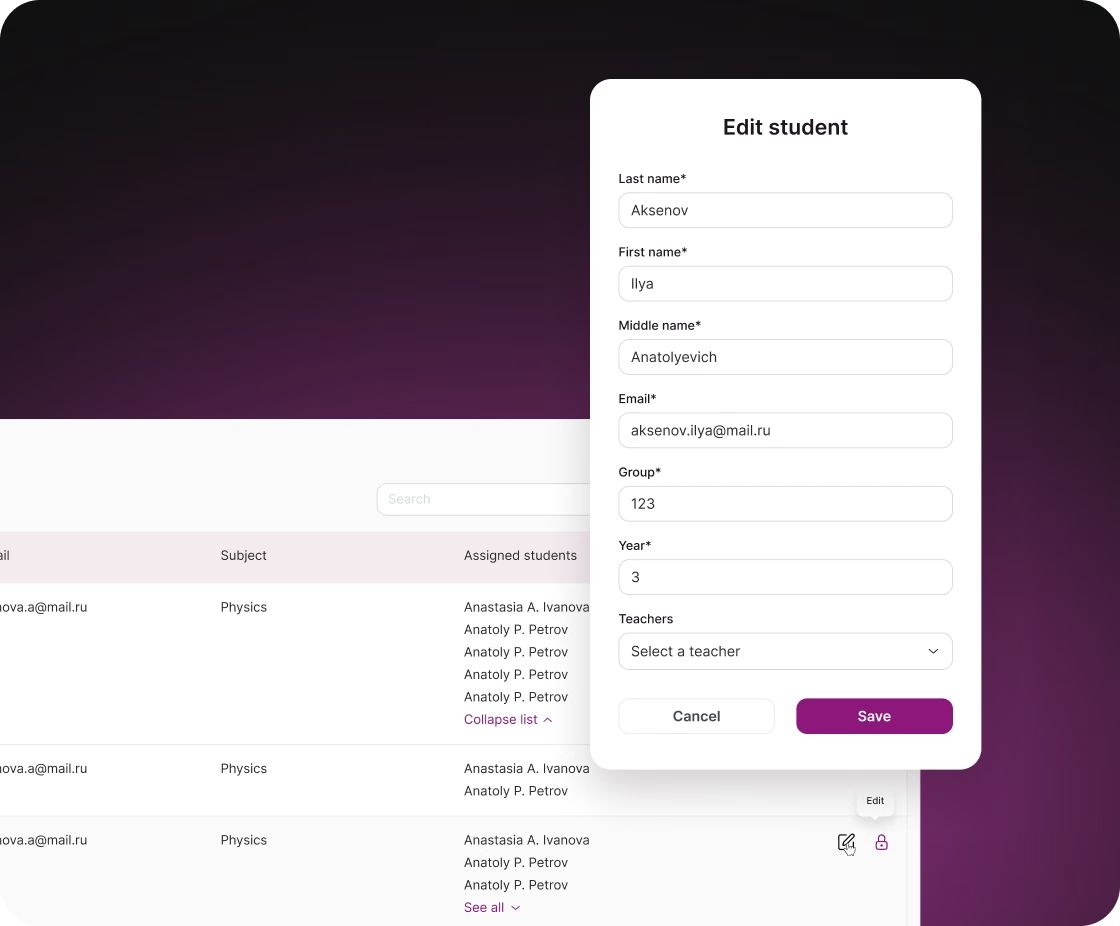
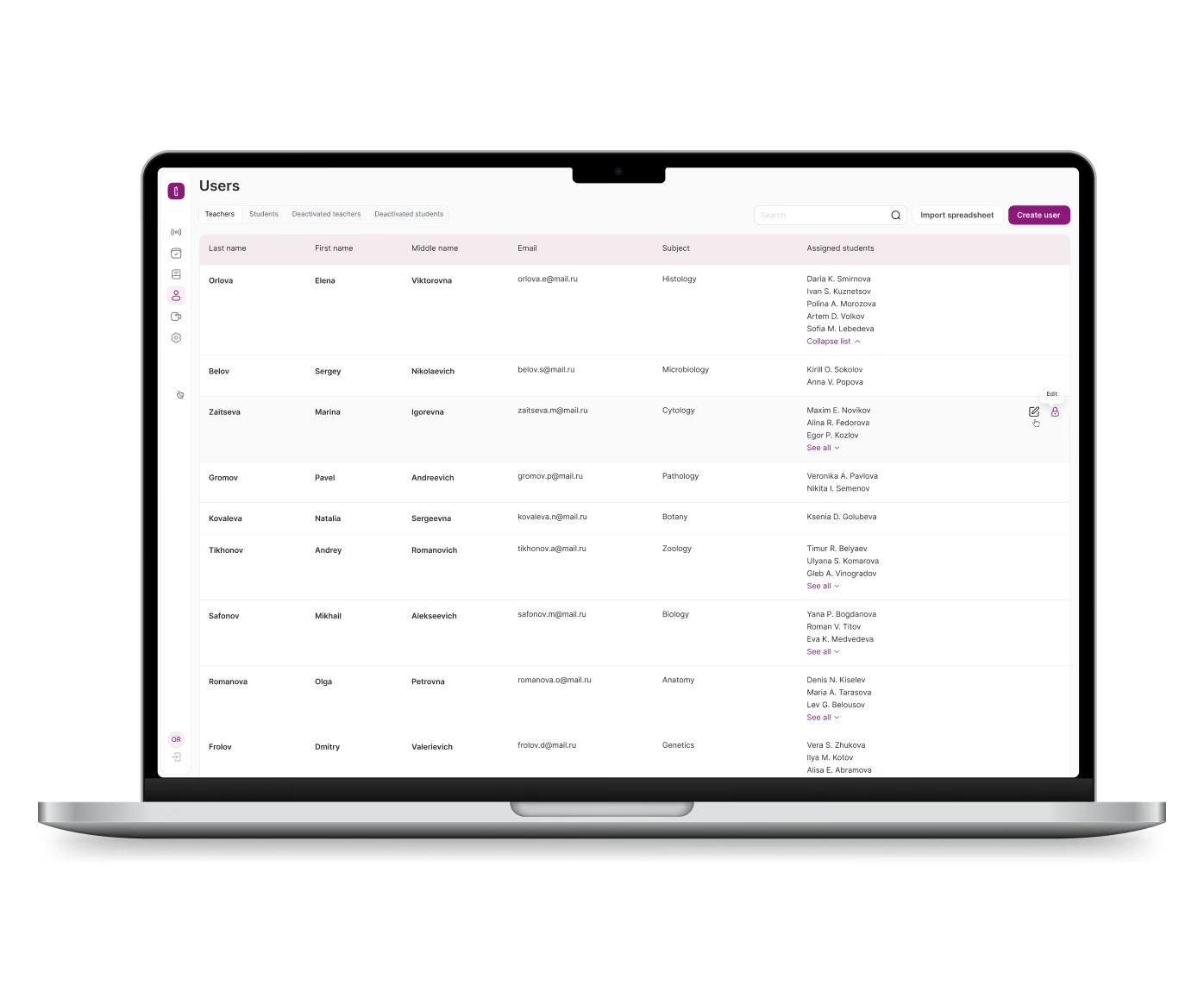
Teachers and admins add a whole group of students from one Excel file instead of typing accounts in one by one.
In the import file the columns can come in any order (surname, first name, patronymic, role, email, group, course, subject), the capitalisation of names is corrected, and all rows are checked in the browser before upload and again on the backend. Importing the same users again updates their accounts by email instead of creating duplicates.
New students and imported users receive an email invitation with a generated password. Invitation and password emails go through a queue, and an email that fails to send goes back to the queue. Passwords are reset with a 6-digit email code that expires after 10 minutes and allows 5 attempts. Admins can deactivate and restore accounts, and a deactivated user can't sign in. The web app redirects students away from the user, test builder and camera pages.

You get a realistic estimate, technical recommendations and next steps. Free, no obligations.